
We are onto Part 6 of our How to create NFT series. If you have not read the previous articles then go ahead and give them a read.
Part 2: Digitizing the Artwork
Part 3: Creating the Collection
Today is all about how to create blends. Now this a semi easy step and I hopefully after this article you should have all the 'technical' knowledge you will need to create a piece of artwork and create that into a NFT or pack and then also creating drops for that artwork and blends.
Step 1 is to log into NeftyBlocks and head to your collection screen. Then find the button labeled "Blends" and click on it.
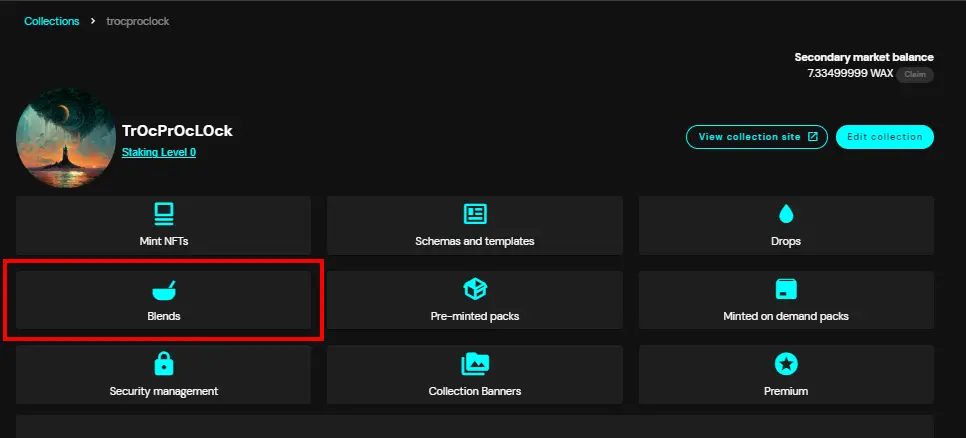
Step 2 is to click on "New Blend" in the top right corner.
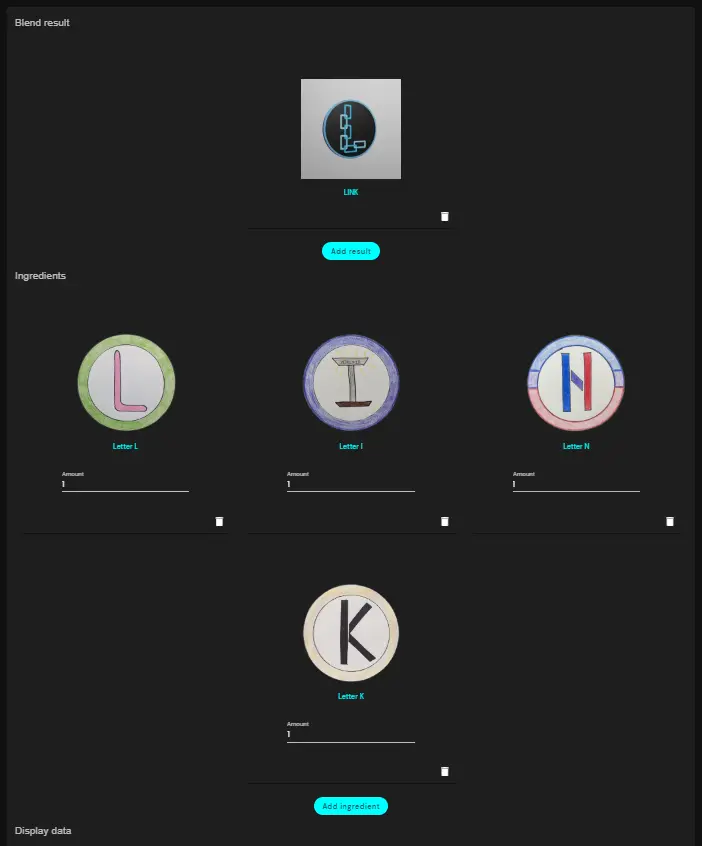
Here you are going to select the template you want as the end results of the Blend. You are also going to select all the ingredient NFT's that are needed to be blended to create that end result. Go through and add all those NFT's until it looks how you want.
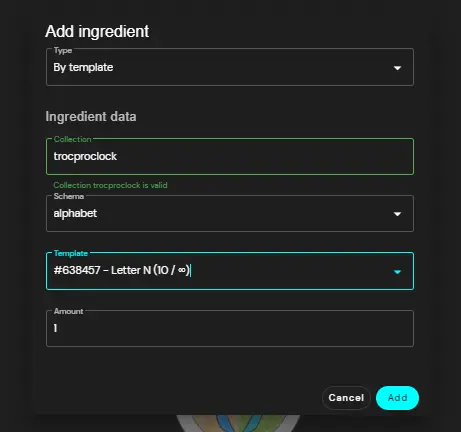
The popup to select NFT's will look like this. You pick the collection, schema & template to include.
Here is how mine looks for my LINK blended NFT.
Scroll further down and you will have more options. You will be able to select a name for the Blend (this is just on the Blending page and not the actual name of the NFT). You will be able to determine how many each person can claim and how long they have to wait between blends. You get to select a start time and end time.
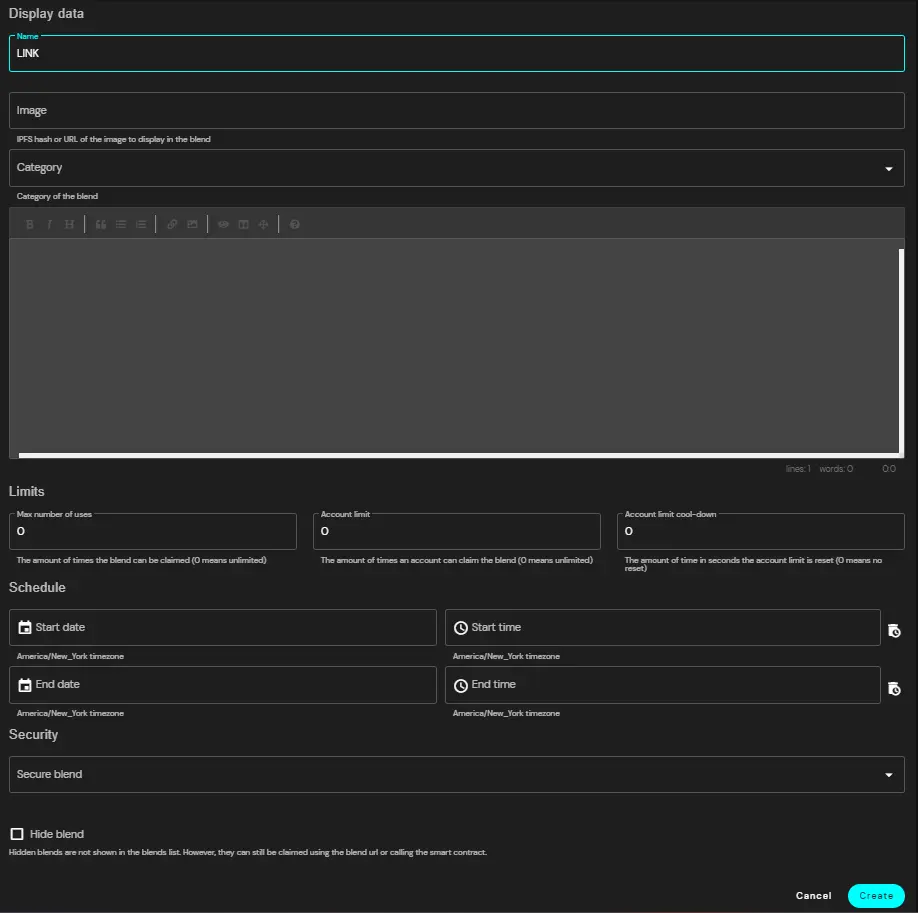
Once you have all the data you want in it you can click on "Create" and then sign the WAX transaction and your blend is active. It will go live once you start time occurs.
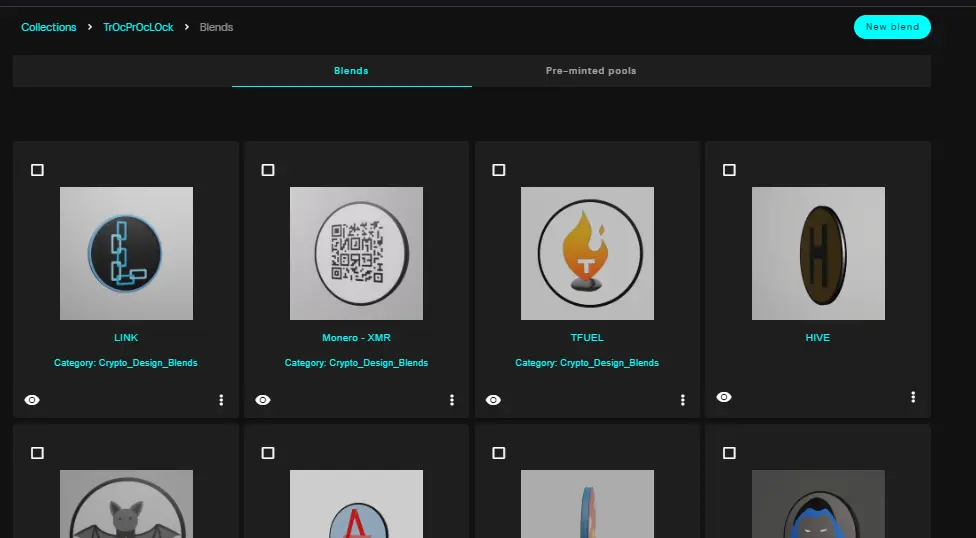
You will be brought back to your Blend page and you can see all your blends and also create more.
Congratulations. You have made it through all 6 parts of my series on how to create NFT's. You should have everything you need to know to go ahead and create your own collection and design your NFT's and create them and list them, drop them or even put them in packs and blend them. I hoped you enjoyed this series and be on the lookout for more content from me.
FYI the LINK and HNT blends are now live in my collection.
https://neftyblocks.com/c/trocproclock/blends/blend.nefty/23675
https://neftyblocks.com/c/trocproclock/blends/blend.nefty/23679






