
We are onto Part 5 of our How to create NFT series. If you have not read the previous articles then go ahead and give them a read.
Part 2: Digitizing the Artwork
Part 3: Creating the Collection
This article is a going to be a little easier because I am assuming you have read Parts 1 through 4 already. Today we are going to create drops via NeftyBlocks and since posting my Part 4 there has been an update with Nefty Blocks. Most of the features that used to require you to stake NEFTY are now free to everyone. So think like "Mint on Demand" vs "Pre-Minted".
But enough of that let's get into Drops.
You can decide to either drop packs or single NFT's. What I have done is setup a drop for my Booster Pack (which contains 3 NFT's). So head over to your creator page on NeftyBlocks.
For me this is: https://neftyblocks.com/creator/trocproclock (and that is because 'trocproclock' is my collection so replace that with your collection). You should see something like this.
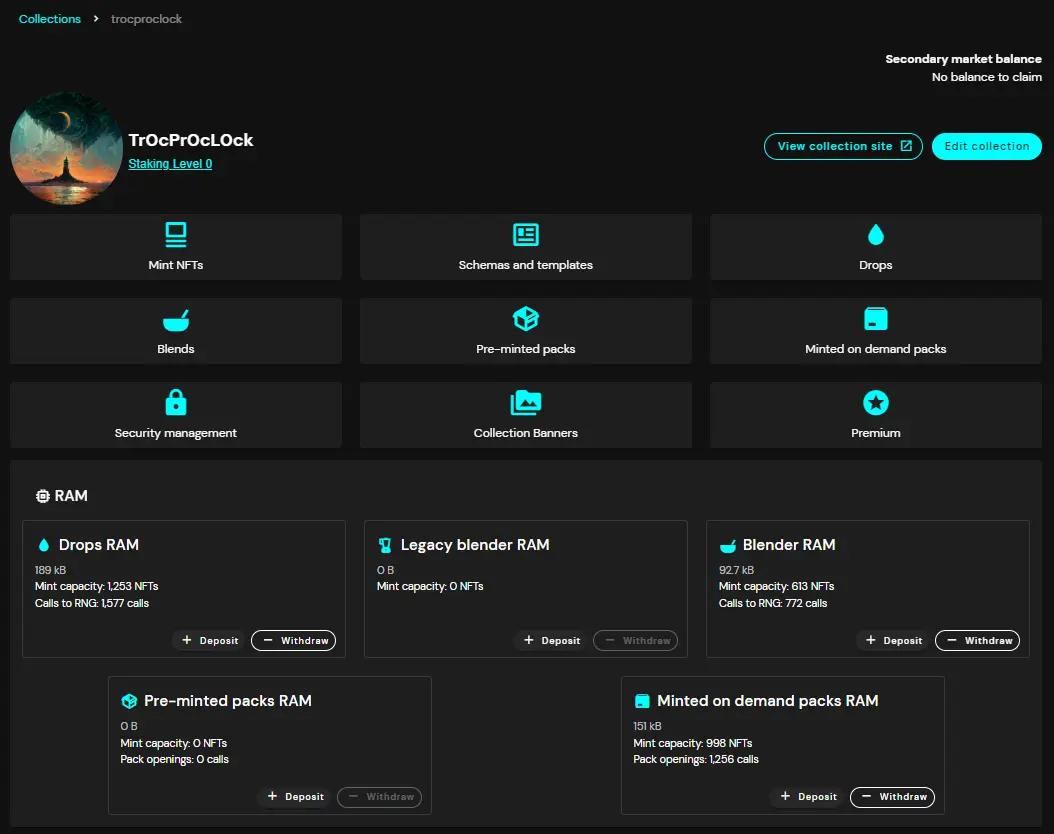
What we care about is that water drop icon in the upper right area. Click on "Drops" to be brought to the Drop screen.
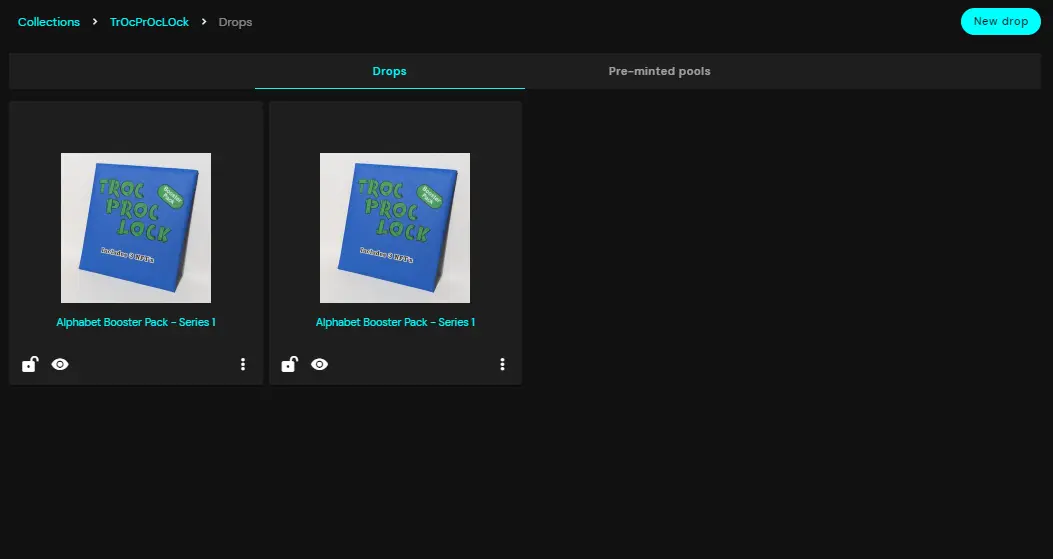
You can see that I already have 2 drops live at the moment. They drop the same item but one of them costs 2 WAX and the other costs 10 NEFTY. So that uses can purchase with either currency that they want.
What we need to do is click on "New drop" in the top right corner. In order to better walk through this with you I deleted a previous drop and am recreating it now.
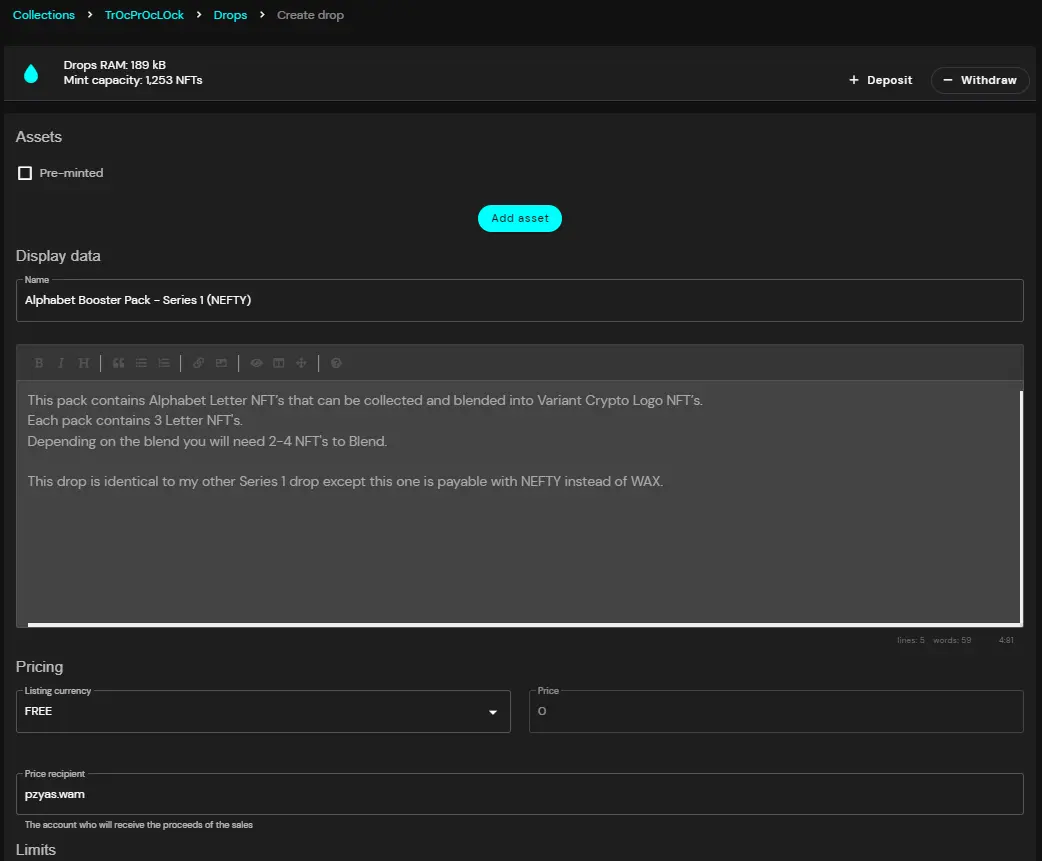
You need to fill in a 'Name' for the drop and also a Description. Then you will need to set the price. You will have a few options to pick from.
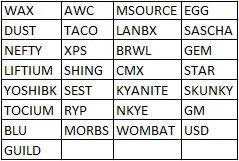
I picked NEFTY and set the price at 10. I set the Price Recipient to my account as well. Then you need to set a schedule. All that is when you want the drop to go live and when you want it to end.
Next there is "Secure Drop" and "Hide Drop" and it explains what each does but for sake of simplicity we are not going to get into all that.
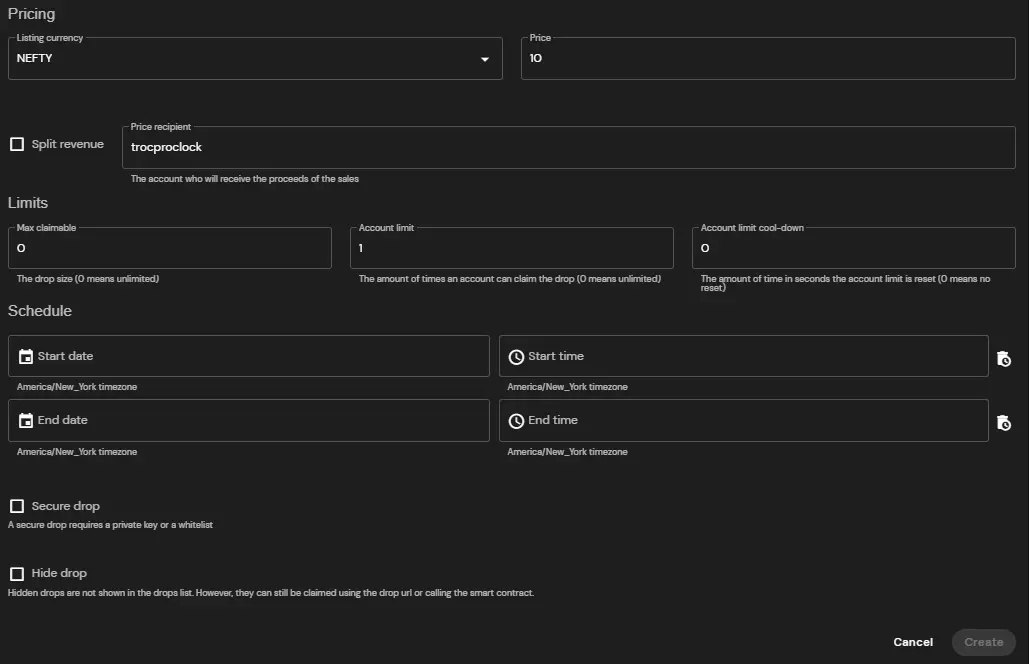
Now that you have all that info in there you will need to determine what NFT to actually drop. The reason I do this last is because it stops you from accidentally creating the drop before you are ready.
I selected which NFT I wanted (my pack) and I also selected that I want it "pre-minted" which means when you buy a pack it doesn't automatically mean you get the next Mint #. Now if you are doing packs this isn't really a normal thing people do. But for actual NFT's then this could be a normal thing. Either way I wanted to walk through it to make sure you knew how to do it.
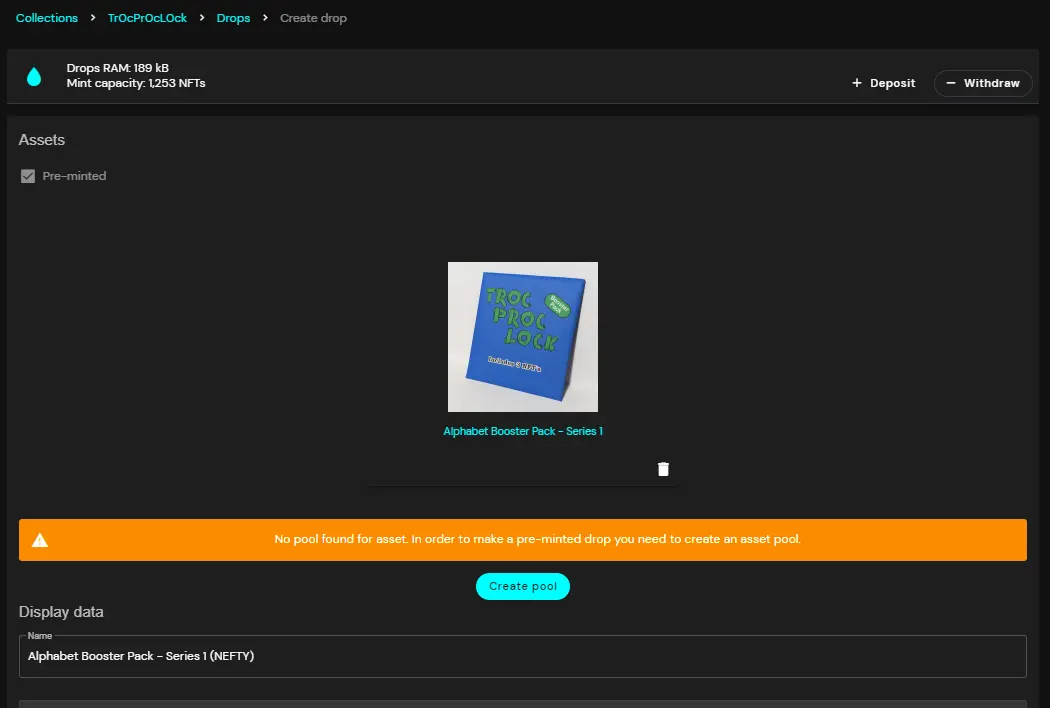
When you select it, Nefty will tell you that there is no pool created for it yet. You need a 'pool' of these NFT's that Nefty can access and then send out to people.
You will be brought to a new screen when you click on "Create Pool". You will need to select that pack you are trying to drop.
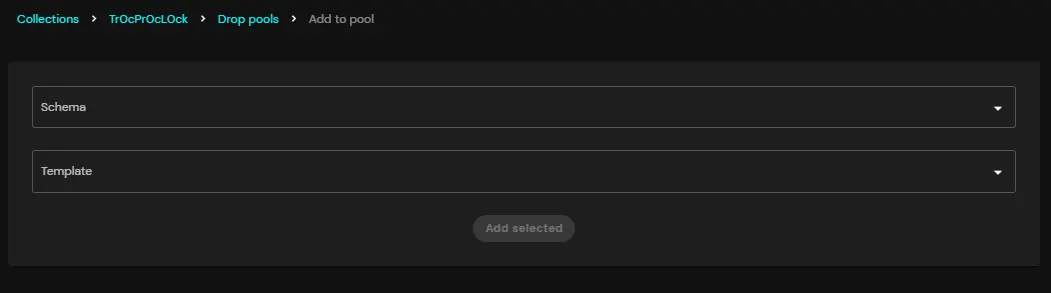
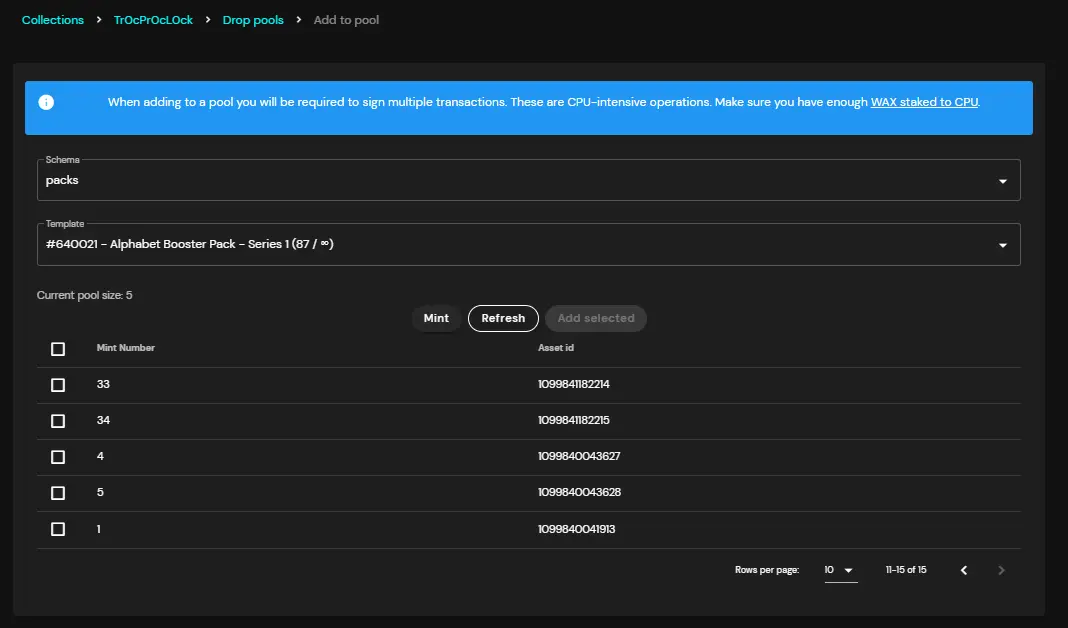
From here you will need to add NFT's already minted into the pool. You can click on Mint to mint a few to then add to the pool or if you already have some ready then select their mint numbers and click on 'add selected'.
Be warned you will need a quite of bit of CPU for this stage. Also I want to be very clear if you add the NFT at the end and decide to create a pre-minted pool you will most likely need to refresh your page and lose all the data you put into the drop page.
The reason why I like a Pre-Minted drop is a couple reason but one of the reasons is that I can dictate how many packs get sold. Like let's assume I only want 100 to be dropped at 2 WAX and then after that the next 100 be dropped at 4 WAX you can do that very easily with this.
However now that you have all that data inputted you can click on Create and it will create the drop. You can go back to your drops page and see your drop. Then click on the 3 dot menu and click on "View drop page". It will open a new tab to the URL of the drop.
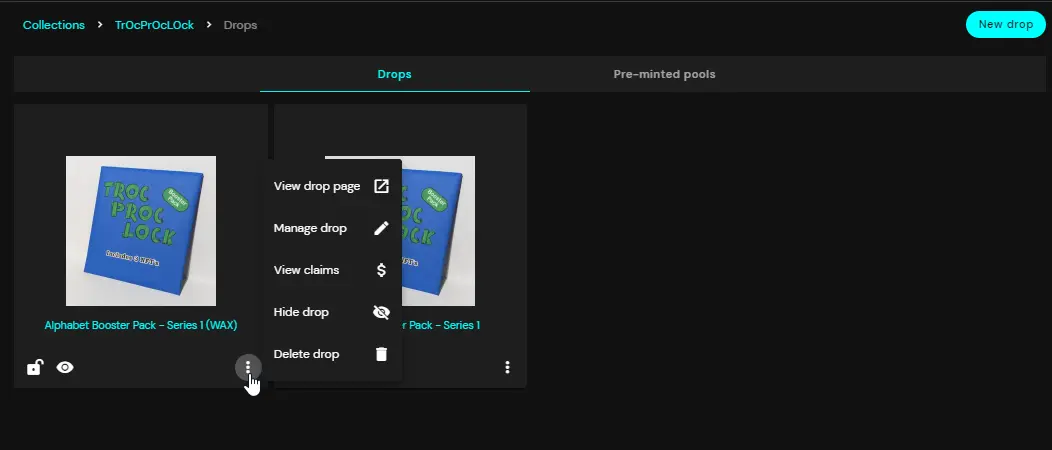
Here are the 2 I just recreated:
https://neftyblocks.com/collection/trocproclock/drops/153148 (2 WAX)
https://neftyblocks.com/collection/trocproclock/drops/153147 (10 NEFTY)
And that ladies and gentlemen is the down and dirty easy way to create drops! I hope you enjoyed it. Let me know if you have anything else you want me to explain or write about :)






