
So one day I was stuck trying to purchase some TFUEL. I never had to buy any TFUEL before because I earned a ton of it with the Pre-Guardian Node. But here is where my journey started, trying to purchase TFUEL. I wanted to buy 1,000 TFUEL without paying "real" money for it and by exchanging my current assets for TFUEL.
I quickly realized that the wallets and services I currently use would not let me purchase TFUEL with the assets I had. So the next step was look up on Theta's website where to purchase TFUEL and whom they recommend. After so digging I decided on Gate.io. Now keep in mind that if you want to withdraw funds from Gate.io you need to KYC.
I am not going to go into detail on how to setup a account because I think that is pretty self explanatory. Also the KYC process is the same as other places I have used. I will say that I got verified in less than 24 hours so that's a huge plus.
Here is my steps for buying/trading for TFUEL.
1) Get Ethereum from somewhere in some wallet. I had Ethereum in Trust Wallet so that is a good starting point. In the top right of the page go to "Account Setting" and then click on "My Funds".
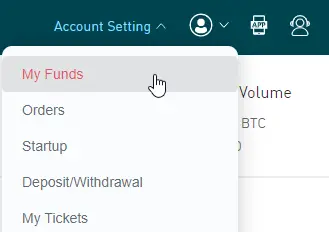
2) Find Ethereum and get your Deposit address. Use this address to send your Ethereum to.

3) Once you have sent Ethereum to your Gate.io address (you can see in my screenshot above I have some) you need to "sell" it for TFUEL. In the top left corner click on "Trade"

4) On the left hand side click on "ETH"
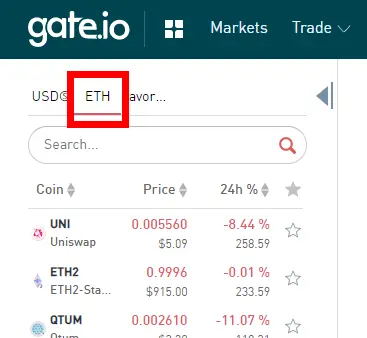
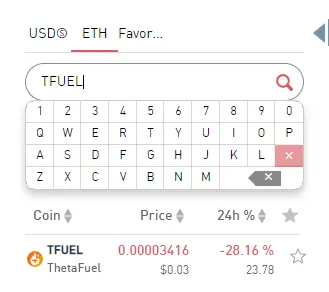
5) Underneath the "ETH" you need to search for TFUEL. Then click on the search result for TFUEL
6) The screen will refresh and show the TFUEL stats. On the middle on the bottom left you will see "Buy TFUEL", that is what I want.
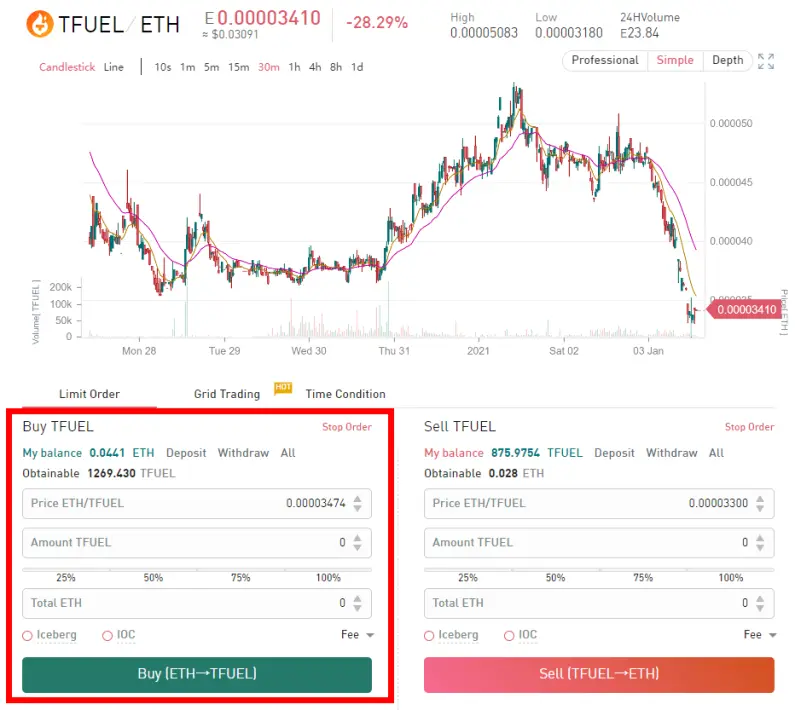
7) I want to buy as much possible TFUEL as my ETH will allow so I am going to select 100% from the slider
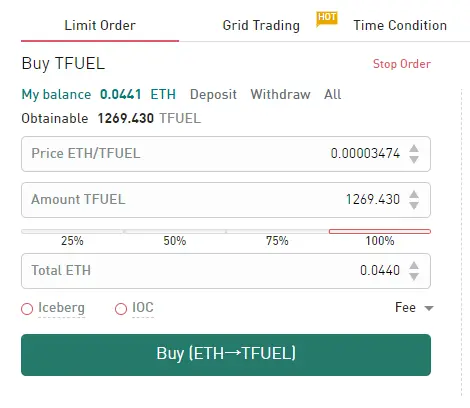
8) Once you double check everything click on "Buy (ETH-->TFUEL)". You can adjust how much you want to pay for the TFUEL if you want. Once you click buy a new window will pop up asking you to confirm your order. Click on "Confirm Order:.
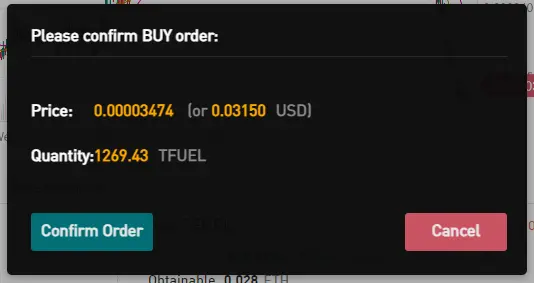
9) That's it guys, you bought TFUEL. Now if you account is verified you can withdraw this TFUEL to whatever Wallet you want to store it in. DO NOT STORE YOUR ASSETS IN AN EXCHANGE FOR A EXTENDED PERIOD OF TIME!
10) To withdraw go back up to "My Funds" (in step 2) and you will see your TFUEL has grown a bit. :) Click on withdraw and put in your address and click "submit request".
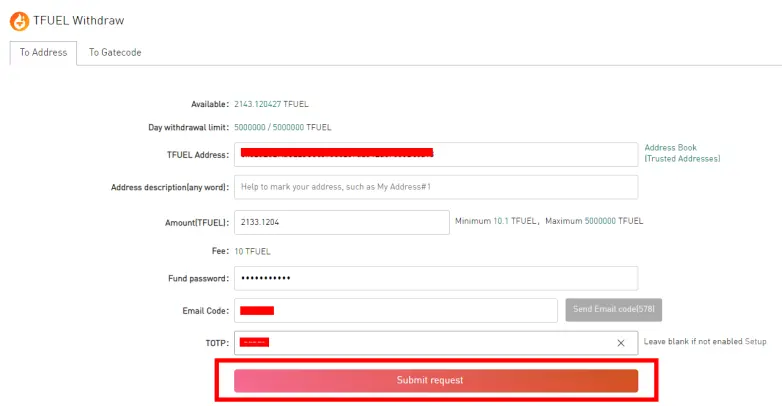
Fund Password: when you create your account there will be a login password and a Fund Password. The Fund password is to be used when you are withdrawing funds
Email Code: you need to click the button and it will e-mail a code to you that you have 10 minutes to input the code
TOTP: This is a 2 step authentication process, you may not have set this up but I have.
I hope this helps anyone trying to find a good exchange to use. If you have questions please let me know!
Here is my referral link:
https://www.gate.io/signup/3093901
If you use it then on each trade you perform you will get a 10% commission and I will get a 30% commission. That's a win win in my book. But if you rather not use my referral link then just go to https://www.gate.io and sign up that way.






