If you are like me and are not mining the NFTs you want then you will need to buy them. This is a guide to help you buy NFT's on the WAX blockchain. I am going to go through how to purchase a Alien Worlds NFT but the process is the same for other NFT's as well.
For this article I am looking to buy another Standard Capacitor.
The first thing you will need to do is navigate to https://wax.atomichub.io/ and login.
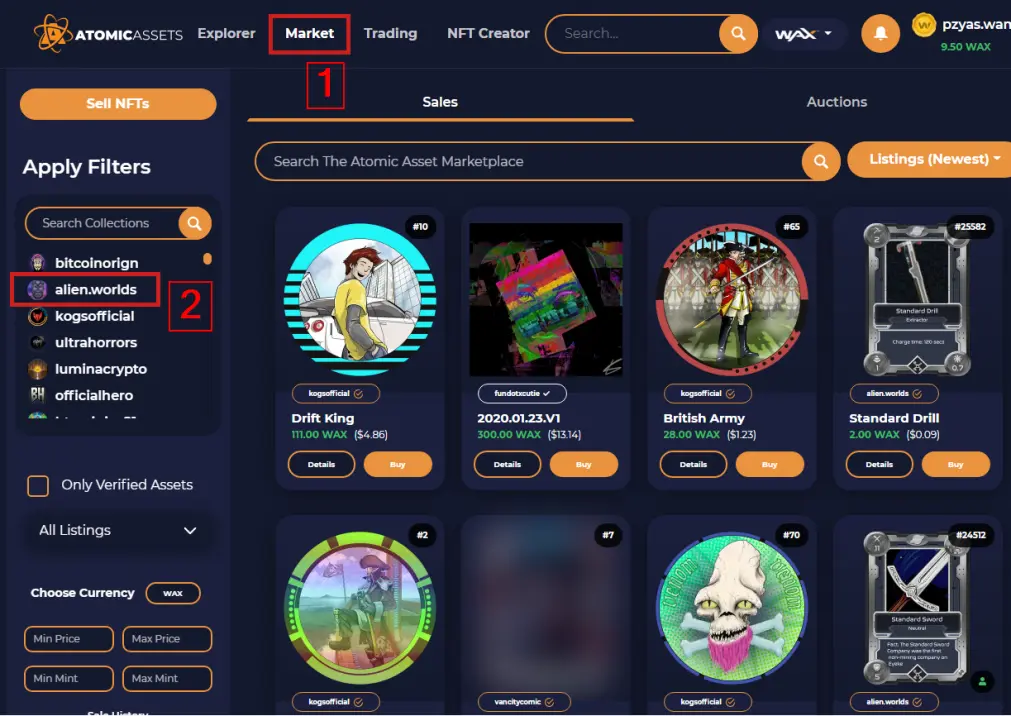
1) Click on Market
2) Select the Game you want to by NFT's for. For this article I am selecting "alien.worlds".
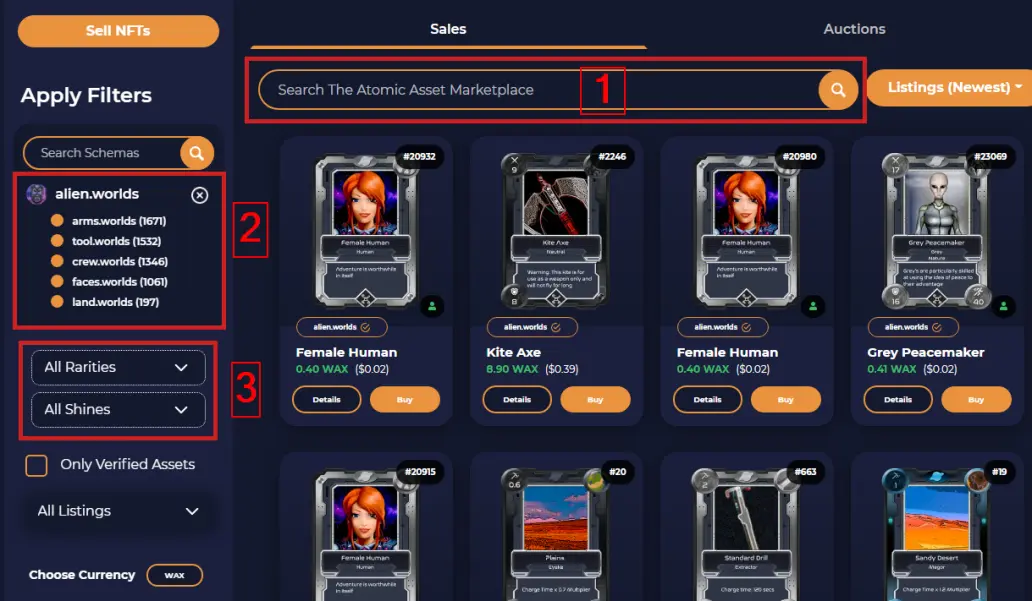
1) You can search for the specific name of the NFT if you know it.
2) You can also select a subset of NFT's. For this article I am going to select "tool.worlds".
3) You can also search by rarity or shine if you just want to look for Legendary NFT's.
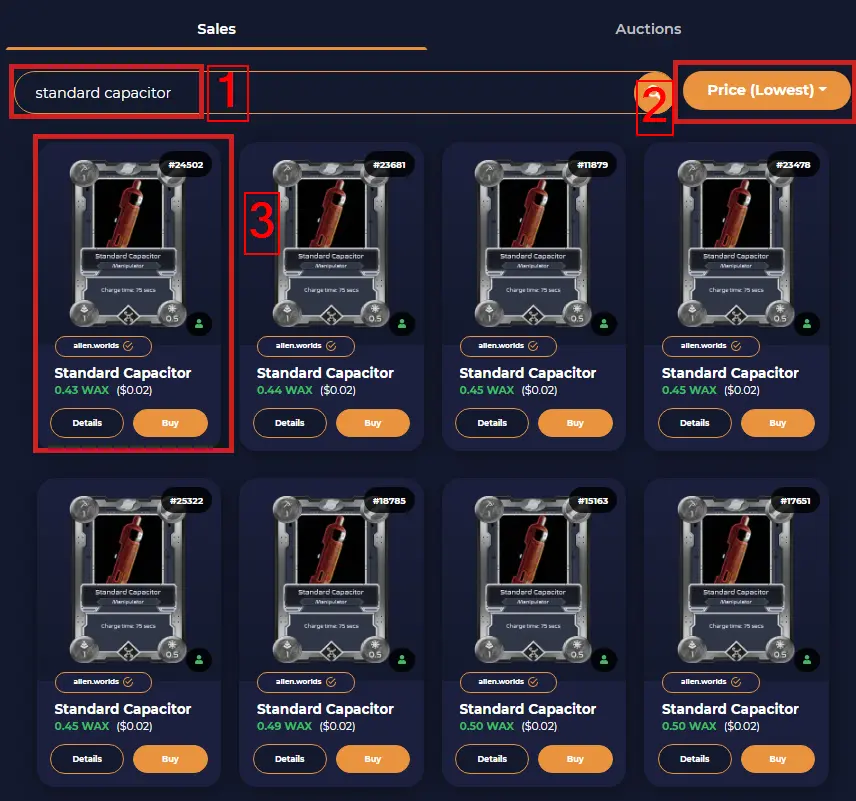
1) I searched for Standard Capacitor.
2) Then I sorted the results from lowest to highest. I wanted to buy the cheapest Standard Capacitor there was.
3) The 1st result is what I want and it only costs 0.43 WAX ($0.02). Click on the "Details" button.
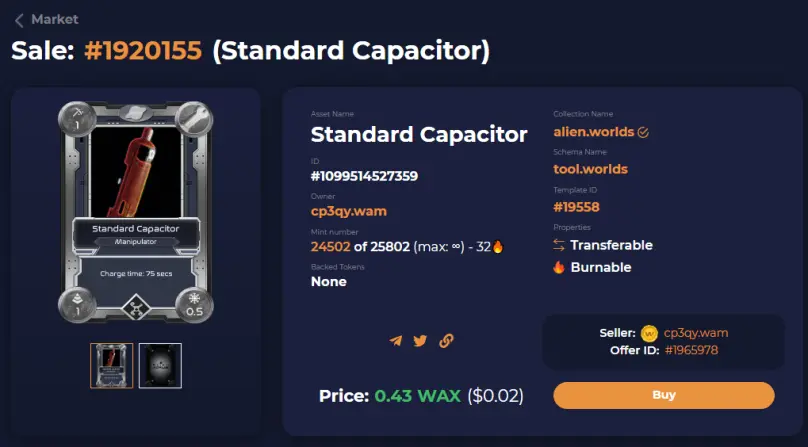
That will bring up the Details page of the NFT you are looking to buy. You can see whom the owner currently is. You can see what the Mint # was and other stats for the NFT. Click on the "Buy" button.
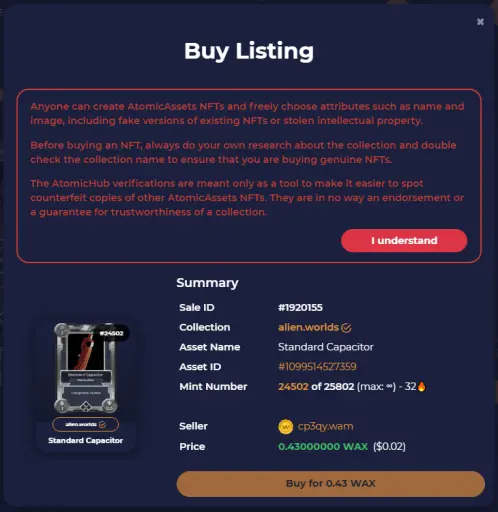
This will bring up a pop up with a warning. AtomicHub is warning you that anyone can create NFT's so be careful in what you are buying. That is why it is important when searching to use the fields to select the game and subsection. Click the "I Understand" button.
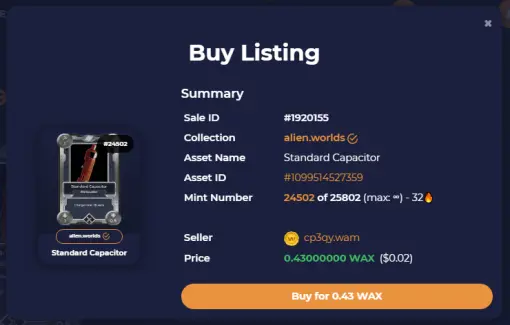
The warning will go away and the Buy button will now be clickable. Click on "Buy for 0.43 WAX". A WAX transaction popup will happen and accept it and you will have purchased the item.
That is it guys. It is very simple to buy your own NFT's if you are not having great luck mining them in Alien Worlds.
My article on Equipping 2 of the same item in Alien Worlds: here
My article on what are the best NFT's to use to mine NFT's: here