
In this article we will see how to create an EVM multi-signature account (Ethereum, BNB Chain, Avalanche, Fantom, Polygon, etc). They are one of the safest ways to store your crypto. Basically with a "regular" account, you sign a transaction and send the crypto. With a multi-signature account it is required that at least 2 of 3 participants sign the transaction.
What are the benefits? It is more difficult to lose your private key or have your liquidity stolen.
We will see:
-Creation of the multi-signature smart contract
-Receiving and sending funds from this address
Our smart contract will be called Gnosis Safe Proxy (you can check it on the explorer).
The tool with a graphical interface that allows us to create a multi-signature account is precisely Gnosis Safe
You can import an account (if you already have one) or create a new one. Press on "Create New Safe", then on "Connect" and connect "Metamask". You can create a multi-signature account with a dozen different EVM blockchains (you can try on a testnet first, like Goerli).
At this point you have to set the account name, choose the blockchain and then click on "Next". In the next screen you can add the various addresses: the first is that of the Metamask you just connected. Then you can add other addresses and choose a threshold (if you add 3 accounts, you can for example set a minimum threshold of 2 signatures: i.e. 2 wallets out of 3 must sign the transaction).
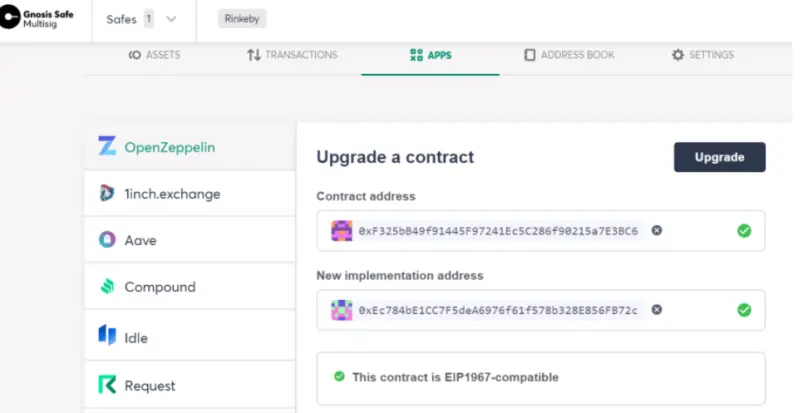
I advise you to create new wallet. Then press "Next" and confirm the signature on Metamask (you will pay the gas fee via the first address).
Once the account has been created, you can press "Start Using Safe".
In the dashboard on "Overview" you will see receiving address where you can receive your crypto (this is a smart contract, not a wallet! However it receives funds like a normal wallet).
In the menu on the left you can read:
-Assets (and NFT)
-Transactions
-Address Book
-Apps
Once you have sent funds to it, you can use this multi-signature wallet in DeFi. In DeFi you cannot use Metamask because it does not have your multi-signature address. You must use Wallet Connect. For example, if you need to connect to PancakeSwap, Uniswap, etc, press "Connect" and then "Wallet Connect", at this point "Copy To Clipboard" and paste it in Apps/Wallet Connect/Open on Gnosis Safe. For each interaction you perform, you will have to sign the transaction at least 2 times, switching from one wallet to another (this time using Metamask).
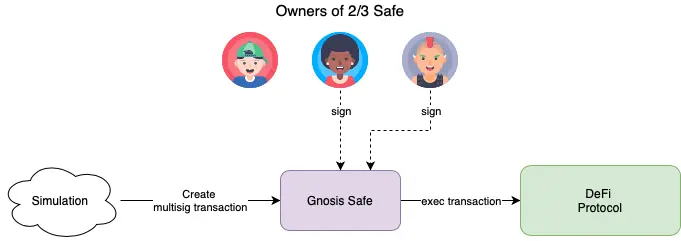
You can also use it as a "cold wallet", without interacting in DeFi. To move the funds, go back to Gnosis Safe, press on "New Transaction", set the address to which to deliver the crypto, then press on "Send Token". To send the funds: confirm with the first wallet, then switch with Metamask by changing accounts, confirming with the second (if 2 of 3 signatures are needed. If you have set 3, you will have to switch 3 times). The last account pays the gas fees! The funds do not leave if there are no necessary signatures! You can build this smart contract much safer than Metamask, try it first in testnet! For more info: Gnosis Safe (Docs)
Are you interested in ways to earn crypto bonus? Check it out here: Some Sites To Earn Crypto Bonus (Old & New)





