
Monero (XMR) is a decentralized, open-source cryptocurrency created in April 2014. Its main focus is privacy, which is why it is so popular in the crypto universe and has the third largest community of programmers among cryptocurrencies.
A transaction on the Monero blockchain cannot be linked to a particular user or real-world identity, because the cryptocurrency is fungible, Monero (XMR) is synonymous with privacy.
In this article we'll learn how to mine monero from any Android smartphone. Follow the steps below:
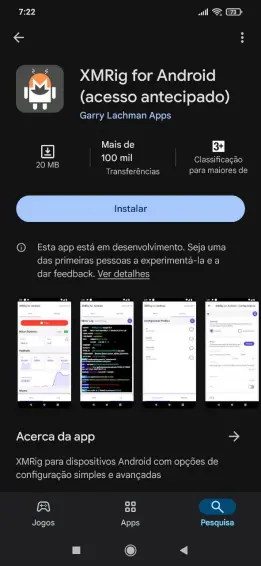
1. Download the XMRig app on your smartphone from the PlayStore
2. It's also very simple, you'll need a Monero wallet to be able to receive your rewards, you can use the Monero address of a cryptocurrency exchange that you already use such as Binance, CoinEX...
3. With the app already installed on your smartphone, open it.
* On the top left click on Settings
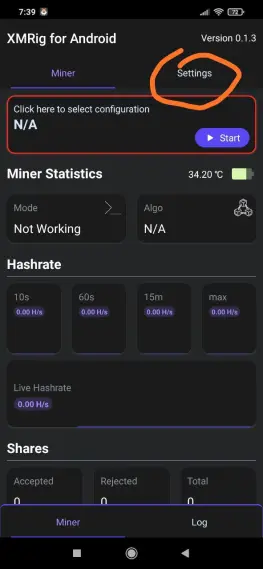
* Click on menu to add settings
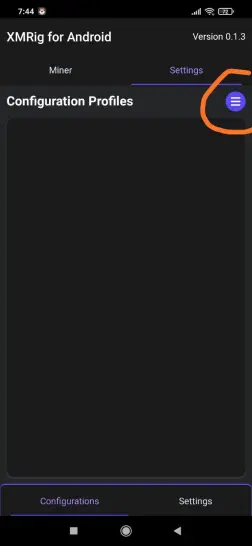
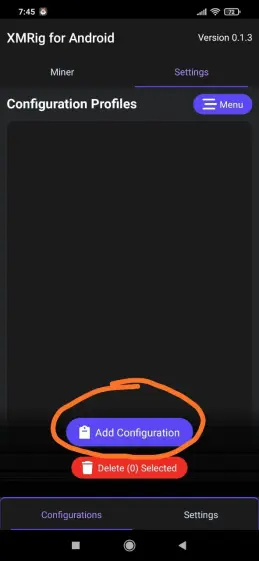
Set a name
Choose the simple mode option
Finally click on Add
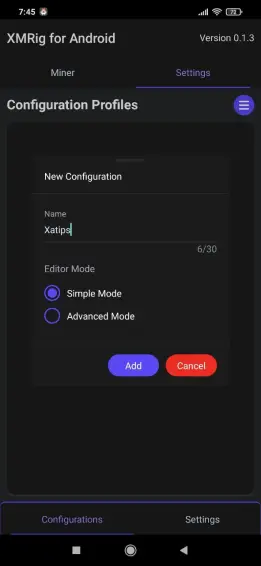
4. Click on the created mode to fill in the mining data so you can start.
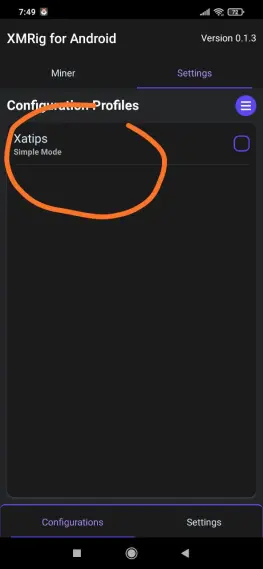
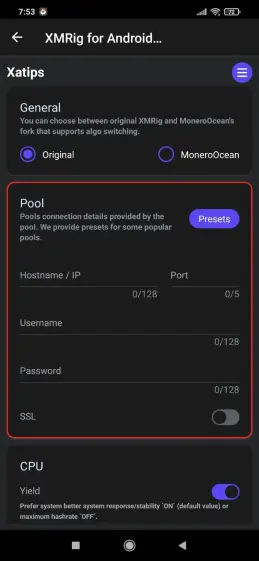
Fill in the following information:
Hostname: pool.supportxmr.com
Port: 3333
Username: in this space you must enter your monero address from your wallet
Password: x
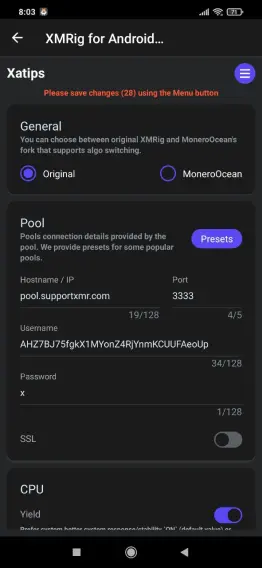
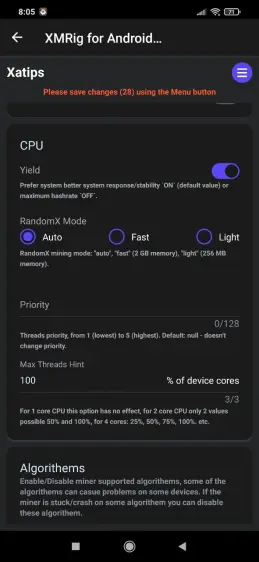
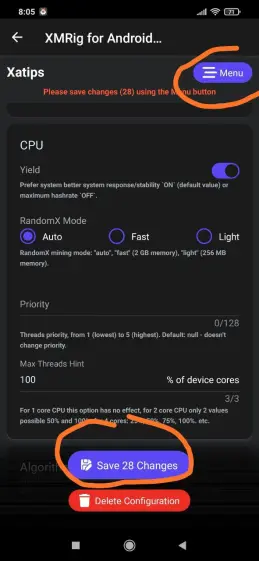
4. After saving the settings, the next step is to return to the main page (miner)
* Click on miner
Click N/A to select your miner
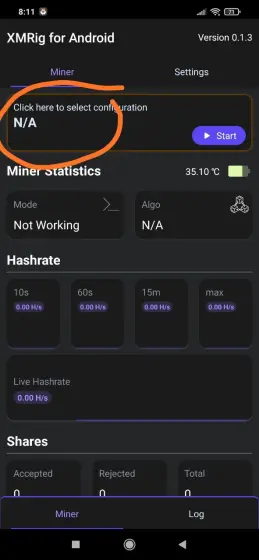
Click on start to start mining
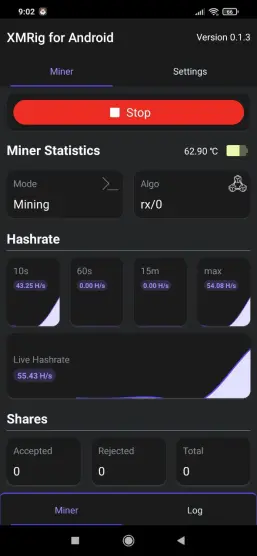
As you can see, mining has already started, but for more detailed information and some features such as withdrawals, you should visit supportxmr.com. and uses your monero address to enter.





