
In case you missed it, Web3 is now live, on-chain, on Bitcoin Cash.
Non-custodian, uncensorable, unbreakable, unparalleled.
Cashtokens is live since May 15th enabling UTXO NFTs.
Since CashTokens is a recent upgrade, developers will require time to experiment and develop the absolute user experience. However, it will not take long before we find plenty of platforms and options available.
Already several NFT collections are getting ready to launch. Paytaca offers the method to mint CashTokens NFTs and interact with websites integrating Cashtokens Web3 capabilities.
Without further ado, here’s how to mint CashTokens NFTs.
PAYTACA BROWSER WALLET (Chrome Extension)
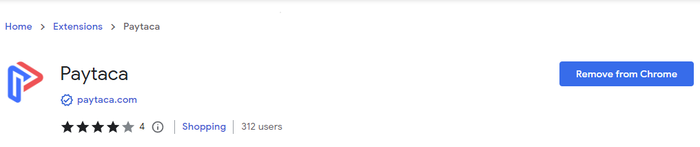
We need the Paytaca extension, version 0.15.1 from Chrome’s Web Store:
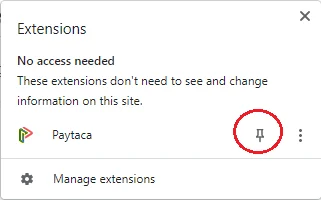
After installing Paytaca on Chrome, open the Extensions tab

and pin the extension on your Chrome browser by clicking on the pin button:
Paytaca will ask us if we want to Create a New Wallet or Restore from Seed Phrase.
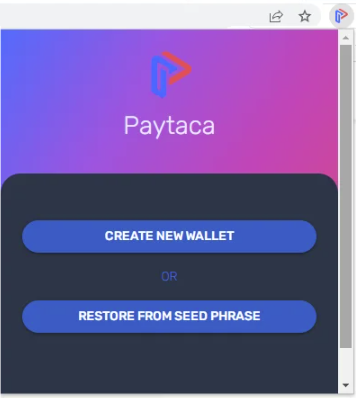
We can import any seed phrase we use. New users have to create a new wallet, and locate the private key and seed phrase and write them down.
The path to extract the seed phrase from the extension is:
Apps->Wallet Info -> Scroll down to Mnemonic Backup Phrase
Paytaca is a self-custody wallet. It is not holding our private keys but provides full access to the user.
Setup a pin to protect your wallet:
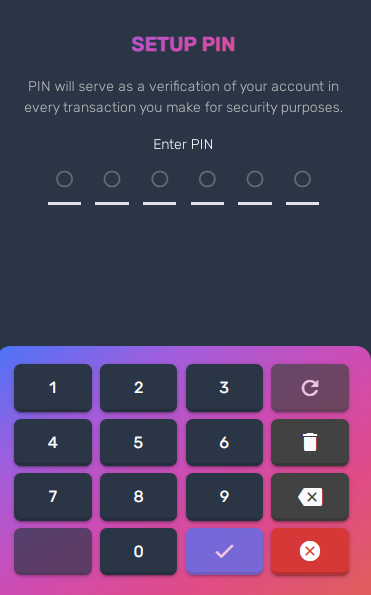
The pin is necessary, so don't skip this part. If you accidentally skipped setting a pin, we can add from within the app any time using the path:
Apps->Settings->Pin
Paytaca asks for our pin when signing transactions.
I imported a seed phrase, and my wallet and funds appeared:
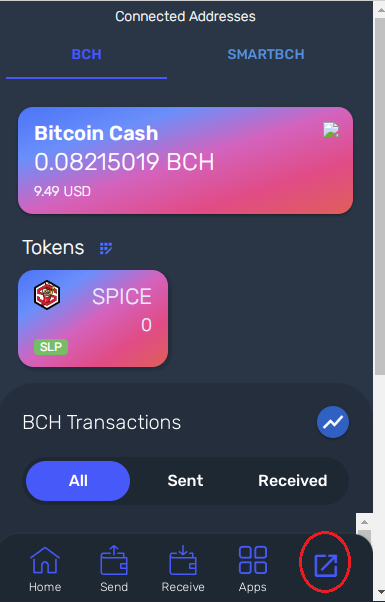
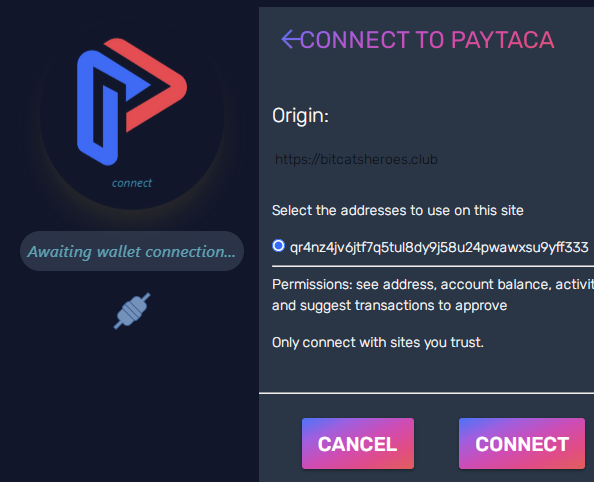
You are ready now to mint NFTs and connect to any Web3 website supporting CashTokens. Example (connecting Paytaca to BitCats Heroes):
Funding a Bitcoin Cash address is instant and cheap, with fees lower than $0,01.
Bitcoin Cash is listed in all cryptocurrency exchanges, even on PayPal and Venmo. It is easy to purchase and withdraw to a non-custodial (self-custodial) wallet and experience how cryptocurrency is meant to be.
Here is a guide on how to buy Bitcoin Cash using the Kraken Exchange:
Consolidate UTXOs with Emerald DAO!
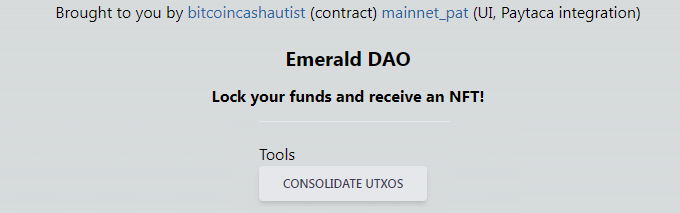
We've explored Emerald DAO previously here:
Emerald DAO also offers a useful tool to consolidate Unspent Transaction Outputs and allow us to use our "change in our wallets".
Trade NFTs and Fungible Tokens (FTs) with TapSwap.cash
TapSwap is a new development that allows listing and buying CashTokens NFTs and other tokens on Bitcoin Cash.
Simply connect your wallet with the CashTokens Web3 functionality of TapSwap and you are ready to go.
Developer mainnet_pat keeps adding new features and soon it can become a hotspot for Cashtokens.
In Conclusion
Web3 is now on-chain on Bitcoin Cash, the most reliable, secure, and fast blockchain, delivering high transaction speed with low fees.
With CashTokens, Bitcoin Cash competes directly with Ethereum's smart contracts. The first few developments seem promising.
Platforms are the future of cryptocurrencies and CashTokens bring smart-contract capabilities (tokenization, NFTs, DeFi) into a blockchain recognized for scalability, innovation, and focus on the user experience.
Bitcoin Cash becomes Metaverse-ready with Cashtokens.
I will update this article as soon as more options for minting NFTs appear.

Useful links:
Paytaca Wallet (with fixed mint bug by mainnet_pat)
Emerald DAO
CashTokens Web Wallet
CashTokens Official Website
CashTokens on Reddit
CashTokens on Telegram
Bitcoin Cash (info)
Bitcoin Cash (org)
Bitcoin Cash (CoinGecko)
Cover on Pixabay by geralt (modified)
Images, and material in this article are used for research, and educational purposes and fall under the guidelines of fair use. No copyright infringement intended. If you are, or represent, the copyright owner of images used in this article, and have an issue with the use of said material, please notify me.
Not Financial Advice
Platforms: ● read.cash ● noise.app ● Medium ● Hive ● Steemit
● Vocal ● Publish0x ● Twitter ● Reddit
Originally Published at: read.cash
Don't forget to Subscribe and Like if you enjoyed this article!





