
Many of you have asked that we implement bookmarks on Publish0x. You wanted a way to:
- Bookmark good poss so you can easily find and read them later when you have more time.
- Bookmark posts so that you can come back to them over and over again.
- If you've you've already ran out of tips for the day, but you've just read a post that deserves a tip, bookmark that post and tip it tomorrow.
Well...
Bookmarks Have Been Added to Publish0x!
Due to popular demand, bookmarks have been added to Publish0x, and you can now save all of the posts that you find are worth it in one place.
How to Bookmark a Post?
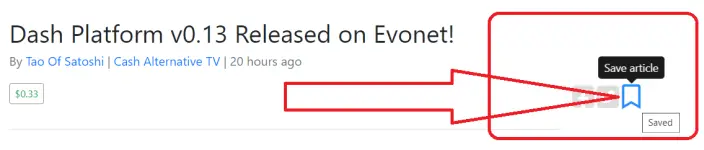
To bookmark a post you like:
1. Navigate to the bookmark button under the post you wish to bookmark to read later. You will find this button near the post title, next to the Facebook and Twitter share buttons, as seen in the screenshot above.
2. Click that button. :)
How to View Your Saved Bookmarks?
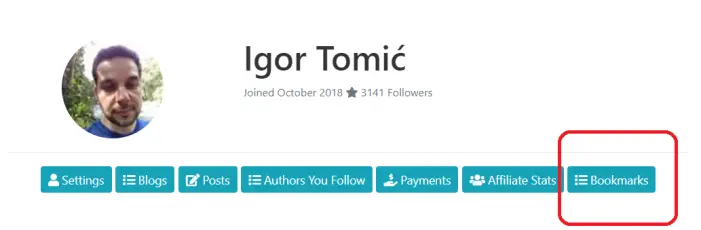
To view the posts that you've bookmarked, simply navigate to your Dashboard, and navigate to the "Bookmarks" tab. Your saved post will be displayed there.
I hope that you enjoy this feature. It was by far the most requested feature thus far.
Cheers,
Igor





