
This is long overdue but here is your guide on how to create a Telos wallet!
Boom article over!
I kid I kid.
But really it is that easy to create a Telos wallet where you own the keys to it.
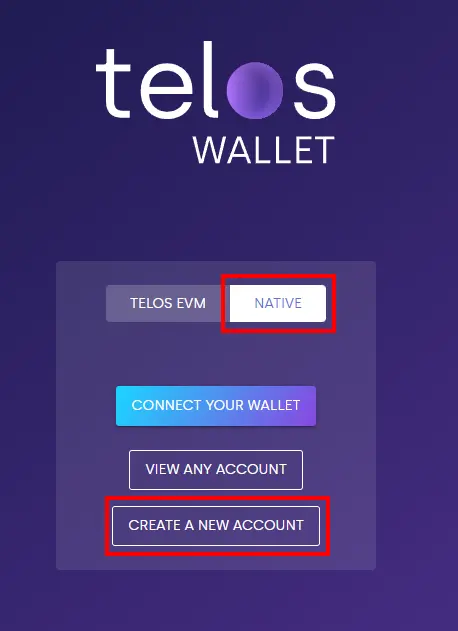
Go to https://wallet.telos.net
Click on 'Native".
Click on 'Create a New Account'.
You then need to pick a account name that is 12 characters long
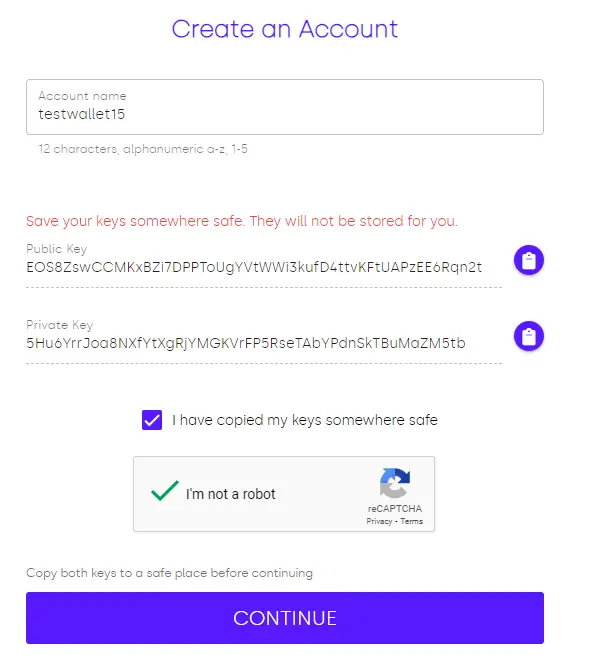
Don't worry those are not my real keys! But you will need to copy both those keys somewhere safe because they are the only way to gain access to your account.
Once you have your name inputted and you copied the keys, checkmark the box stating you copied the keys and click on 'Continue'.
Then you will be brought to a 'Congratulations' screen. That is it folks. Your account is created. You have your very own Telos account.

The only other step is to input this account you created into Anchor so you can use it and login to site with it.
If you don't have Anchor yet then you can download it on your mobile device or on desktop go here: https://www.greymass.com/anchor
Once it is installed and opened make sure to change the network to Telos.
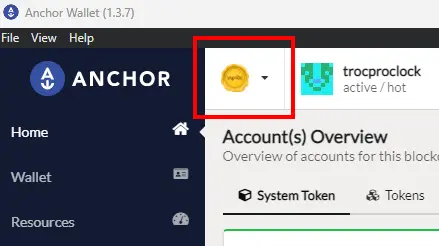
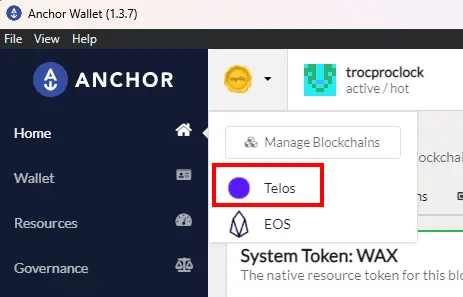
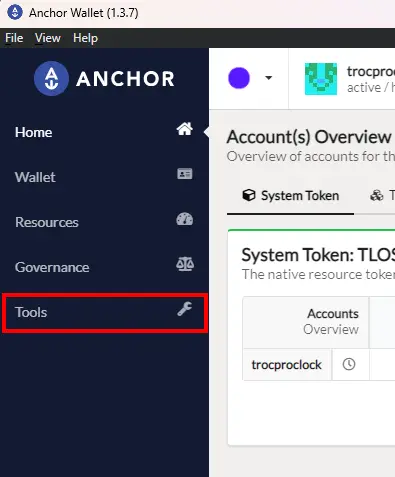
Now head to the "Tools" section on the left side.
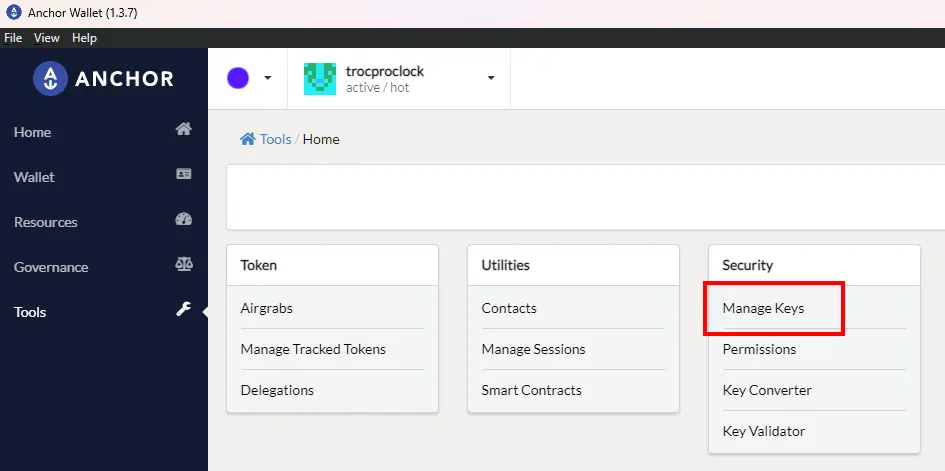
Then under the security section click on "Manage Keys".
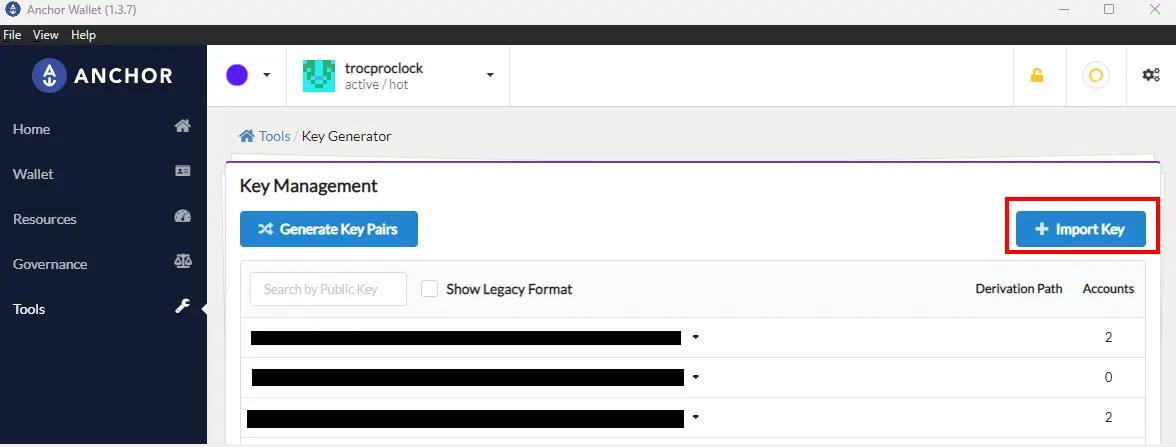
On the right side click on "+ Import Key"
A popup will occur and this is where you need to input your Private Key. So copy and paste it here.
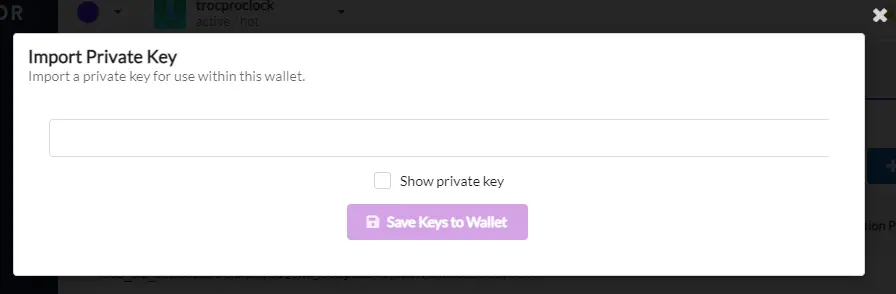
You will be asked to input your Anchor password you setup when you installed Anchor.
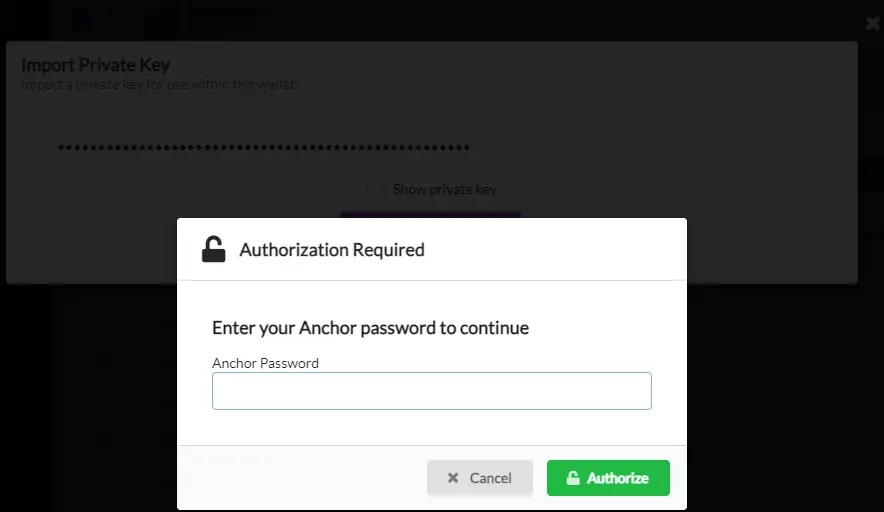
There is just 1 last thing you need to do to get the wallet to popup into Anchor.
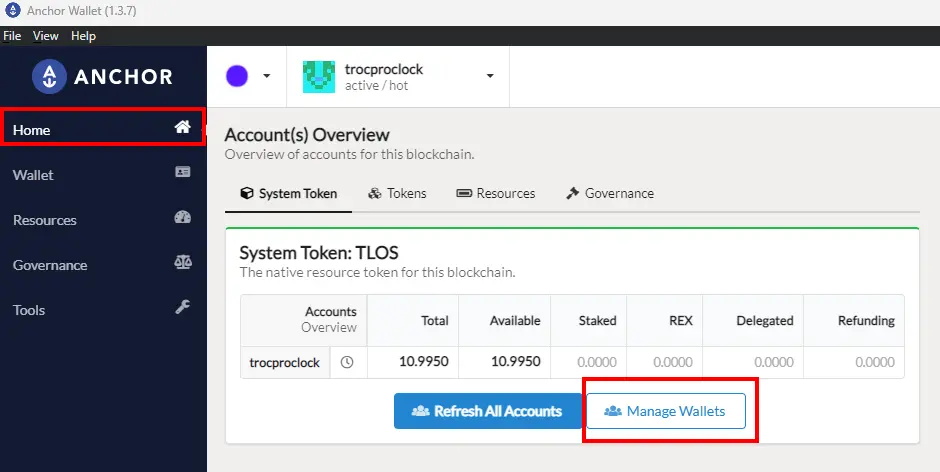
Head back to the Home screen and click on 'Manage Wallets'.
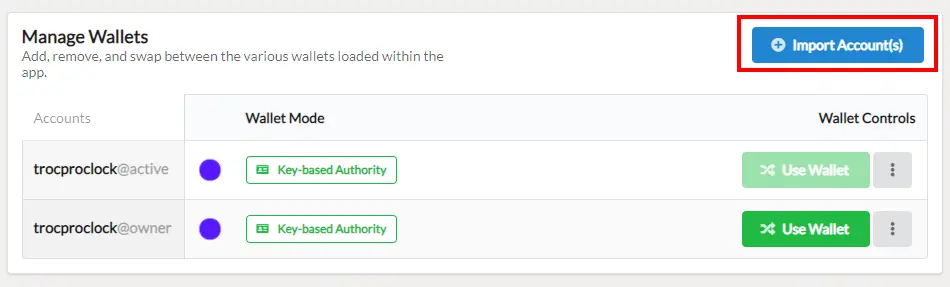
Then click on "Import Accounts".
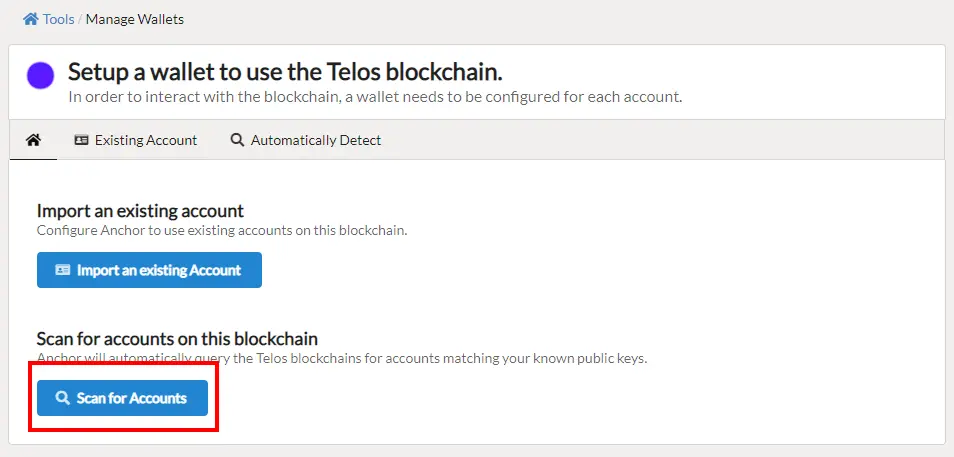
Select the option to "Scan for Accounts". Since you already put your keys into Anchor this will find the account associated with them.
Checkmark which you want to add (I add both) and click on "Import Accounts" on the bottom right.
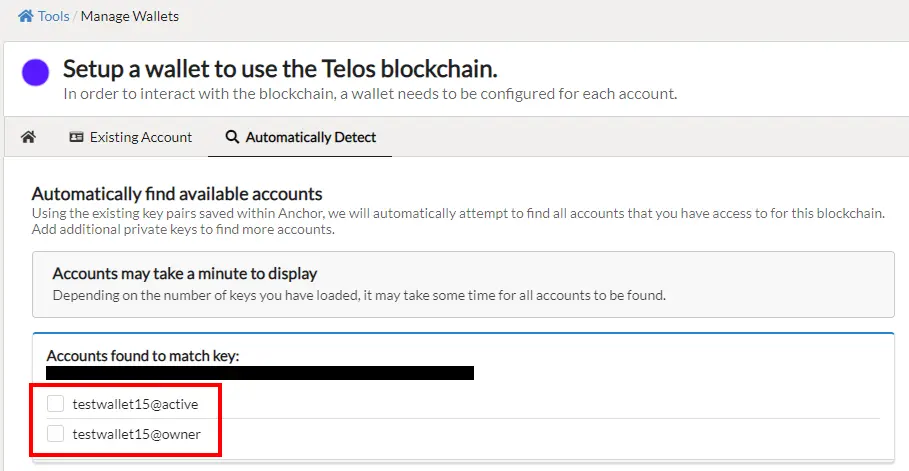
It will ask you to confirm your Anchor password.
And then back on the Home screen you should see your new free Telos account.
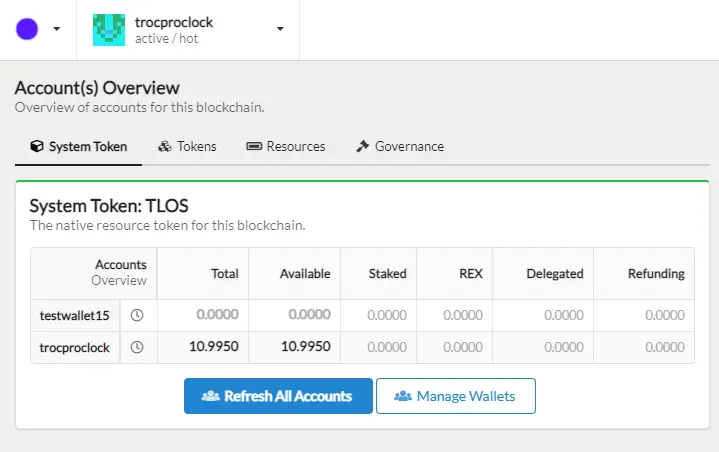
Now all that is left to do is to get some TLOS into that account!





