
How to Stake WAX for other people
Just a short guide on how to stake wax for other people since I just learnt how to and thought I'd share it with everyone who yet doesn't know.
First to start you want to go to wax.bloks.io then log into your WAX account.
Then click on your wallet.

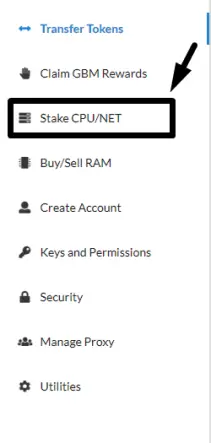
Then on the left hand side find the Stake CPU/NET:
Then enter the WAX account into "Receiver of Stake" and the amount of WAX into Amount of CPU to Stake (in WAX).
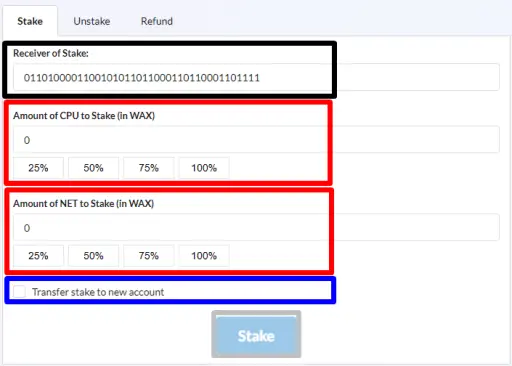
Do not click the Transfer Stake to new account if you don't want to give them the WAX since you can receive rewards from staking WAX.
sorry if its to short not to much to this one but I thought it might help people since I struggled to figure this out.





