The only way to get any of the legendary 8/8 NFTs on QOM.cards is to stake liquidity pool (LP) tokens from the QOM/ETH v2 pool on Uniswap. Do not make the mistake of adding liquidity to the v3 QOM/ETH pool, which cannot be currently staked for crumbs(points). Staking just regular $QOM tokens on QOM.cards only allows you to mint common and legendary versions.
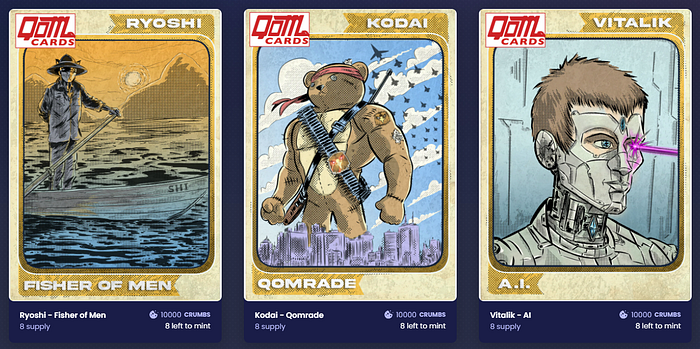 QOM Legendary Cards
To provide liquidity and receive tokens for the QOM/ETH v2 pool, go directly to the following URL:
https://app.uniswap.org/#/add/v2/ETH/0xa71d0588EAf47f12B13cF8eC750430d21DF04974?chain=mainnet
Once there, open your ETH wallet of choice and connect. This article is going to assume that you already have experience using a wallet to manage Ethereum and ERC20 tokens.
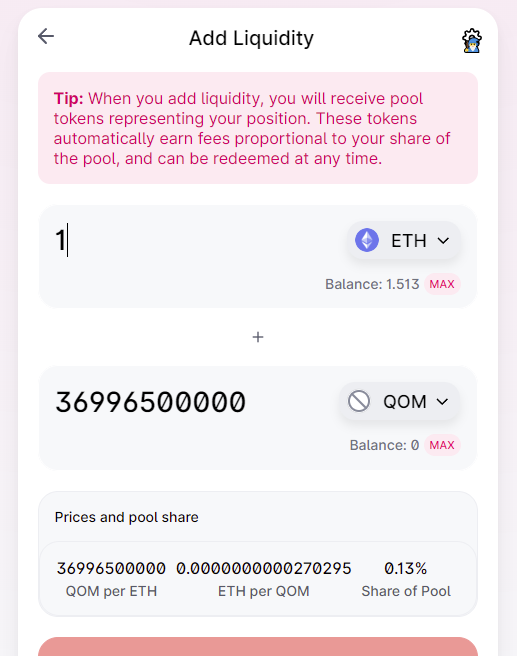 Uniswap v2 QOM/ETH Liquidity Pool
You are adding liquidity in the form of equal amounts of both QOM and ETH to the pool, and receiving tokens back that represent your deposit. You can choose an amount of either token, and the other one will automatically be matched in value on the form. So, keep this in mind. If you choose, for example, to enter 1 ETH, a matching value of QOM will be added, and you will be essentially depositing 2 ETH worth of tokens to the pool. When you’ve chosen the amount, if you haven’t already sold QOM on Uniswap, you will see a button that says “Approve QOM”. Doing so allows Uniswap to to interact with your QOM tokens. Approval will cost ETH gas. From there, add your liquidity and go through the confirmation windows. Adding liquidity also costs ETH gas.
Once the transaction has completed, you probably want to know how many LP tokens you received. You can either head over to Etherscan and check out the transaction details, or you can add a custom token to your wallet. Use the following address:
0x8EF79D6C328C25dA633559c20c75f638A4863462
The next step is heading to QOM.cards. Once there, connect your wallet, and click on the button “Manage QOM LP”. A window will pop up, and you can choose the number of tokens you wish to stake (maximum is currently 50,000). You will need to approve QOM.cards to be able to interact with your tokens, and then can go ahead and stake. (Both of these actions cost ETH gas)
 QOM.cards LP Staking WIndow
To see the status of your LP token deposit, click on the “QOM LP NFTs” button. You will be able to see your crumbs (points) balance, and also a status bar of the community’s staking progress. In order to withdraw your tokens, again click on “Manage QOM LP”, and click on the button “Unstake All QOM LP”.
 QOM.card LP Token Status Bar
If you have any questions, please come visit us on Telegram, or leave a comment here. Stay tuned and stay well qommunity. #TrustTheProcess #FlipShiba
Twitter — https://twitter.com/goQommando
Telegram — https://t.me/JoinQOMshibapredator





