
Hey mates!
Today let's go to explain how to do trading into KuCoin. Now that PublishOx has an agreement with KuCoin, maybe it's time to review how to do trading in this platform. The trading view is really similar between the different exchanges binance, gate.io, Coinsmart, FTX, and many more... so maybe the trading window is really familiar for you.
Spot trading
To start, let's go to the 'trade' menu option, and here, 'Spot Trading'

Select the pairs to trade with
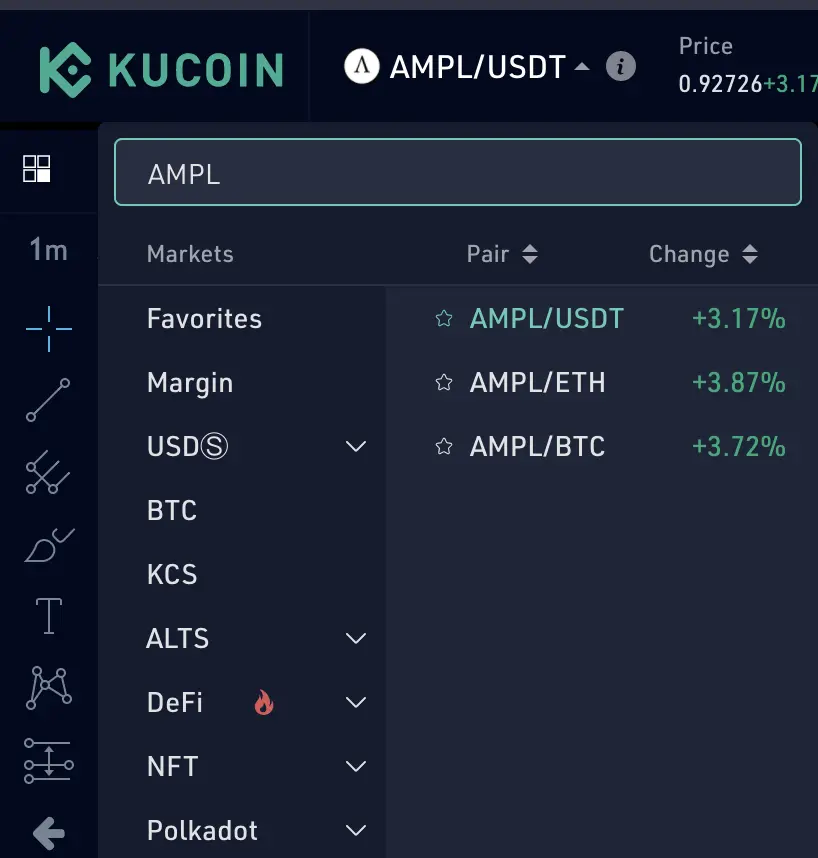
Once there, you can choose the crypto to exchange and you will see the pairs in which you can convert it. The pairs are the options in which you can exchange to. To explain it, let's go to select the famous AMPL to see the cryptos in which we can change it: USDT (tether), ETH, or BTC, in this case. Let's go to select the pair AMPL/USDT to exchange it.
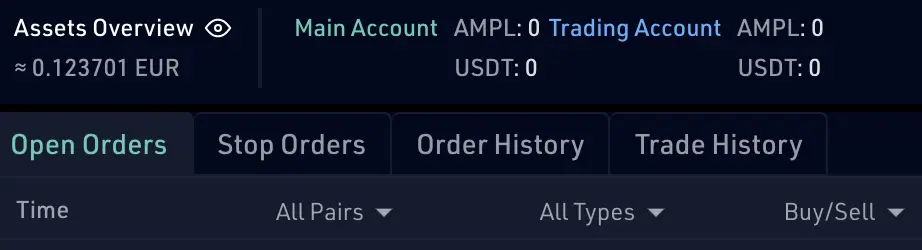
Once you have selected the pair, you have to keep into account that you have funds in your trading account, that is, you have cryptos to exchange for. In our case, if we want to sell the AMPL's coming from publish0x, you have to send the AMPL's from the main account to the trading account, and you have to move the amount that you are going to sell. This is important. Why? because in the sell/buy window there some buttons with the 25%, 50%, 75%, 100% labels to do the trading more quickly, and they are referred to the amount of the selected crypto you have in your wallet. For instance, you have 200 AMPL's in the main account and you send 40 AMPL to the trading account to sell them. After that, the main account will have 160 AMPL and the trading account will have 40 AMPL. Thanks to you have isolated accounts for the AMPL's if you click on the label of 100% you are exchanging your 40 AMPL, instead of the 200 AMPL. So moving the funds between accounts it's a way to maintain your funds safer, and you can avoid having a terrible mistake. Let's in detail in the next paragraphs.
At the bottom of the trading window, you can see your funds in the different accounts. Here you can see in the trading account how much you can exchange and your opened orders, and your history.
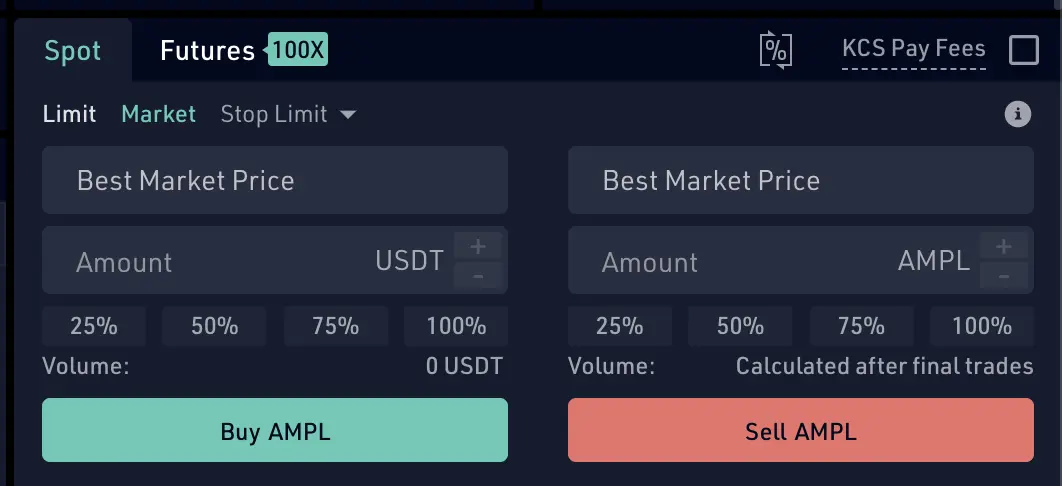
Once we have chosen the pair to play with, the next is going to the right bottom of the window to see the section of sell/buy. The behavior and the concepts explained here are the same as much as sell and buy. Let's see it.
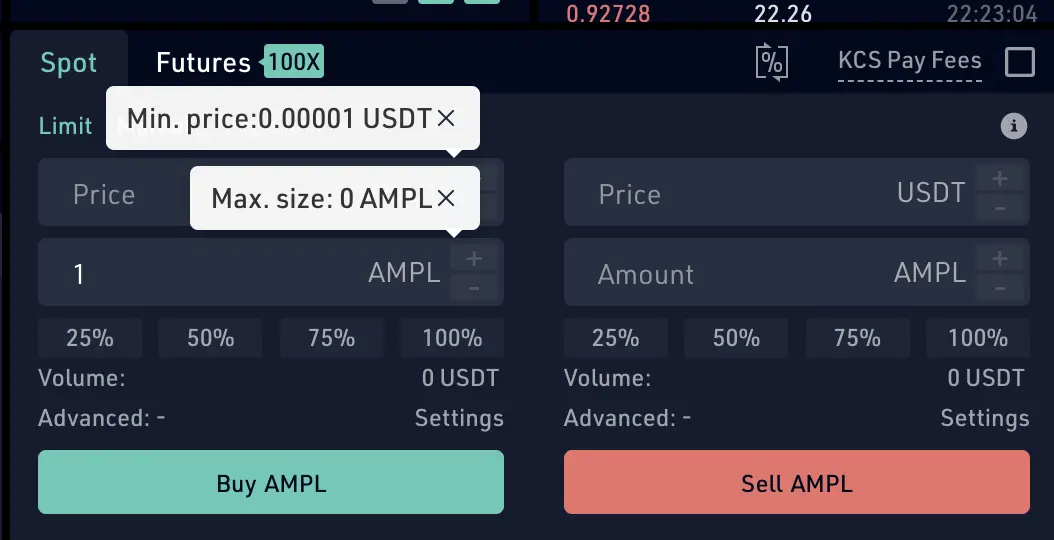
Buying case into Spot limit option
Spot limit: I think is the most basic option.
- write down the price of the USDT that you want to pay for the AMPL. You can click the price in the list of prices that you can see at the top of this buying section. If you click on one of them on the list, you will see the price for 1 AMPL and the amount available of AMPL for this price. Once you click on it, the USDT will be filled with this price. So what it's the best option for you? you have to choose the cheaper value to exchange in USDT, so you can look for it on the list to select it. Tip: Scroll down on the prices list, at the end of the green list, you will have the cheaper value.
- write down the amount of AMPL you want to buy in the AMPL field.
- you will see the volume exchanged at the moment.
- Click on the buy AMPL button and you have just to create and order.
- When the system processes your order, your funds will be moved to your trading account. You can see the open orders just in the open order section. In this section, sometimes, if the order is not finished yet, you can cancel it.


Selling case into Spot limit option
the same as explained before but for selling
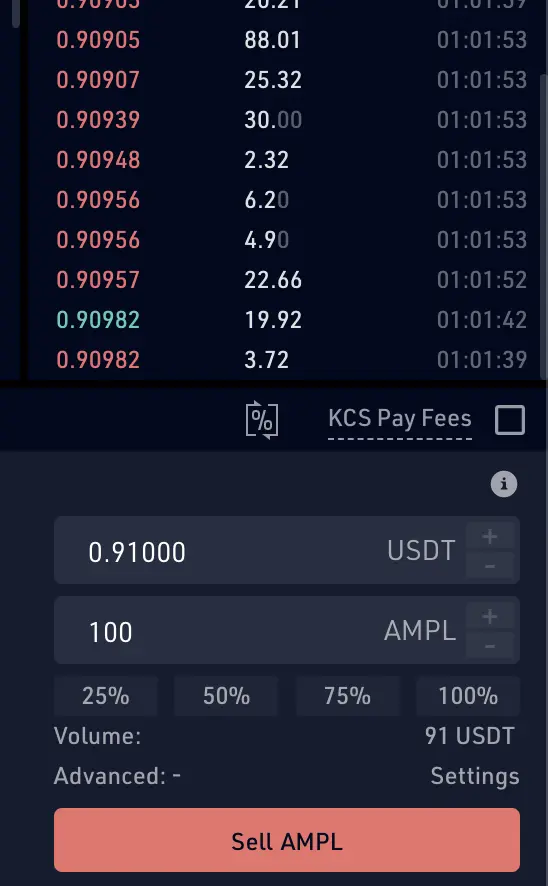
- write down the price of the USDT that you want to be paid for the AMPL. You can click the price in the list of prices that you can see at the top of this selling section. If you click on one of them on the list, you will see the details, and automatically your USDT will be filled with this price.
- write down the amount of AMPL you want to sell in the AMPL field. If you click on the 100% button, you will sell all the AMPL's that you have in the trading account. You can select the other buttons 25%, 50%, or 75% too.
- you will see the volume exchanged at the moment.
- Click on the sell AMPL button and you have just to create and order.
- When the system processes your order, your funds will be moved to your trading account. You can see the open orders just in the open order section. In this section, sometimes, if the order is not finished yet, you can cancel it.
Selling/Buying case into the spot Market option
You can get the best market prices to trade, to achieve that, select the Spot Market option, and after that, proceed as explained before. That is, fill the amount to sell or buy and click on the button to create a spot order. The system will look for the best market price to sell or buy for crypto and you don't have to do anymore.
In the example before,
- to buy AMPL, you have to specify how many USDT you are going to spend to buy AMPL's. So fill the amount USDT field with the amount.
- to sell AMPL, you have to specify how many AMPL you are going to sell. So fill the amount AMPL field with the amount. Click on the 100% button if you want to buy all of them in your trading account.
Final thoughts
That's all for now. In this post, I have explained the most basic ways to do trading in kuCoin. I hope this info can help you to sell your AMPL's earned here, in publish0x. In the next post's we will explain the stop limit and the stop market options.
Let me your comments below.
Regards :)
Advantages programs:
- kuCoin create a new users account to earn: https://www.kucoin.com/ucenter/signup?rcode=rJ8UEU9
- Try Binance here https://www.binance.com/en/register?ref=5995667 and earn a 10%
- I love Pipeflare faucet airdrops, easy and without any ads. Try Pipeflare here https://pipeflare.io/r/5uxs
- I love Globalhive faucet airdrops, easy and without any ads. Try Globalhive here https://globalhive.io/r/93797
- use presearch instead of google to earn PRE tokens: https://presearch.org/signup?rid=2050229
-
Register in Coinsmart and Get 15$ CAD (Canadian dollars) when verifying your user account and deposit 100$ CAD.
- The $15 credit will be added within 5 business days after the funding minimum has been met.
- Digital currency funding does not count towards the CAD minimum.
Easy!






