
A little history on what TFUEL is. Theta is the governance token of the Theta Protocol. TFUEL is the operational token of the Theta Protocol. TFUEL was created on March 15th, 2019 when Theta entered mainnet. Right now there are 2 ways to earn TFUEL. 1st is to share your upload bandwidth by watching streams (see my other post about Sliver). 2nd option is to "mine" it with the PGN. And my mining I mean a standalone app/node that shares your upload bandwidth.

Lets get into how to earn TFUEL passively. It truly is a set and forget process.
TFUEL is posed to really explode over 2020 and 2021 so this is more of a long term investment. You can still get in while it's young and multiple your investment.
The PGN is called the Pre-Guardian Node. It is a node in the TFUEL environment that relays video streams and earns you TFUEL passively. It uses your unused bandwidth to share a stream. You will need 2 things in order to start earning TFUEL. A Theta Wallet and the PGN itself.
Setting up your Theta Wallet
To get a Theta Wallet navigate to https://www.wallet.thetatoken.org/create
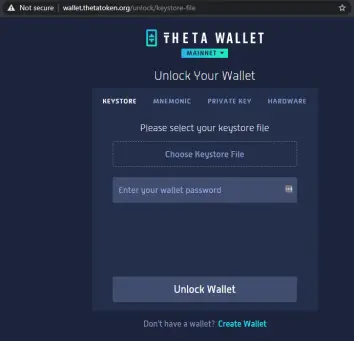
Once on the main site you will see a "Create Wallet" underneath the 'Unlock Wallet' option. Select the "Create Wallet" option.
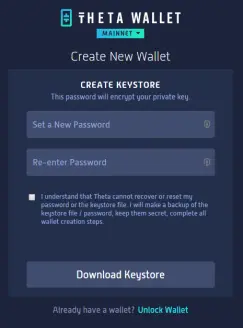
It will bring you to a new screen where you need to set your password. DO NOT FORGET this password you create. You have to check the "I understand" box underneath the password field. Then click on "Download Keystore". It will download a key file that you will need to have readily available to login to your Theta Wallet.
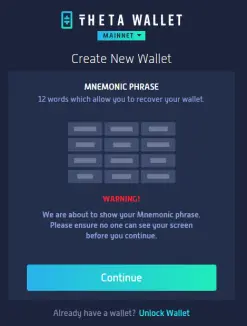
After you download the Keystore it will ask you to press continue to show you the Mnemonic Phrase. It's the phrase of words that you can use to login/recover your account. Write these down in order and DO NOT LOSE them.
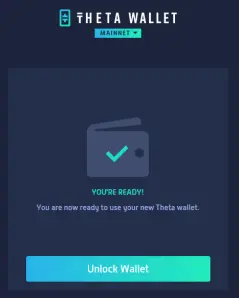
Once you save your Mnemonic Phrase then click continue and it will bring you to a "Unlock Wallet" button. Click it and it will open up your newly create Wallet.
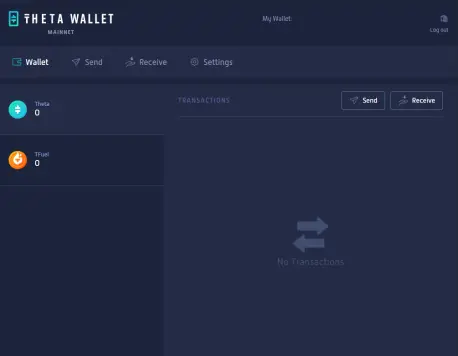
This is what yours will look like upon 1st logging into it. There are 2 currencies; Theta and TFUEL. Each tab will show you transactions and in the upper right you will see a 'Send' and 'Receive' button (self-explanatory). If the very top right you will see "My Wallet" that is your Wallet address and you will need that for the next step when you setup the PGN.
Installing the Pre-Guardian Node
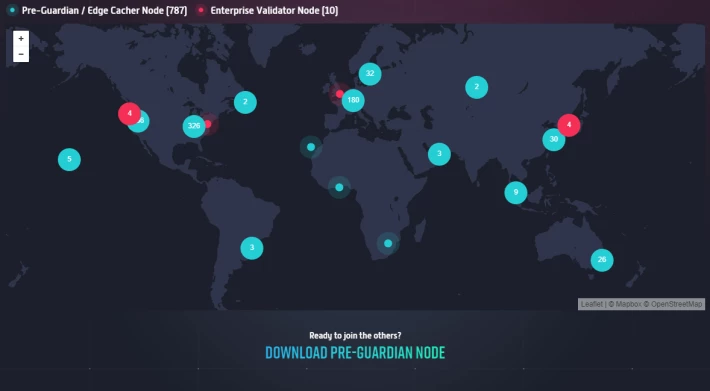
To download the Pre-Guardian Node navigate to www.thetatoken.org and scroll down to the "Download Pre-Guardian Node" and click it. It will automatically start the download of "Theta PGN Setup 1.0.44.exe"

Now that you have it downloaded double click it to run the executable. It will take a few seconds and then you will see the install screen. It will also auto create a desktop icon for the PGN.
When the Theta Pre-Guardian Node opens it will ask you for your Wallet Address. Copy and paste that address from your wallet
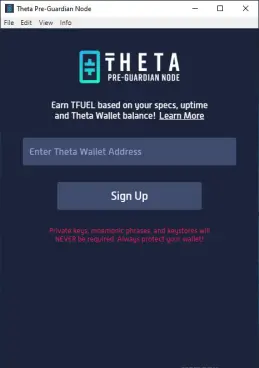
Once you enter your wallet address and click 'Sign Up' it will ask you to send a certain amount of TFUEL to a address so it can verify the address if you. The amount they want you to send it less than a penny's worth but is tricky because you won't have any TFUEL yet. When I started I had to ask someone to send me some TFUEL so I could then send the amount to the specified address. I would be more than happy to help anyone out with this stage. I would gladly send anyone who needs TFUEL, some TFUEL.
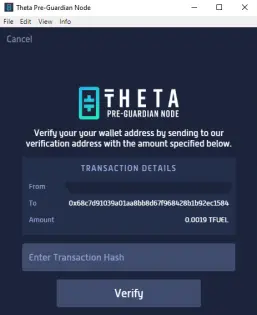
Sending TFUEL takes a minute or two. It's amazing. Once you have some starter TFUEL in your Wallet, go to your wallet and send the amount specified to the address specified.
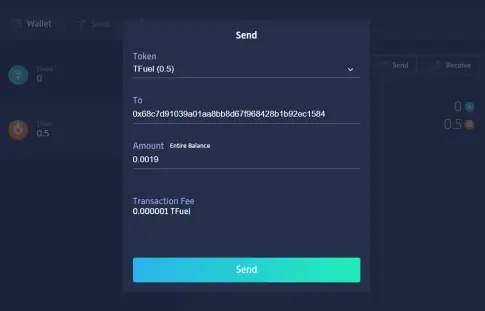
It will ask you for your password again.
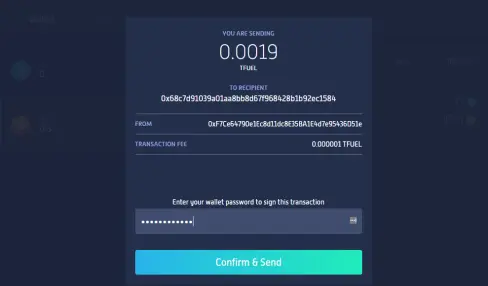
Once you send it you will see the transaction in your Wallet. Click on the transaction to open the Theta Explorer tab for that transaction. You need the Transaction Hash to put it into your PGN.
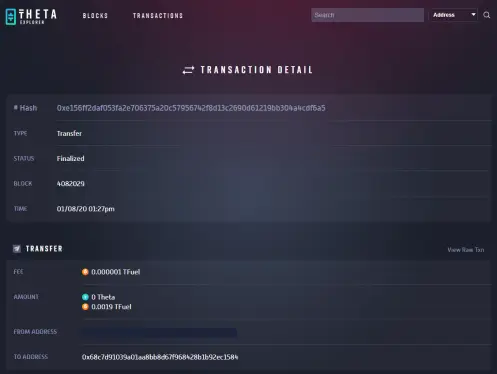
Once you copy that Hash back into the PGN and click verify it will open the PGN.
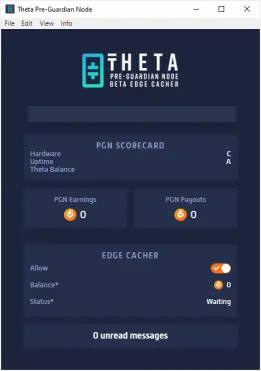
There you go now just wait until you get a job and it starts earning TFUEL. There are a few things to note about the PGN.
PGN Scorecard
You will get graded on Hardware, Up-time and Theta Balance. The better Hardware you get the better score you get. The more up-time you have for the PGN the better the score and if you have Theta Tokens in your Theta Wallet you will get a better score. You DO NOT need Theta to earn TFUEL, it just increases the rate that you earn TFUEL.
The PGN Earning are how much you have earned this month (payout is automatic and usually on the 3rd or 5th of the month). You will usually see it at a zero because it only shows when the payout is in progress.
PGN Payouts is the total TFUEL you have earn on the PGN.
Edge Cacher is the money maker. The Allow switch is basically a on/off switch. The Balance is how much you are earning so far this month. The Status can display 1 of 3 words.
-- Waiting which mean you are currently not streaming and not at the moment earning TFUEL.
-- Active which means you are currently sharing your upload bandwidth and earning TFUEL. If you hover you mouse over 'Active' you can see how many data and the efficiency you are sharing.
-- Disabled which means you are in trouble. If it shows disabled it usually means that the Theta network has banned this instance of the PGN and you are probably screwed.
There is also a new feature in 1.0.44 that allows you to update the PGN instead of having to reinstall it. Go to Info at the top bar and select "Check for Updates".
Links:
To download the PGN: www.thetatoken.org
To create a Theta Wallet: https://www.wallet.thetatoken.org/create

This is something I have been doing for 3 months now so I am not an expert but have some experience with it. I will be more than happy to send some TFUEL to your wallet to get you started. You will just have to let me know your Wallet address (go to your wallet and click on receive under TFUEL). Unlike a lot of articles on this site asking you to sign up for things so the author gets a cut or what not, I get absolutely nothing from you starting your own node except the fact more people are earning TFUEL which strengthens the currency.






