There is a way to build your own Publish0x website like this 👇
It is very easy and you don't have to write code or anything because you just need to copy and paste.
Make your own "Trending" page with your own posts.
Just go to Ambassador Widgets page: here.
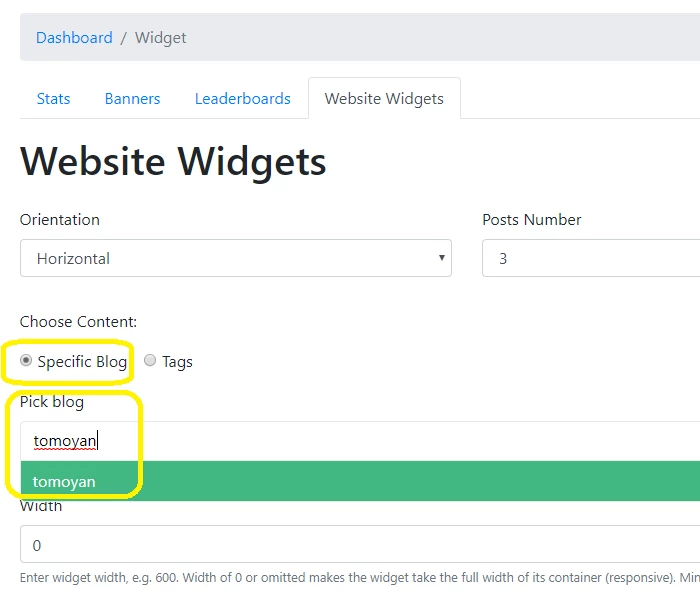
Make sure "Specific Blog" is selected and type in your blog name into "Pick blog".
HTML code is generated automatically so all you have to do is just copy and paste that code into your website and it will look like this 👇

This way, your posts are always trending and featured front and center on your website!
If you are new to publish0x or you don't have many posts, you use other authors contents like favorite authors or authors who are making good 💰💰💰.
Why would you use other authors posts?
Promoting other people is good for the platform, but also it is good for you!
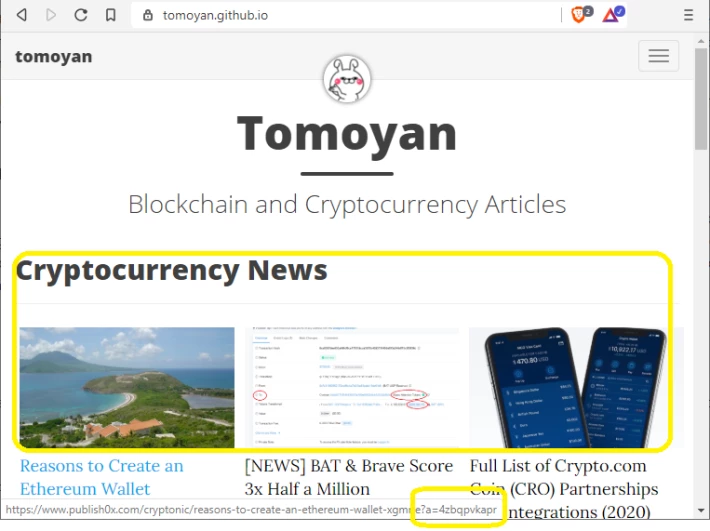
This "Cryptocurrency News" news section I made is from other authors and the secret is in the URL.
If you look closer, URL has my ambassador link (?a=4zbqpvkapr) attached to it which means you can earn tips from these links!
Earn 5% of every tip generated by your referrals using the tipper at the bottom of each article.
This includes both the tip to the author and the amount claimed by your referral.
Get creative and make your own sections
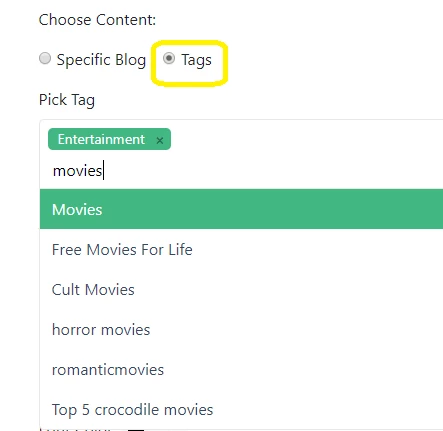
You can use "Tags" to create different pages that you are more interested in so that you don't have to look at the same main page all the time :)
Do less and earn more
Let publish0x work for you, so you don't have to.
Once you have your own website, you can have more audiences to your posts or earn cryptos passively from various contents.
Get Rewarded For Browsing! Are you Brave?