
Keith Martin, who is a professor of information security at Royal Holloway University of London, defines “perfect passwords” in the following way (see [1]).
A “perfect password” is a password with the following properties:
a) it should be unpredictable (strong), in order to be as resistant as possible to guessing and dictionary attacks;
b) it should be used only for logging into one account/system/device and not shared across multiple applications;
c) it should be of no use to an attacker, who acquires this password.
To implement this concept into a practical solution, for example for a website, a user should have the same password as a program on a server, which verifies the passwords.
There are several well known implementations of this concept in practice. The first implementation is one time password (OTP), which is send via SMS to the user. Unfortunately, in this implementation the weakness is in the communication channel (SMS). SIM swapping or other methods are used to intercept OTPs. This method is highly insecure (see [2]), even so it is widely used, today. The second implementation of “perfect passwords” concept uses time synchronization.
In this implementation, a user has a device, which generates passwords based on the current time. The program on the server also generates passwords based on the current time, in the same way as the user’s device. In this implementation, the problem is that if devices lose time synchronization due to impacts of environmental or other factors (temperature, radiation, etc.), the system does not work.
In this post, we consider a simple implementation of “perfect passwords” concept by means of dynamical passwords generators (see [3]). To avoid the time synchronization failure problem we will use the Coordinated Universal Time from this site: https://time.gov on the server’s and client’s parts of the system. In the demo version (https://dynpass.online/demo/spp/login.html ) passwords will be generated by the public DPG dynpass.online, where in the day field we enter day, hour, and minute from the time.gov site (top right corner).
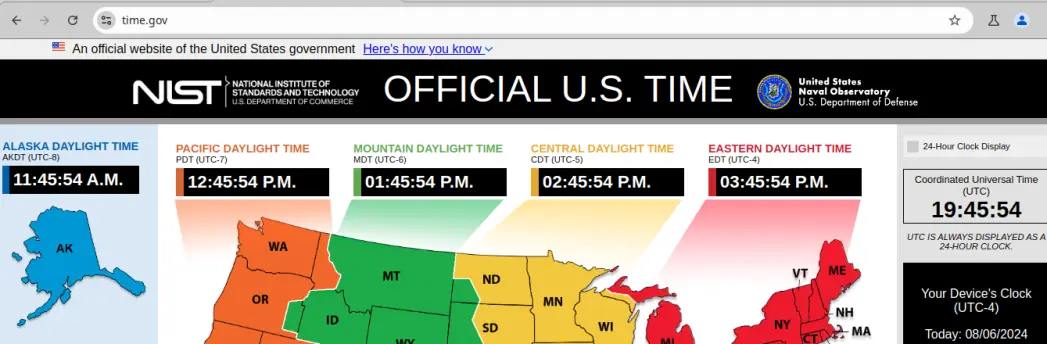
A user, gets the Coordinated Universal Time (19:45) from this site: https://time.gov (top right corner) and enters the required information into the input fields of the public DPG. See the picture below. In the day field the user enters 6-19:45.
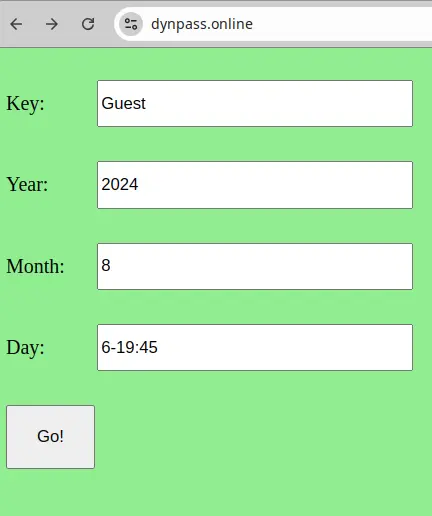
The user takes the first password and enters it into the password field on the site (see the picture below).
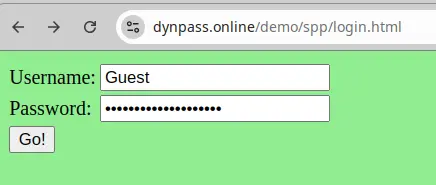
A program on the server performs the same procedure and verifies the entered password.
For the reason that the passwords will be the same, the user will be able to login into her/his account on the server.
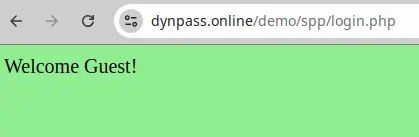
If attackers intercept the entered password and will use it after 1 minute was passed from the user’s login then the attackers will not be able to login into the account, because the passwords (entered by the attackers and generated by the program on the server) will be different. Therefore, the site will not be compromised and the attackers will not be able to make any damage to the user’s account.
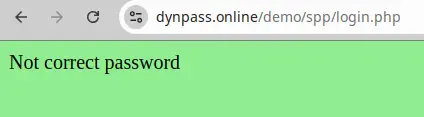
The proposed method uses a single source for time synchronization by servers and clients and do not use any devices, which can be affected by some external factors. For these reasons, this method is more secure and reliable than all other methods. In addition to better security and reliability, it is also the cheapest implementation of the “perfect passwords” concept, which makes it suitable to small businesses and personal websites owners.
Here is an example. Suppose you are in a public place, where computers may be infected with key loggers and/or malware. Your mobile phone’s network is not working in this place and public WiFis also may be compromised by hackers. You need urgently to make several transactions from your bank account or/and crypto wallet. What is a secure solution in this situation?
If you generate passwords via your mobile phone using your private DPG and after this use a public computer to login into your accounts then risk to be hacked is limited to one minute, therefore it is not possible for hackers to use your passwords after one minute gone. Key loggers, malware, etc. collect intercepted information locally in encrypted files. They send these files to special servers, usually one or several times per month (and very seldom once or several times per week or lesser) to avoid a fast detection. For this reason, hackers will have expired passwords if they will be able to intercept them, even in the case if they get intercepted credential delivered to them every hour (or even over 5 minute intervals).
ATTENTION!!!
For secure implementations of this method, always use private DPGs instead of public DPGs!!!
References:
[1] Cryptography: The Key to Digital Security, How It Works, and Why It Matters. Keith Martin, 2020, pp 142-143






