
Research shows that majority of people need to manage from about 20 to several hundreds different, strong and unique passwords for different online accounts, devices, electronic locks, etc. See [1-3].
Cybersecurity experts recommend to change all passwords, regularly. See [4]. Managing these changes for multiple online accounts, devices, electronic locks, etc. is stressful for many people. See [5-6]. About 78% of people with such passwords fatigue report deterioration in their health. See [6].
In this post, we consider a simple, stress free and very secure way to manage changes of multiple unique strong passwords for multiple online accounts, devices, electronic locks, etc.
Suppose, that Sue has the following 14 online accounts, 4 devices, and 2 electronic locks for which different, strong, unique passwords are required as shown in the list below.
1 gmail account
2 bank account
3 robinhood account
4 zengo wallet
5 guarda wallet
6 exodus wallet
7 trust wallet
8 coinbase wallet
9 metamask wallet
10 nerdwallwt
11 roblox games
12 rolox games
13 steam community
14 chess.com
15 work PC
16 home laptop
17 home tablet
18 work tablet
19 home lobby electronic lock
20 work electronic lock
To create new passwords, Sue uses a public dynamical passwords generator (DPG), for example this: dynpass.online.
She enters “Sue” as a key and the current date as a date into the input fields.
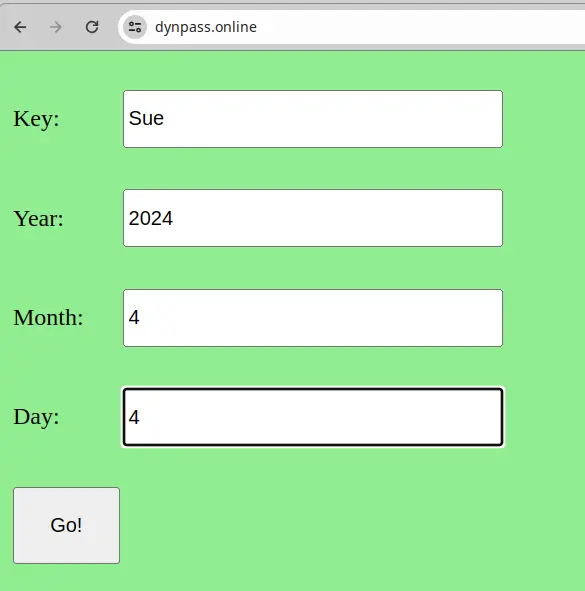
By clicking on button “Go!”, she creates 20 unique, strong, and different passwords for all 20 items on the list.
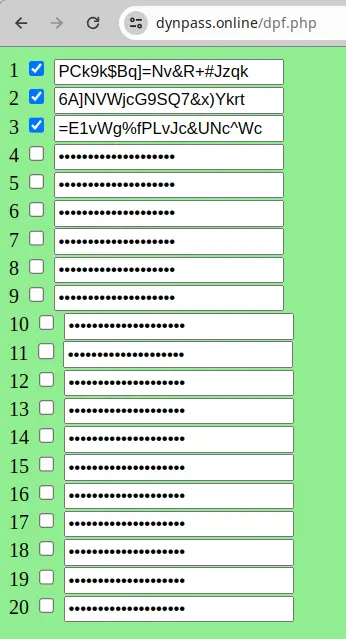
The first password is for the gmail account, the second password is for the bank account, … the 20th password is for the work electronic lock. Sue registers all these passwords in the accounts, devices, and electronic locks.
When Sue needs to use a password, she uses dynpass.online from any device connected to internet to generate the passwords with the key and date as was shown above. Her preferred device is her mobile phone. Then she copy/pastes the needed passwords into the login accounts to avoid interceptions of the passwords by key-loggers or similar types of malware.
After several months, she wants to change all passwords for all her accounts, devices, electronic locks, etc. She goes to the public DPG and generates a new set of passwords using the same key but a different date.
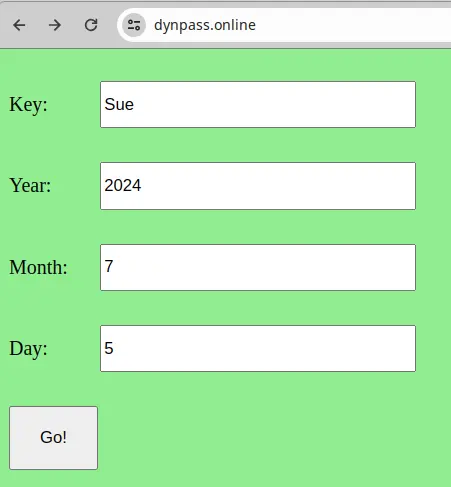
She gets 20 new, unique, strong, and different passwords, which are very different from those generated before.
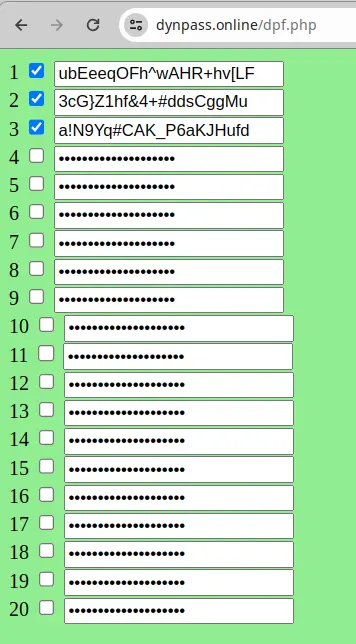
Sue registers all these passwords in the accounts, devices, and electronic locks.
Even in the case when some of the old passwords were compromised, they are not useful for hackers, because Sue has a new set of passwords for all her accounts, devices, and electronic locks.
When Sue needs to use these passwords, she uses any device connected to internet to generate the passwords with the key and date. Then she copy/pastes the needed passwords into the login accounts to avoid interceptions of the passwords by key-loggers or similar types of malware.
Sue repeats this procedure each time she wants to change all her passwords for all her accounts, devices, and electronic locks.
For stronger security, users can use unhackable passwords. See [10].
ATTENTION!!!
For the reason that public DPGs are accessible by any person, they are not as secure as private DPGs. Public DPGs are used for education, training, testing, and experimentation. For secure management of passwords changes, private DPGs are recommended.
There are about 2,200 cyber attacks every day. See [7]. The global average cost per data breach was 4.45 million U.S. dollars in 2023. An average cost of a data breach in USA is over $9 mln. See [9].
60% of SMEs victims of a cyber attack close after 6 months. See [8].
Users, who use private DPG, make personal contributions to the collective cyber defense. Users, who use weak or reused passwords, sabotage the collective cyber defense and increase risks of data breaches and cyber hacks.
Sources:
[1] Study Reveals Average Person Has 100 Passwords
https://tech.co/password-managers/how-many-passwords-average-person
[2] Data from Dashlane shows that most people have more than 200 accounts that require passwords
https://www.washingtonpost.com/technology/2023/05/04/passwords-tips-privacy/
[3] 37 percent of people deal with more than 20 passwords, and that’s just in their personal life. 19 percent also have more than 10 passwords for their work life
https://www.comparitech.com/blog/information-security/password-statistics/
[4] Cybersecurity experts recommend changing your password every three months
https://www.mcafee.com/learn/how-often-should-you-change-your-passwords/
[5] What is password fatigue?
https://proton.me/blog/password-fatigue
[6] 139 password statistics to help you stay safe in 2024
https://us.norton.com/blog/privacy/password-statistics
[7] There are about 2,200 cyber attacks every day
https://www.hackread.com/3-cybersecurity-tools-to-protect-business-data/
[8] 60% of SMEs victims of a cyber attack close after 6 months
https://blog.camelsecure.com/camel-community-04052021
[9] An average cost of a data breach in USA is over $9 mln
[10] A simple way to create unhackable passwords






