Apple's iOS 18 has landed, bringing with it a suite of new features designed to enhance user interaction, privacy, and customization. Here's how you can make the most of these updates:
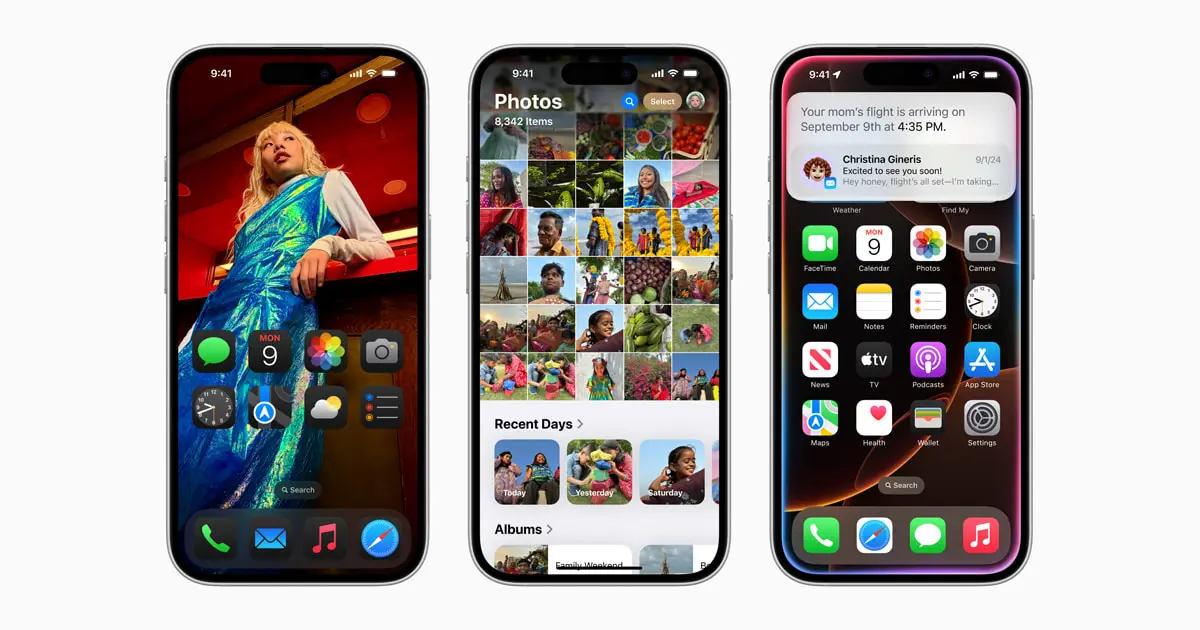
1. Customizing Your Home Screen
- Change Icon Colors and Sizes: Go to Settings > Home Screen, where you can now choose custom colors for your app icons or change their sizes. Tap on an app, select 'Edit Home Screen', then choose 'Icon Style' to adjust.
- Free Placement of Apps: Long press on an app until it jiggles, then drag it anywhere on the screen, breaking free from the traditional grid layout.
2. Messages Enhancements
- Message Effects: When in Messages, type your message, then long-press the send button. Here, you can add effects to words or emojis.
- Scheduling Messages: After typing your message, tap and hold the send button, select 'Schedule Send', and choose your desired time and date.
3. Photos App Upgrades
- Collections and Clean Up: Open Photos, go to the 'Albums' tab, and look for 'Utilities' where new categories like 'Documents' or 'Trips' appear. Use the 'Clean Up' feature by selecting a photo, tapping 'Edit', and then the new 'Clean Up' option to remove unwanted elements.
4. Apple Intelligence (For Eligible Models)
- Setup: If you have an iPhone 15 Pro or newer, go to Settings > Siri & Search to enable Apple Intelligence features like enhanced Siri capabilities or writing tools.
5. Control Center Customization
- Adding Controls: Swipe down from the top-right corner, tap the 'Edit' button, or long press on the screen to enter edit mode. Here, you can add, remove, or rearrange controls as per your preference.
6. Enhanced Privacy
- App Locking: Navigate to Settings > Face ID & Passcode (or Touch ID & Passcode), scroll down to 'Other Apps', and toggle on the apps you wish to lock.
- Hiding Apps: From the App Library, long press the app, choose 'Hide', and it'll move to a hidden folder accessible only via passcode or biometric authentication.
7. Calculator and Math Notes
- Using Math Notes: Open the Calculator app, look for the 'Math Notes' tab, or in the Notes app, start a new note and use the '+' button to insert a math equation. Solve or convert directly there.
8. Emergency Features
- Live Video for Emergencies: When calling emergency services, there might be an option to share video. This depends on local service capabilities but would be initiated from the call screen.
Additional Tips
- Setting Up Passwords App: Go to Settings > Passwords to access all your saved credentials or set up new ones. Here, you can also check for compromised passwords.
- Navigating iOS 18: Remember, many changes are about making the interface more intuitive. Explore by going into Settings where many of these new features are nested under specific menus like **Display & Brightness** for home screen changes or **General > Software Update** to ensure you have the latest features.
iOS 18 aims to make your iPhone more personal, secure, and efficient. Dive into these settings, play around with the new customization options, and tailor your iPhone experience like never before. Enjoy exploring your updated device!
---
Thank you for reading!
CryptoGemGR on X: @7SinsIsland
Support the journey of CryptoGemGR—
XLM
GCFCOAVF4GJGOPOOGH742WSHUMGUIIYKZJ4XZGHKLMSZUVZG6RVLIPYZ
ETH/BNB etc
0x52dC7d6d2E24AaD347015D889fEce12f41d6786C
BTC segwit
bc1q239yl5lpx2hg6m3q0tv24295fw75wk9qdvswcu
SOL
EQAtS5EhemmV3XqhgUWAn6YtnTCqmiTHi5Rus2x5SuYv
DOGEcoin
DD8EUMQmRTrqSxrwcskVdLWTkRoQfbCqvB
You can also check out my referral codes for various crypto platforms to help me out. Every referral code you need: Read about this here
Sign up for MEXC to trade low-cap crypto using my referral code: 1NuBb
🇬🇷 Download Sl8 (available on Android & iOS) and join the crypto social platform built on the Stellar XLM blockchain. Earn from your posts using my referral code: asXHIP
DEPIN APPS TO EARN CRYPTO
NATIX
🏎️🛞 Use my code: G5sWTtyEG2 for a 350 point bonus!
🌟 Download here 👉
https://onelink.to/natix-network
SILENCIO