Hello friends, today we are going to do something different, and it is going to be a slightly different publication, today I am going to talk to you about a program for our pc, in which you will be able to do a multitude of things, from playing games to watching movies, and much more
I know you will still be at home, and maybe you are bored, and do not stop watching movies, series etc, and for them you should have access to the internet, go through the pages that are on the internet to find what you really want to see at that time
And if I tell you, you could have all that in one place, without having to be looking

That's right friends, a program that you can organize your movies, series, and be able to access them without having those movies and series in your hard drive of your pc
That sounds great, doesn't it?
Well, that's not all, you can also watch TV via the Internet. The official version does not include any multimedia content, only the options for you to manage your own. That content can come from your disc, from a remote location, a DVD, a Blu-ray, a cloud service, etc.
The installation of this program is very easy, the only thing you have to do is go to the download page and choose your platform. If you use macOS simply download the available installer and run the package.
When you first start, you'll have to take a couple of things into consideration:
-
1 - the first is that you won't have any content
-
2 - The second is that it will be in English.And although most people here will speak English they will have no problem, also remember that it runs in full screen.
What program are we talking about?

I'm sure this program will be familiar to you, I use it a lot on my desktop, I'll leave you some images of how I have it right now
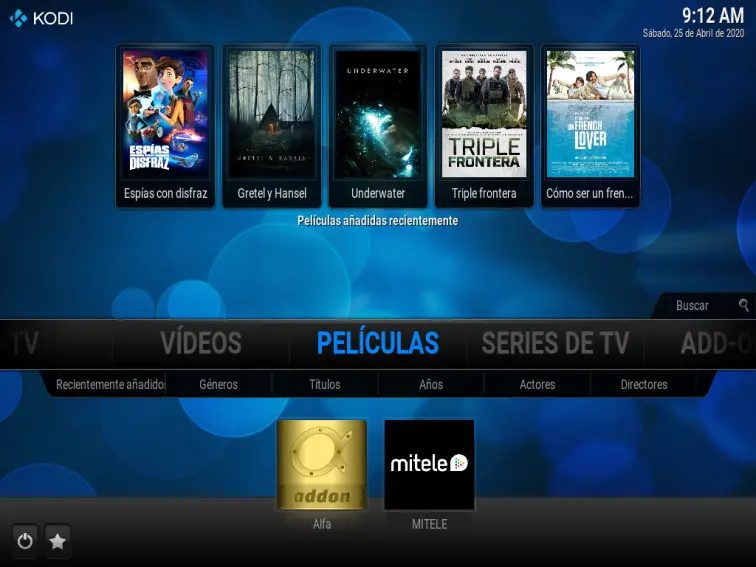
This is my main screen menu, where you can see the available sections of both movies and series
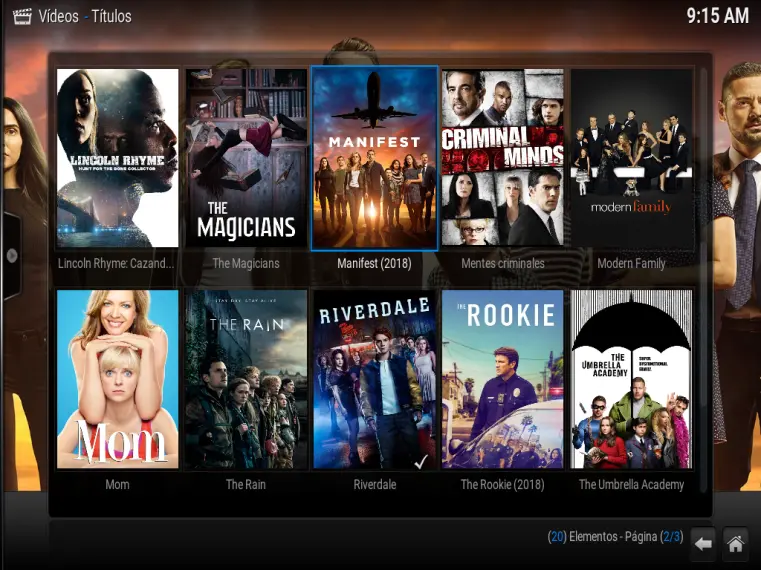
These are just some of the many series that I have put in my multimedia center program, the good thing about this section is that when I start the program, it automatically looks for new episodes in the series, and then you can access them with a few clicks

Live image of channel 4 hd

Let's try a series, and see if we can get
First in the main menu, we click in series and we will have this way all the series that we have put in the program, later we choose one, we are going to put Modern Family
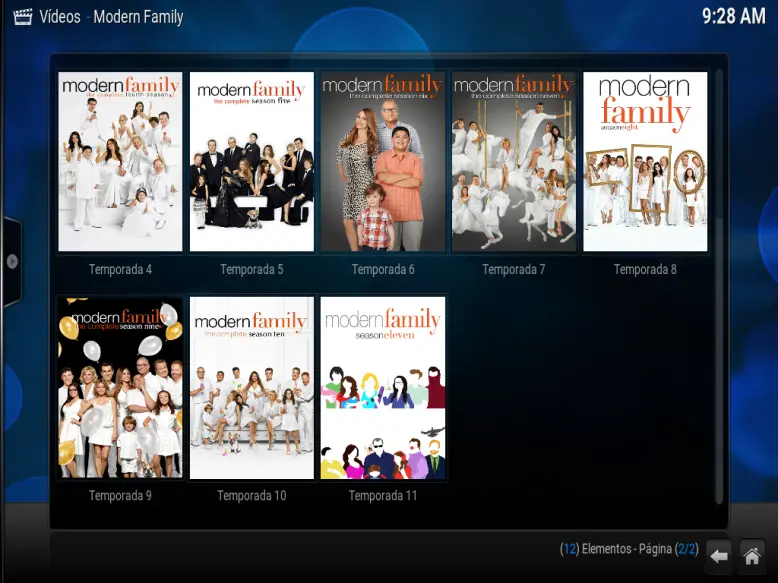
Then we select a season and a chapter, see what happens
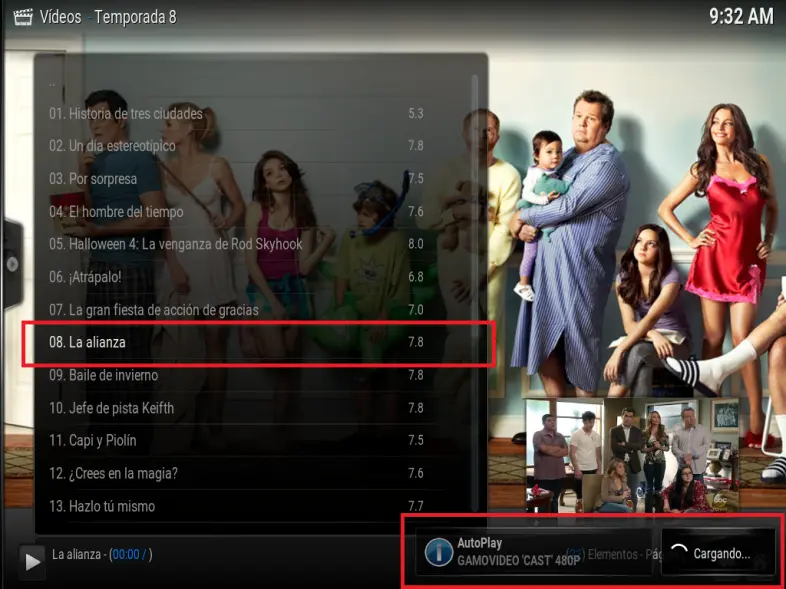
As you can see, I have selected the chapter 8 of the season 8, and as soon as I click it begins to load the file from the Internet to be able to reproduce it, let's see how it looks

As you can see, with this program you have the hours of fun without having to search for anything on the internet
So far this tutorial, if you liked this publication, and want to know how to add all this kind of content in the program, leave it in the comment box, and again I will publish an update of all the processes
If you want to know a little more about me I leave you my other publications
How to detect if the content is a plagiarism
My Publish0x vs Steemit experience
I also invite you to download the browser that pays you to use it
Thank you very much for coming in and reading this post.
Comments of any kind are welcome and thanks for reading!
You can follow me on PUBLISH0X
See you in future publications