
This is how to create an iSCSI datastore in ESXi. In my case, I got a QNAP which allows for iSCSI (Internet Small Computer System Interface) connections to the storage. Briefly, iSCSI is a layer on top of TCP/IP that uses an initiator to connect to a target. This protocol can go over normal ethernet. If you would like to know more about iSCSI, check out this blog on it. First, login to ESXi and navigate to networking.

*Note* if you separate your iSCSI network from your main LAN, then proceed with these steps to bind a vmk and NIC with a dedicated vSwitch to iSCSI. If you do not separate your LAN and iSCSI traffic, skip to step 4.
Connect via iSCSI
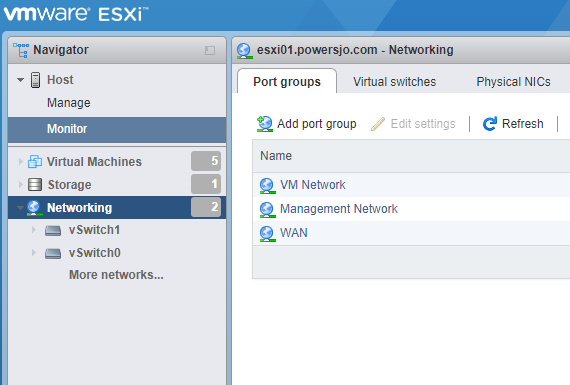
- Select ‘Networking’ then ‘Port Groups’ and ‘Add port group’.
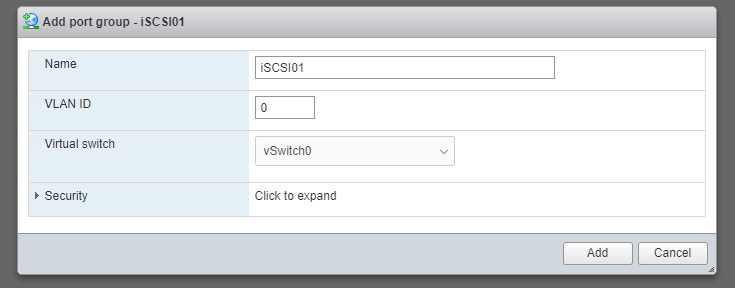
2. Name your port group and add to a vSwitch that has Physical NICs.
3. Next, go back to ‘Networking’ and this time select ‘VMkernel NICs’. Click ‘Add VMkernel NIC’ and enter in an appropriate IP and subnet mask. This IP should be on the same network and subnet range that the iSCSI target is on.

4. Next, go back to the left hand side and choose ‘Storage’ and then ‘Adapters’. Select ‘Software iSCSI’ to add a iSCSI adapter.

5. From here you can select CHAP settings for authentication if you setup your iSCSI target that way. Be sure to select ‘Enabled’ at the top. If you are segmenting traffic between iSCSI and LAN, select ‘Add port binding’ next to Network port bindings. Otherwise, skip to step 7.
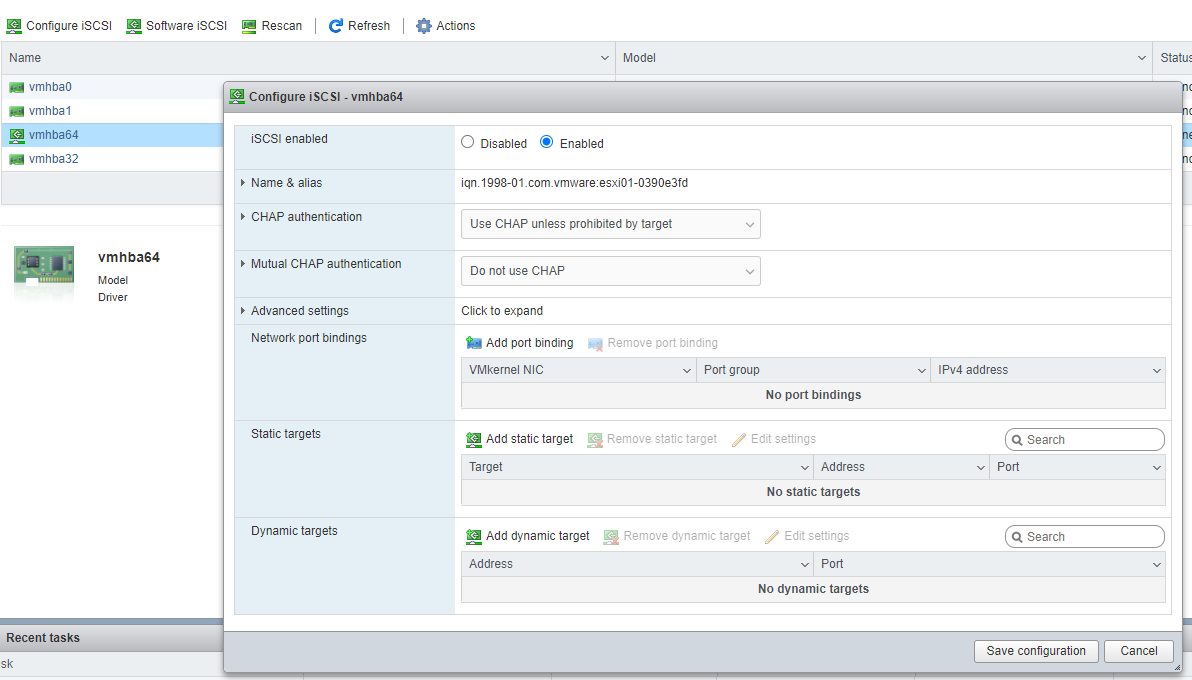
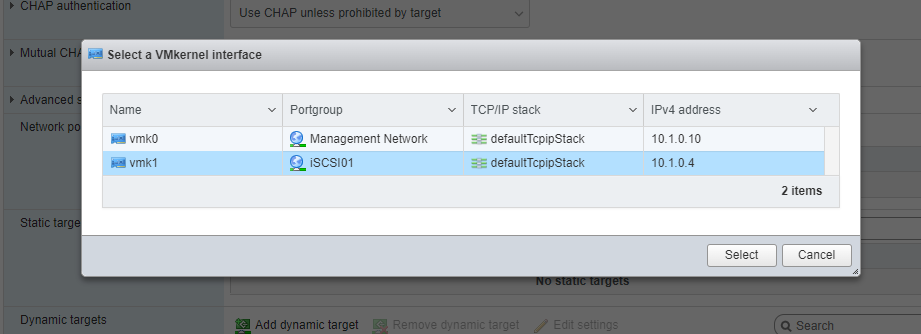
6. From here you can select the VMkernel NIC you created previously.
7. Now you can add static targets or dynamic targets as you setup in your environment. Click ‘Save configuration’.
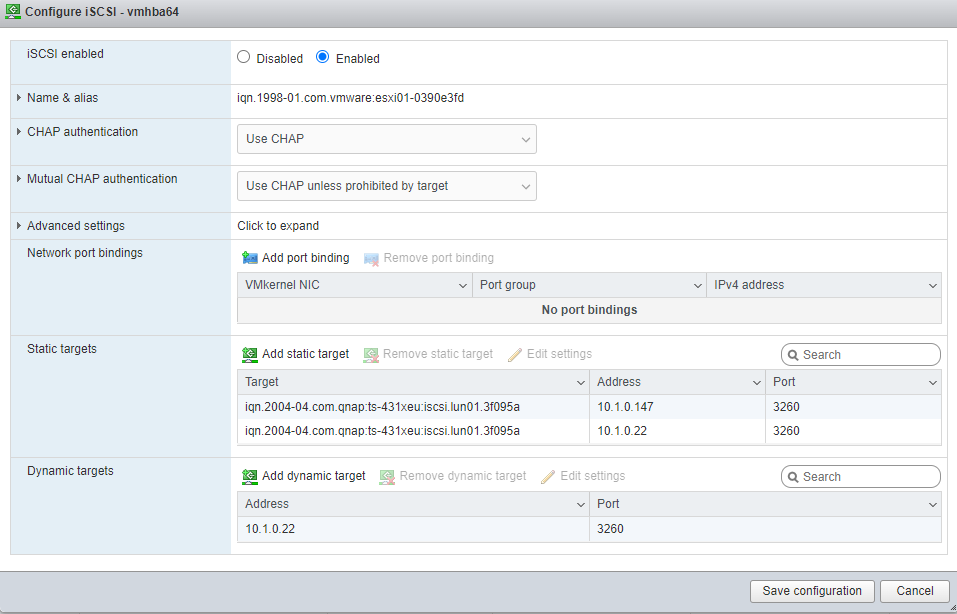
Create the Datastore
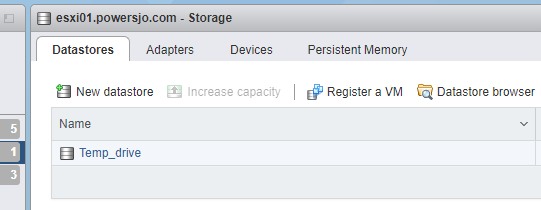
8. Next you can add the new datastore. Proceed to ‘Storage’ on the left hand side then ‘Datastores’ and ‘New datastore’.
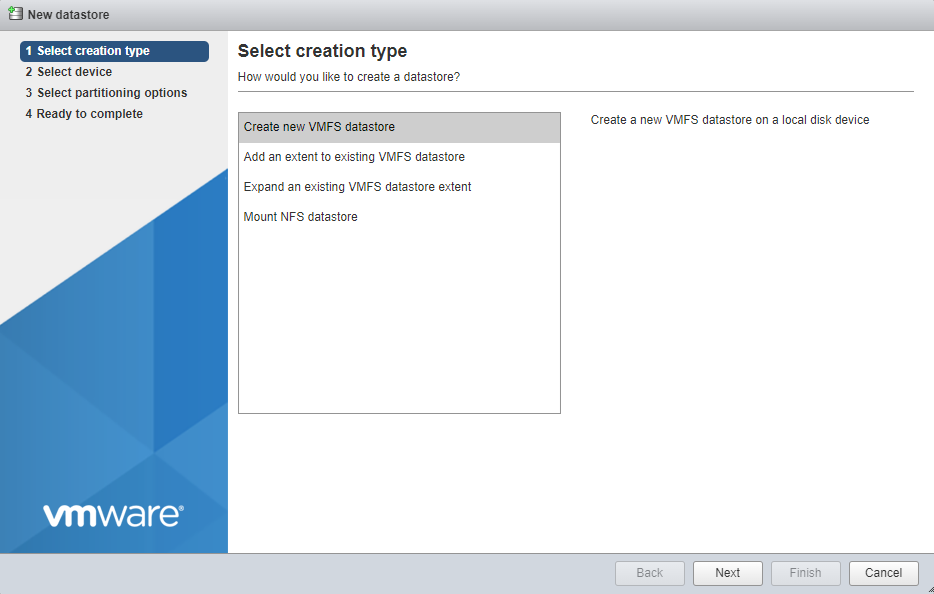
9. Now when you proceed through the wizard, you should see the space you made available to the ESXi host from your iSCSI target.

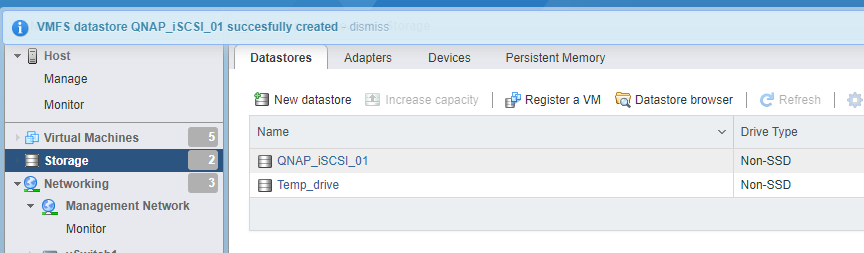
10. Name the datastore and proceed through the rest of the wizard. Finally, you should see your new datastore.
I hope this helped you out setting up an iSCSI datastore in ESXi. It is a pretty simple procedure from the ESXi side. Added complications could come from segmenting the network traffic between iSCSI and normal LAN traffic.
Check out my previous blog post here.
This post was originally from my blog, referenced below.
Haven't joined Publish0x yet? Join up by using my referral code.
You can get a 25 PRE token bonus if you use my referral code here. This is to support a decentralized web search engine with presearch.org.
You can earn crypto at Odysee.com, an alternative to youtube. Use my affiliate link here to watch and earn.
God bless you!






