
Get a Wallet/Account
First thing is of course to get you a wallet and an account and some $PAW. You can join the discord/twitter servers in order to proceed with those
Get to your staking account or login to existing account
With your account created and some $PAW on it, it is time to reach the Staking Server by heading to https://paw.digital/staking
First, if you scroll down (or click on "Stake Now"), you'll get the calculator. It will allow you to know how much $PAW you'll earn based on your staked amount. That's a great way to know/choose your stake
 OR
OR 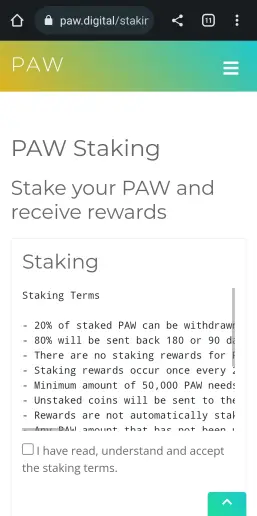
Now that you have checked the reward capabilities based on your $PAW amount, you can proceed with staking itself : Read the Terms (I mean it, read them, It's important) and check the box meaning you accept them. You'll get a LOGIN prompt. You can choose to login with a reward key (if you have any) or by sending a small $PAW amount to a specific address (you'll get it back). We'll use the second method (most recent)
If you want to update your stake, you can just re-login using the same mechanisms, with the same account (reward key or by sending 1 PAW to a specific address)
 OR
OR 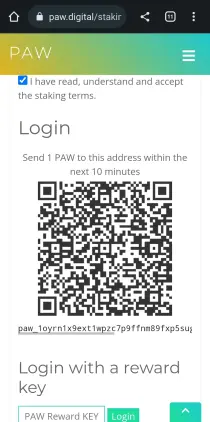
Shortly after send 1 $PAW to that address, the page refresh and I now have the Stake PAW button (or scroll down if you prefer).
Initial Stake
You have 2 staking options (180 and 90 days unstake periods), each presented with their current staking value and at the bottom you have the calculator again, if you want to re-verify the values
 OR
OR 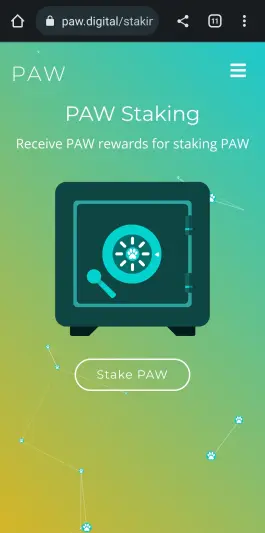
You can see :
- Stake Balance : still 0 because nothing has been staked yet
- Share of Distribution : your percentage in the total staking
- Available to withdraw : amount of $PAW you can immediately claim back
- Estimated Reward : number of $PAW you'll get as a reward for your Stake
- Reward address : it is the address you used to login (either the address you send the 1 $PAW from in order to login at previous step, or the address linked to your reward key (if using older method)
- Auto Stake Rewards : if you click on it, the rewards will not be sent to your account, but will be added to your staking account (increasing the stake)
- QR code / PAW Address : this is your staking account for that particular pool (see how the address is different for 180 and 90 days)
To stake, you can now simply send some $PAW from your BIOME/BIOTA to that address. Note that a nimum of 50K $PAW is requested in order to get reward
Updating/increasing staked amount
You can always increase your stake by sending more $PAW to the staking address
If you want to review your rewards, or perform some unstaking, you can go back at any time to https://paw.digital/staking and re-login like above






