
Hello Cryptofans. XYO is an ERC-20 token linked to geolocation data. Assuming you are familiar with the concept, I am not going to describe what XYO is and how it is linked to physical locations. This article is for existing Coin App users (if you are not one already, register and start getting XYO for sharing geolocations - by using this link you will get 1000 COIN for a good start).
You may have noticed drops of typically 10 COIN that show some ad and take to a page of a faucet / miner / exchange etc. This is Coin BOSS - an opportunity for Coin App users to advertise their favorite crypto sites (actually any sites if you like). This article explains how to use it and shares my experience with it.
First of all, you need to register on https://beta.boss.coinapp.co/. You will see a message that BOSS is still in beta and your request will be reviewed. That's the theory. In reality, I had to drop them an email ([email protected]) and only then my application was accepted. Once accepted, here's how to get started.
Deposit COIN into BOSS sub-account
Click the big plus sign on your Coin BOSS page. The following popup will be displayed - this is how you transfer COIN from your main account to BOSS sub-account:
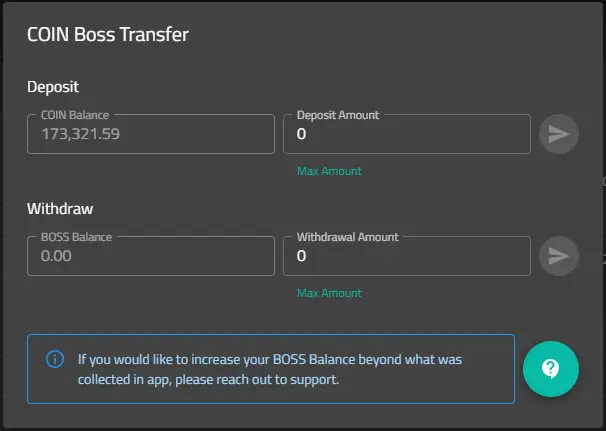
- Enter the desired amount into "Deposit Amount" field
- Click the right-pointing arrow next to it
Btw, the amount you see, plus 45K COIN, is how much I geomined using Coin App in the last 4 months.
Create a campaign
Click the little plus sign next to 'Create' at the right-hand bottom corner of your stats panel:

I will use Freebitco.in as example (this is my favorite faucet, due to a) lack of invasive ads and b) compounded annual interest (4.08%) paid everyday on stacked BTC). First, you have to decide how much you are going to offer in your Geodrops per day (daily budget):
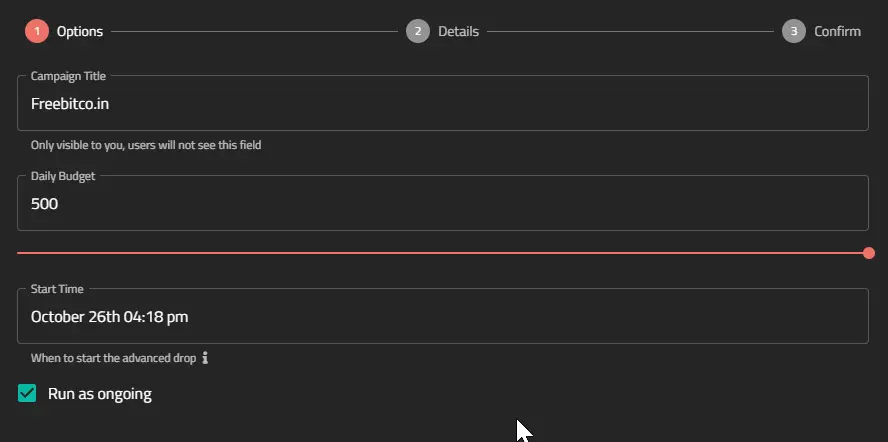
Click NEXT located at the bottom of the panel to define further details:
- value of each drop ('Reward Amount')
- ad image (512x512px)
- ad text (the text will be checked by COIN staff, don't use offensive language)
- and most importantly, your link
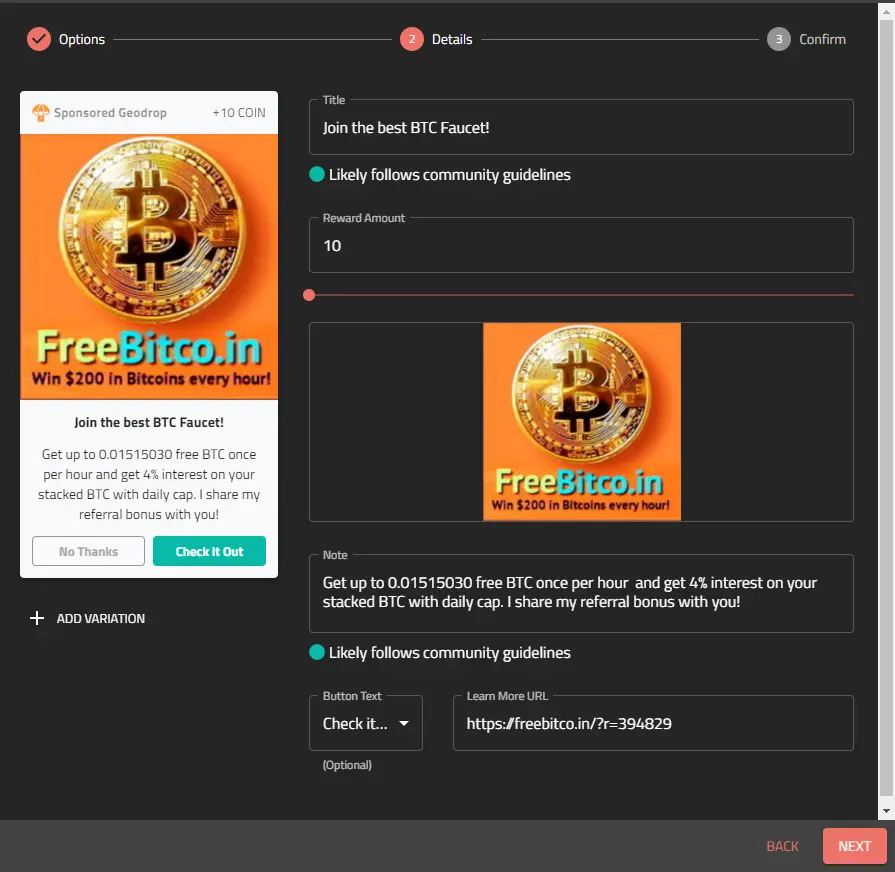
By clicking on "Add Variation", you may create different ads for the same campaign. Click NEXT.
The last screen (in my case it show an existing campaign, so I see the current status) sums everything up. If you are happy with your campain, click CONFIRM:
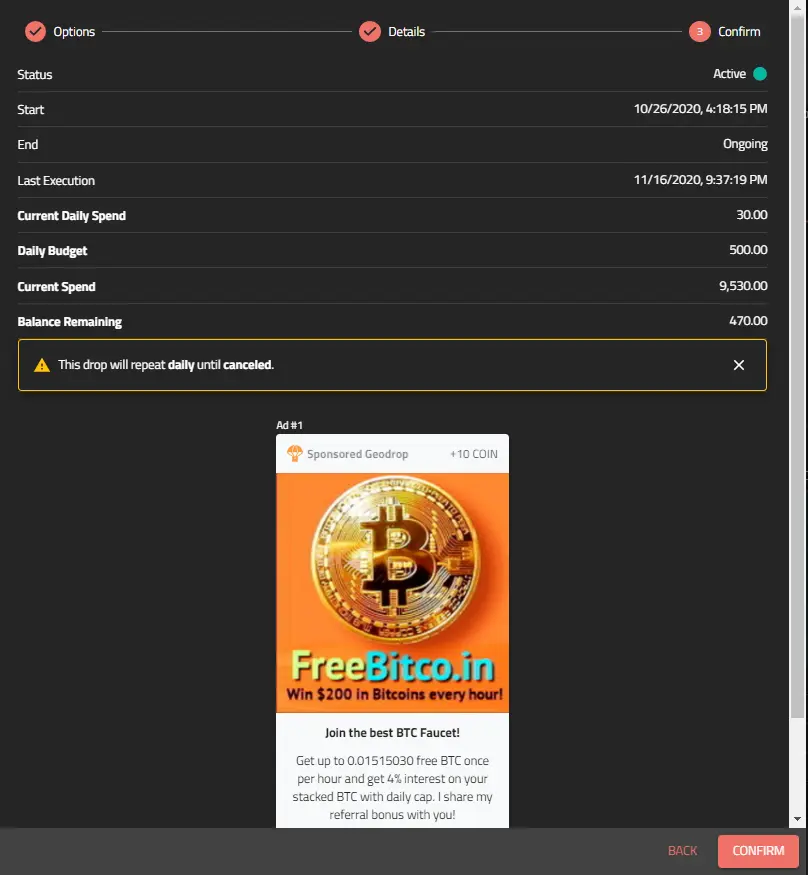
Campaign Status
Your campaign is now ready for review. You need to do one more thing - transfer COIN from your BOSS subaccount into this specific campaign. You may have multiple campaigns and you decide how much goes into each. The screenshot below shows 3 of my campaigns, each with different status. You can also have a peek at their yields - all real data.
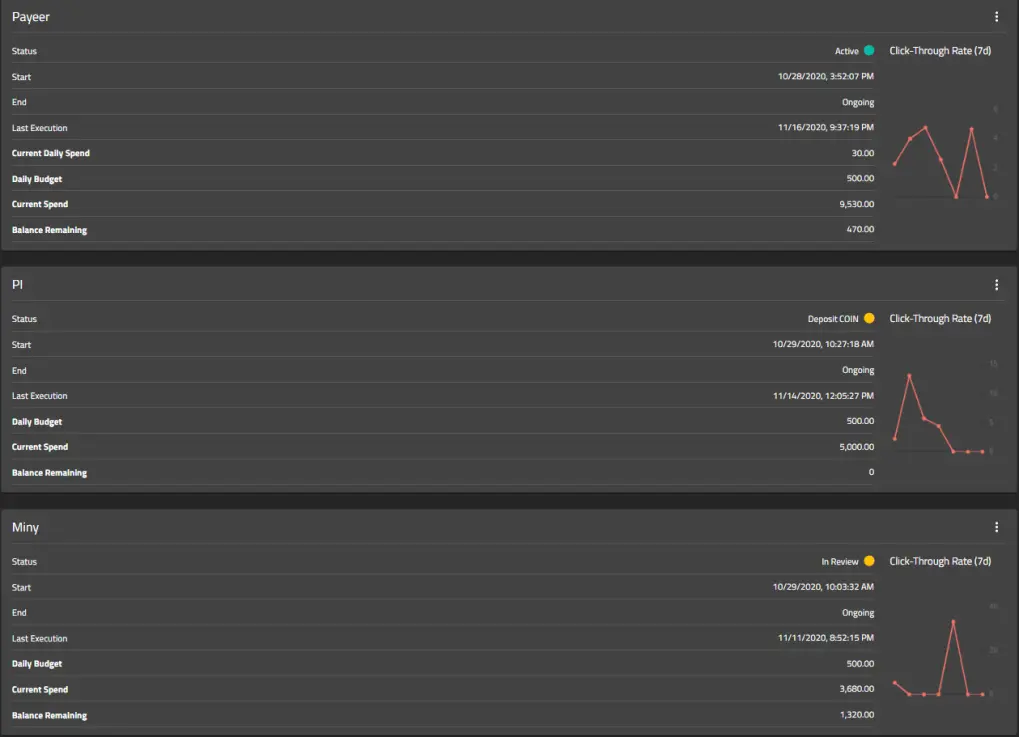
Let me explain the statuses, starting from the bottom.
My Miny campaign is now "In Review" (you will see the "In Review: status for every new or changed campaign), as I have changed the text and COIN staff need to approve. Note - the check is manual and can take several days. You can see that the campaign is ongoing, I have already used 3680 COIN of 5000 allocated and the graph shows the click-through rate (not too bad).
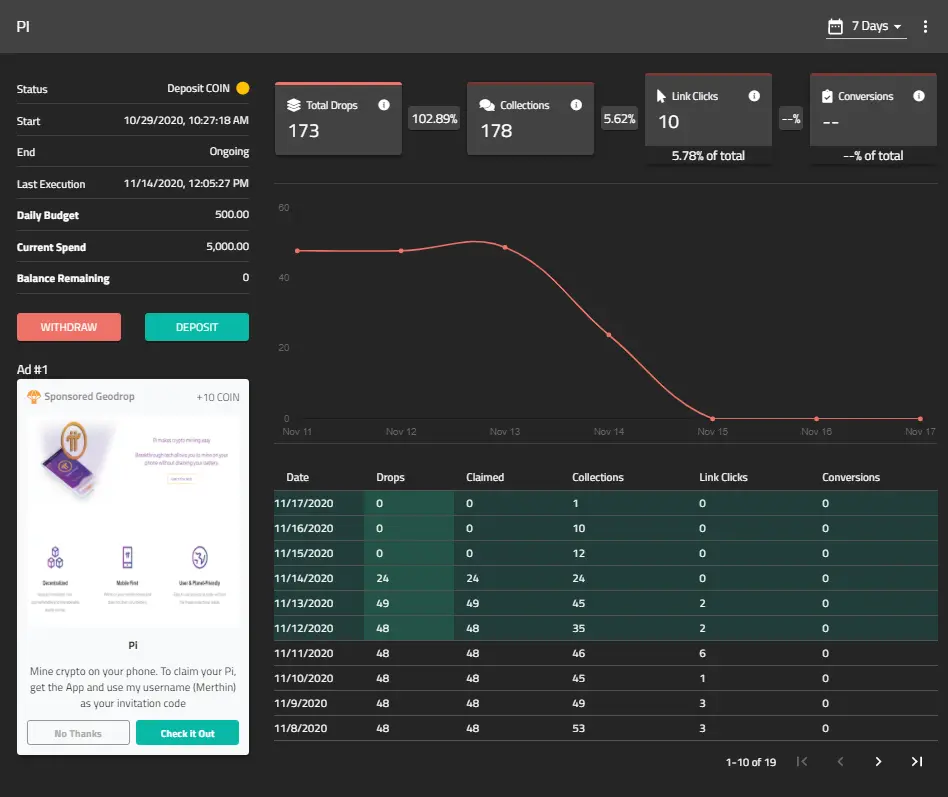
Next up is PI campaign (btw, PI is going mainnet in 3 days, so hurry up to join Pioneers while you still can; use 'Merthin' as your invitation code). The status is "Deposit COIN", which means that the campaign is on hold until COIN are transferred from the BOSS subaccount. To do so, click on the campaign and then click on "Deposit" to transfer COIN.
Finally, my top campaign, the one for Payeer (my favorite crypto exchange, superfast), has a status of "Active". It means that it has been approved, there are funds available and all is good. I can update it any time. (Note - if you update the image or text of an existing campaign, it will go for manual review, which may take a few days - and during the review time the ad will not be displayed).
This concludes part one of my COIN App Boss Guide. In part two, I will share the results of my campaigns.
PS. I happen to have two NFC cards that go with the COIN App. The card cross-checks the geolocation reported by your mobile and COIN App pays 12x for a verified geomine as opposed to one w/o the NFC card or Sentinel device. I will mail them to the first two readers who register with any two of my referral links in this article and leave some contact data in the comment of this article (don't leave your address though - just some contact info so I can reach out to you). PI will be the easiest way of getting in contact, as I will see your nickname in the PI app chat and will be able to contact you privately.
Part II is now available - I share results from my 6 campaigns with Coin BOSS.





