Yes, you can run AI on your own computer. No internet once it's set up, nothing sent anywhere.
And the AI you use in the cloud every day is not private by default.
Both facts matter. Most people only know the first one is possible after they've already pasted something they shouldn't have into the second.
Can you really run AI on your own computer?
Yes. Some AI labs publish their models as open weights: the trained model files, free to download. You install an app, download a model, and your own computer does the work.
Apps like LM Studio or Ollama make this fairly easy. You pick a model from a list, it downloads, and you start chatting in a window. After the download, it keeps working with the Wi-Fi off.
That's the simplest test, by the way. Turn off your internet and ask a question. If it still answers, it runs on your machine.
What happens to your data when you use cloud AI?
Your message leaves your computer. It's processed on the provider's servers, and it's stored there for a while.
What happens next depends on the provider, your plan and your settings. Three things are worth knowing.
Your chats can be used for training. On many personal plans, the provider may use your conversations to improve future models. Whether it does depends on a setting in your account, so go and check it.
Some chats can be read by people. At least one major provider says plainly that human reviewers read a subset of conversations.
Paying usually doesn't change this by itself. A paid personal plan gives you more features. It doesn't automatically give you different data handling. Business and team plans usually come with separate terms. Read those properly, don't assume.
None of this means the provider publishes your chat, or that another user can find it. It means your words go into a process you don't control.
What stays on your machine with local AI?
Everything. The question, the document, the answer. It all stays on your device, and you decide when it's deleted.
One catch. Some local apps also offer cloud models next to the local ones. Those run on the company's servers. If privacy is your reason for going local, check that the model you picked really runs on your computer.
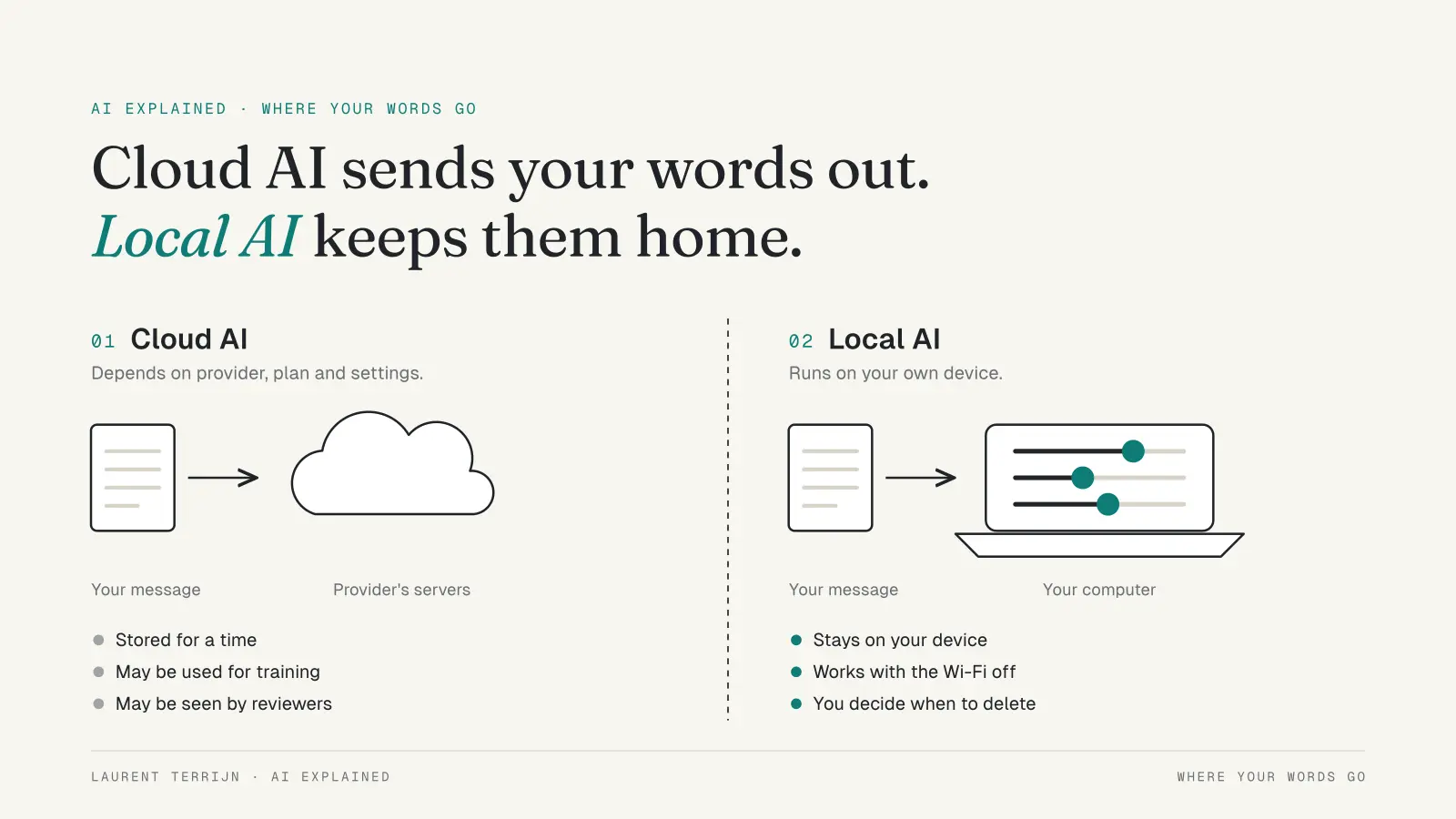
Where your words go: cloud AI sends them to someone else's servers, local AI keeps them on your device. © Laurent Terrijn
What do you need to run AI locally?
Mostly memory. The more memory your computer has, the bigger the model you can run, and the smoother it feels.
A reasonably recent laptop handles small models. Bigger models need more memory, a good graphics chip, or both. The very largest open models need server hardware and won't fit on a laptop at all.
Check your disk space too. Each model is a large file.
The exact requirements change with every new app version and model. Check the app's own requirements page before you start.
Where does local AI fall short?
It's weaker. Small local models can't match the big cloud models on hard reasoning or broad knowledge.
Its knowledge is frozen. It only knows what it learned in training, and it can't search the web unless you add that.
It still makes things up. Local doesn't mean correct.
It uses your laptop. Memory, battery, heat.
And download carefully. Get models only from the app's official catalogue or the page of a known lab.
When should you choose local, cloud or neither?
It depends on the data, not on the tool. Let's keep it simple and take one example.
This is a made-up example, to show the idea. Not a story from my own business.
A small recruitment firm gets fifty CVs for one job. They want AI to summarise each one against the job description.
Those CVs are other people's personal data. Names, addresses, work history, sometimes a photo or a date of birth. So the firm has four options.
Cloud, as is. Fastest and smartest. But fifty strangers' CVs now sit on someone else's servers, possibly in training data. Hard to defend to a candidate.
Cloud, redacted. Remove names and contact details first. Call them "Candidate 1" to "Candidate 50". The AI can still compare experience against the job. This is often the practical middle.
Local. The CVs never leave the office laptop. The summaries will be simpler, but for "does this person match these five requirements", a small model can be enough.
A business plan. If AI is part of the daily work, a plan with a proper data agreement is the grown-up option.
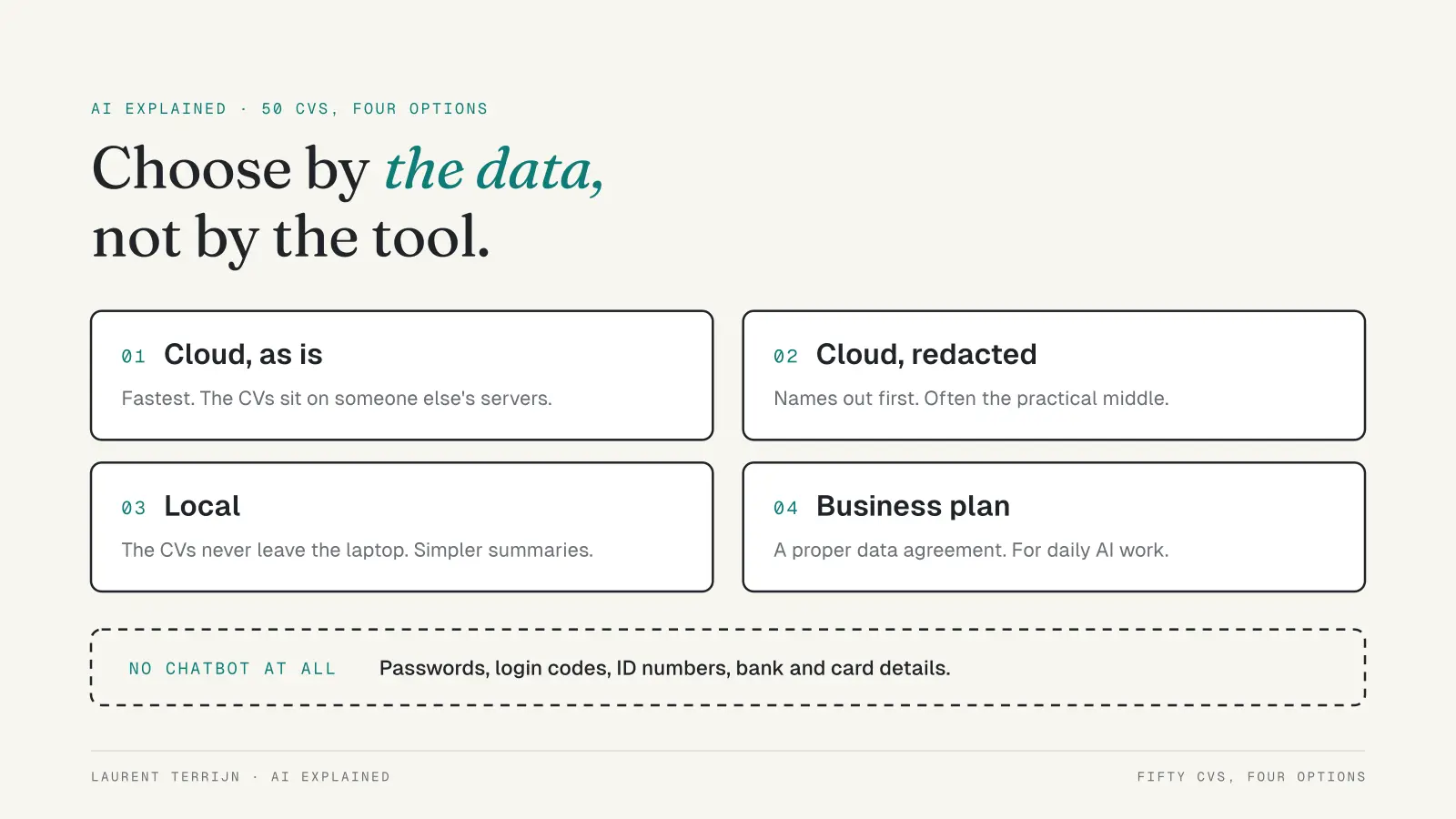
Fifty CVs, four options: choose by the data, not by the tool. © Laurent Terrijn
And some things go in no chatbot at all. Passwords, login codes, ID numbers, bank and card details. My test is simple. If I wouldn't be comfortable with a stranger reading it, it doesn't go into a cloud chat, whatever the settings say.
How do you do a quick privacy check on your AI tools?
It's actually not that difficult. One evening, once per tool.
Find the training setting. Look in the settings under privacy or data. If your chats are used to improve the model, decide whether you want that.
Check how long chats are kept. Some tools let you choose. Shorter is safer.
Learn the private chat mode. Most big chat apps have a temporary or incognito option that skips your history and training. It can still be stored for a short time, so it's not a magic eraser.
List what's connected. If the AI can reach your email, calendar or drive, remove anything you don't use.
Write your never-paste list. Keep it short. Stick to it.
Menu names move around between versions. If a setting isn't where you expect, search the settings for "privacy" or "data".
Quick answers
Is a paid AI plan more private than a free one?
Usually not, on personal plans. You still have to check the settings yourself.
Does deleting a chat delete it everywhere?
Not always. Providers may keep copies for a set period. Check their privacy page.
Can a local model replace cloud AI?
For simple, private tasks, often yes. For the hardest work, not yet.
What's the most private option?
A local model on your own device. Your data stays with you.
The takeaway
Cloud AI is a tool on someone else's computer. Treat it that way.
Spend one evening in your settings. Redact before you paste. And for the data that really can't leave the building, let a small model on your own laptop do the work.
Further reading: Why AI Hallucinates and How to Catch It
About Me

I’m Laurent Terrijn, an entrepreneur and engineer. I see myself as a systems engineer and business builder: I build the systems businesses run on. I’m also a nerd who somehow ended up speaking ten languages. I love learning, and that curiosity pulled me deep into personal branding and artificial intelligence. On the side, explaining AI has become a passion project. I enjoy taking something that sounds complicated and making it simple enough for busy business people to understand. I do it out of curiosity, and because I like sharing what I find out. Read more on www.laurentterrijn.com