
Styling your first web page!
Creating directory
At first we should create a file,
where we are going to store our website
and then, put our index.html file in there.
Then, in that folder create file called style.css
So this should now be content of our folder:

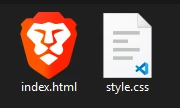
Opening our website folder in VSC
Open VSC,
then go to File > Open Folder.
Or simply do CTRL + O + K.
And select your folder.
Now that it's opened you will see something like this.
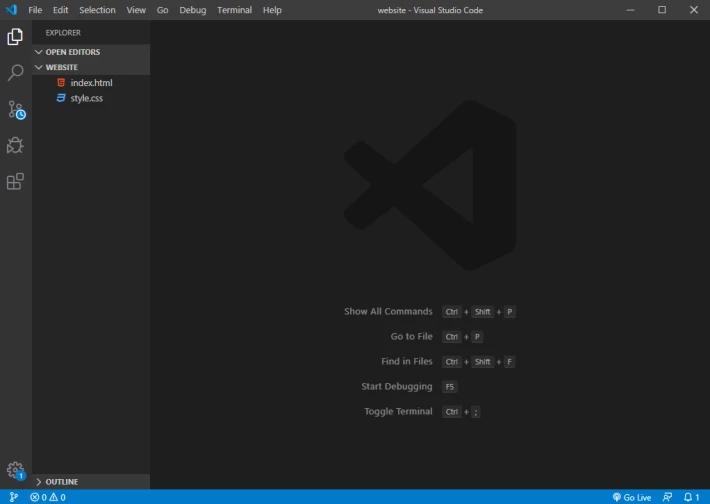
On the left you see the folder directory.
Click on index.html and it will open the file.
Then add this line like this:
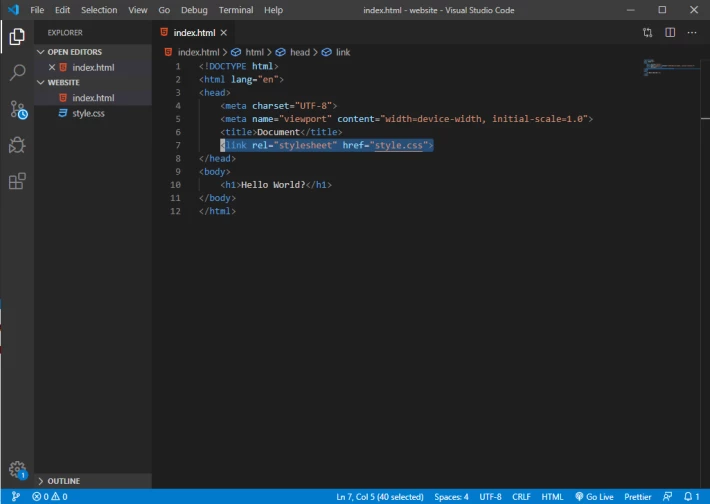
You have now successfully linked your styles to your website.
The tag link means we are linking something, rel="stylesheet" tells HTML it's a styles file.
And href is linking to directory of file.
If the file was stored in styles directory called css,
the link would look like this href="css/style.css".
Now let's open the style.css file.
Getting our hands dirty!
Okay now.
We target HTML elements in CSS by writing their name in file.
In HTML document we have a heading of level 1 saying Hello World?
To target it in CSS we then write the name
of the element followed by curly brackets.
Like this:
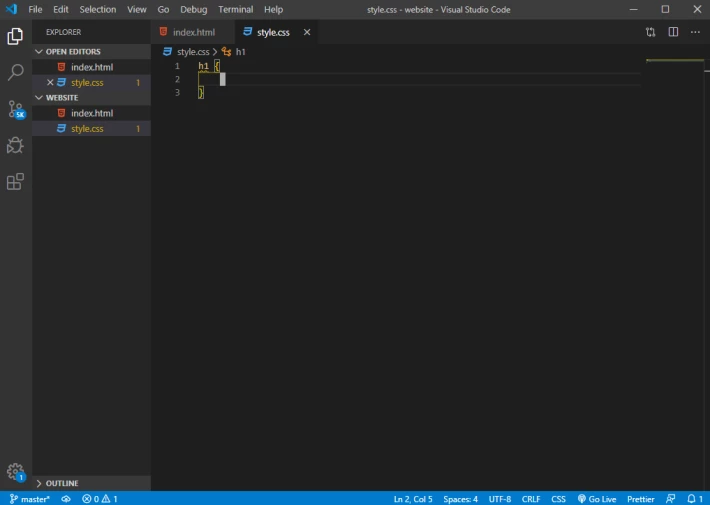
Inside the curly brackets we type:
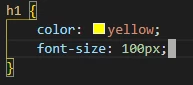
which changes color of our text to yellow
and size of the font to 100px.
For colors you can use rgb(0, 0, 0) values or hex code #151e27.
And instead of pixels for text size you can use percentage, em, rem.
These make the text kinda responsive as we resize the window of browser.
Seeing the result
Now we open our index.html file in our browser.
Or if you already have it opened just refresh the page.
You need to refresh every time you want to see a change you made in HTML or CSS.
So our website looks like this now:
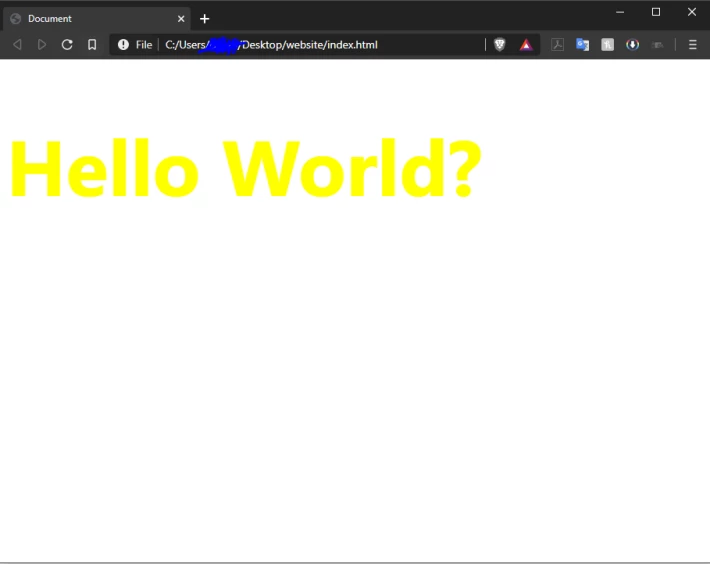
Now, what if you don't like it?
Well change it..
Let's change color of the background.
To target background we use the body tag
because the actual content is inside it.
Meaning body is outside and background is indeed outside the content.
Think of this as layers.
Then we just type - background-color: black;
It is important to finish every styling element with ;
My CSS looks like this:
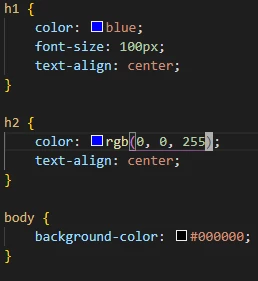
I also added color values differently.
Hex code in BG color and RGB in h2 tag.
Then I used text-align to center text.
You can also use it to align text to left, or right.
My html now looks like this:
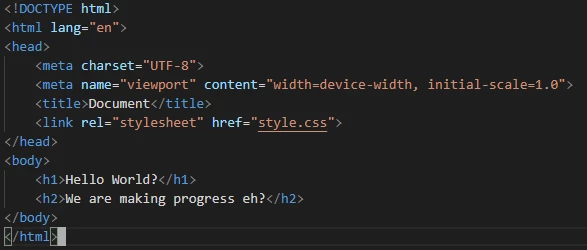
I added heading of second level.
Which is a bit smaller than h1.
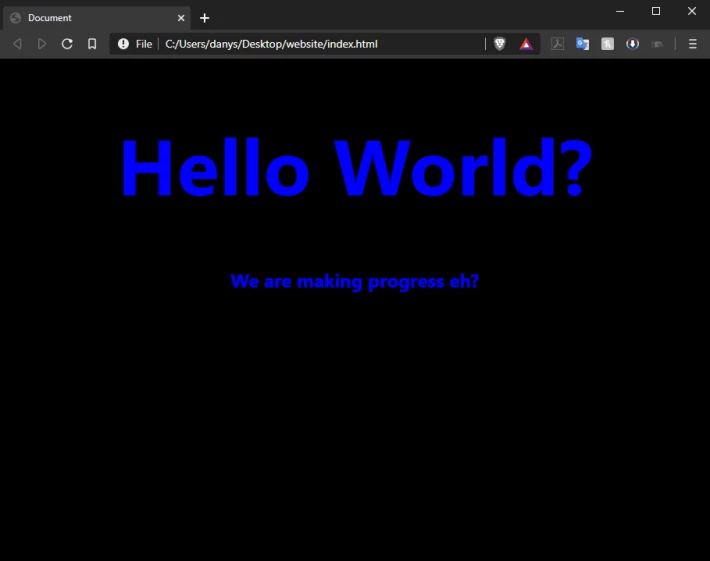
So final website now looks like this
when opened in browser:
In next lesson we will add some blocks
with paragraphs of text and some images.
Until then,
I'm out, peace!





