
Your first webpage!
Creating the file
So at first we need to create an actual document,
where we will store our code of the website.
To do this, simply create a text document and rename it to index
and instead of .txt change it to .html
Just like this:


Opening the file
Just open it in browser of your choice.
(Chrome recommended)
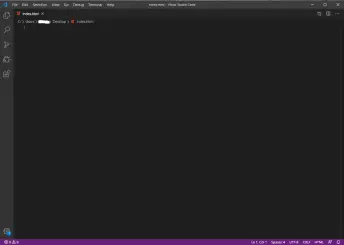
Once you have it opened, open it also in text-editor.
(Visual Studio Code recommended)

Writing the coode!!
Now..
Just type ! in VSC and you get few options.
Don't bother with them and just press enter and choose the first one.
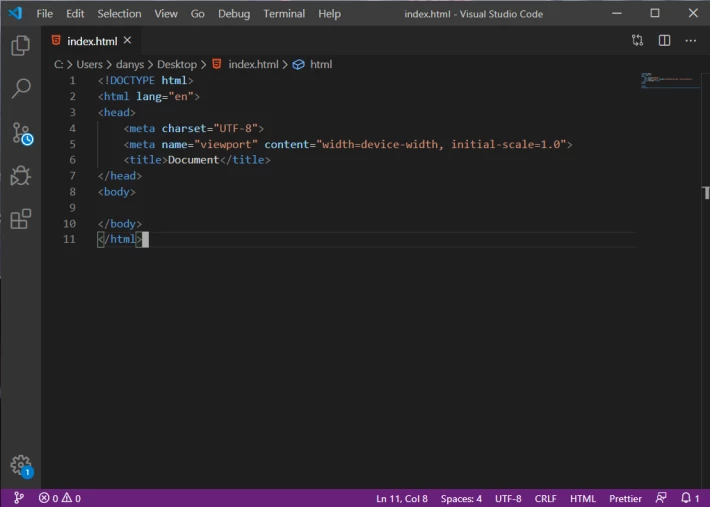
If you got this you managed to create a basic structure of website.
The doctype tag is telling the browser: 'Hey, I'm a website so display me like one!'
In the html tag there is our head which stores all info that browser should know
to display the page like we want it to.
And inside the body tag we put all of our actual content.
So go ahead and write inside the body tag: <h1>Hello World?</h1>
Where h1 stands for first heading. There is totally 6 heading sizes.
From h1 - the biggest to, h6 - the smallest.
Like this:
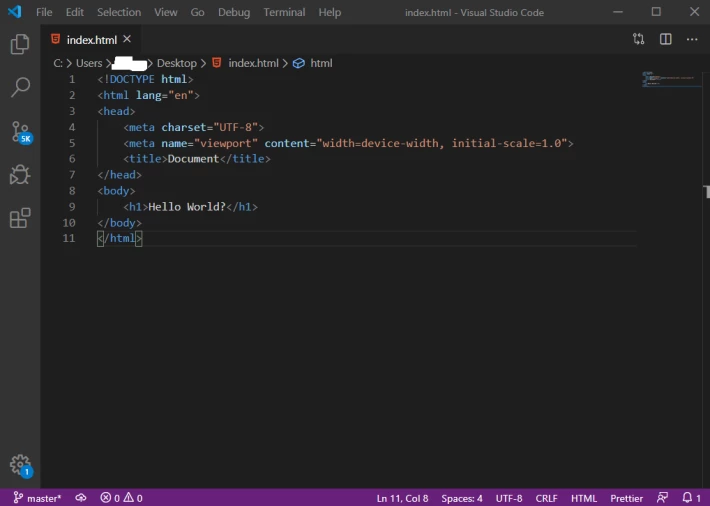
Once you have it, save the document and refresh the page.
If you did everything right you will get this:
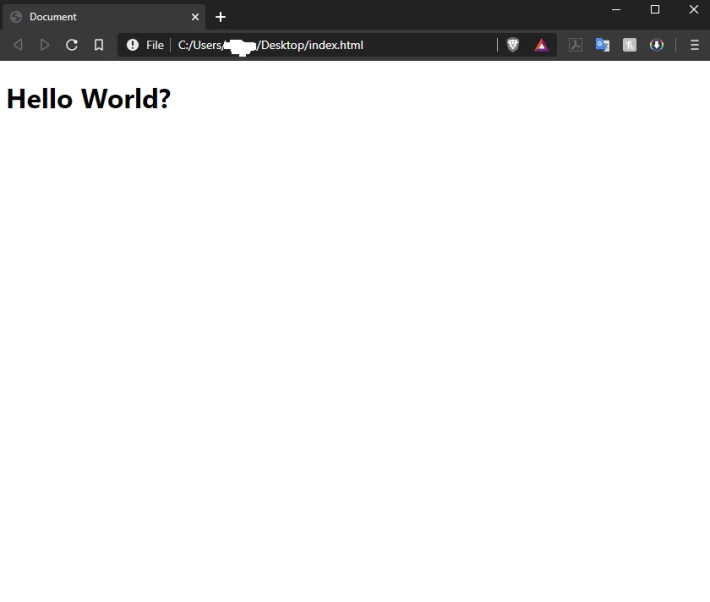
Well done! This is your first website.
Tomorrow I will write introduction to styles.
(keep your document saved for upcoming lessons)
Until then, I'm out!





