
First thing is this guide is for Prospectors.io on the WAX token (Yukon). Secondly I assume you already have a Prospectors.io account and have been playing the game and at time of writing have at least 4,000 gold in game. This article is going to have a lot of screenshots so I promise it is a very simple method to get your EOS.
There are a few steps that need to be done. First you need to convert in game gold to PGL. Then you need to exchange PGL for WAX. Lastly you need to sell your WAX for EOS. Once you have the EOS you can do with it as you please.
Converting gold to PGL
In Prospectors.io in the top right corner there is your username listed above 3 icons. 1 of those icons are 2 gears, which is the settings window. Click on the gears icon.

Then navigate to the "Withdraw" tab at the top. This will allow you to trade 1,000 gold for 1 PGL.

There is a minor withdraw limit of .01WAX so at time of writing you need at least 4,000 gold transferred to 4 PGL. Enter your amount of gold and click withdraw.
**note I was wrong I did 4 PGL originally and needed to come back and get 2 more. So do at least 6 PGL to start with**

And now you have PGL. You can see your PGL amount updated within seconds on the left hand column under your account and gold.

Exchanging PGL for WAX
Open a new tab (or the same I won't judge) and go to https://newdex.io/trade/prospectorsw-pgl-wax. NewDex is where you can exchange your PGL for WAX almost instantly. You will have to login and you NEED to login with your same account that you logged into Prospectors.io with. Because it will pull up all your PGL automatically for you.

I signed in with my WAX Cloud Wallet since that is what I used for Prospectors. In the top left corner you need to change it to "WAX" to see this.

Once you are logged in you should see your Prospectors.io username in the top right.

Then you need to navigate here:

At the middle bottom of the screen go to Sell PGL. I just move the slider over to 100% and it will select all the PGL that I have.

Then click on Sell, it will ask you to authenticate the transaction and click Approve.
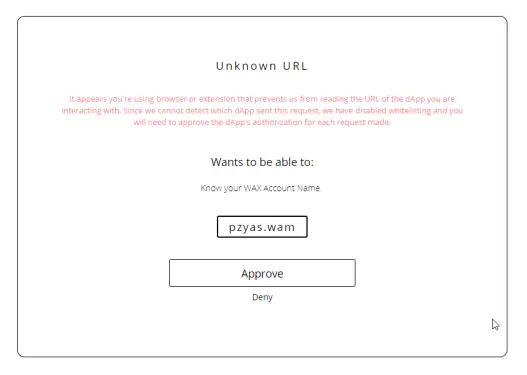
Now you have traded your PGL for WAX. Good Job
Selling WAX for EOS
On the same screen go back up to the top right and select WAX/EOS.

Then back at the middle bottom there is "Sell WAX" section. In that section select how much WAX you want to sell. I just move the slider over to 100% so it sells all my WAX.

Now you have to be VERY careful on this step and put in the 8-12 character account name of your EOS account in the Receive field. When you do that click on Sell button

And it will again ask you to verify the transaction. Click Approve and your EOS should show up within minutes if not seconds.

Here is my newly created EOS account that I processed 2 payments to from Prospectors.io. This is a 4,000 in game gold conversion and a 6,000 in game gold conversion. So 10k gold is +/- $0.10 USD

UPDATE: Here is a guide I created to create your own free EOS account using Wombat Wallet:
https://www.publish0x.com/earning-that-crypto/how-to-create-a-free-eos-account-xjwjmd






