
I was drafting my next post for read.cash when I refreshed the page and noticed a special notification at the top...
"Would you like something like read.cash, but for shorter messages? Make some noise on noise.cash, get some Bitcoin Cash!"
I was like, sure, why not.
Then, I clicked the link, which took me to the noise.cash site.
It's a plain, barebone page with only the home, login, and get started buttons.
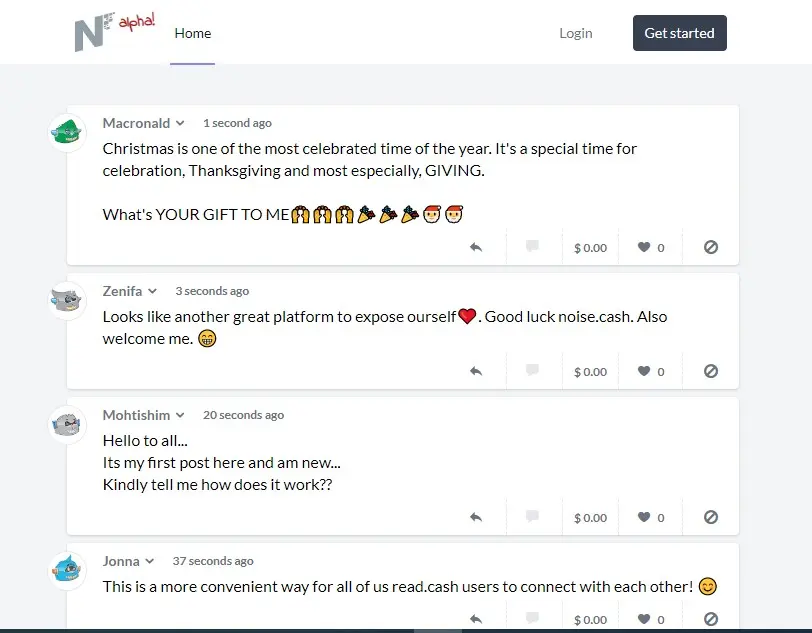
As you can see from the above screenshot.
The rest of the page below contains nothing but the noise of some fellow chads who were already on board.
I am not one to carry last.
Create an account
So I was quick to click get started and created an account for myself.

Nothing fancy.
Click Register. And that's it.
Enter your preferred display name, your email address and a strong password.
Click Register. And that's it.
You're done!
Congratulations on being among the first members of noisemakers class (pun intended).

There you are on your new and noiseless noise.cash dashboard.
To see what's up, click the Explore button. And see how people are celebrating their Christmas eve.

It's all fun. And the noise on this first day was loud.
This couldn't have happened at a better time.
Set up your wallet
The first thing you will want to do is to set up your wallet.
No! Don't worry,
It's much simpler than on read.cash.
To do that, click on the drop-down arrow in front of your username.
Then click wallet

Enter your Bitcoin Cash wallet address and click the Save button.
Congratulations again!
Now you're free to go and start making some noise and getting tipped with BCH.

As you can see, I am already making some noise and getting tipped in BCH from the FreeTips pool.
Tipping on noise.cash
Where are these tips coming from?
Go to your Explore page.
Click on the dollar $ sign on any of the posts.
It will pop up the tipping options as below.
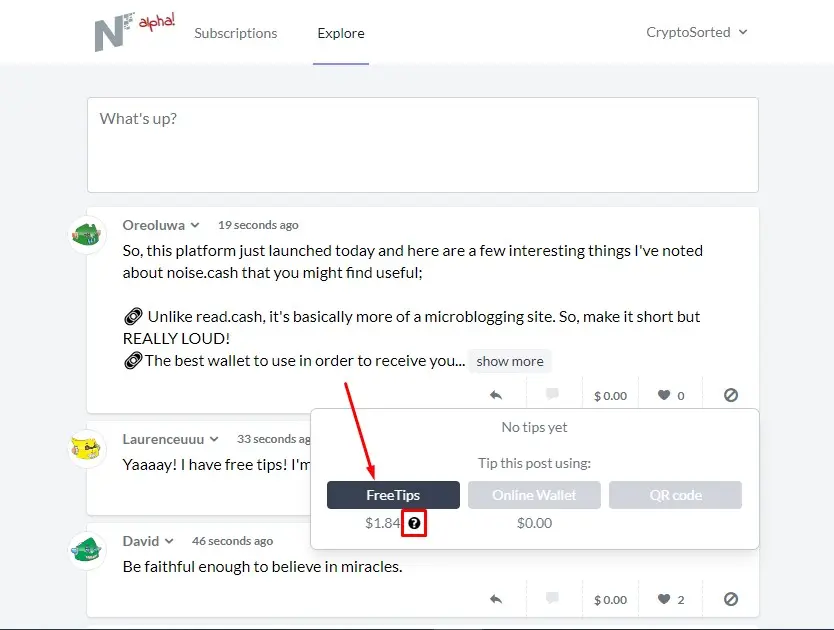
You can see that it's possible to tip from the FreeTips pool, an online wallet, or by scanning a QR code.
Only the FreeTips option is active as at the time of writing this post.
Where does that money come from?
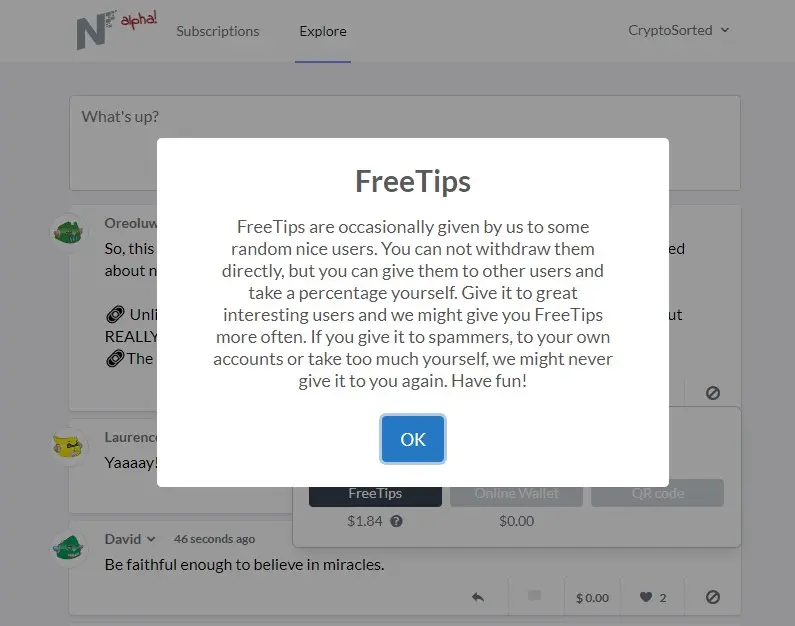
This is sweet. Isn't it?
The team made members of the community a part of the reward distribution process.
Very similar to what we have here on Publish0x.
The only difference being that, on noise.cash, you can see your allocated FreeTips amount and can decide how much you tip each user.
How do I use the FreeTips?
Once you identify a post you like to tip, click on the $ sign as shown before above.
Then click on the FreeTips button if you have funds allocated to you.
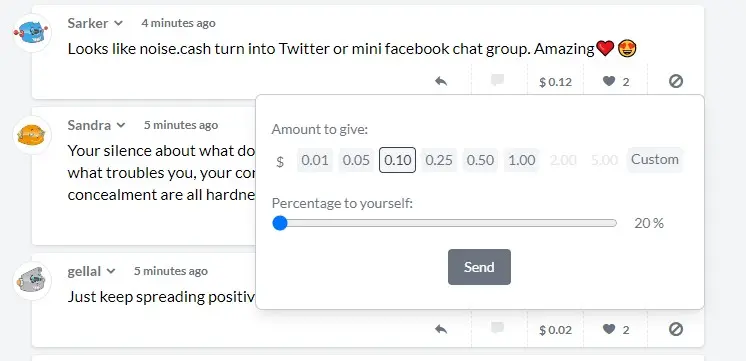
It's like tipping on read.cash.
Select the amount of tip you want to give to the author.
Available options are: $0.01, 0.05, 0.10, 0.25, 0.50, 1.00...
Or enter a custom amount if you don't want to use any of the available tip options.
You can also set a percentage of the tip that would go to you.
This is like what we have on Publish0x.
Once you're satisfied with your decision, you click the Send button.
Cool! Isn't it?
I think it is.
But wait! What's noise.cash?
noise.cash is a social media and micro-blogging platform where users earn BCH for sharing content.
The platform is similar to Twitter with its short-messaging system.
But I noticed there's no character or word limit on noise.cash (yet).
Thus I assume you may also post much longer content if you want.
What do you think about the new noise.cash? Are you already making some noise there? Share with us in the comments section below.

Click here for the list of projects I am proud to recommend.






