
Hello my Fellow Crypto Billionaires. Today I will explore BAT token, brave rewards and transferring those rewards to an exchange.
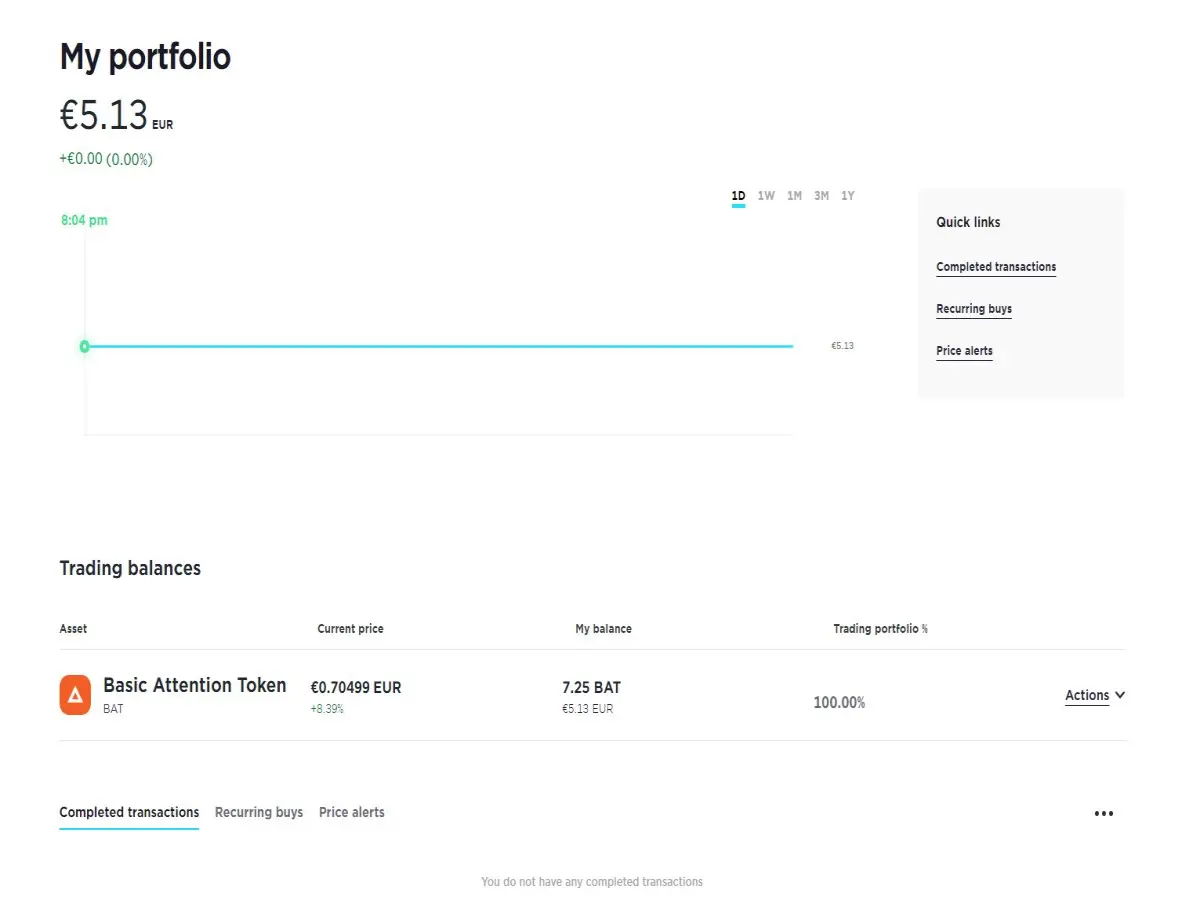
My first interaction with Brave browser was around December last year, as I wrote in one of my first posts. Within this year I have been steadily using Brave browser, mostly for my crypto endeavours. As you know, Brave browser has a super neat feature named Brave Rewards, which in a nutshell, grants you a certain amount of Basic Attention tokens in return for watching some ADS occasionally. You may read in detail about Brave and BAT on their respective webpages, links added. By the moment of writing this article I have accumulated 7.25 BAT. The amount is not much of a deal, but enough to experiment with transferring the funds between browser, wallet and then exchange.
How to transfer your BAT to a wallet
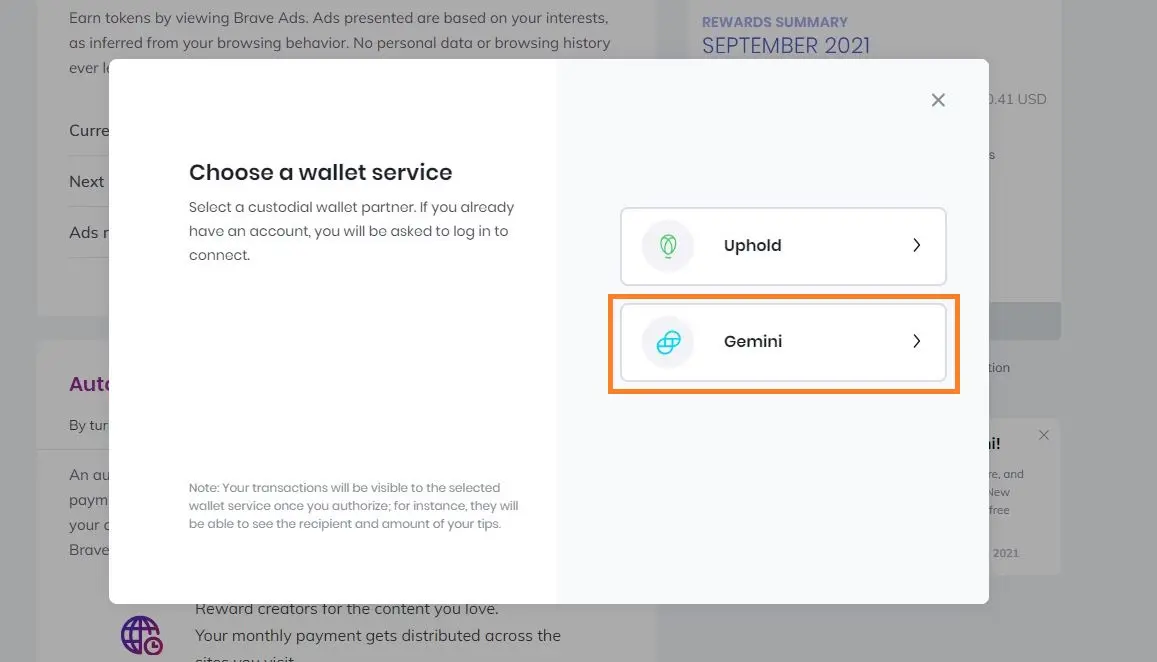
Brave itself offers currently 2 options for wallet verification: Uphold and Gemini. After a relatively quick investigation I found out that people do not like Uphold at all. Both Reddit and Publish0x posts were mostly complaining about very long verification processes and high transaction fees. There were multiple posts about Brave integrating Gemini just recently and seems like everybody is mostly happy with Gemini. So the next logical step is to register an account at Gemini, which I did. Verification took around an hour at most, very quickly. After registration and verification I can add funds to my Gemini wallet. The process of integrating a Gemini wallet to Brave is pretty straight forward. Under Brave rewards you need to pick Verify Wallet:
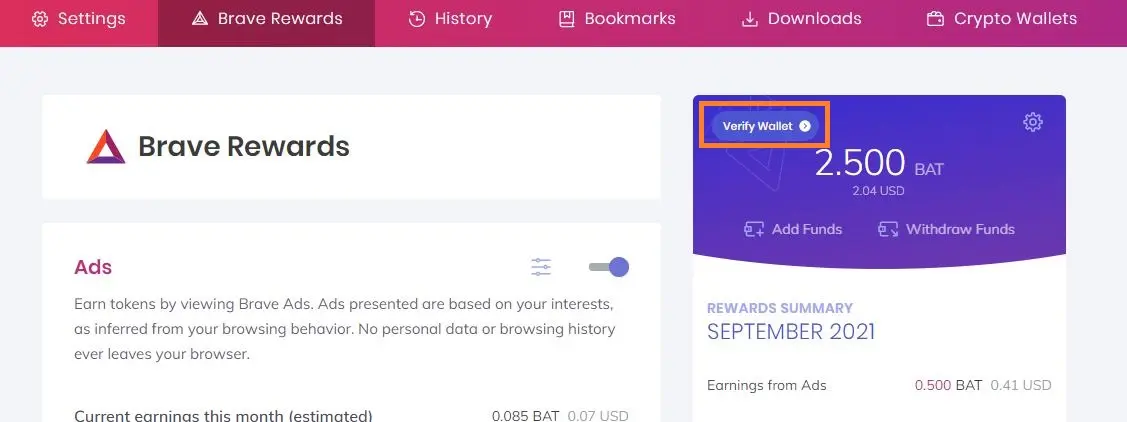
After that you need to choose a wallet service: Uphold or Gemini. In our case I chose Gemini:
Final step is to confirm:
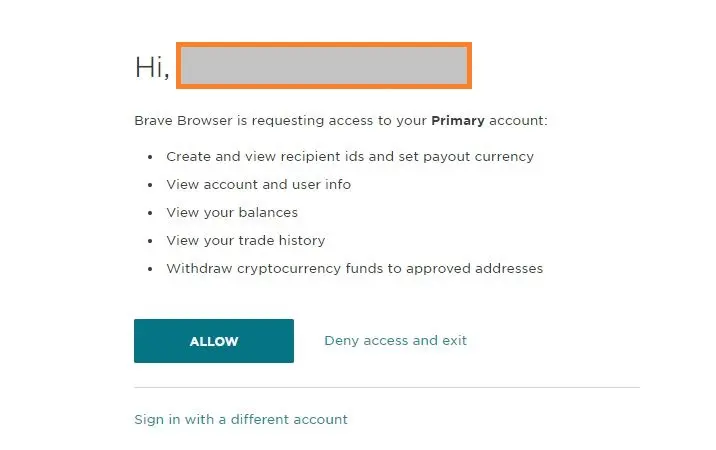
Do not fear if after linking your BAT amount becomes 0. I was slightly surprised, that’s why you experiment with small amounts. After logging in to Gemini I see that my BAT’s have already been transferred and ready to use.
 Important notice. I have a second PC with Brave installed and no wallet linked. So I did the same procedure there as well and again I was disturbed by a small shock, when after linking the wallet I saw that Brave showed me the same amount of BAT as I had on the first PC. But since I already knew that It might take time for the BAT’s to transfer I waited and some 10 minutes later I received the funds:
Lessons learned:
- Always do your research;
- Experiment with small amounts;
- Do not forget to verify you accounts as this might hinder the transactions;
Right now I do not know what I will do with the BAT on Gemini. I would prefer to stake it, but unfortunately it seems like this option is only available for the USA and Singapore. We’ll see - slow and steady wins the race, because this is a marathon not a sprint my Fellow Crypto Billionaires!






