
Step-by-Step Method on how you can Buy and transfer Solana for free
Hello, Today I will show you how you can buy and transfer Solana in an exchange and transfer it for free or 0 fees. For this, you may need some $USDT or some crypto assets in-order to convert to $SOL.
Step: 1
Go to the official site of the FTX exchange. You can Click here.
Step: 2
Now you may need to create an account here. You can create it quickly by filling in your email and creating a password. After you create you may also need to fill in a short basic identity form with the name, DOB. and some other basic information.
Step: 3
Now you will be on the homepage of the exchange. You will need to add some assets here now in order to convert them to $SOL. You may add any assets you have supported by FTX. For eg. $USDT, $BNB, $ETH etc. you just need to click on the search option & search for the particular asset and click on the Deposit option to add.
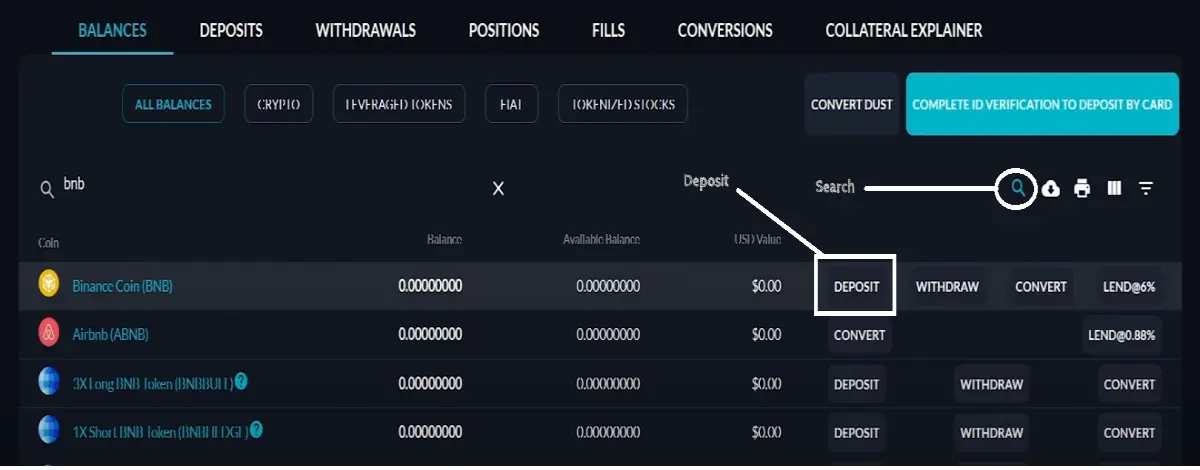
Step: 4
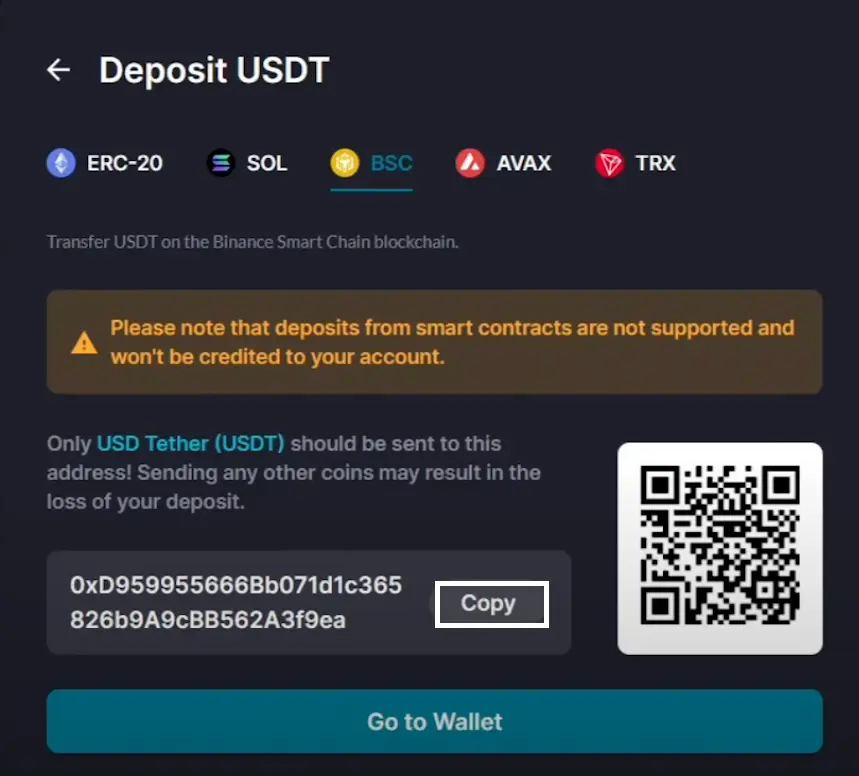
Now you have to select the network on which you want to deposit and copy the address of that particular chain to deposit.
Note: If you want to deposit $USDT or any assets on the BSC chain then copy the deposit address of the BSC chain only, else you may lose the funds.
Step: 5
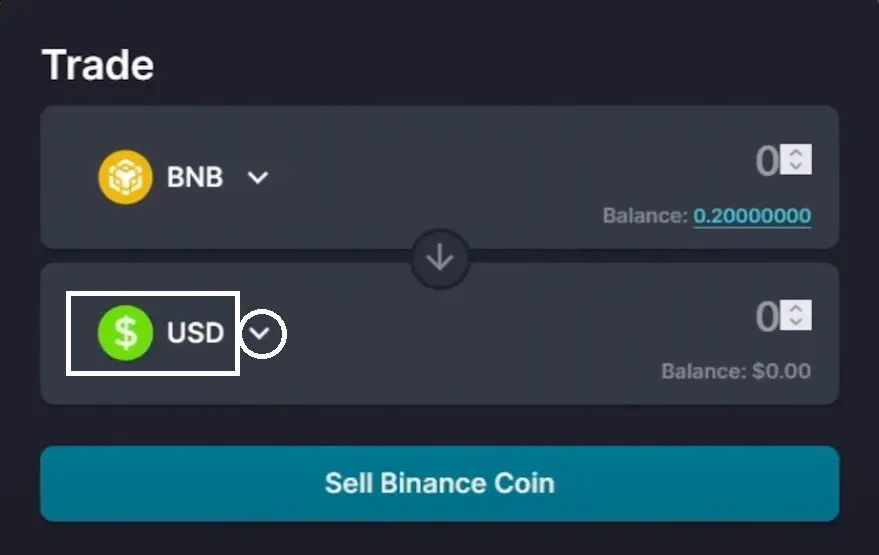
Your assets will be shown on the exchange portfolio once you deposit, I have deposited $BNB here. Now you need to convert your asset to $SOL, for this you need to click on the convert option near to withdraw.

Step: 6
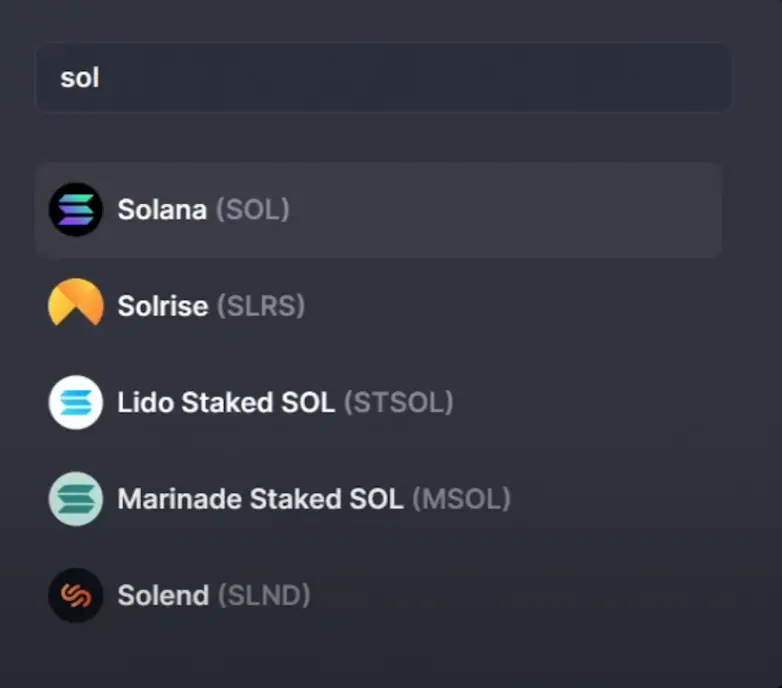
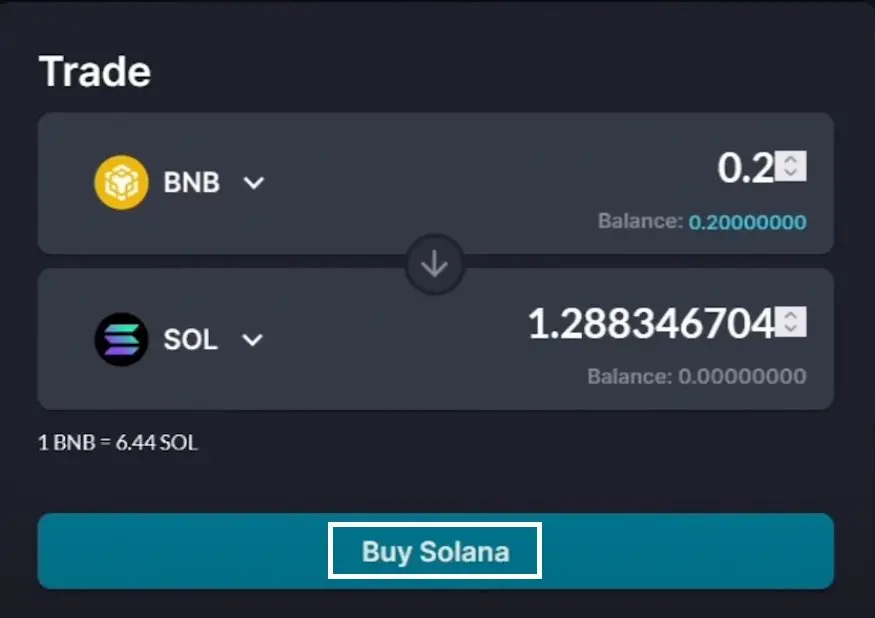
Now you need to select the drop-down option and select $SOL using the search in order to convert to $SOL. Now you need to select the amount you want to convert and then click on the Buy Solana option to quickly convert your assets to $SOL.
Step: 7
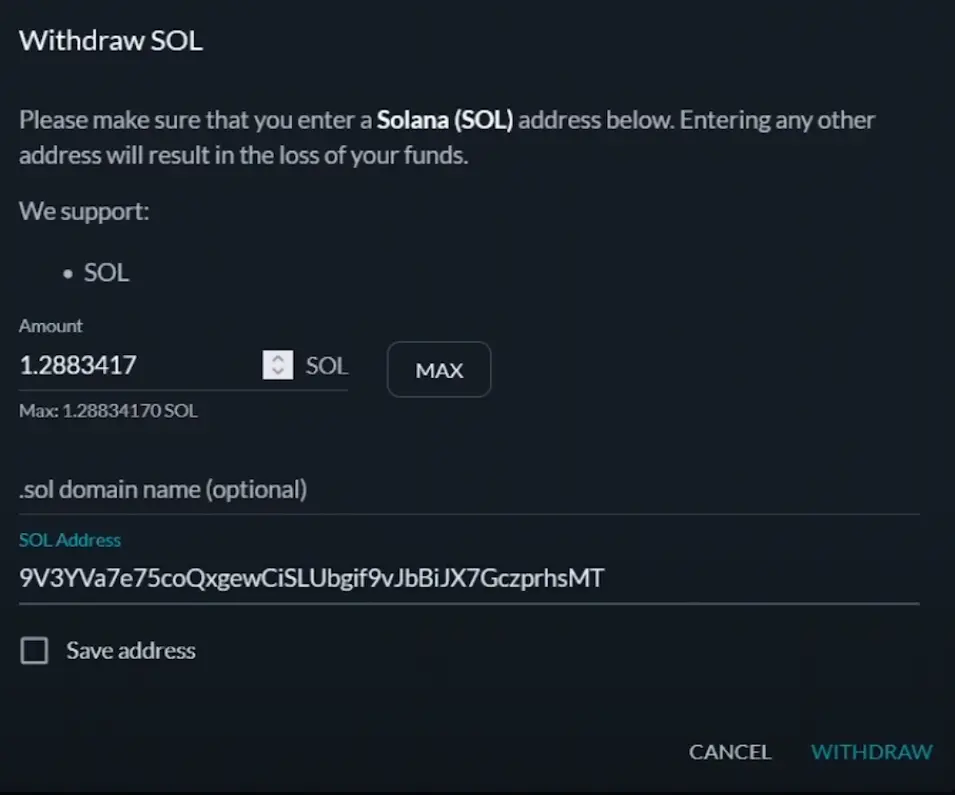
Next, Finally, to withdraw your $SOL you just need to click on the withdraw option and in the dialogue box, you need to give the withdrawal amount and give a valid Solana address of your wallet to receive the $SOL and then you need to click on the withdraw again.
Note: Give only the $SOL address to withdraw, giving any other will lose your funds.

Finally, you will receive your $SOL in your wallet in some time and you have successfully transferred your $SOL to your wallet with 0 Fees. You can also use fiat options on your wallet or in the exchange to add $SOL, or you can also use P2P options from Binance.
Thank you for reading, hope you liked it, follow me for more! You can also refer to my youtube tutorial below to know more in detail and also like, share, follow and subscribe for more updates.
LINKS:
FTX Exchange





