
Meta launched its smart assistant, "Meta AI," using data from European users to power it (Reuters).
What does Meta AI do in WhatsApp?
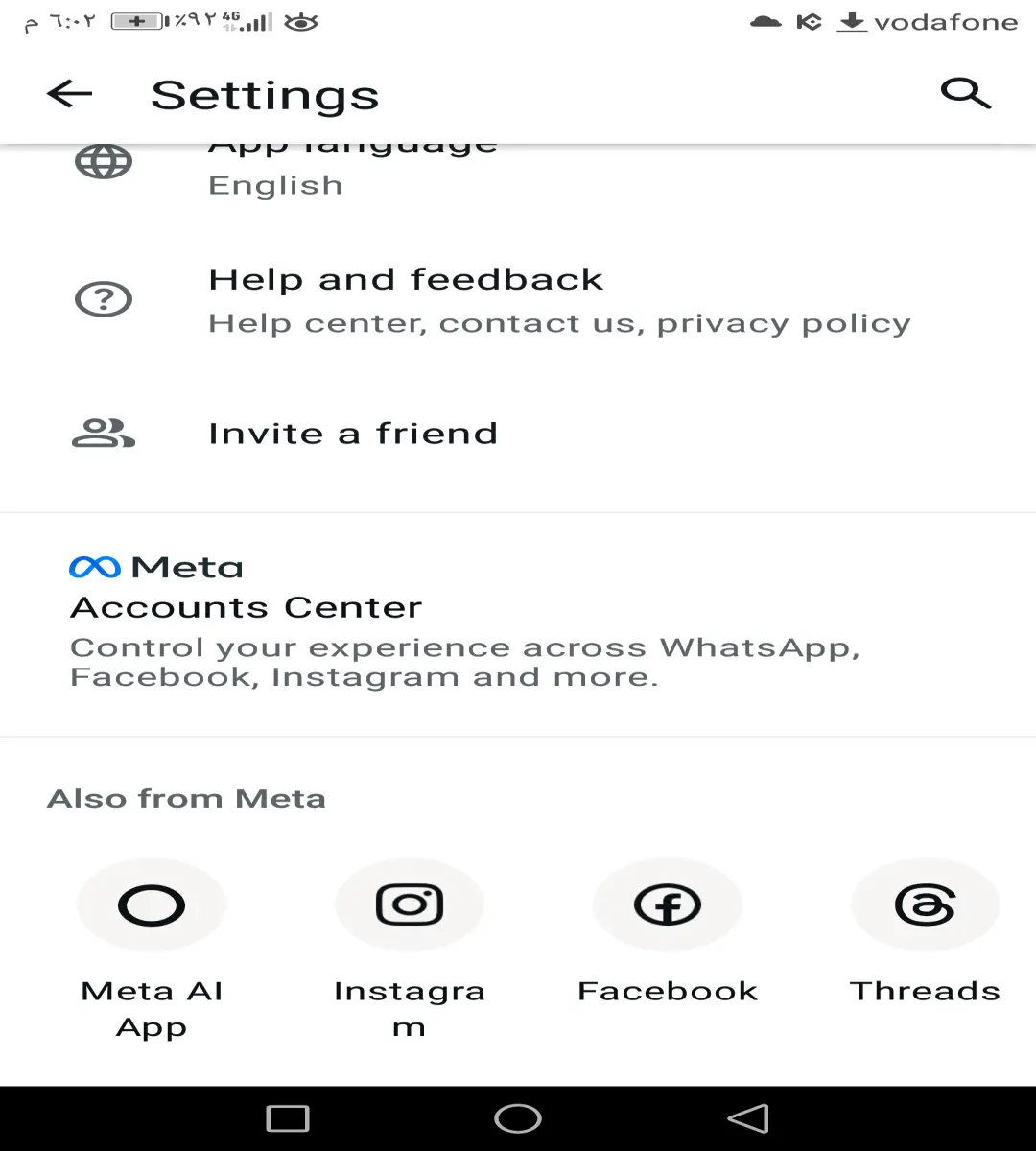
With the feature enabled, a new Meta AI button appeared at the top of the chat interface on Android devices, and in the bottom right corner on iOS devices. This button leads to a live chat with a smart assistant, built on Meta's Llama 3.2 model.
Moreover, the assistant can be activated within any conversation by mentioning it (@Meta AI), and it also appears in your personal contacts list, just like a real user.
Currently, the assistant offers some basic features, such as text drafting assistance, instant answers, help with writing or summarizing, and information gathering, with promises of adding more features in the future.
Are our conversations with Meta AI secure?
Meta confirms that its assistant can only read private messages when explicitly requested within the conversation, and that end-to-end encryption remains in place. However, direct interaction with Meta AI is not subject to the same encryption, as messages sent to it can be used to train and improve its AI models.
In this context, Meta warns against sending messages containing information you don't want them to know. To avoid confusion, Meta points out that conversations with the assistant will be visually prominent for easy identification.
Can Meta AI be removed from WhatsApp?
The presence of Meta AI might seem forced, especially since it suddenly appeared in the app's interface without a clear option to approve or reject it, with Meta itself asserting that the assistant cannot be "turned off, deleted, or disabled."
This impression is reinforced by media reports, such as Wired's statement that "there is no way to disable or delete Meta AI from WhatsApp, only ignore it," and BBC News' assertion that "WhatsApp is defending its optional AI tool, which cannot be turned off."
However, the reality is different. There is an effective way to disable Meta AI in all your chats. Here's how:
Open any individual or group chat on WhatsApp.
Tap on the contact or group name at the top.
Scroll down and enable "Advanced Chat Privacy."
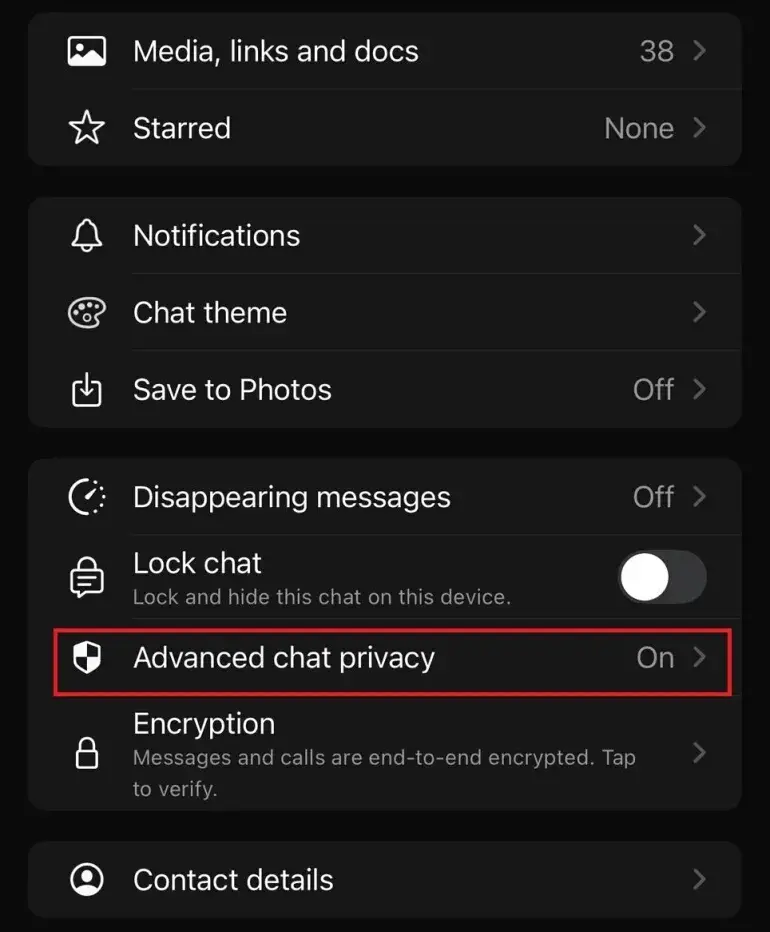
According to WhatsApp, when this option is enabled, "messages will not be used in AI features such as mentioning '@Meta AI'." In group chats, you may need to be an administrator to adjust these settings.
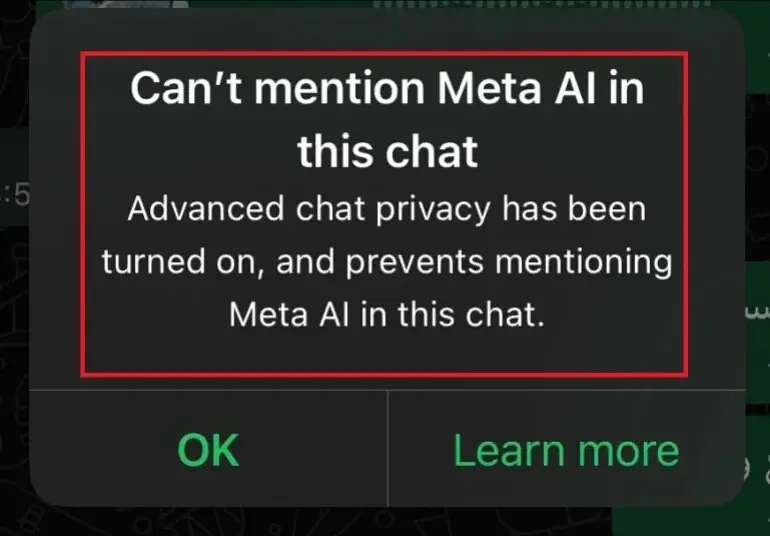
After enabling this option, a notification will appear confirming that "Meta AI is not available in this chat." If you attempt to mention it, a message will appear stating, "You cannot mention Meta AI in this chat. Advanced chat privacy is enabled."
Why do we recommend enabling this feature?
Enabling "Advanced Chat Privacy" not only disables Meta-AI but also provides important additional benefits, most notably preventing the export of your entire chat history and disabling automatic media downloads as a precaution against malicious files. Most importantly, it completely prevents Meta-AI from accessing your conversations.
Although WhatsApp was slow to make this option available after announcing it, now is the perfect time to activate it. Therefore, it's recommended to ensure your app is updated to confirm the feature is available and regain some of the control you should have had from the start





