
Previously, we saw how to create a dispenser for a counterparty asset. Once your items are sold, the dispenser is closed (it can be closed manually if needed). But your funds still remain in the dispenser, let's see how to retrieve them.
Connect to your dispenser
First of all launch the Freewallet software, then:
- Click on "Address Actions", then on "Change Address".
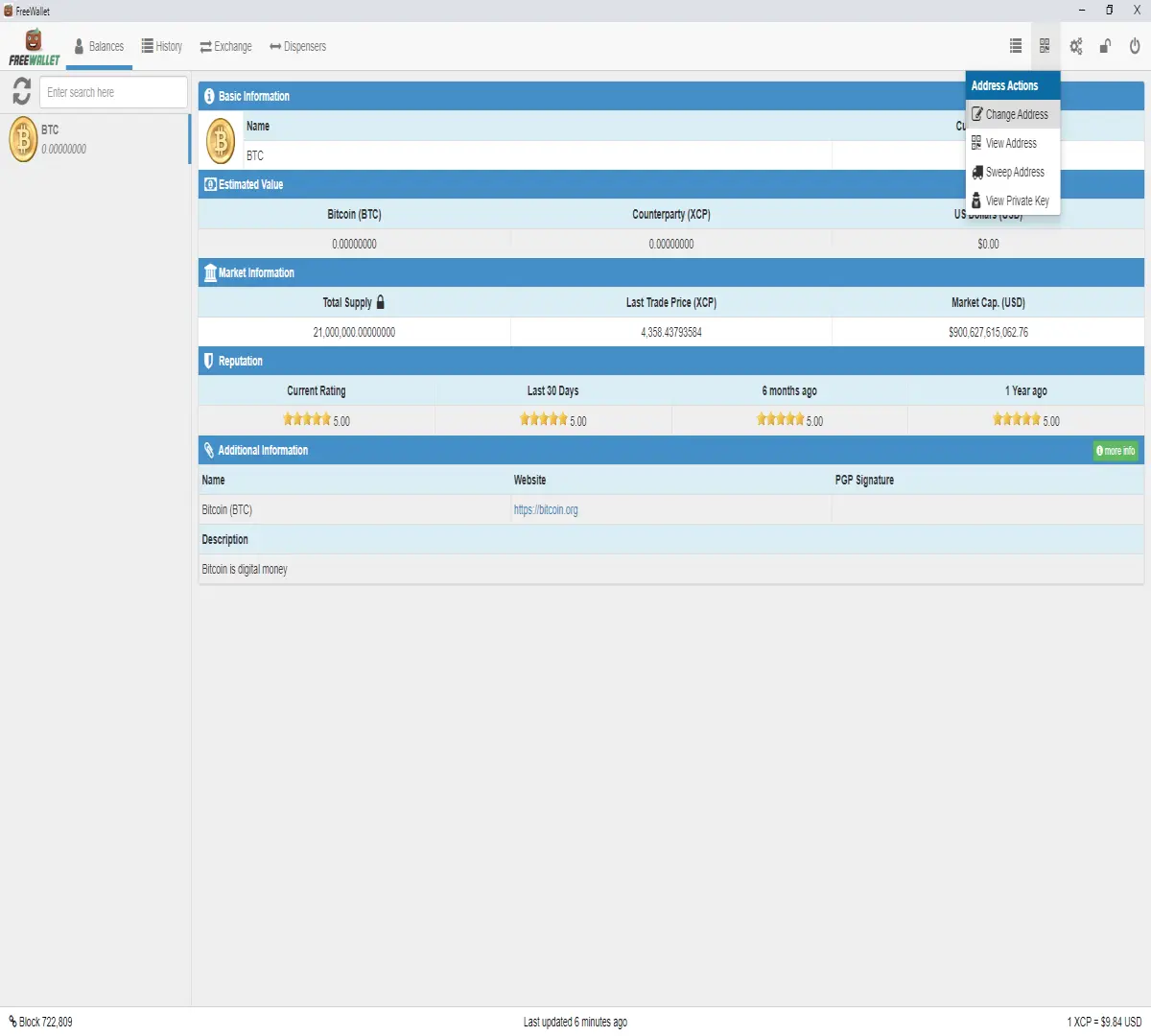
- Select the address of the dispenser you wish to connect to.
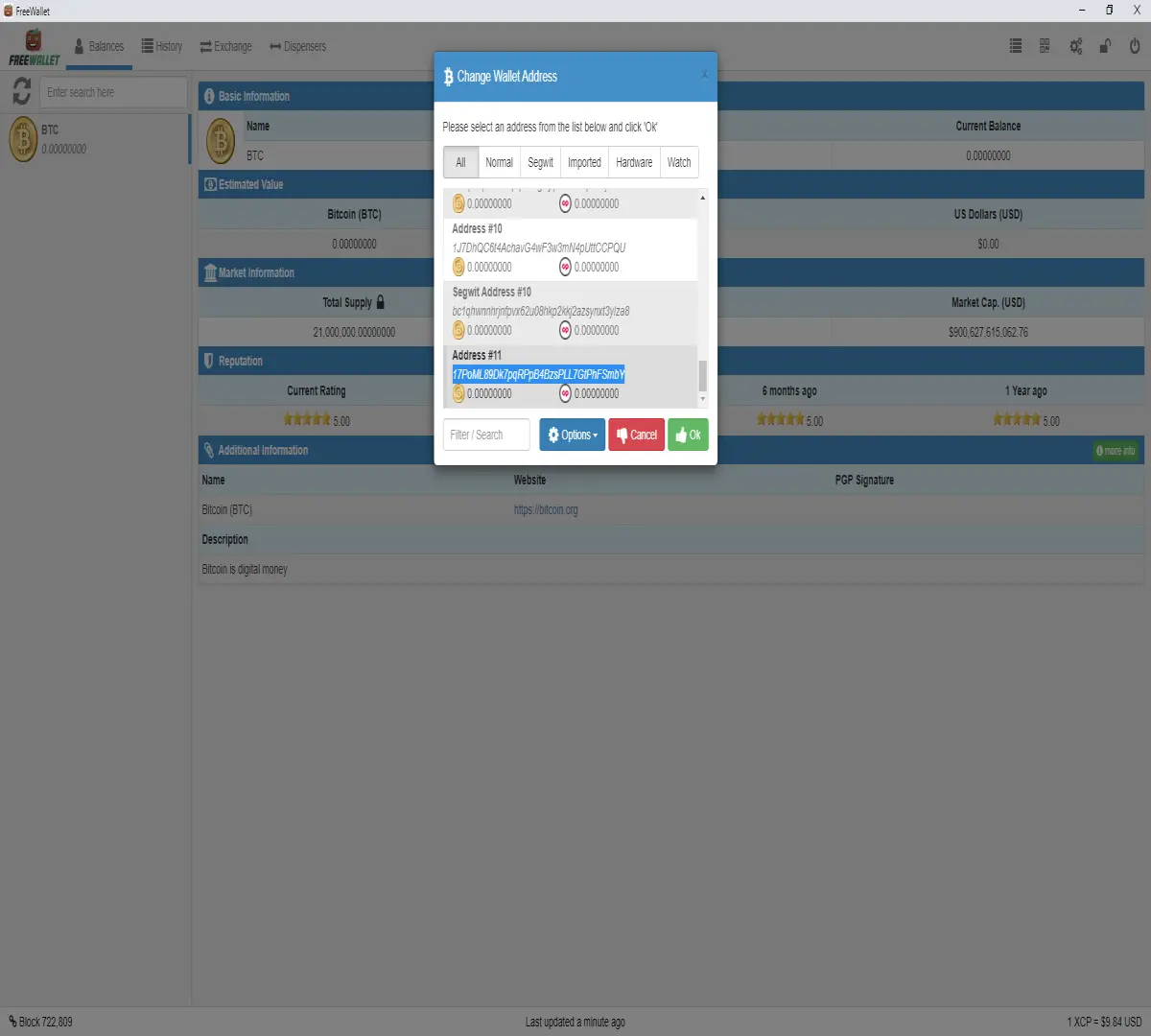
- Click on the green "Ok" button.
Now you are in your dispenser address. In your "Balances" tab, you should see the amount of BTC you've received from the sell. In your "Dispensers" tab, the status of the item(s) is now on "closed", it's time to get the funds out of this address.
Send funds somewhere else
- In the "Balances" tab, right-click on "BTC" in the left panel.
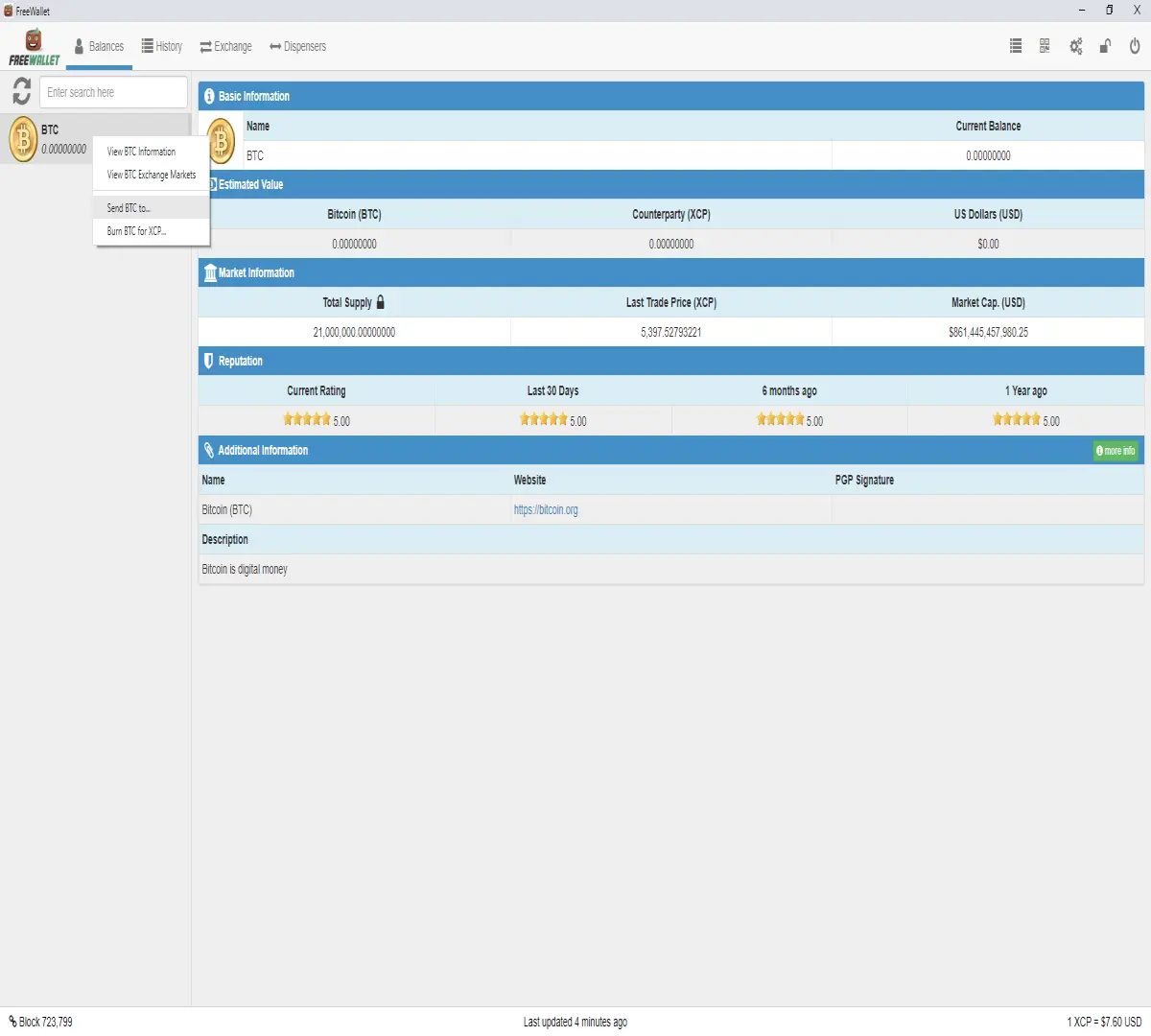
- Select "Send BTC to...", a window named "Send Funds" will open.
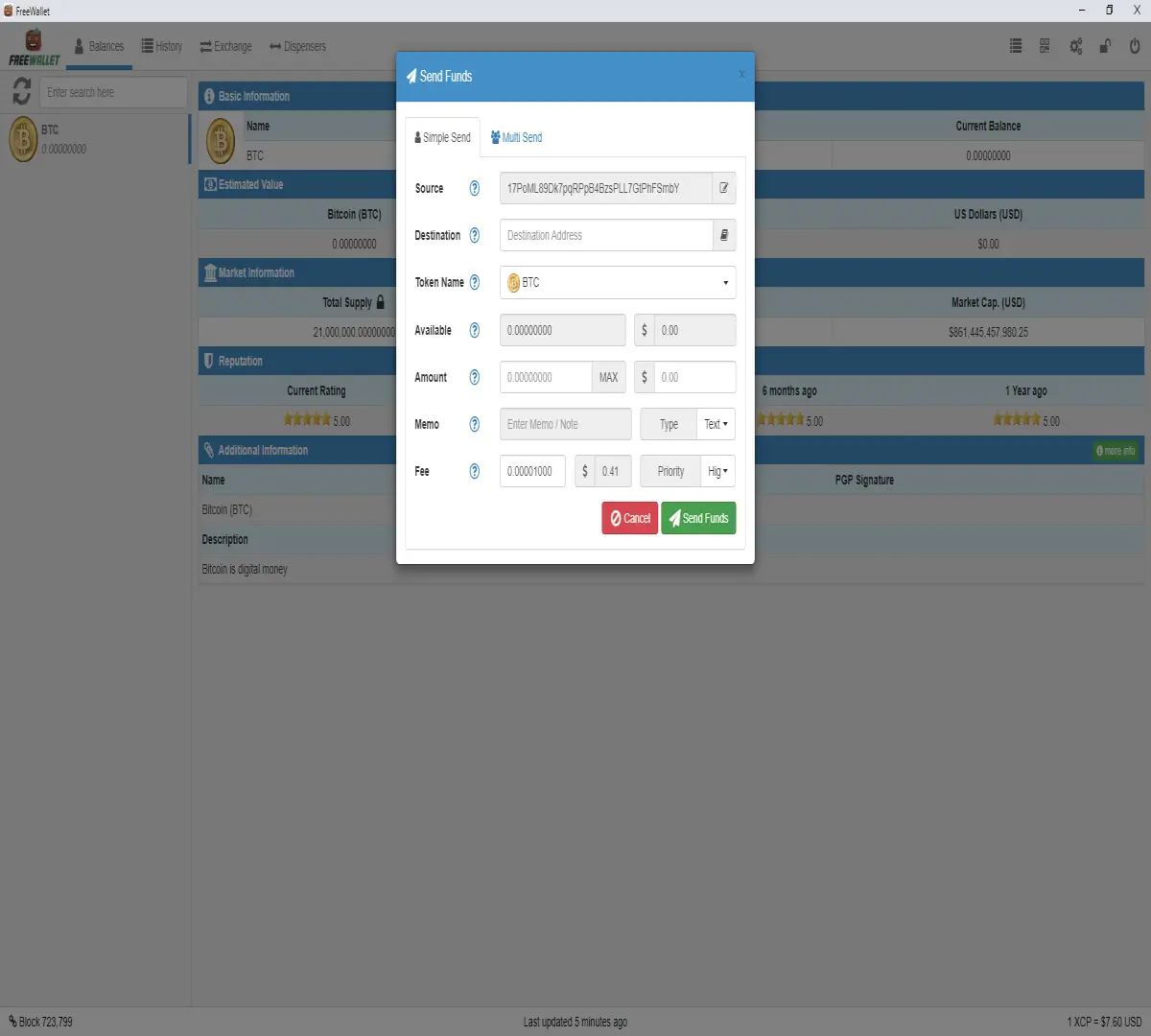
- In "Destination", write/paste the BTC address to withdraw to.
- In "Amount", you have to put the "Available" amount of BTC minus the "Fee", otherwise you will be warned that there is not enough founds for the transaction.
- Click on the green "Send Funds" button.
Congratulations, you have now retrieved your funds!





