
In the vast space of cryptocurrencies, one thing is essential to staying alive in it: a wallet. With it, you will be holding cryptocurrencies that you believe have great potential or saving to make a profitable trade. Always remembering that exchange is not a wallet!
First, it is important to know the differences between custodial and non-custodial wallets. What is the best choice? Well, it depends on you.
Custodial wallets are those in which you do not have full control of your funds, servers keep confidential information as the user’s private keys, being in the hands of third parties. It is a nebulous choice, in my opinion. Some examples of custodial wallets are Blockchain.info, Swipe Wallet, FreeWalet, BTC.com among others.
Non-custodial wallets are the opposite of custodial wallets. In other words, you have total control of your funds and private keys, and you are responsible in case of currency losses. One of the backup methods is to store mnemonical phrases with 12 to 24 words. I recommend writing it down on a paper of preference or on a steel “wallet”, where you write your keywords on steel, resistant to heat, water, and other forms of weathering. Some examples of non-custodial wallets are Atomic Wallet, Guarda Wallet, Jaxx Wallet, Coinomi, among others…
Without further ado, in this article, I intend to explore the Atomic Wallet’s non-custodial wallet.
Download
First, let’s download the Atomic Wallet from the official website:https://atomicwallet.io/
Choose your operating system. Atomic Wallet is available for Windows, Mac OS, and Linux distributions. Also, of course, to be available for Mobile (Android and iOS). Check Hashsum to make sure your funds are safe. In this tutorial, I will be using Windows.
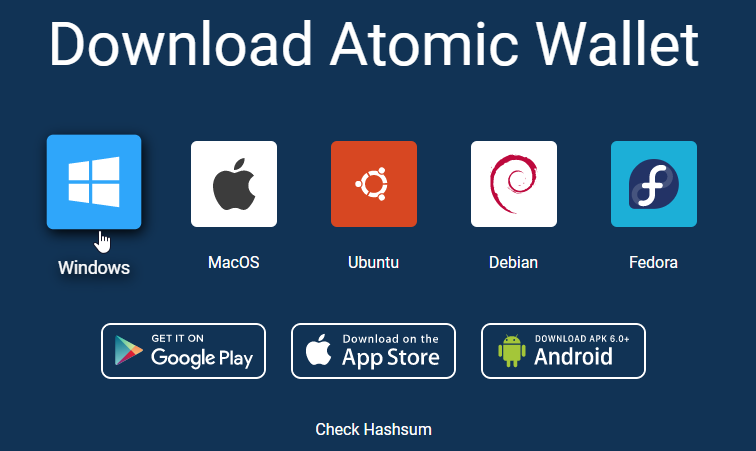
Attention: If you receive a message on Telegram or Discord from a bot that claims to be from AtomicWallet, asking you to download an updated wallet from an unofficial source is a fraud!
Installation (Windows)
Installation is very quick and simple, just run the atomic wallet executable, authorize Windows UAC, and wait for the installation to complete.
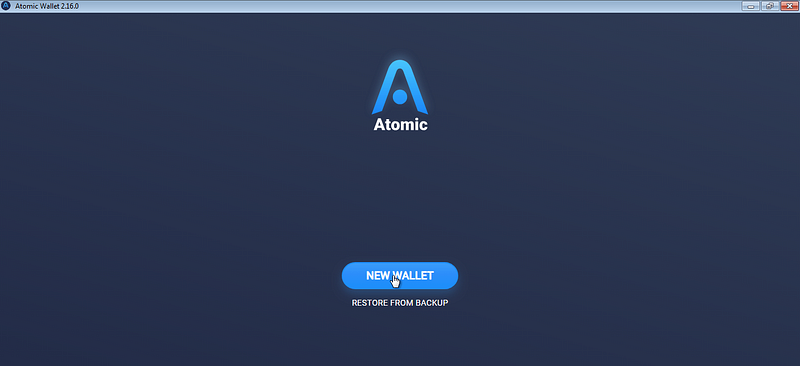
This will be your first screen after installation. It offers the option to restore from a backup or create a new wallet. If it’s your first time, create a new wallet.
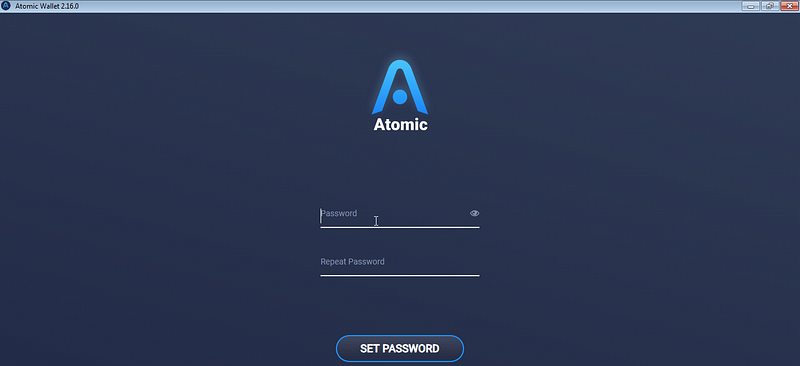
Configure your unlock password, it is a very important step so that you can give you even more security when using the wallet. Put a strong password and write it down on paper too, so you don’t forget.
Design and Interface
When you open your Atomic Wallet, you will see a harmonious design with a dark blue pattern background. Cryptocurrency icons are in harmony, following a pattern of the coin’s predominant color, in a gradient effect.
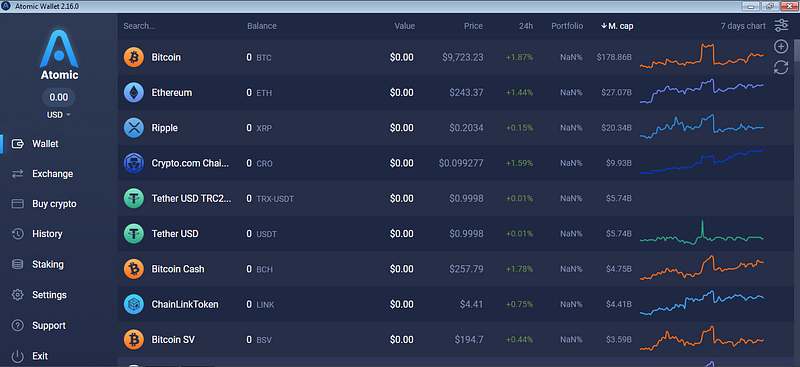
On the left part of the screen, we have several different tabs, where you can check transaction or exchange history and even buy cryptocurrencies with a credit card, in addition to the settings and support.
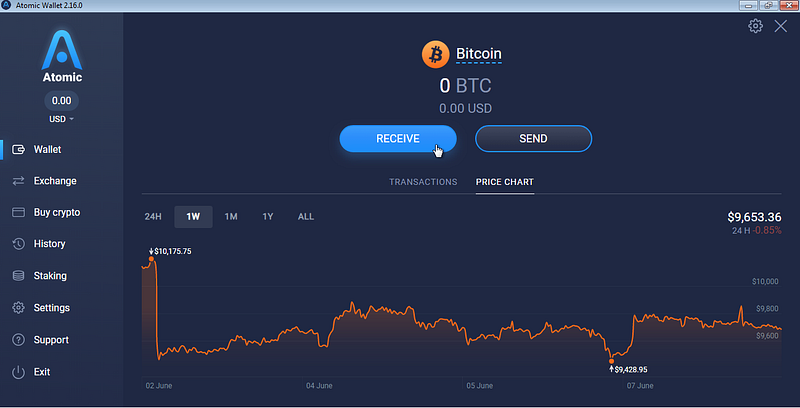
By clicking on the desired currency, you can choose to receive or send it. Check the price history of the currency and its transactions. What’s more, by clicking on the gear in the upper right corner, you can export your transactions.
Adding ETH tokens
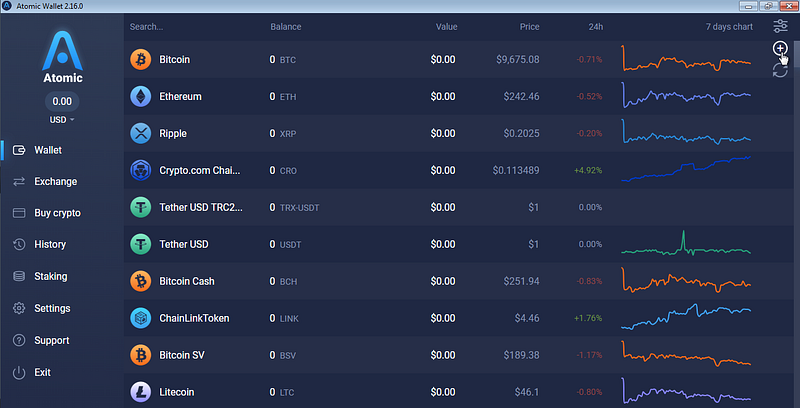
To add any ERC-20 token, simply click on the add icon in the upper right corner of the screen. It will give you an Ethereum address for you to deposit the desired token, but you can also add it via the contract address.
Exchange/Buy Crypto
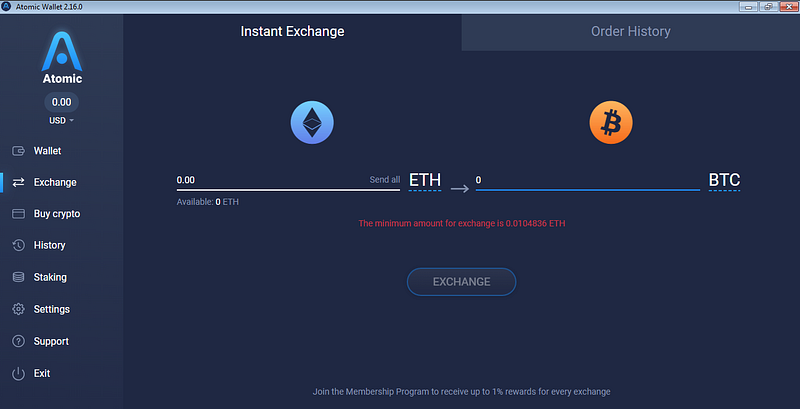
Atomic Wallet also allows instant exchange and purchase of cryptocurrencies by credit card through partners Simplex, ChangeNow, and Changelly.
Keep in mind that the purchase of cryptocurrencies by credit card is subject to a KYC process through the Simplex partner under the “Buy Crypto” tab. You will need to send personal information documents for the procedure of your purchase.
ChangeNOW and Changelly seek the best rate to carry out the inst swap process through the “Exchange” tab. I particularly like ChangeNOW for supporting over 200 active cryptography and searching for the best exchange condition. Learn more about ChangeNOW by clicking here.
Staking
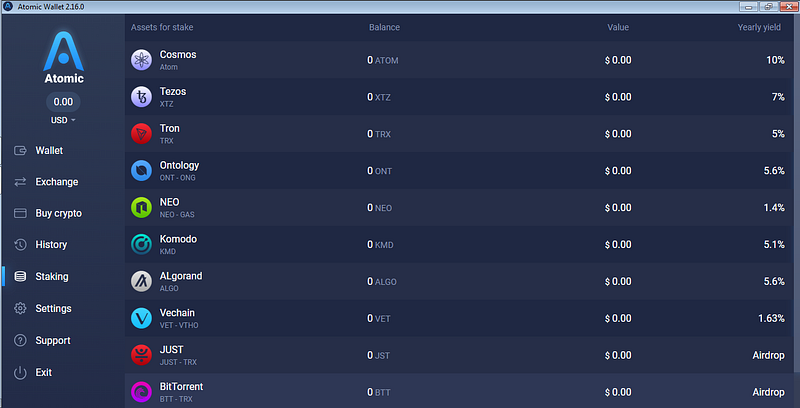
In the “Staking” tab, you perform the staking of cryptocurrencies or tokens that are supported, up to the time of this article, such as NEO, XTZ, ATOM, KMD, TRX, VET, JUST, BTT, WINK… Checking the amount in staking, the value corresponding income expectancy.
Settings
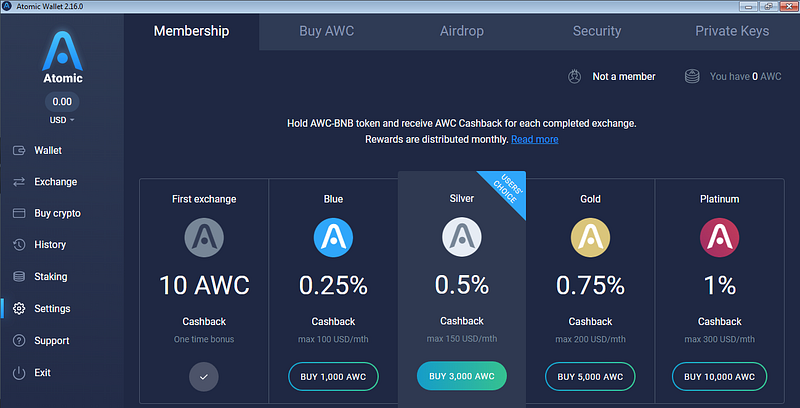
In the settings tab, you can check more features like Membership scheme, that is, buying and holding AWC-BNB, you can get Cashback for each exchange completed in the Exchange tab. They range from 0.25% to 1% cashback, with a maximum established from 100 USD/mth to 300 USD/mth.
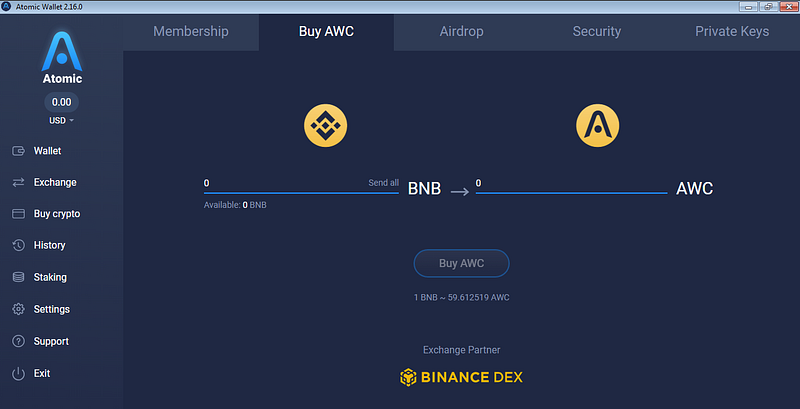
You can buy AWC-BNB with BNB the Binance cryptocurrency. This is possible thanks to the partnership with exchange Binance DEX. By purchasing AWC-BNB you can participate in the Membership program.
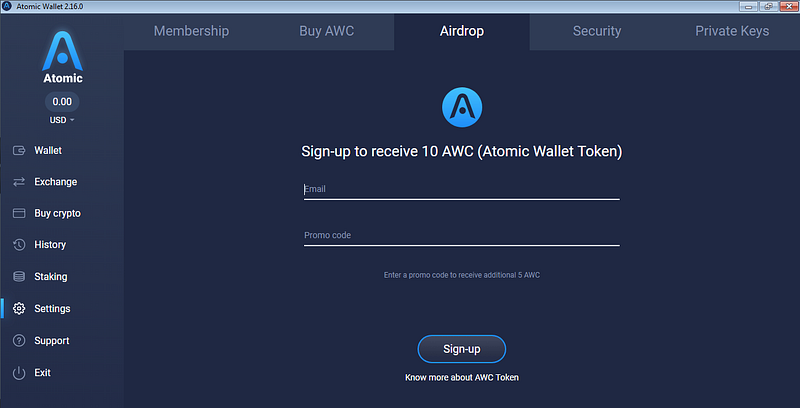
Did you know that Atomic Wallet also has an airdrop program? Access the Settings, then click on the Airdrop tab, enter your email, and the promotional code of who indicated you. If you want to use mine is 19WD0B. After that, confirm your email and wait for the message to be sent with your promotional code and more information. To qualify to receive the airdrop you and your referrals must be moving assets in the Atomic Wallet, having a balance of 10 $ in any asset. Payments are made on the 15th of each month.
Security/PrivateKeys
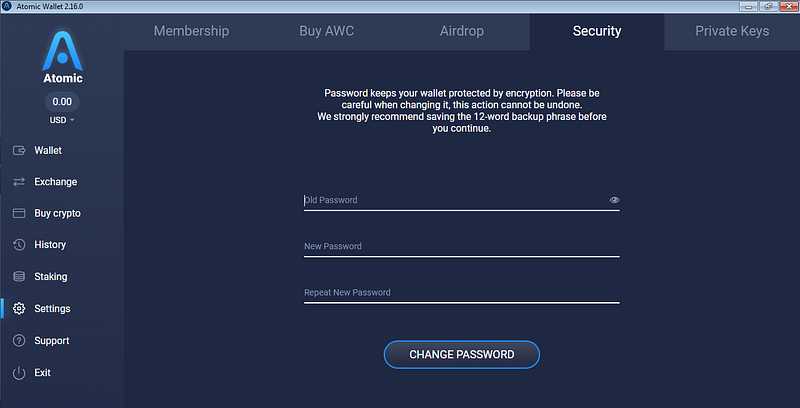
On the Security tab, you can change your wallet unlock password. Remember to enter a strong password. As it is a non-custodial wallet, you are responsible for your funds.
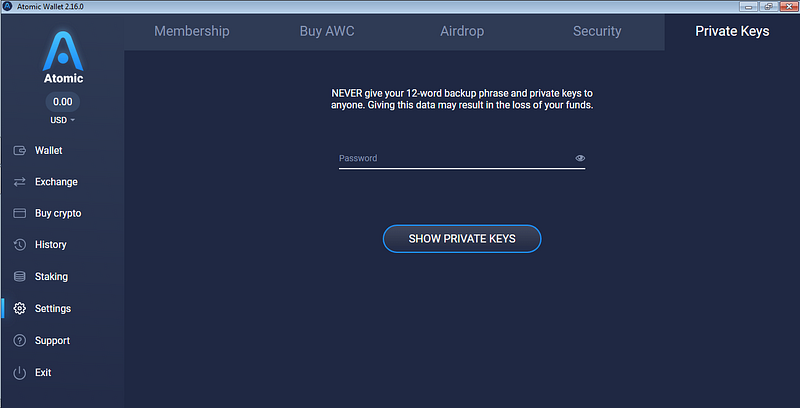
Here in “Private Keys” you can obtain private keys separately from each cryptocurrency available in the wallet, where you have funds, in addition to the Atomic Wallet mnemonical phrase. Keep it in a safe place!
Support
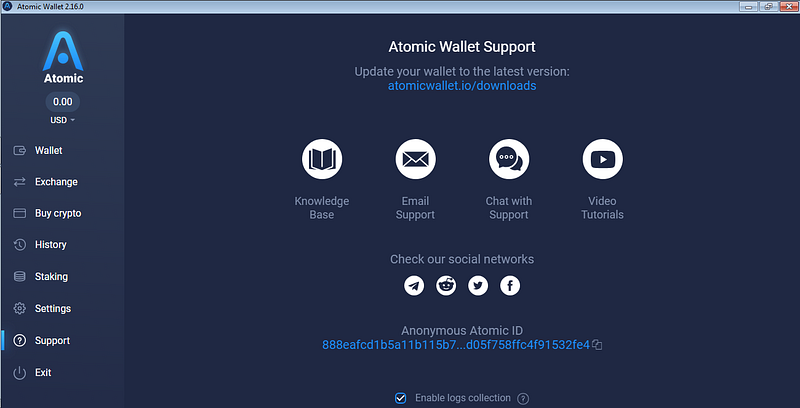
In the last support tab, you will find information to contact Atomic Wallet support regarding questions about the wallet in general. Remembering that in case of loss of funds, they will not be able to help much, because if your wallet was compromised it was probably because your device was infected and someone had access to your security data and was able to access your wallet.
Well, that’s it, I hope you liked this guide, exploring the Atomic Wallet’s non-custodial wallet. Any questions, suggestions, or criticisms feel free in the comments.
Official Links:
Website: https://atomicwallet.io/
Telegram: https://t.me/AtomicWalletNews
Github: https://github.com/Atomicwallet
Twitter: https://twitter.com/atomicwallet






