
Knowing how to connect a wallet to a De-Fi application is very simple and sometimes even intuitive. The wallet applications we use to interface with the world of decentralized finance are increasingly simple to use and manage complicated smart contracts for us. Sometimes, however, it is good to know these contracts more deeply and you must also know how to deactivate them when we no longer use them.
What is a smart contract
Smart contracts are computer protocols or commands that make software perform operations. They allow the use of our funds in De-Fi applications and without them it would not be possible, for example, to give liquidity to a pool or to swap between two tokens. Tokens, unlike coins, are governed by smart contracts by definition. To better understand this concept, let's do this simple example: suppose I want to first move a coin from wallet A to wallet B and then a token. In the first case it is necessary to create a transaction that my wallet will write directly to the blockchain. On the contrary, in the case of the token, the wallet should instead communicate with the smart contract that governs it and it would then be the latter to withdraw the token from my wallet A and move it to B. The difference is abysmal and must be kept in mind when working with a smart contract: this in fact has total power over the tokens it governs. For this reason, knowing how to use a wallet is essential for all those who intend to be part of the world of finance 2.0 (this is an interesting tutorial I wrote on Metamask).
Few people know, however, that often smart contracts, once approved, do not have an end and it is not always good to approve them all.
How to disapprove of a smart contract
Fortunately, there are applications that disable smart contracts when we're done using them. One of these is DeBank, a De-Fi protocol that deals with tracking wallets and their operations. Using it is very simple: if you use a mobile wallet you have to navigate through the integrated browser, if you use a PC just reach the DeBank site (https://debank.com/) and the wallet extension we have installed will ask you to connect.
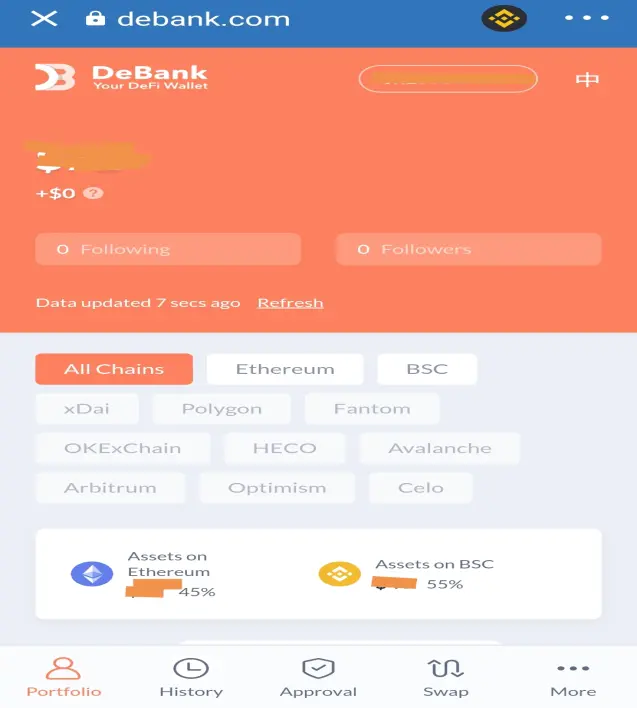
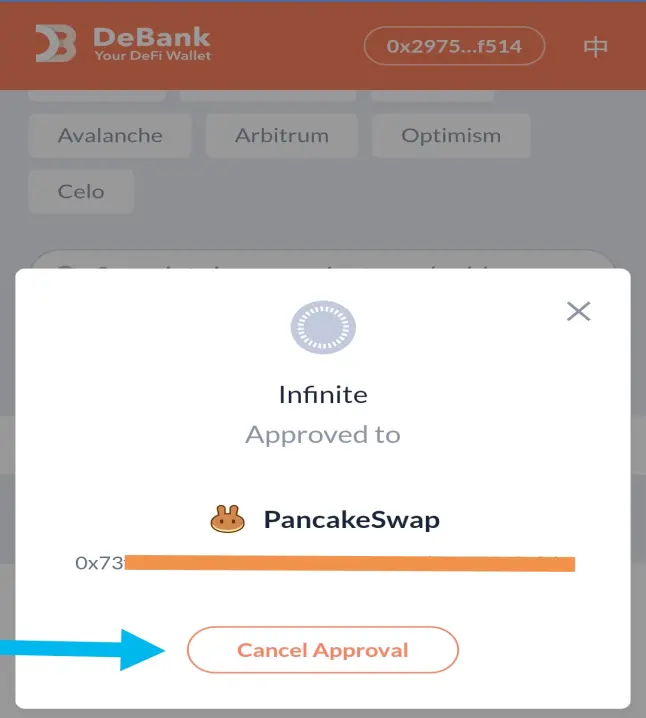
Once this step is done, the balance of your wallet and the operations performed will be read. Moreover, with a few clicks you can see which contracts are active and to deactivate it just select the correct network (let's say BSC), go to the "Approval" section, select them and click on "Cancel Approval". This operation is not free but in the case of the BSC the fee costs a few cents and puts you safe from some malicious tokens that are often airdropped randomly.
To learn more about the token-scam airdrops I leave you this article:
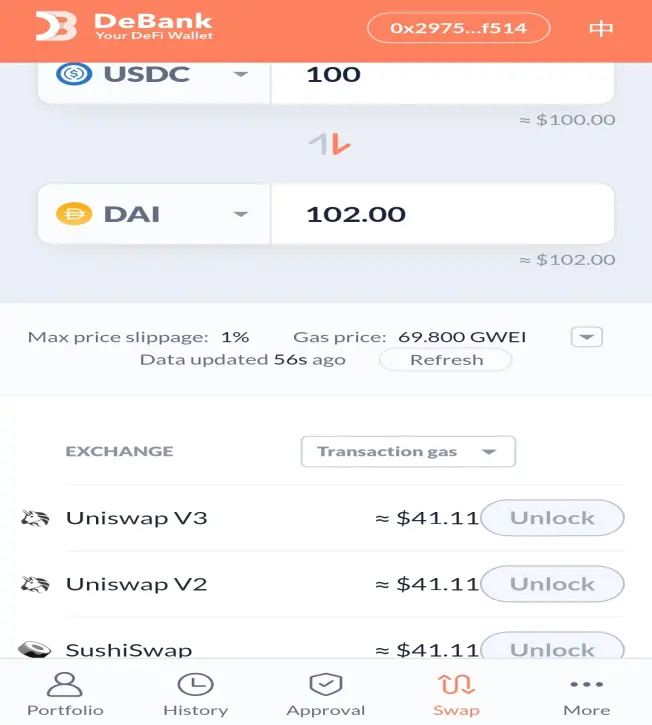
DeBank is an interesting site because it also allows you to keep an eye on the transactions of your wallet and the allocations in the De-Fi. Furthermore, in the "Swap" section it is possible to simulate an exchange of two tokens to see which decentralized exchange has the most favorable exchange price or which network has the lowest gas fees.
I hope this little trick is useful for anyone who uses De-Fi or who has just played it a few times. It is very important to keep an eye on your wallet, especially if there is a real possibility that someone will get their hands on it! The advice obviously is to keep active only the smart contracts that you intend to use or that we consider safe because they are linked to "reliable" sites, and deactivate the rest.
Read Also: The METAMASK Tutorial
My DeFi Experience: Pancakeswap and Trust Wallet
Are you already a Celsius Network member?
Yield your BTC up to 6.20% and receive a $50 bonus with this link.
If you liked this article please support me by following me here and on Twitter, leave me a like or use one of my referral links below. 👇
-Thank you-
L.
➡️ Join Celsius Network using my ref & earn $50 in BTC
➡️Use BlockFi and get up to 4% on Bitcoin. Read here how to do






