
lHey guys,,
I thought I show you how I am playing Splinterlands on my mobile phone with full market access.
So I was using the Splinterlands app from the App-store in the beginning, but i quickly realized that it didn’t give me access to all major functions that are necessary to play Splinterlands at it‘s full power.
The App works if you just want to enter your battles and fight sour daily focus. As soon as you have to rent cards ect it’s becoming more difficult there.
So would I did I dedicated Brave Browser completely to Splinterlands and have the Website opened there all the time.
First sign up if you haven’t yet and please use my referal link:
There are a couple hacks I found out to be very useful to play on your mobile which I am gonna share with you:
if sour screen doesn’t look like this request desktop site from browser settings.
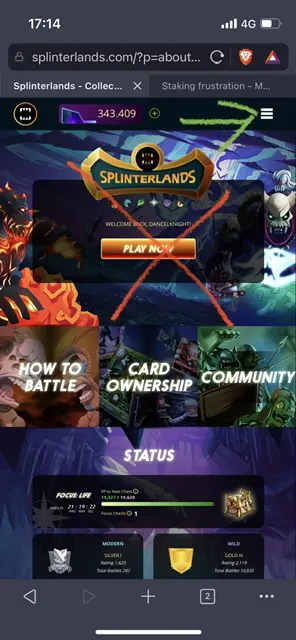
It is crucial you don’t click on the play now button but instead click on the 3 lines in the right corner.
if you click on battles from there you actually get to the right spot.
if you can’t see parts of the screen than lower the zoom factor from your browser:
(this also happens with opening packs to see potions ect:)
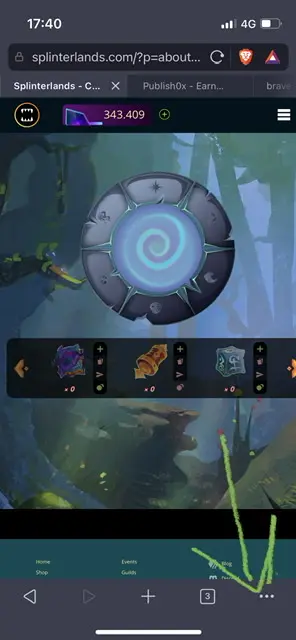

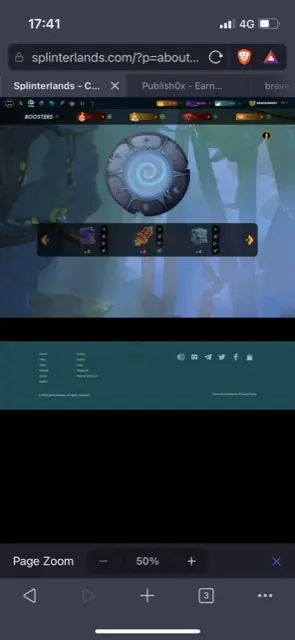
now you can see potions ect.
there are sometimes some errors when opening packs so they won’t show.
in my experience i used the same technique in safari browser and there was no issues with opening packs and showing me the animation but you have to click the black part of the screen. in brave browser pack opening I wouldn’t recommend bit if you have other experiences please feel free to comment.
you save your passphrase for signing transactions in your phone notes and copy them to your clipboard. so you can do all transactions in the market flawlessly.
Guild managing works fine here as well and I also fight brawls like this.






