
If you're holding crypto right now, why not try to use it to earn some passive income? Staking allows you to earn interest on your crypto while still holding onto your coins. Today, I'm going to show you how to stake on the Atomic Wallet in 3 easy steps.
For reference, I'll be doing this on my mobile phone but the process is exactly the same if you do it on a desktop.
1. Go to the Staking tab
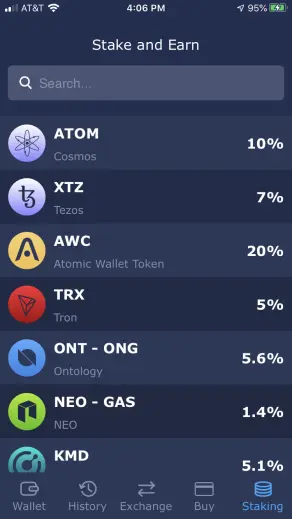
Atomic makes things simple by having a dedicated tab to staking coins. Here, you can see which coins you can stake and the expected yearly return rate. Currently, you can stake 9 different coins. You can find the full list here. Today I'll be staking my Tron.
2. Click on which coin you want to stake
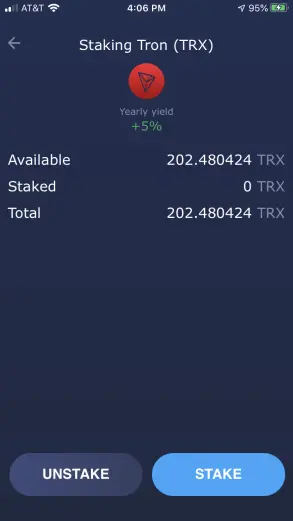
As you can see, I have 202 Tron available that I can stake. Simply click on the Stake button.
3. Choose a validator
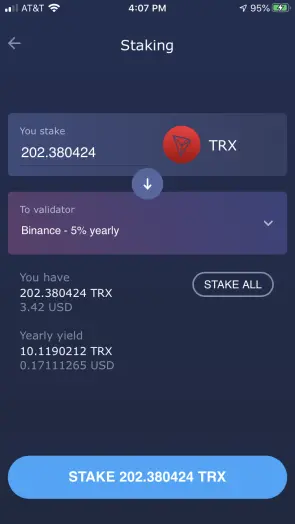
For Tron, you can choose between BitGuild and Binance. Both of them pay 5% yearly so it doesn't really matter which one you pick. Click on stake.
Thats it!
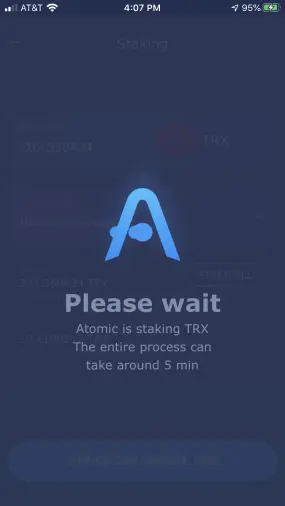
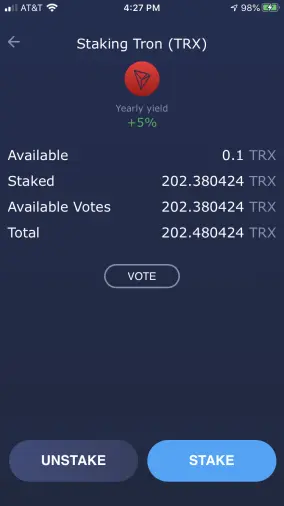
After you click on stake, you're done! It might take a few minutes for it to process but after that you're crypto is staked and ready to start earning interest! For Tron, your coins will be frozen for 3 days, but after that you can unstake and claim your rewards at anytime.
If you don't have the Atomic Wallet you can download it here and receive free a 15 AWC.
Thank you for reading this article, I hope you learned how easy it is to stake on the Atomic Wallet!








