
Per request from readers of my previous article I will be giving a complete guide on how to use the new and exciting loopring pay. Just for knowledge sake, Loopring pay a new feature on the Loppring dex which allows users to transfer Ethereum based tokens without any hassle. It is free, it is fast and its super easy. One Caveat, you will need a loopring dex account to make use of the loopring pay.
So let's create a loopring dex account first!
How to create a loopring dex account
To create a Loopring account, you will need an ERC20 compatible wallet. Metamask wallet and other ER20 compatible wallets such as Coinomi and IMtoken will do.
NOTE: You will need a personal computer and your Mobile phone wallet to complete this turorial.
Click HERE to visit the loopring Dex platform from your personal computer, I strongly advice against using a mobile phone to visit the loopring dex.
Normally you will recieve a pop out request asking you to connect you wallet, select "metamask" if you're using a metamask wallet or "Walletconnect" if you're using other ERC20 compatible wallet.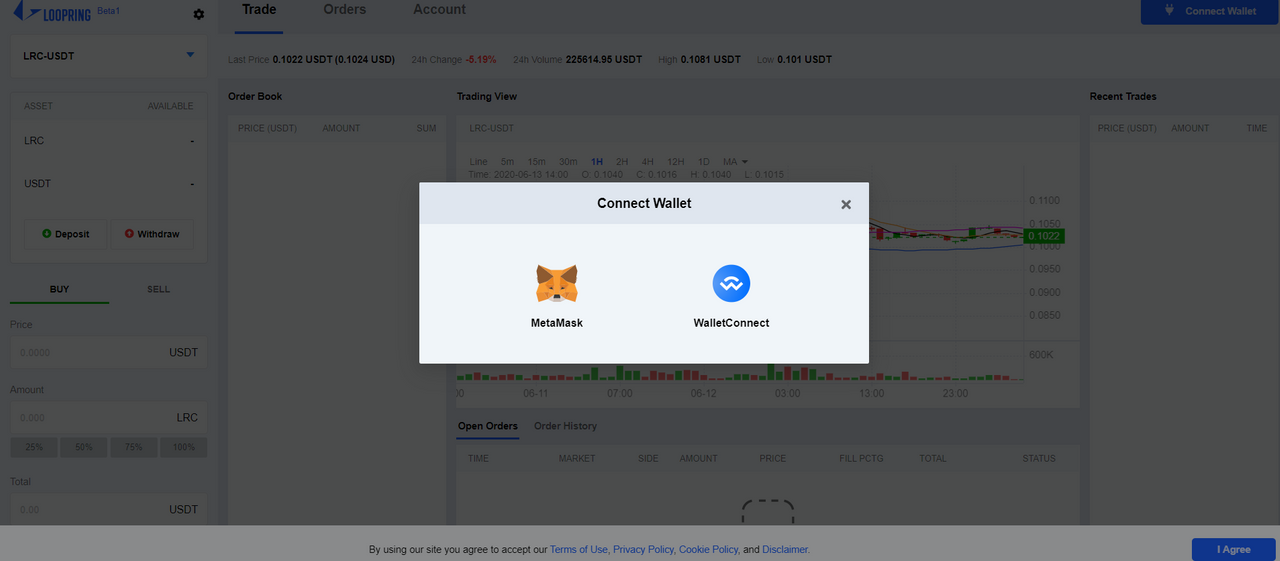
If the pop out request didn't show up, click "Connect wallet" from the top right corner of your personal computer.
- A bar code will pop out on your screen. From your mobile wallet, use your bar code scanner to scan the bar code, follow prompts from your wallet to connect to the Loopring Dex.

- After connecting to the loopring dex, you will be requested to register an account. This process is free of charge, but a minimum of 0.008 Eth in your wallet is required, your balance won't be touched however.
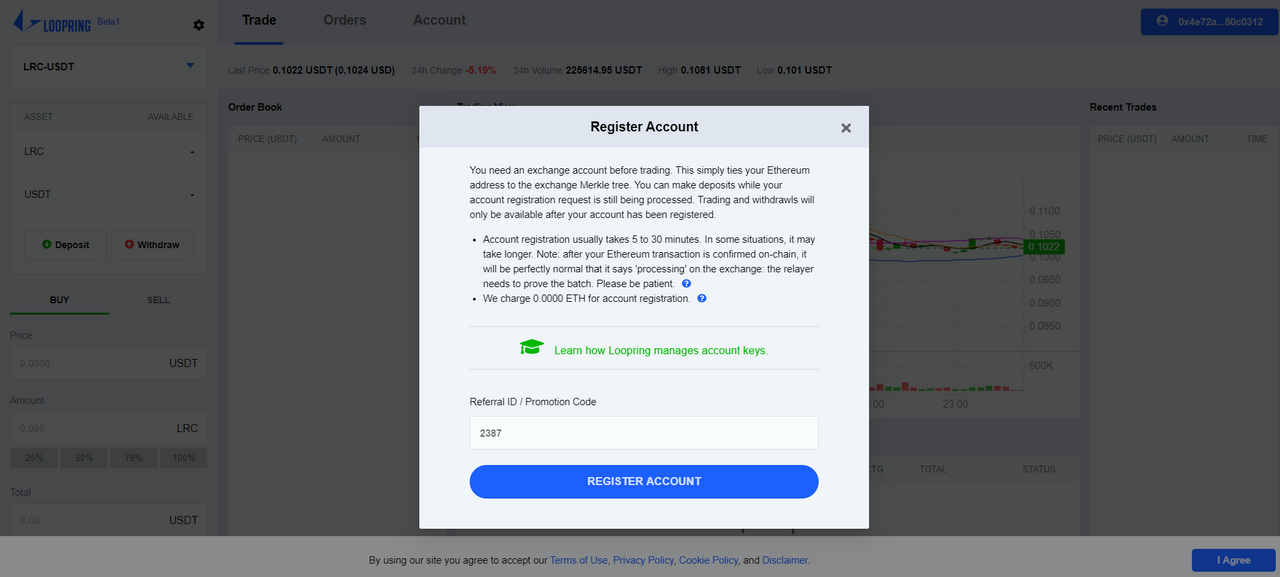
- Approve the account creation request from your mobile wallet.
-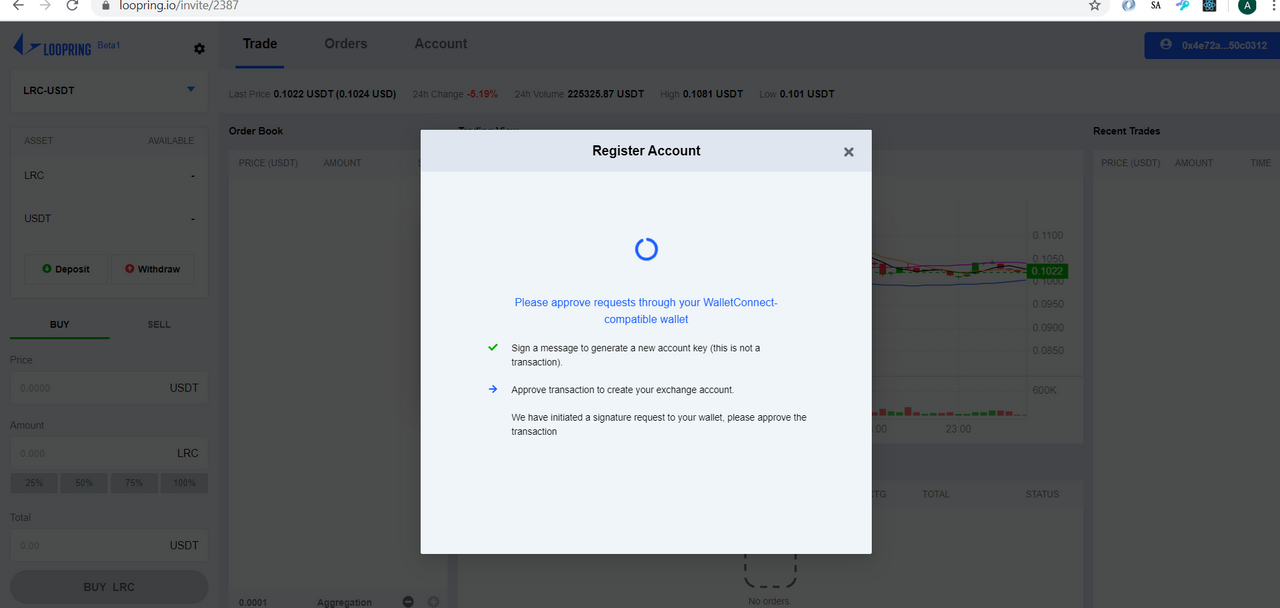
- Account creation takes a couple of minutes, exercise patient while this completes.
Now you have your Loopring dex, let's Explore the Power of the Loopring pay!
How to use the Loopring Pay
To perform instant fee-less transaction on the etherum blockchain using the Loopring Pay, you will need to deposit some etherum coin or token(s) from your personal wallet to your Loopring dex wallet.
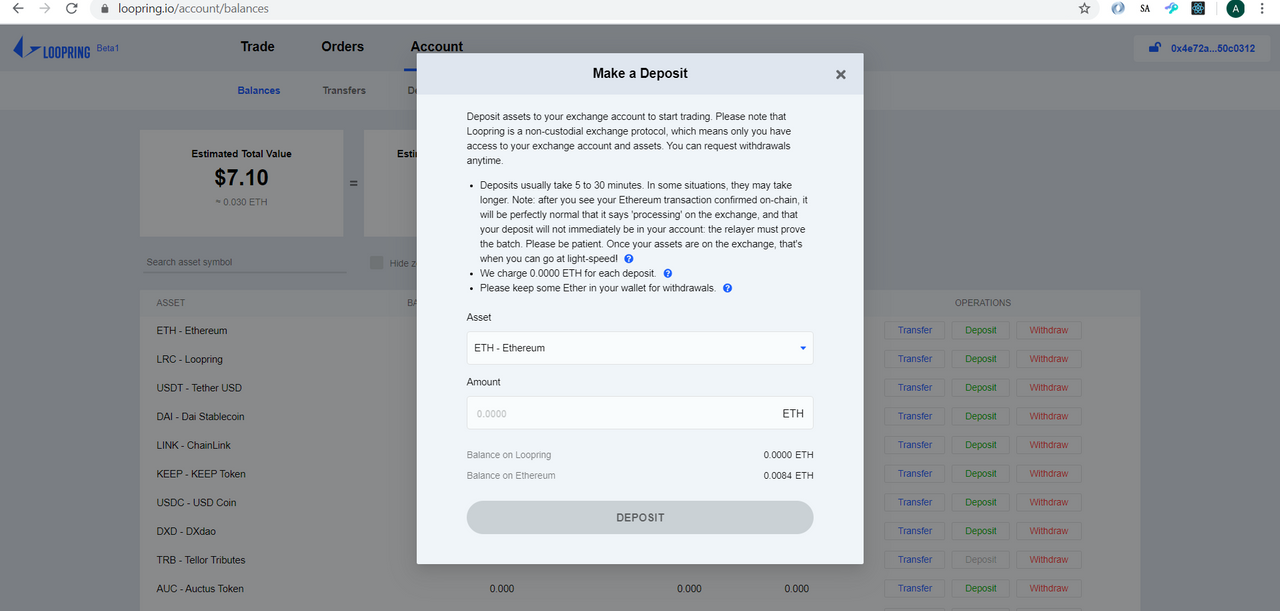
- click on "Account" from your loopring dex homepage to see your personal wallet balances, click the "deposit" option for your preferred ethereum token.
-
- The deposit form pops out, fill in the required details and click "transfer". Deposits will take few minutes to complete.
Now you can perform your first instant and fee-less transaction on the ethereum blockchain and earn free 40 LR coins (4$), excited? yes! you've really come a long way!
Loopring pay transfers are currently only available for wallets registered on the loopring Dex, hence you will need to make your transfers to a wallet registered on the loopring dex. For the sake of completing this turotrial and earning your free 40 LRC, you can use my wallet address for this turorial: 0x4E72a4230c0e86a1B71B14d980097943f50c0312
you will only need as little as 0.00000001Eth to complete this.
- Click the blue button from the top right corner of your screen showing your wallet address and select "transfer"
-
- A transfer form pops out, fill in the required details, use a loopring dex registered wallet address and send as little as 0.000000eth or any ethereum token and click "transfer".

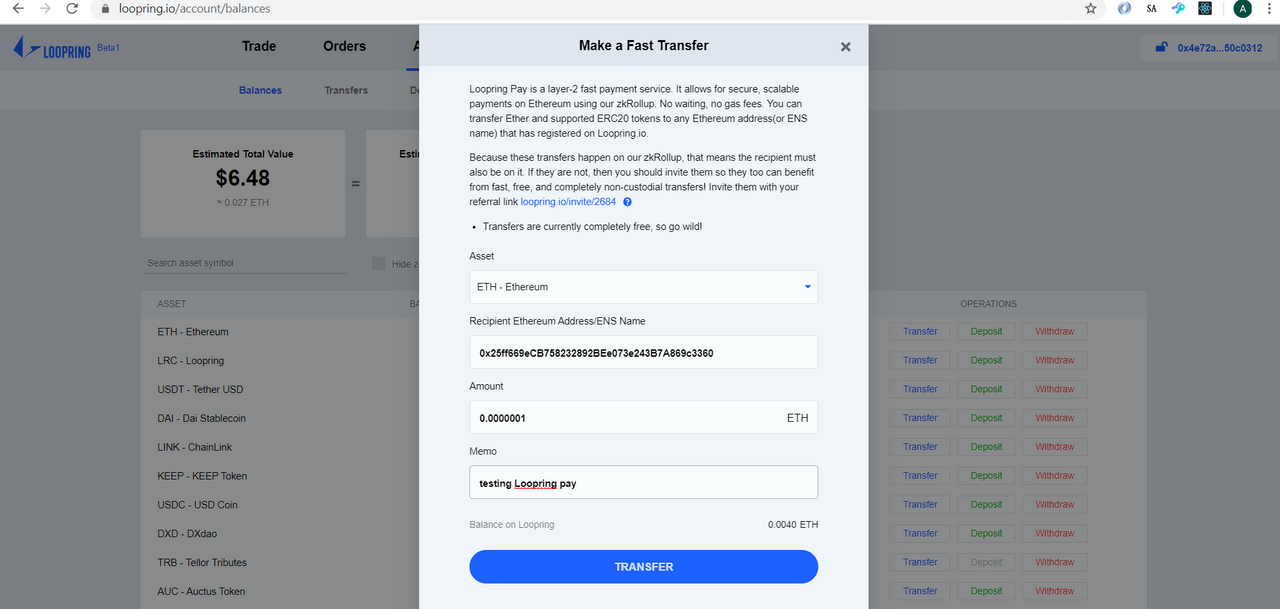
Approve the transfer request from your mobile wallet.
- You will receive a prompt asking you to share this on twitter,follow the prompt and share on twitter.


You just completed your first instant and free transaction on the ethereum blockchain. If you made the transfer to a friend, ask him when he received the transfer and feel the power of Loopring ZKRollup powered Payments.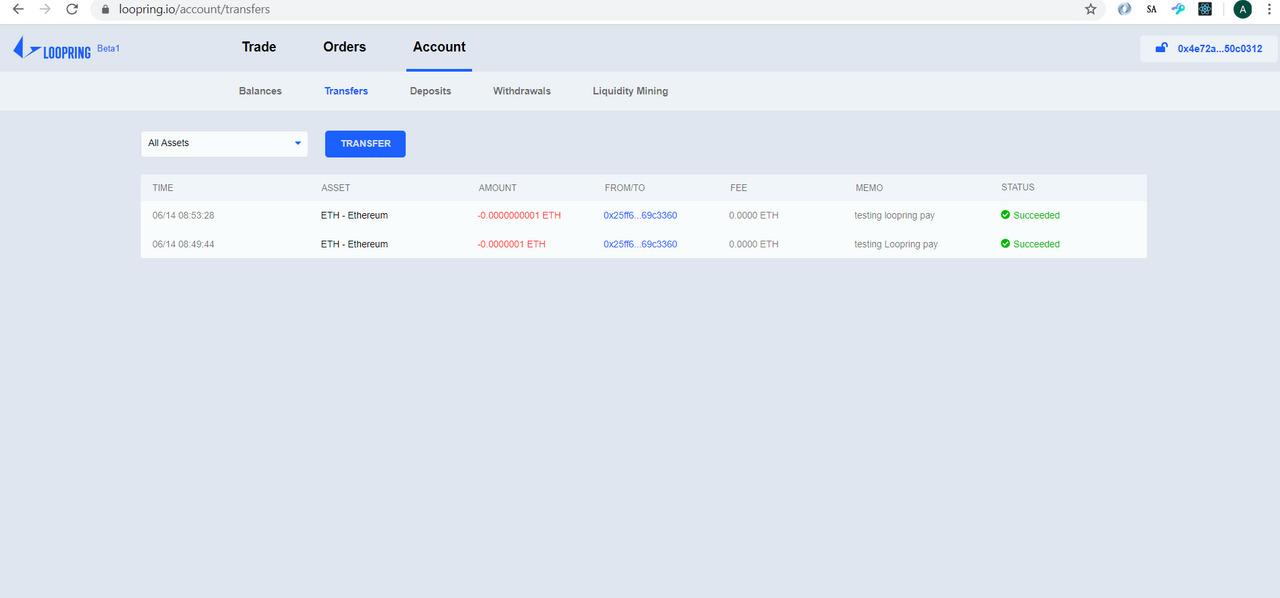
Now,I know I'm a very bad teacher, so kindly keep your questions coming on the comments section, I will dedicated to answer the within few minutes.
And don't mind my Curved drawing lines...






