
Python Sudoku Solver: Solving 50 Sudokus in Record Time.
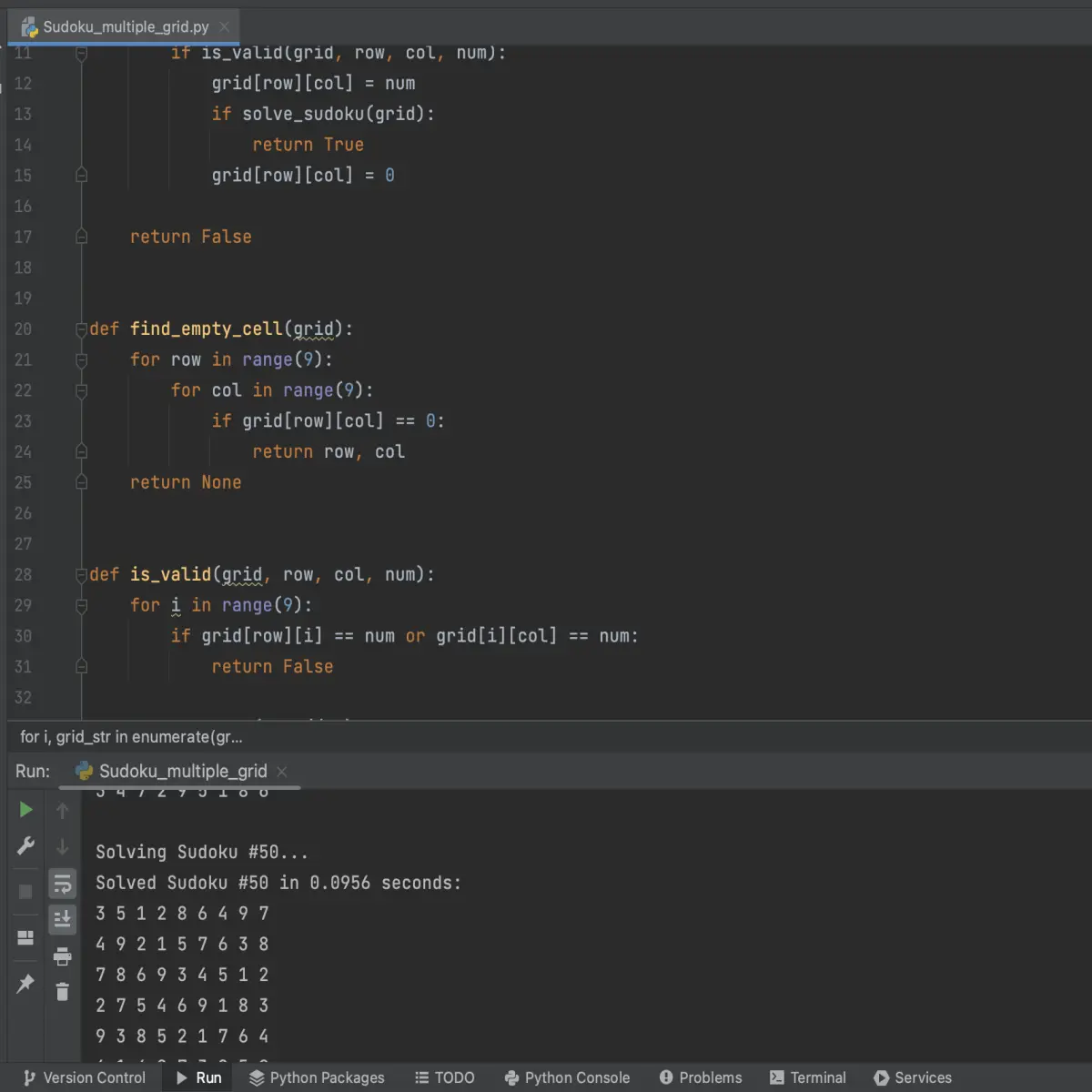
Are you a fan of Sudoku? Discover how a computer program solves 50 Sudoku puzzles in record time!
Sudoku is one of the most popular puzzle games in the world, with grids that can sometimes seem impossible to solve. Fortunately, with the power of Python, it is possible to solve Sudoku grids in no time.
If you are looking to solve Sudoku grids, these 2 codes might interest you.
Today, we will see together how to solve multiple Sudoku grids in a row, using the Sudoku Solver code as our base.
What is ‘Time’ ?
The 'time' library provides access to several time-related functions in Python.
I invite you to check out my post on Time Library for more information.
Prerequisites :
First of all, you need a file named 'sudoku_grid.txt' that contains the different Sudoku grids in this format:
You can paste or download 'sudoku.txt' on this website which contains various grid of Sudoku.

And, you need to import ‘time’ module.
import time
Program :
As previously seen in my Sudoku Solver post, my code is a basic implementation of the Sudoku solver, which solves a pre-defined grid using a recursive 'solve_sudoku()' function.
def solve_sudoku(grid):
empty_cell = find_empty_cell(grid)
if not empty_cell:
return True
row, col = empty_cell
for num in range(1, 10):
if is_valid(grid, row, col, num):
grid[row][col] = num
if solve_sudoku(grid):
return True
grid[row][col] = 0
return False
The function 'find_empty_cell()' is used to find the next empty cell to fill, and 'is_valid()' is used to check if a value can be placed in a specific cell without breaking the rules of Sudoku.
find_empty_cell() :
def find_empty_cell(grid):
for row in range(9):
for col in range(9):
if grid[row][col] == 0:
return row, col
return None
is_valid() :
def is_valid(grid, row, col, num):
for i in range(9):
if grid[row][i] == num or grid[i][col] == num:
return False
row_start = (row // 3) * 3
col_start = (col // 3) * 3
for i in range(row_start, row_start + 3):
for j in range(col_start, col_start + 3):
if grid[i][j] == num:
return False
return True
This code provides a good foundation for understanding the basic algorithms for solving Sudoku puzzles. I will not go into further detail on these parts, and I encourage you to refer to the Sudoku Solver post for more information.
Based on this, we will add the ability to solve multiple sudokus from a text file, which will allow us to measure the average time taken to solve a sudoku. We will also use the ‘time’ function to measure the time taken to solve each sudoku and the total time taken to solve all the sudokus. In comparison to the first code that solves only one sudoku using a pre-defined grid, our new code is more efficient in solving a large number of sudokus and measuring the performance of the sudoku solver.
Alright, to start off we will initialize a timer with 'total_start_time = time.time()' to record the total time taken to solve the 50 sudokus.
# Start the timer for all 50 sudokus
total_start_time = time.time()
Next, the second part of the code opens the file 'sudoku_grid.txt' in read mode (with open('sudoku_grid.txt', 'r') as f:) and reads its content. The grids are stored as strings separated by double line breaks ('\n\n').
The 'strip()' method removes spaces at the beginning and end of the string. The 'split()' method with ('\n\n') as an argument divides the string into a list of strings corresponding to each sudoku grid.
The variable 'grids' thus contains a list of strings representing each sudoku grid.
# Read in the sudoku grids from the file
with open(‘sudoku_grid.txt’, ‘r') as f:
grids = f.read().strip().split(‘\n\n’)
The variable 'total_solve_time' is initialized to 0 to record the total time needed to solve the 50 sudokus.
total_solve_time = 0 # Initialize the total time taken to solve all 50 sudokus
The third part of the code solves each sudoku grid stored in the variable 'grids'. The 'for' loop with the 'enumerate()' method iterates through the grids, and each grid is stored in the variable 'grid_str'.
The 'enumerate()' method returns a tuple containing the index and current element of the loop, which allows displaying the number of each solved sudoku grid with '"Solving Sudoku #{}…".format(i+1)'.
The variable 'grid' is initialized with a list comprehension that converts each character of the string 'grid_str' into an integer with 'int(c)', to create a two-dimensional list representing the sudoku grid.
# Solve each sudoku grid and print the result
for i, grid_str in enumerate(grids):
print(‘Solving Sudoku #{}…'.format(i+1)) # Optionnal
grid = [[int(c) for c in row] for row in grid_str.split(‘\n')]
The timer to solve each Sudoku grid is initialized with 'start_time = time.time()'.
The 'solve_sudoku()' function is called to solve each Sudoku grid. If the function returns True, it means that the grid has been successfully solved, and the time taken to solve this grid is recorded with 'solve_time = time.time() - start_time'.
This time is added to the total time with 'total_solve_time += solve_time'.
Then, the code displays a message indicating that the Sudoku grid has been successfully solved and the time taken to solve it, using Python's 'print()' method.
start_time = time.time() # Start the timer for this sudoku
if solve_sudoku(grid):
solve_time = time.time() - start_time # Calculate the time taken to solve this sudoku
total_solve_time += solve_time
print('Solved Sudoku #{} in {:.4f} seconds:'.format(i+1, solve_time))
Within a 'for' loop, we will ensure to display the solved sudoku grids.
for row in grid:
print(‘ ‘.join(str(c) for c in row))
If the function 'solve_sudoku()' returns False, it means that the grid could not be solved and the message 'Unable to solve Sudoku #{}.' is displayed with '"Unable to solve Sudoku #{}.".format(i+1)'.
else:
print(‘Unable to solve Sudoku #{}.’.format(I+1))
Well, the last part of the code calls the ‘print()’ function to display the solved sudoku grids.
print()
The last lines of code measure the total time taken to solve the 50 sudokus using Python's time function.
The first line calculates the total time taken to solve the 50 sudokus.
# Calculate the total time taken to solve all 50 sudokus
total_time = time.time() - total_start_time
That second line displays the total time taken to solve all 50 sudokus with a precision of 4 decimal places.
print('Solved all 50 sudokus in {:.4f} seconds.'.format(total_time))
The third line displays the average time taken to solve each sudoku by using the formula ‘total_solve_time / len(grids)’.
print('Average solve time per sudoku: {:.4f} seconds.'.format(total_solve_time / len(grids)))
Comparing the total and average solve times can help evaluate the efficiency of different algorithm implementations for solving Sudoku puzzles.
Your added code to the base code (Sudoku Solver) today should look like this :
total_start_time = time.time() # Start the timer for all 50 sudokus
# Read in the sudoku grids from the file
with open(‘sudoku_grid.txt', ‘r') as f:
grids = f.read().strip().split(‘\n\n’)
total_solve_time = 0 # Initialize the total time taken to solve all 50 sudokus
# Solve each sudoku grid and print the result
for i, grid_str in enumerate(grids):
print(‘Solving Sudoku #{}…'.format(i+1)) # Optionnal
grid = [[int(c) for c in row] for row in grid_str.split(‘\n’)]
start_time = time.time() # Start the timer for this sudoku
if solve_sudoku(grid):
solve_time = time.time() - start_time # Calculate the time taken to solve this sudoku
total_solve_time += solve_time
print(‘Solved Sudoku #{} in {:.4f} seconds:'.format(i+1, solve_time))
for row in grid:
print(‘ ‘.join(str(c) for c in row))
else:
print(‘Unable to solve Sudoku #{}.’.format(I+1))
print()
total_time = time.time() - total_start_time # Calculate the total time taken to solve all 50 sudokus
print(‘Solved all 50 sudokus in {:.4f} seconds.’.format(total_time))
print(‘Average solve time per sudoku: {:.4f} seconds.’.format(total_solve_time / len(grids)))
In the end, our sudoku solver program is an excellent example of using simple yet powerful algorithms to solve complex problems. We have developed an efficient solution for solving a single sudoku grid, as well as a method for solving multiple sudokus from a text file. By using the time function to measure the time taken to solve each sudoku and the total time taken to solve all the sudokus, we have provided accurate results on the performance of our program.
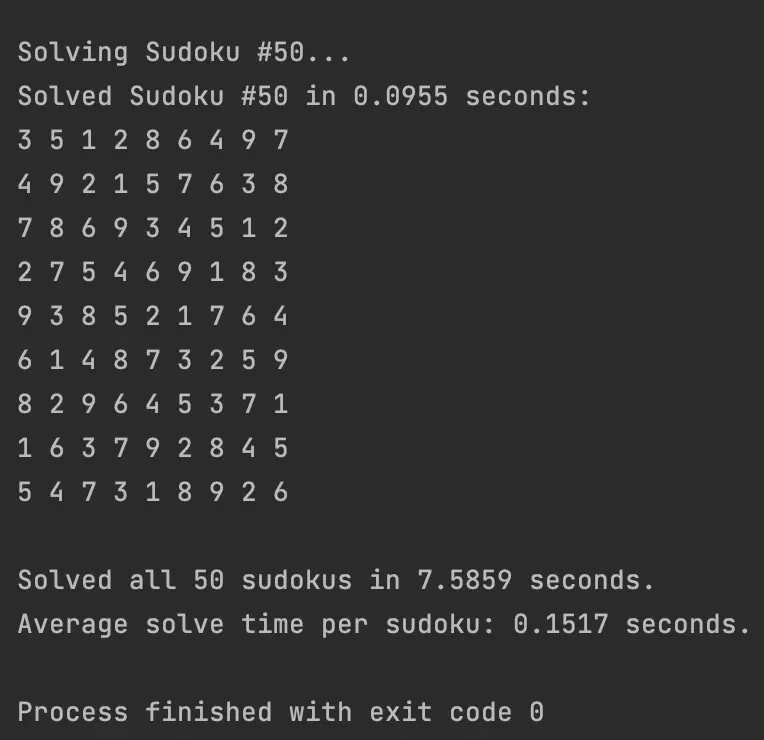
As always, the complete code is at the end of the publication.
Thank you and congratulations to all those who didn't give up on reading this post.
Leave a comment if you have any questions
If you enjoy my blog posts, you can support me.
Thanks for you support 🙏
BTC : bc1qvfmetg2d36mmntrg56ld0tdrte8cqeygjxdpsg
ETH | USDC | USDT : 0x02AbfBf22fA72d068Ff305e58dF782e58F863274
EGLD : erd1jc0lms8zl64nwsy3srm0q2pllvvppkgcsa6eyaketxetcs6fpl7q0cty6a
DOGE : DLtGbPrFvwW5y7jFuvuDAkZGNB2eAErAxA
See you soon ! 🤙
Casper_X 👻
Want More Program ?
Take a look of these posts.
Scrabble Helper : https://www.publish0x.com/python-scrabble-helper/python-scrabble-helper-xvmqykg
QRcode generator : https://www.publish0x.com/python-scrabble-helper/python-qr-code-generator-xrgmxnx
Face detection : https://www.publish0x.com/python-scrabble-helper/python-face-detection-xjrwygy
Password generator : https://www.publish0x.com/python-scrabble-helper/python-password-generator-xyezmel
Caesar Cipher : https://www.publish0x.com/python-scrabble-helper/python-caesar-cipher-xvmqnex
Tkinter Scrabble Helper : https://www.publish0x.com/python-scrabble-helper/python-scrabble-helper-tkinter-xqelzgv
Sudoku Solver : https://www.publish0x.com/python-scrabble-helper/python-sudoku-solver-xkpwwvq
Decrypt Caesar : https://www.publish0x.com/python-scrabble-helper/python-decrypt-caesar-encryption-xwydpzo
Want Learn More About 'Python' ?
Take a look of these posts.
Python programms : https://www.publish0x.com/python-scrabble-helper
Python module : https://www.publish0x.com/python-modules
Here is the full program :
import time

def solve_sudoku(grid):
    empty_cell = find_empty_cell(grid)
    if not empty_cell:
        return True

    row, col = empty_cell

    for num in range(1, 10):
        if is_valid(grid, row, col, num):
            grid[row][col] = num
            if solve_sudoku(grid):
                return True
            grid[row][col] = 0

    return False


def find_empty_cell(grid):
    for row in range(9):
        for col in range(9):
            if grid[row][col] == 0:
                return row, col
    return None


def is_valid(grid, row, col, num):
    for i in range(9):
        if grid[row][i] == num or grid[i][col] == num:
            return False

    row_start = (row // 3) * 3
    col_start = (col // 3) * 3

    for i in range(row_start, row_start + 3):
        for j in range(col_start, col_start + 3):
            if grid[i][j] == num:
                return False

    return True

total_start_time = time.time()  # Start the timer for all 50 sudokus

# Read in the sudoku grids from the file
with open('sudoku_grid.txt', 'r') as f:
    grids = f.read().strip().split('\n\n')

total_solve_time = 0  # Initialize the total time taken to solve all 50 sudokus

# Solve each sudoku grid and print the result
for i, grid_str in enumerate(grids):
    print('Solving Sudoku #{}...'.format(i+1)) # Optionnal
    grid = [[int(c) for c in row] for row in grid_str.split('\n')]
    start_time = time.time()  # Start the timer for this sudoku
    if solve_sudoku(grid):
        solve_time = time.time() - start_time  # Calculate the time taken to solve this sudoku
        total_solve_time += solve_time
        print('Solved Sudoku #{} in {:.4f} seconds:'.format(i+1, solve_time))
        for row in grid:
            print(' '.join(str(c) for c in row))
    else:
        print('Unable to solve Sudoku #{}.'.format(i+1))
    print()

total_time = time.time() - total_start_time  # Calculate the total time taken to solve all 50 sudokus

print('Solved all 50 sudokus in {:.4f} seconds.'.format(total_time))
print('Average solve time per sudoku: {:.4f} seconds.'.format(total_solve_time / len(grids)))






