
How to use 'Time' library ?
The 'time' library provides access to several time-related functions in Python. These functions allow us to work with time in various ways, including measuring the execution time of code, formatting dates and times for display, and working with time values in seconds and other units.
One of the most commonly used functions in the 'time' library is 'time()', which returns the current time in seconds since the ‘Epoch’. The ‘Epoch’ is a fixed point in time that serves as a reference point for measuring time. The ‘Epoch’ is typically January 1, 1970, at 00:00:00 UTC.
We can use the 'time()' function to measure the execution time of code by recording the start time before running the code and the end time after running the code. We can then subtract the start time from the end time to calculate the time taken to run the code. This can be useful for profiling and optimizing code.
Example :
import time
start_time = time.time()
# Run some code here
end_time = time.time()
print(‘Time taken: ‘, end_time - start_time, ‘seconds’)
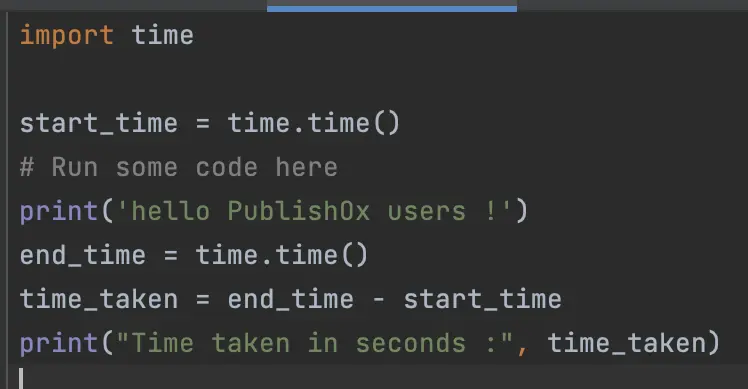
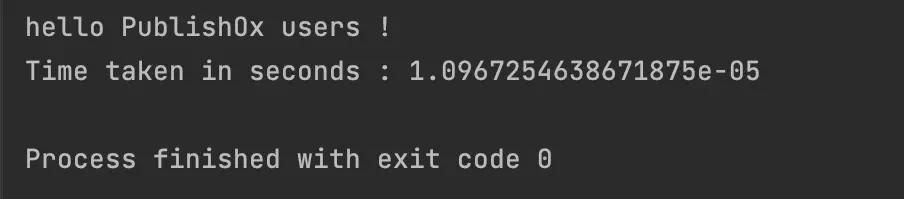
This will print out the time taken in seconds for the code to run.
Another useful function in the 'time' library is 'strftime()', which allows us to format a time value into a string that can be displayed to the user. We can use various formatting codes to control the output format, such as '%Y' for the year in four digits, '%m' for the month in two digits, and '%d' for the day of the month in two digits.
Example :
import time
# Get the current time
current_time = time.localtime()
# Format the time into a string
time_string = time.strftime(‘%Y-%m-%d %H:%M:%S’, current_time)
print(‘Current time: ‘, time_string)
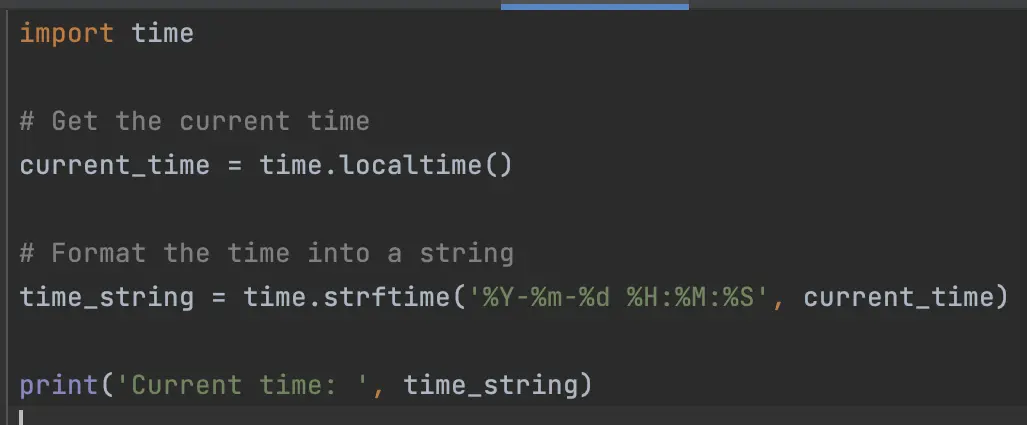
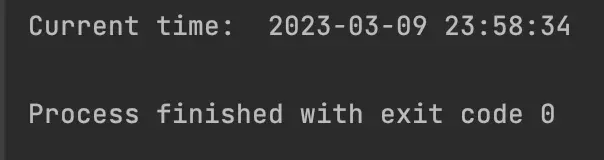
Here is the result of this example :
The 'time' library also includes functions for converting time values between seconds and other units, such as minutes, hours, and days. For example, we can use the 'gmtime()' function to convert a time value in seconds to a struct_time object, which represents a date and time value broken down into its components (year, month, day, hour, minute, second, etc.).
In addition to these functions, the 'time' library provides several other functions for working with time values, such as 'sleep()', which suspends the execution of the current thread for a specified number of seconds, and 'clock()', which returns the CPU time used by the current process.
Overall, the 'time' library in Python is a versatile and powerful tool for working with time in our programs. Whether we need to measure execution time, format dates and times for display, or work with time values in various units, the 'time' library has us covered.
Thank you and congratulations to all those who didn't give up on reading this post.
Leave a comment if you want me to make a post about a particular Python library or if you have any questions.
If you enjoy my blog posts, you can support me.
Thanks for you support 🙏
BTC : bc1qvfmetg2d36mmntrg56ld0tdrte8cqeygjxdpsg
ETH | USDC | USDT : 0x02AbfBf22fA72d068Ff305e58dF782e58F863274
DOGE : DLtGbPrFvwW5y7jFuvuDAkZGNB2eAErAxA
See you soon ! 🤙
Casper_X 👻
Learn more about ‘Python’ ?
Python programms : https://www.publish0x.com/python-scrabble-helper
Python module : https://www.publish0x.com/python-modules





