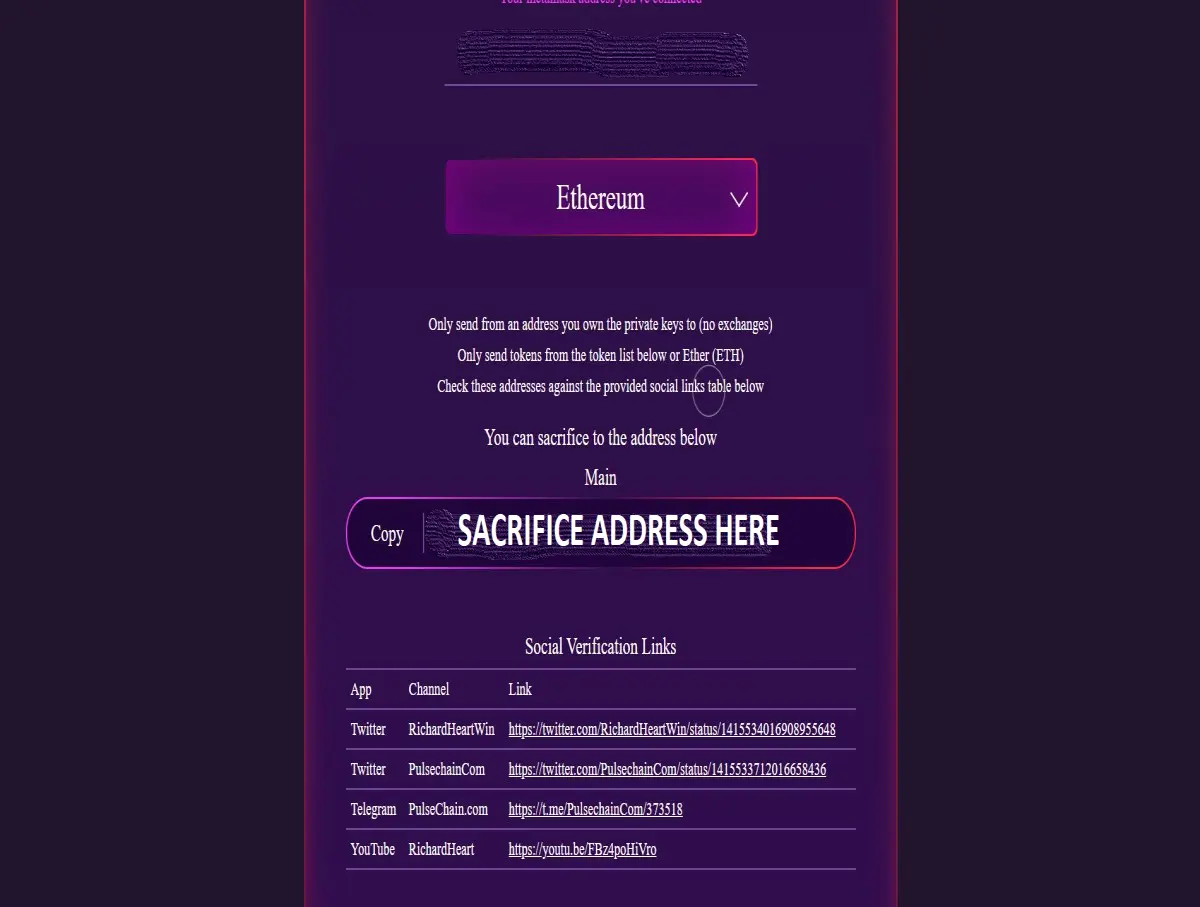
*SACRIFICE PHASE IS FINISHED - DO NOT SEND ANY CRYPTO FOLLOWING THIS GUIDE BELOW - THIS ARTICLE IS FOR HISTORIC RECORD ONLY*
DISCLAIMER - THIS IS ONLY A GUIDE, I AM NOT RESPONSIBLE FOR ANYTHING YOU CHOOSE TO DO OR WHAT HAPPENS TO YOUR CRYPTO AFTER THIS FULL STOP.
Simple step by step guide on how to sacrifice Ethereum based Tokens from MetaMask,
STEP ONE
Go to https://t.me/PulseChainCom and check pinned messages at top, the correct pinned message will be this hyperlink,
https://t.me/PulsechainCom/373518
this is what the exact pinned message will look like,
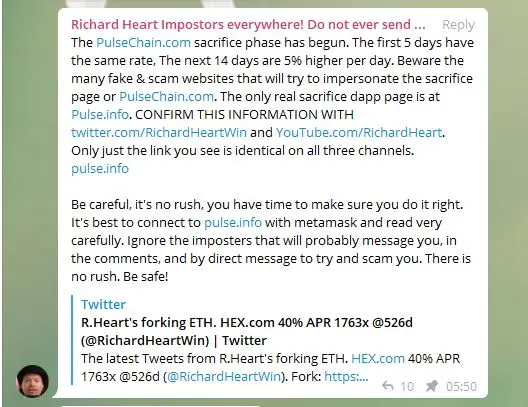
Navigate to the DAPP page using the links on that pinned only,
(NEVER TAKE A LINK FROM ANYWHERE ELSE)
STEP TWO
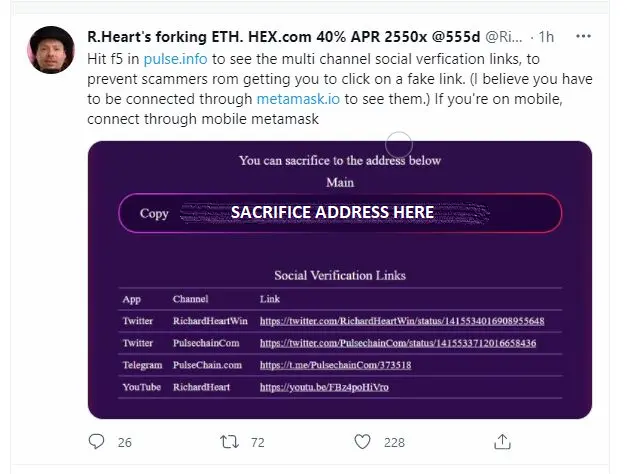
To verify you have landed at the right place, the image below is taken from Richards twitter page, the links in the image on that tweet are the correct places you can find the link to the sacrifice locations to cross verify you go to correct place, be careful to get this right,
STEP THREE
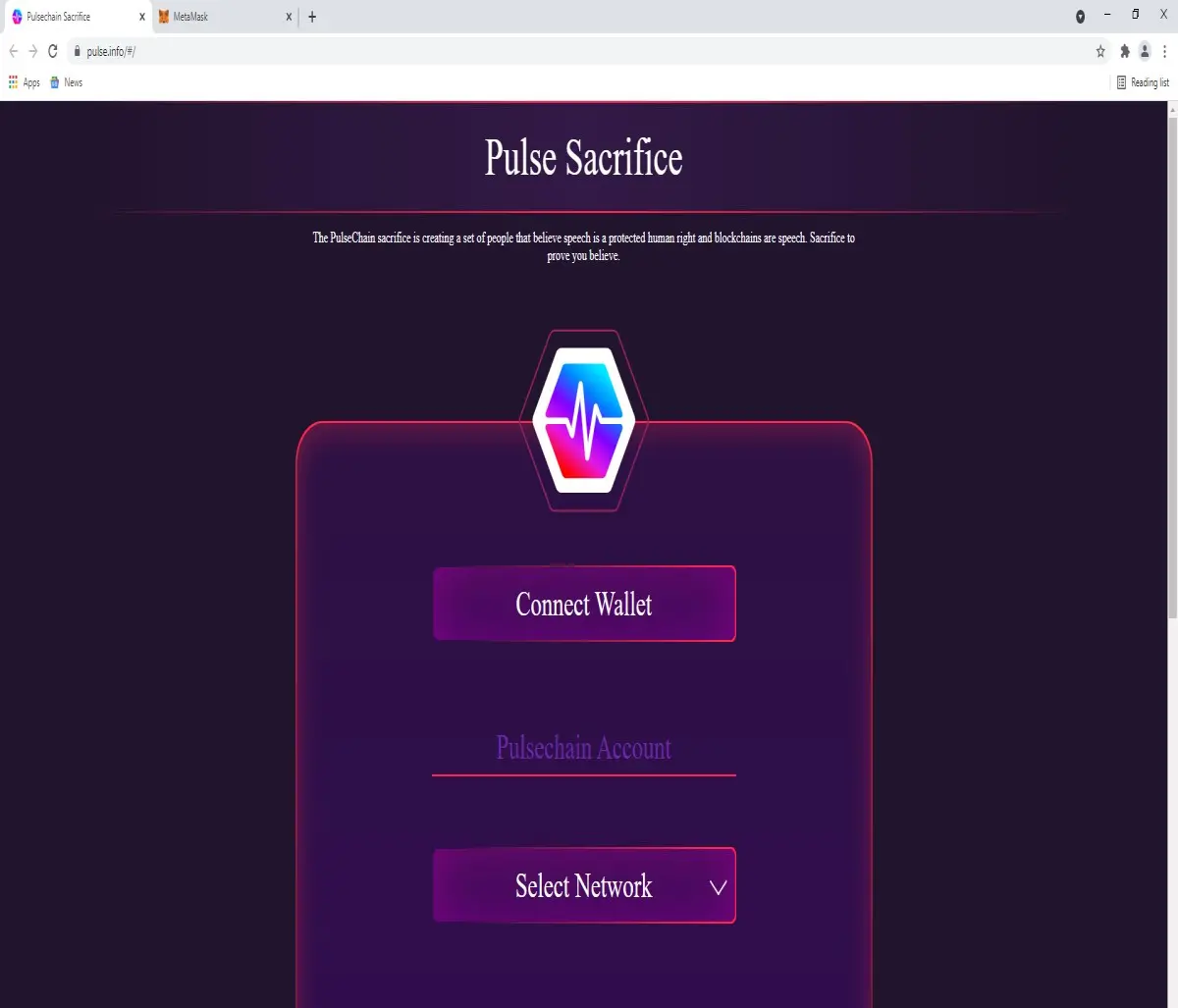
You will see this screen when you arrive at the sacrifice address, make sure you have your MetaMask account opened ready to connect to and press connect wallet,
STEP FOUR
When you press connect wallet it will bring up MetaMask window on right hand side with your accounts listed, press 'Next' button to proceed,
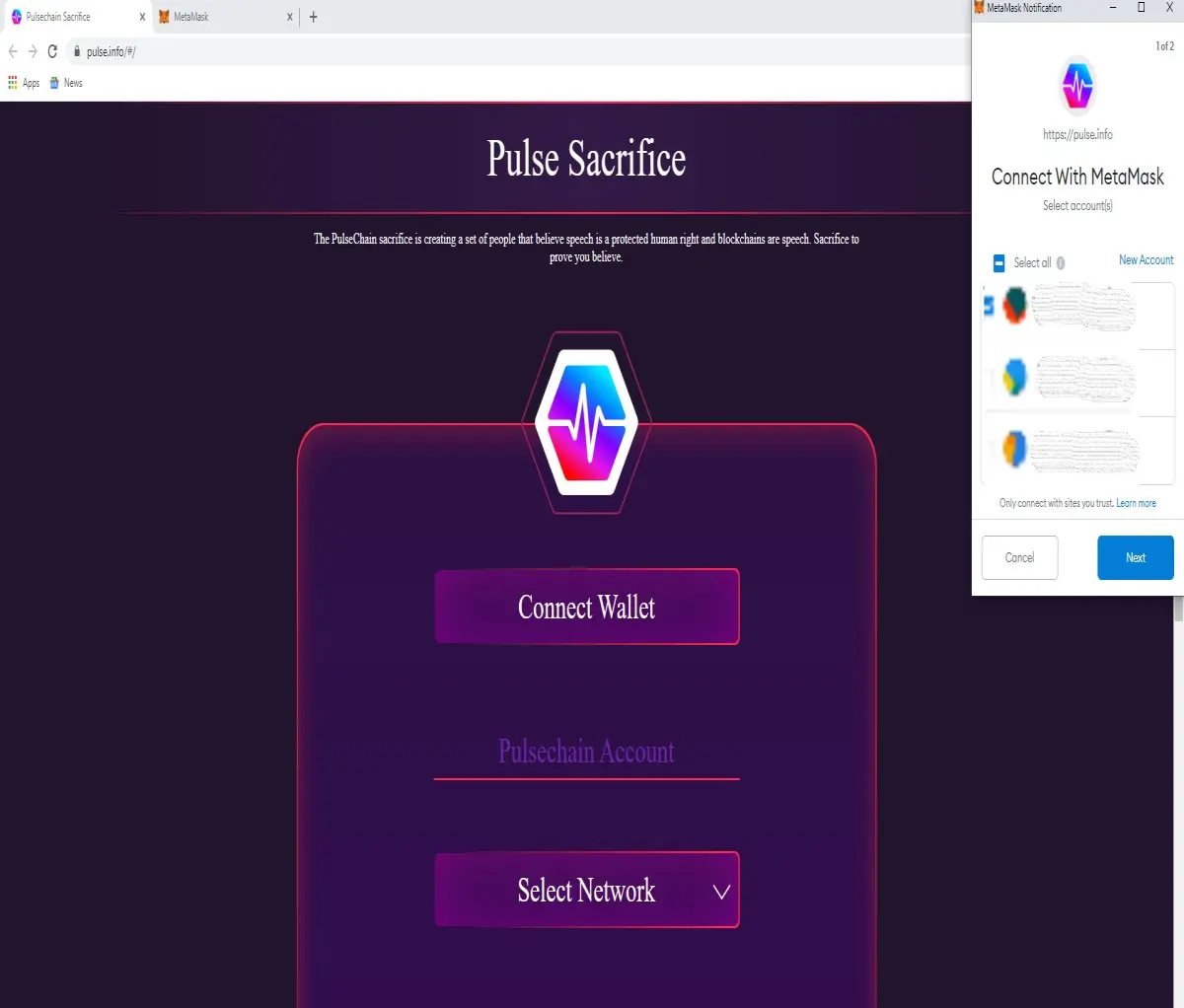
STEP FIVE
It will ask you to connect to account, then connect to account where you have your coins ready for sacrifice,
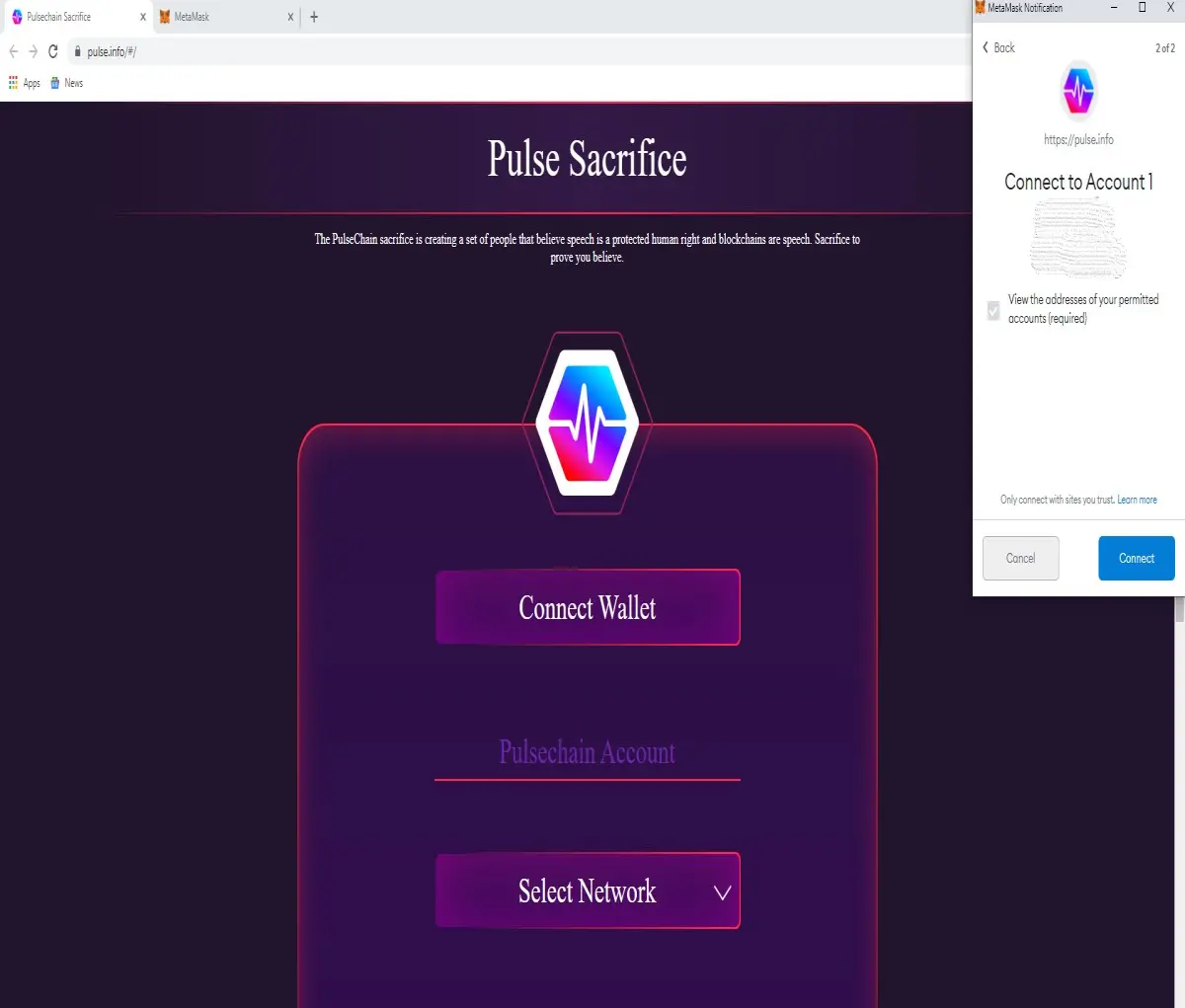
STEP SIX
Once connected, you should now see your Ethereum account address on the address bar on the top of the page and also in the middle of the screen,
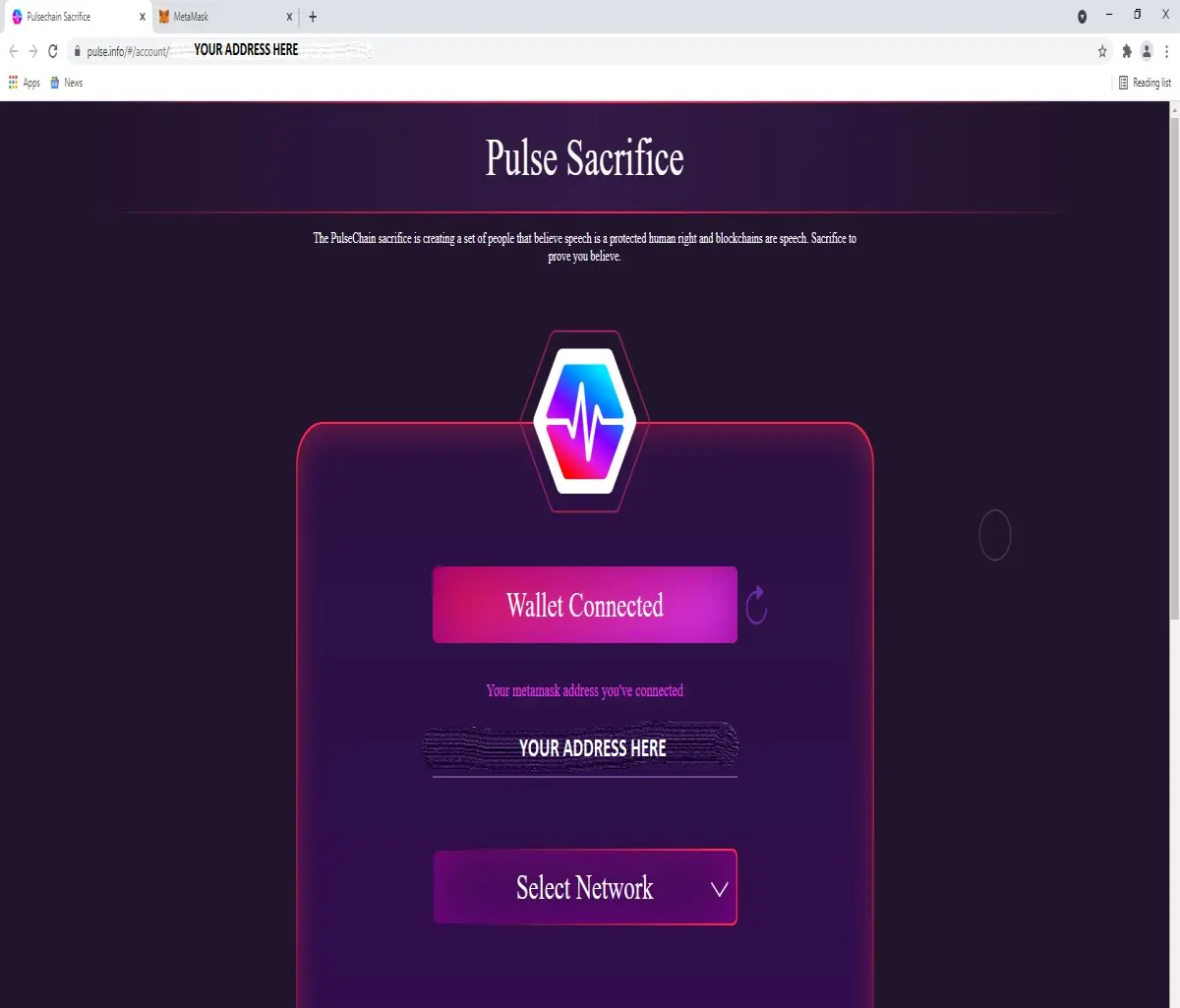
STEP SEVEN
Select Ethereum from Drop Down Menu shown on the screen,
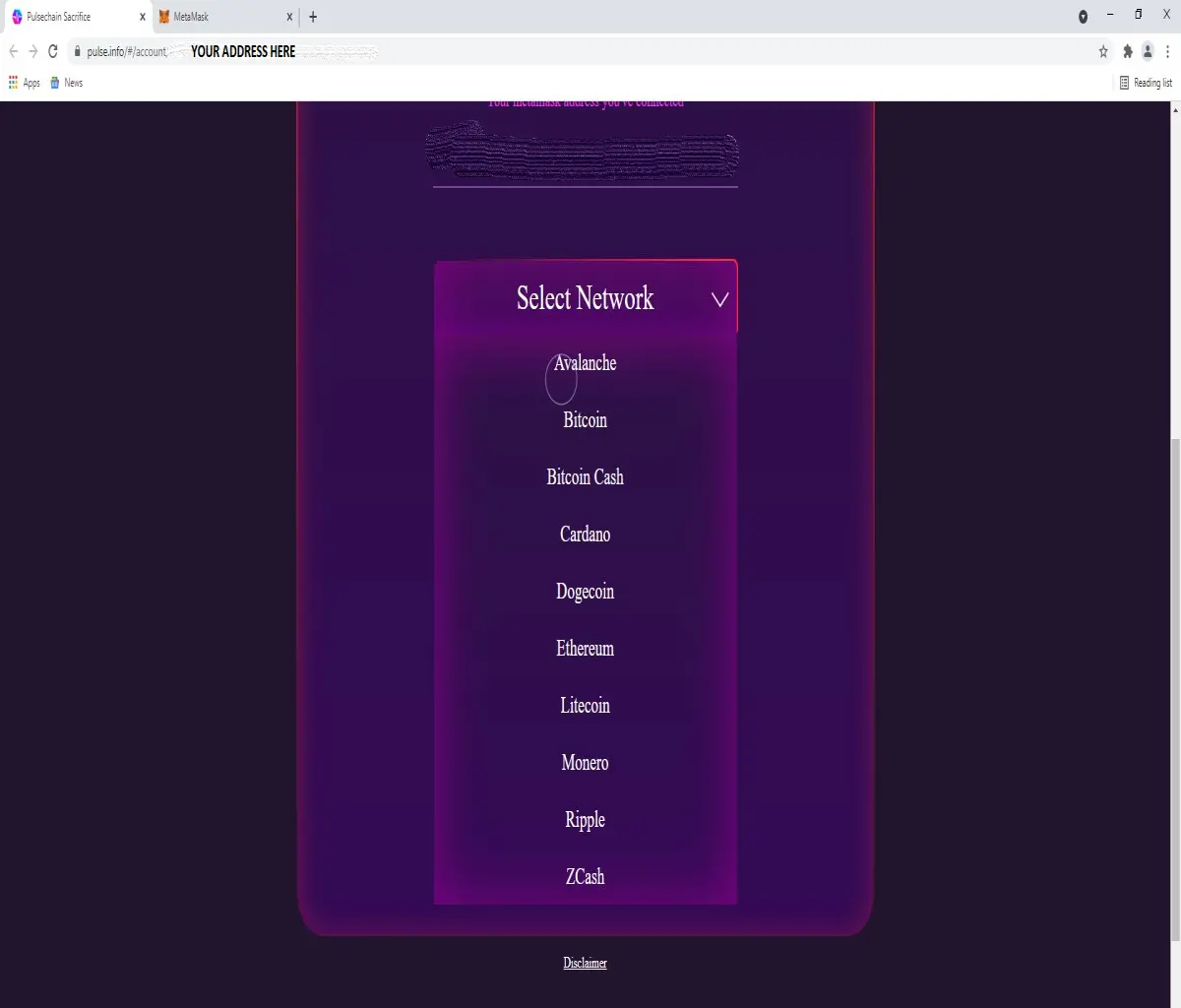
STEP EIGHT
You will now see the correct address to send your sacrifice coins to in the center of the screen, click the copy button, return to MetaMask and carry out sending of your tokens to this address.
IT IS NOT NECESSARY TO KEEP THE DAPP PAGE OPEN WHILE YOU COMPLETE THE SEND, BUT FOR BEST PRACTICE AND TO BE 100% CERTAIN, IT IS NO HARM TO LEAVE THE PAGE LIVE WHILE YOU GO BACK TO METAMASK TO COMPLETE YOUR SEND TO SACRIFICE ADDRESS.