
After 5 years with a HIVE account (multiple actually) I finally wrote a post on www.hive.blog It was a long time coming but I finally did it.
I wrote my first post on the Hive blockchain and I think I like it. Now granted it was a direct copy and paste of an article that I already wrote here because I just wanted to test it out and see if it was even worth it.
Here is my post:
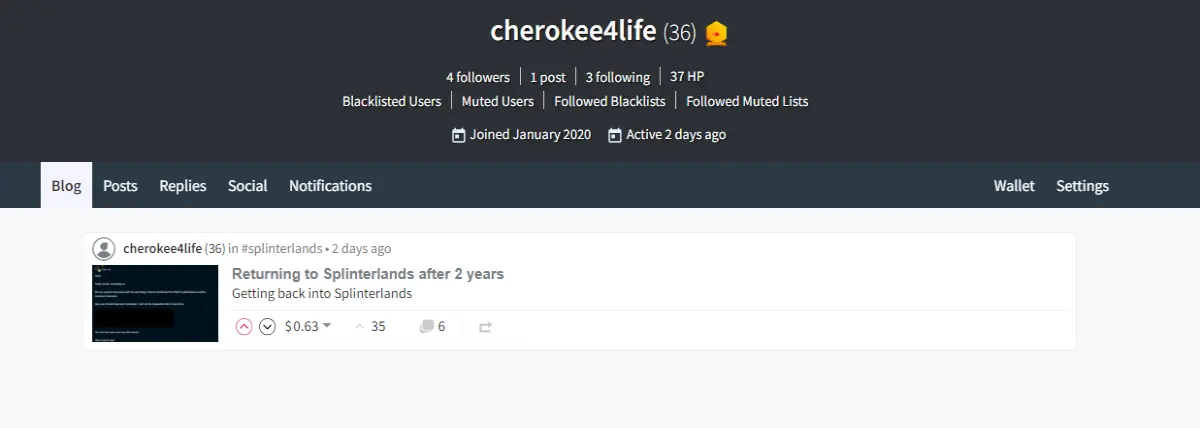
I was blown away when not even 5 minutes after posting the article I got a $0.06 tip. Then within 1 day my tips were up to $0.63. I was shocked. I do know that I can't expect that for every article but still it was a welcome feeling after my first post.
Now I HAVE to point a few things out in regards to comparing it to Publish0x because they are both online article publishing sites. Before I get into it though I don't think anything can pull me away from Publish0x because after 5 years this is my home for writing articles. However over those years I have had some critiques of Publish0x that I would love to see change and Hive.blog does some of that.
What do I like about Hive.Blog?
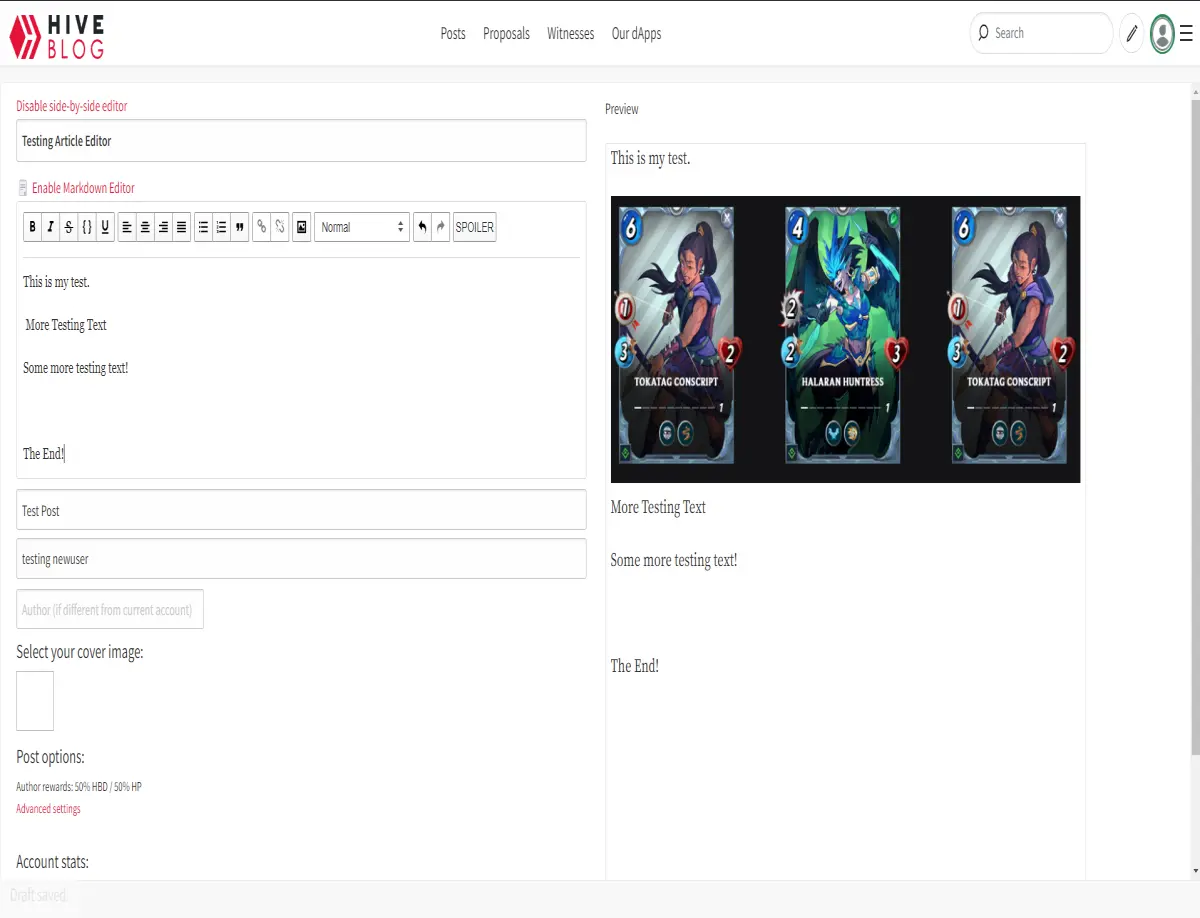
For starters this is what "write a new post" screen looks like
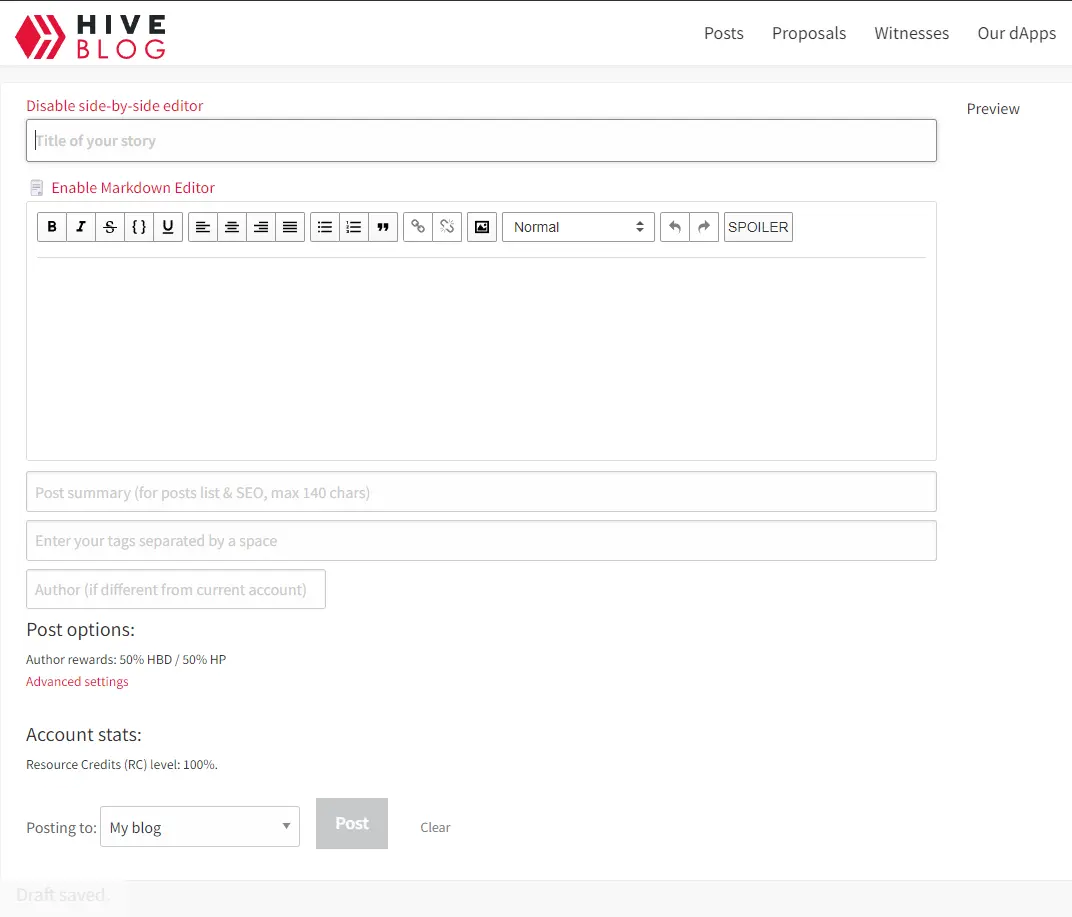
By clicking on "Enable Markdown Editor" you can switch easily back to a visual editor seamlessly as seen in this screenshot.
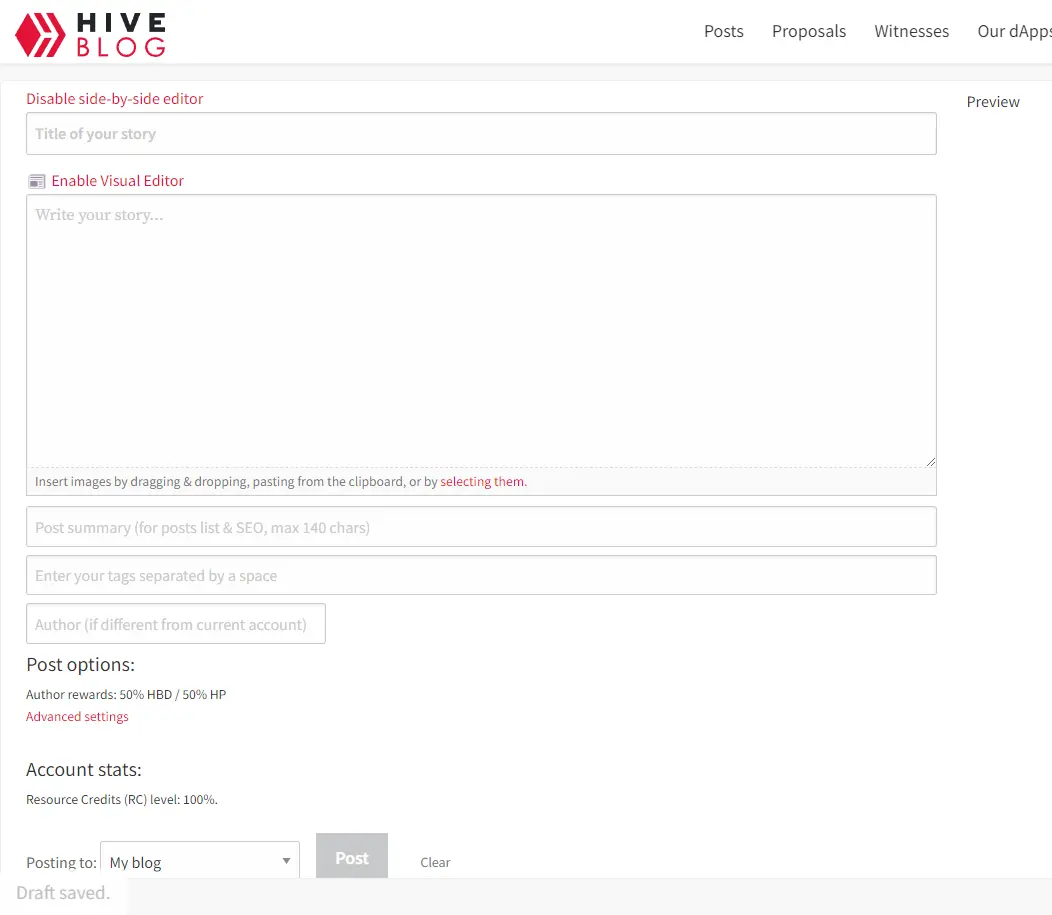
I love how you can flip flop back and forth. But there is even more that I love.
You can change a lot of the payment settings for EACH POST! *insert mind blown gif*
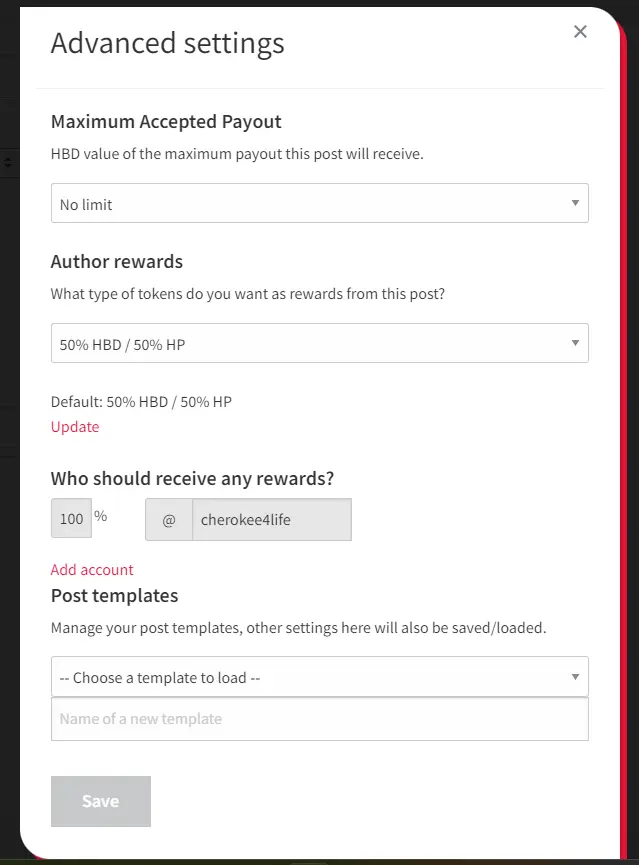
You can change the rewards types between HBD or HP, you can also change a post payer rewards. Say I am writing a port about Byron's Horde and his Discord and such. I could write the article and decide that I have 50% of the tips and I could give him 50% of the tips. Stupid simple.
When you are writing and adding images and just have a bunch of stuff going on.. you get a visual preview of your article right next to it. *insert the same mind blown gif*
What don't I like?
There are 2 things that I am not a fan of and both have to do with images.
1) As you can see in my last screenshot, when you post a image to a article, in the editor it doesn't put anything there to show you there is an image. So without that preview section you would have no idea if it did post correctly or not.
In the screenshot below I will try to show you what I mean. The only way you can see is that there is a small space at the start of the line (Red arrow). And if you see the Blue Arrows there is no extra space.
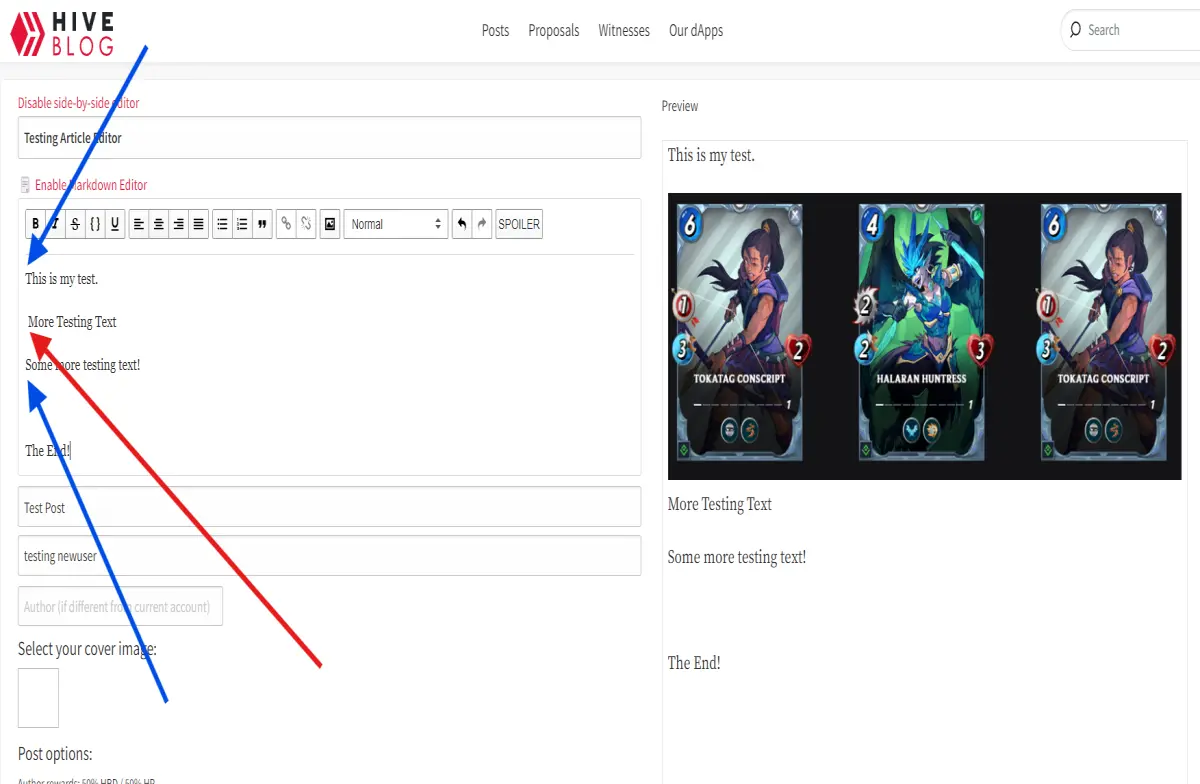
I really wish they would put something like *image* or {image} there so you knew that's where an image was.
2) Now my second issue actually attaching images to a article. Now I understand WHY its setup this way. That is because you are posting articles ON the blockchain and so you need links to everything like SFTP hosted images. You can't just copy and paste a image to the Hive.blog article editor and have it post to the blockchain.
So when you want to add an image you need the URL of the image. As seen below:
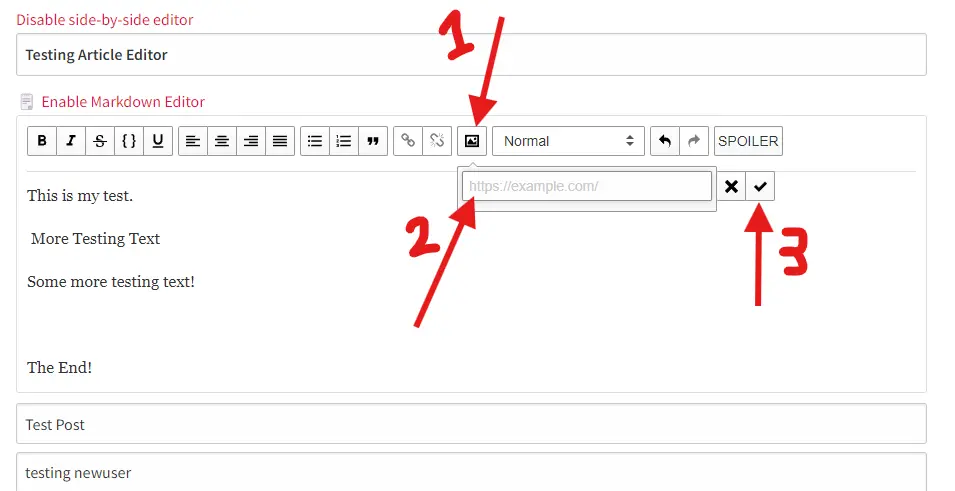
If you are new to writing articles and such I could image this would be a hurdle for you. But as someone who will continue to post on Publish0x first I can upload images to my articles here from my computer, and then use that image's URL to post it on Hive.
All you have to do is right click on a image (that you uploaded to one of your articles that you own to post online) and select "Copy image address".
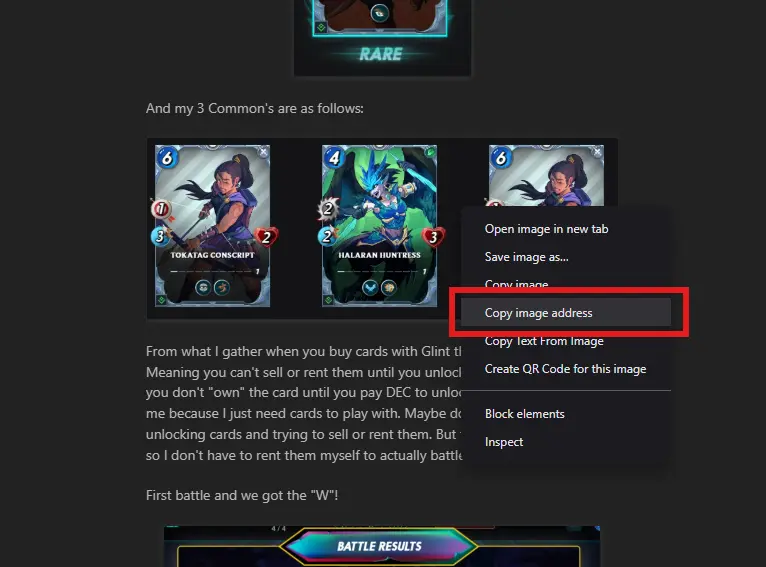
Then paste that address into the URL field in Hive.Blog.
And that is it. Find me over on Hive.Blog and check out my posts there if you want :)






