
TRC20 are tokens on tron, that can be used in tron DEXes like justswap !
1 - Requirements
- Having tronlink installed on your computer
- Having at least 30 trx (1$ if u're on mainnet)
2 - Codebase
Codebase can be found here : https://github.com/zyumingfit/TRC20-Contract-Template (yes, there's 5 files)
3 - Editing contract files
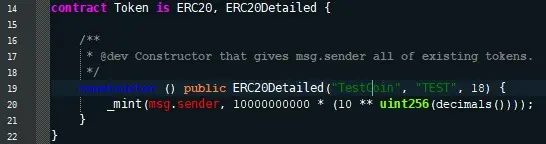
If you want to edit files, you can do using any plain text editor (for example, windows notepad or notepad++). For setting up token name/ticker, you should edit Token.sol file. Here's a screenshot (I've a custom theme on notepad++) !
4 - [optional] - if u want to deploy contract on testnet
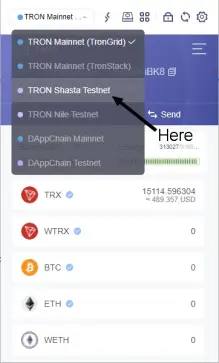
If you want to deploy token on testnet, go to switch tronlink to shasta testnet.
You can get some testnet TRX on faucet !
5 - Load interface
Go to tronscan.io if you want to use mainnet, or shasta.tronscan.io if you want to use testnet !
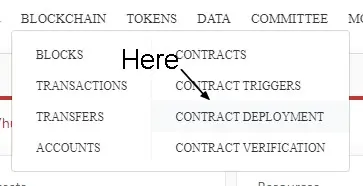
Connect tronlink (using button) and then go to blockchain > contract deployment
6 - Upload and compile contract
Now, select all files and initiate compiling ("Compile" button)
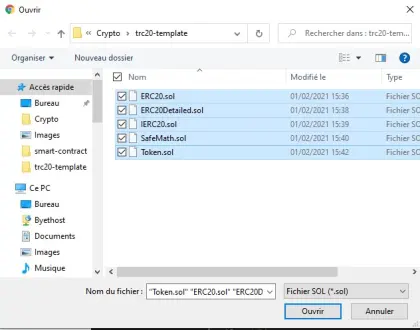
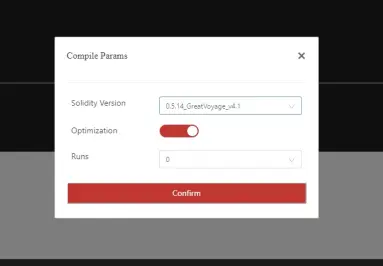
note : while compiling, you should select 0.5.x solidity version, else you'll have errors
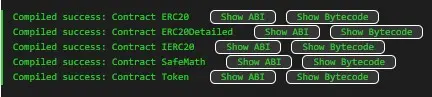
You should have a result like this :
7 - Deploy Contract
Then click "deploy" (the red button).
Very important : main contract is Token, and you should set user fee percentage to 100 (so users will pay 100% of the fees, else YOU are charged for gas).
In my case, contract is TD85JX5V4RLMFW98Yaf4SR8jhaBXt1UfFy (on testnet).
8 - Apply for official Token registration
For getting your token officially listed, there's a last step : listing it on tronscan.
For that, go to tokens > token record (still on tronscan), and then fill the form !
9 - That's all
Token is now live here (contract address : TD85JX5V4RLMFW98Yaf4SR8jhaBXt1UfFy) !
If you want, feel free of sending addresses of YOUR tokens in the comments.
And if I didn't explain well, feel free of asking help in the comments !!!






