
As many of you might know the developers of Axie Infinity have been working on this sidechain over the last year, but the wait is finally over because the side-chain is here!
This side-chain will take care of all the transactions related to the game so we don't have to pay any more crazy fees from the Ethereum blockchain in order to buy, sell or trade items!
The downside is that we will have to wait a bit longer for the Axies to be included in the sidechain because for now it's only being used for land and items.
In order to migrate your lands and items to the Ronin sidechain you have to link your Axie Infintiy account to the Ronin Wallet.
Here you have a detailed guide on how to do it!
In this guide we will walk you through the Ronin wallet extension set up.
First of all we have to go to your profile on Axie Infinity marketplace and then hit the “Activate Ronin wallet”

This will lead us to the google chrome store so we can install the extension.

Add the extension.
Once the Extension is installed we have to create an account so we can link it to our Axie account.
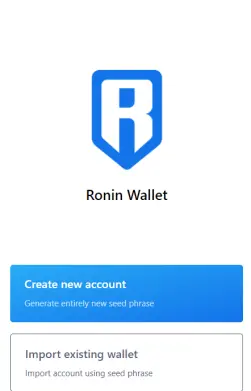
When you hit the create new account button, it will ask you for a password and then the extension will show you the secret words for recovery. Make sure you write these words on paper!
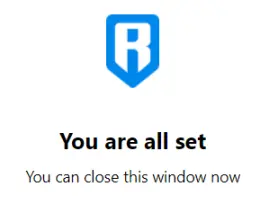
Go back to your profile at Axie Infinity marketplace and your status should look like this.
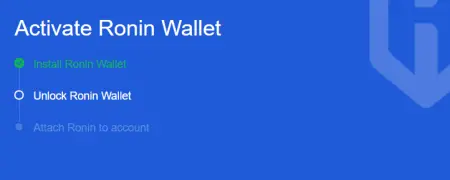
Now go back to the extension and unlock it with your password, once thats done the status should update once again.
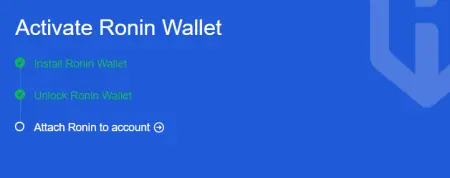
And that's it! your account should now be linked to your Axis account, feel free to ask any questions down in the comment’s section.
Please don't forget to like, comment, follow and tip if this post was helpful!
And you if you enjoyed what you saw I'm also running a Twitter, Instagram and Telegram
Until the next NFT news and thanks for reading!
Other interesting NFT related posts:
What is Axie infinity?
The ultimate Axies Breeding Guide!
HodlGod! Play-to-earn Battle Royale!






