
What is Publish0x
Publish0x is a blogging platform with a difference. Publish0x allows users to earn some cryptocurrency by reading blogs about cryptocurrencies (and other subjects) by tipping good content. There is no better way for newbies to learn and earn. You can also apply to be a blogger yourself and earn even more as an author.
Currently, Publish0x pays out through BAT, DAI, or Hydro however more coins may be added in the future.
Tipping
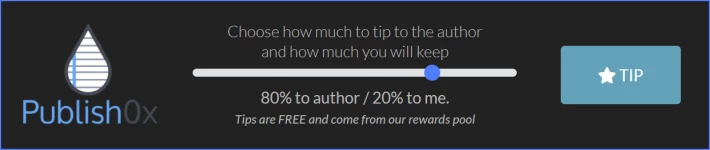
If you read an article you like you can decide to tip the author by clicking on the "Tip" button at the bottom of the blog page. The tip can be split between the author and yourself with the default being 80% to the author. However, there is a slider where you can adjust this to give more or less to the author (and yourself).
Extracting Your Earnings
Once you have accumulated enough rewards through reading or writing blog articles you can withdraw your earning. You will need to reach the minimum withdrawal level first (they may change) which are currently:
- 2.1990 BAT
- 0.5005 DAI
- 694.7400 HYDRO
You will also need an Ethereum wallet that can support ERC-20 tokens. There are a few available such as MyCrypto, Metamask. However, for this article, I am going to show how to set up your Coinbase Wallet for payments.
Coinbase Wallet
The Coinbase Wallet is a standalone secure wallet that you can link to your Coinbase account. This allows you to transfer your crypto between the two as required. The Coinbase Wallet supports Bitcoin, Bitcoin Cash, Ethereum, Litecoin, Ethereum Classic as well as may other altcoins and any ERC-20 token built on top of the Ethereum blockchain.
Coinbase is a big player in the cryptocurrency space and as such pride themselves on ease of use and security. Perfect for those who are new to crypto. Your Coinbase Wallet is supported by Secure Enclave and protected with biometric authentication.
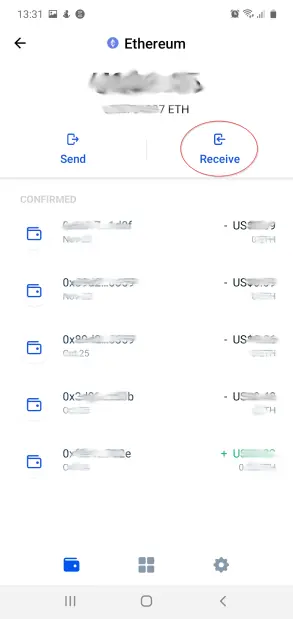
You will need to copy your Ethereum address from your Coinbase Wallet so that you can add it to Publish0x. If you open your Coinbase Wallet app and click on your Ethereum token, you can click on the receive button.
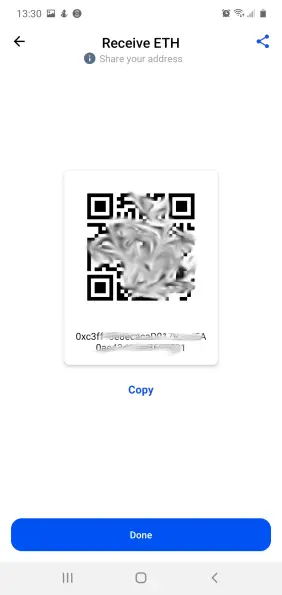
This will open a screen showing the QR code for your Ethereum address with the hexadecimal code below and a copy button that you can use to copy your address to the clipboard. Copy the address so that you can then paste it into the Publish0x website.
Setting your Publish0x Wallet
To set up your Coinbase Wallet to receive payments from Publish0x, you will now need to add your copied Ethereum address to your profile settings. Click on your name on the top left of your Publish0x page whilst signed in and select settings. You can then find the wallet settings and enter your Ethereum address as below and click Save.
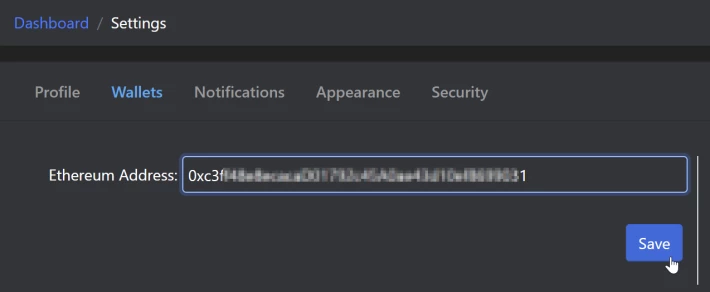
When you add your Ethereum address an email will be generated to your registered email account which is a security measure to ensure payments are going to the right place.
Start Collecting
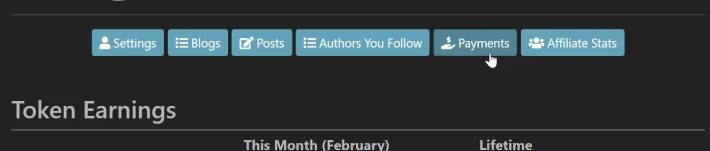
You are now all set up to start receiving payments when you have reached the minimum payout amount. Just go to your dashboard and select the payment section and you can start requesting payments.
It is that simple. Tip well and others will tip you.






