
Welcome:
Hello and welcome to my second blog pieces on publish0x, thanks so much for reading and if you have any comments please leave them below for me, I'm always looking to improve. In this article, I'm going to cover the setup process to become a brave creator, which means you can earn BAT when people visit your website or blog automatically and can receive BAT as tips for people using the Brave browser to view your tweets. You can also use it as an easy way to get any BAT you earn for using the Brave browser on a mobile or laptop as you can send yourself tips. I'm not going to cover what Brave is, or what BAT is as others have done that pretty well. So without further ado here's...
How-to: Become a brave creator to earn BAT for your website and twitter.
1. Download the brave browser and install it on your laptop, phones... everything. You might as well get used to using it yourself if you're going to earn some crypto from it.
2. Go to https://creators.brave.com/sign-up this is the first step to becoming a creator and explains the full terms and conditions for doing so. Do make sure you read these terms before you sign up.
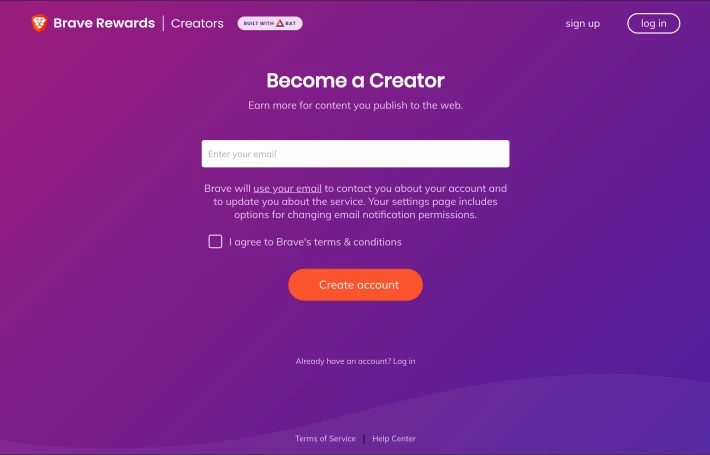
3. Enter your email in the box, tick the box to agree to the terms and conditions (assuming you do agree that is) and click on the "Create account" button. There will be a lovely animation and you should see an instruction to check your email.
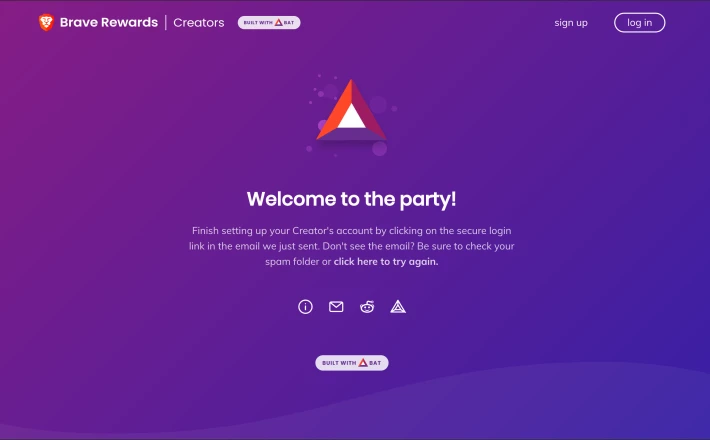
4. On the same device open your favourite email app or client and click the link provided to verify your account.
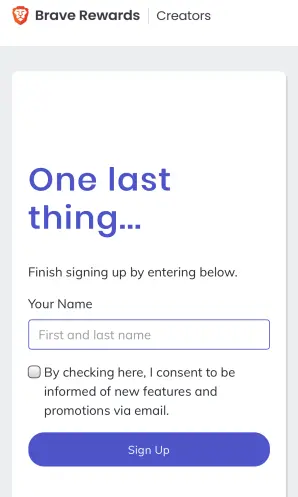
5. When you complete step 4 and the link is successful you will be logged into your new profile and asked to provide your name and consent to marketing. It seems like it's a mandatory step but honestly, I haven't received a single email from them since I signed up last year.
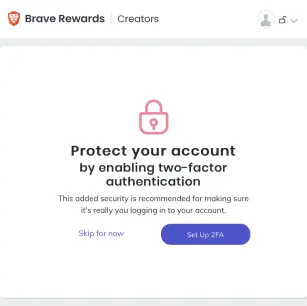
6. You will then be asked to set up 2FA, two-factor authentication, you should definitely do this as it will help secure your account and protect you from hackers.
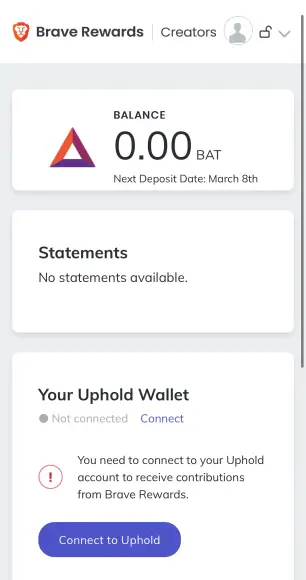
7. Once you've set up 2FA your account is ready to roll, but you won't be earning any BAT quite yet. The screen below shows you how many BAT you have earned (0.00). But also clearly indicates you should link your uphold wallet. Currently, the only provider that Brave creators support is UPHOLD so you will need to set up and create an account with them. I won't be covering that process in this tutorial though.
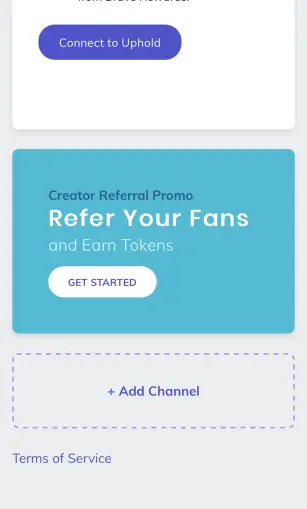
8. Scroll down the page and you will find a section below "Refer your fans" which says "+ Add channel" tap or click that.
9. You will then be presented with a long list of options as shown below. Tap the option that you want to set up.
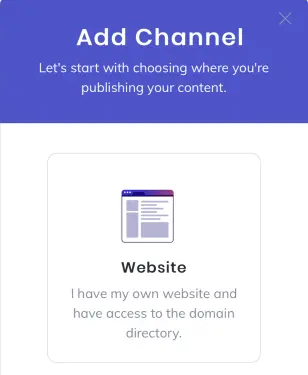
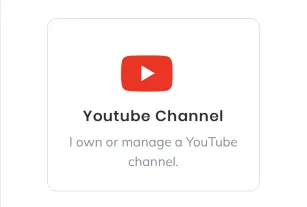
10. For the purpose of this tutorial, I will cover the website setup followed by twitter. The basic premise of the setups is the same and very easy to do
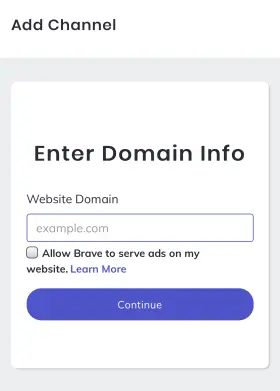
11. Enter your domains name and tick the box that says you're happy for them to advertise (that will bring you in extra BAT)
12. If you're using wordpress (like me) there's a handy brave plugin that you can install, into which Brave creators gives you a unique code to paste in, otherwise, you will need to copy and paste some HTML into your header content.
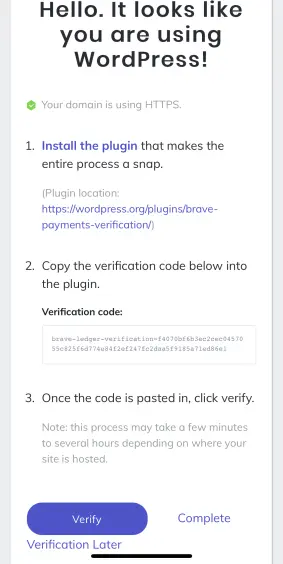
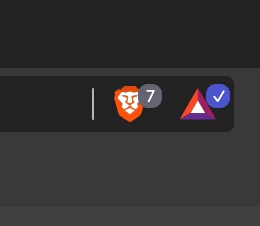
It may take a few hours for brave creators to verify that your website is up and running, but once it is you'll find that whenever you go on your website you'll see the brave verified creator badge next to the browser bar. That means that anytime someone visits your site while using the brave browser and has auto rewards turned on you'll get a share of their contribution, it also means they can send you tips if they really like your site.
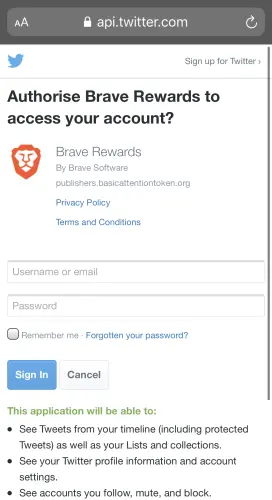
13. For a twitter set up, it's even simpler, Brave creators uses the native twitter API which means you just need to log in as yourself and authorise the app.
14. Once that's done visit your twitter profile in the brave browser to double-check that it's working. If it is you should see the same tick next to the triangle as you saw before on your website.
15. Repeat these steps for any of your channels as needed and enjoy the creative gains of being a Brave Creator.
Bonus tip:
Because you are now a verified Brave creator, you can get your rewards paid from your mobile browser sooner, I've written an article here about how to do it: How-to: Get your Brave BAT rewards paid from your mobile browser sooner
While you're here
Thanks so much for reading, if you have any questions or feedback for me please do get in touch via the comments below. If I helped you in any way please consider giving me a tip below, every donation makes a huge difference and keeps me writing. Have a lovely crypto journey!
***Please note the information given here is for educational purposes only, it does not constitute financial advice in any way shape or form and should not be interpreted or used as financial advice. I am not qualified as a financial advisor and content provided by me anywhere is informational purposes only. Information given here should not be considered financial or investment advice of any kind. It is highly recommended that you seek the advice of a professional before making any financial decisions. You are in full control and ownership of any decisions made based upon the information I provide and I accept no liability for any decisions made based upon information I provide.***






