
I think all cryptocommunity remember Uniswap’ Airdrop in September 2020 (you just had to do a couple of simple steps on the platform). Now I want to tell you about something interesting. Yesterday on Youtube channel of Waves at the AMA session, the founder of Waves Sasha Ivanov made a very interesting announcement. Early providers of liquidity on Swop.fi will receive Swop tokens. The exact date is unknown, but most likely early next year. About the Waves project read here.
Below I will show you how to participate in liquidity pool on Swop.fi.
What is Swop.fi
Swop.fi is a new automated market maker (AMM) on Waves that combines several types of pools with different price calculation formulas that are most suitable for each specific token pair. You can fund the pool of your choice and become a liquidity provider. In return, you receive a share token that represents your share in the pool. When withdrawing your funds you also receive a part of the fees accumulated in the pool, proportional to your share. For today 8 pairs are available. Farming of Swop is available on all pools.
SWOP is the governance token of the protocol. When the SWOP token is launched, the token holders will be able to vote for key system parameters, for example. Liquidity providers will be rewarded in SWOP according to the market value of liquidity they added to SWOP farming pools and the duration of providing that liquidity. 6 million SWOP tokens will be distributed in total. 1 million is an exclusive pre-launch reward for the early-bird liquidity providers that replenished the SWOP farming pools in the short period before the SWOP launch. There is no Swop.fi token yet, so be careful.
Guidance
First, you need to buy some Waves token, you can do this on Waves.Exchange. Then you need to have corresponding tokens in equal equivalents. For example, you want to add liquidity of 100 USDN (USD stablecoin on Neutrino) into WAVES/USDN pool, so you need to have 100 USDN and 15 Waves (1Waves=6,6$). I want add liquidity to NSBT/USDN pool (NSBT, Neutrino System Base Token – an utility token for the Neutrino system, based on Waves).
Open the Swop.fi and connect to your wallet using Waves.Exchange.
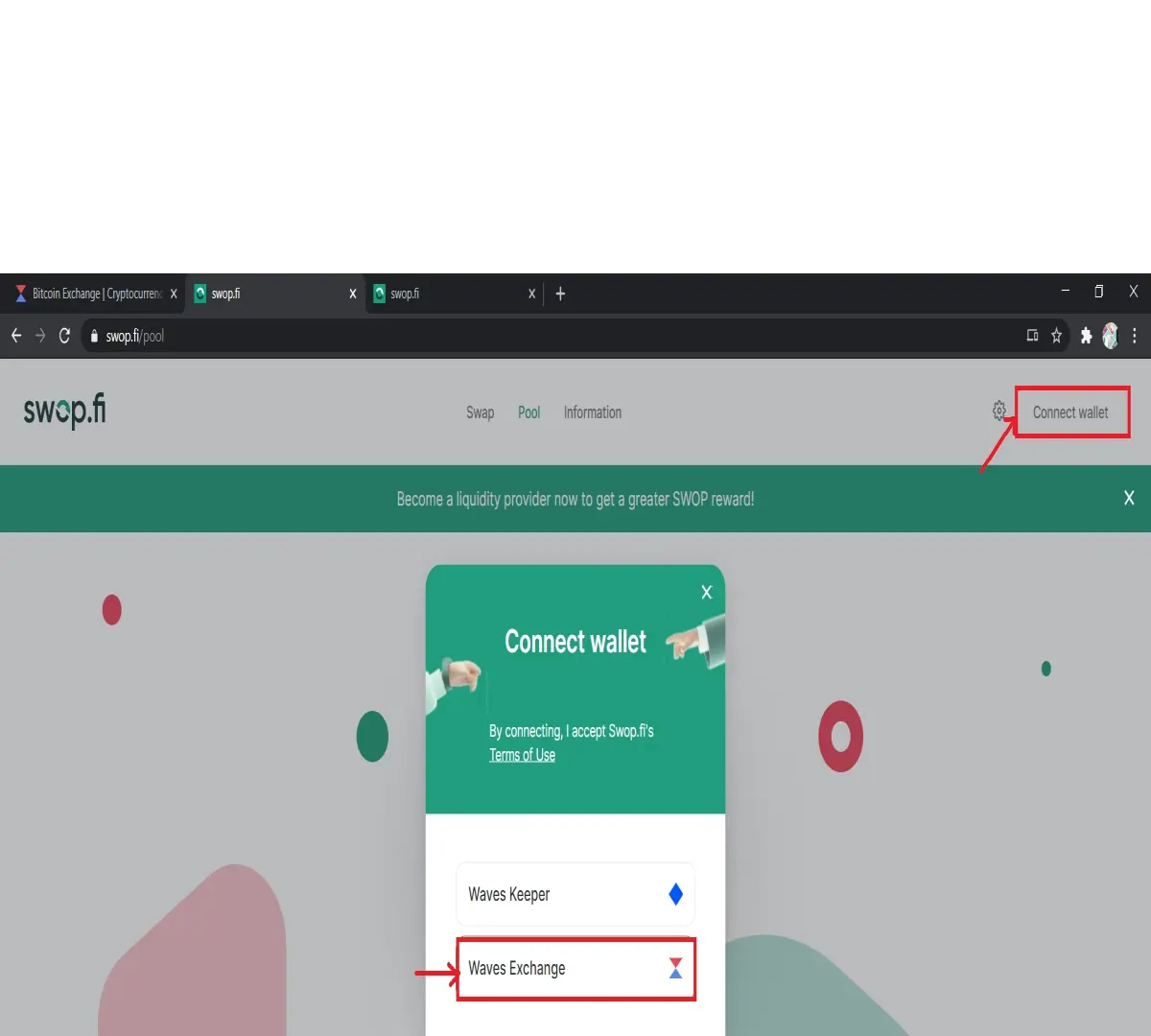
Switch to the Pool tab. Choose all pools. Choose the one you prefer and push the button +Add liquidity.
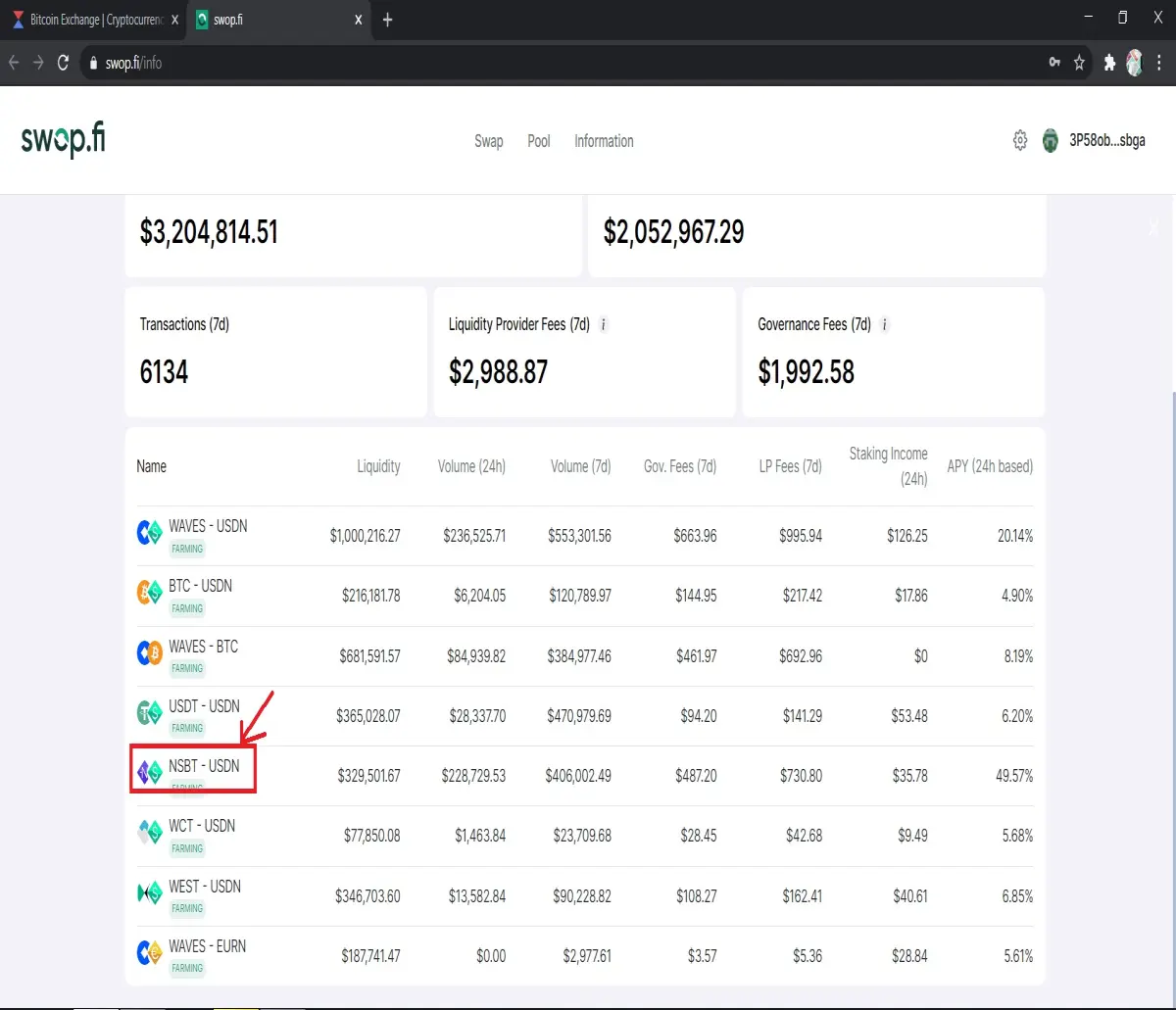
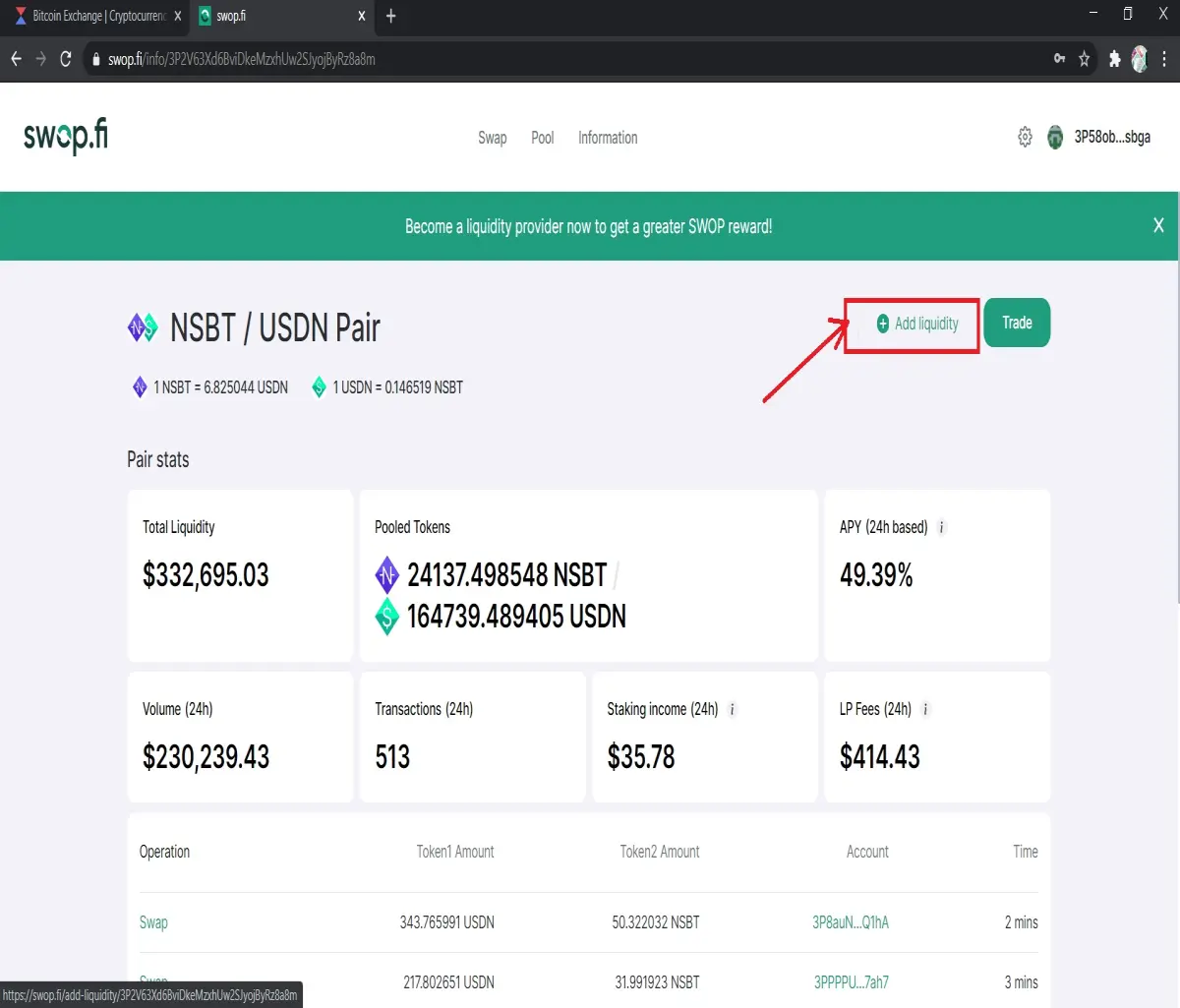
Specify the amount of one of the tokens you want to add. The amount of the other token will be calculated automatically.
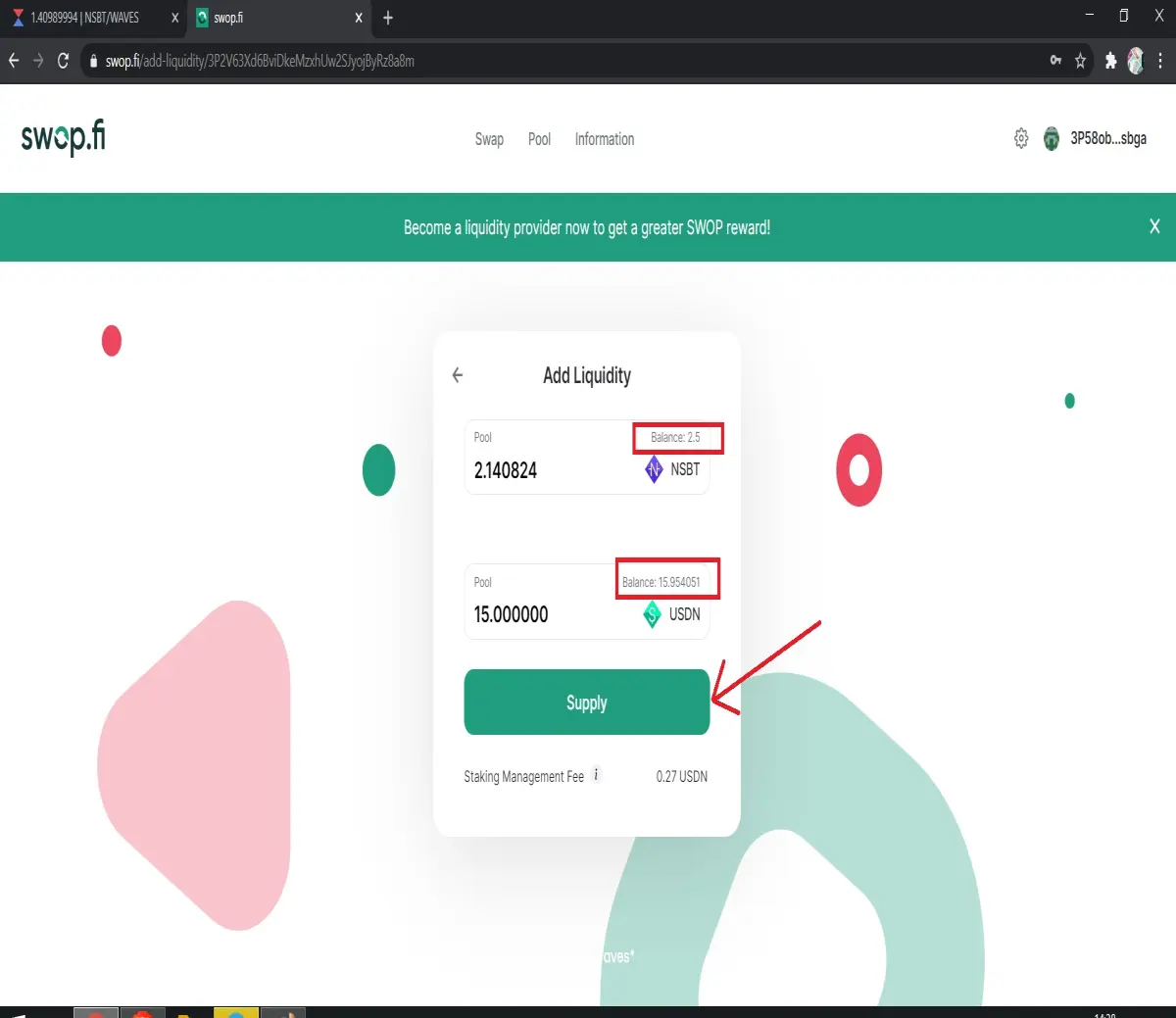
Click Supply and sign the transaction. That is all, you did it, it was easy.
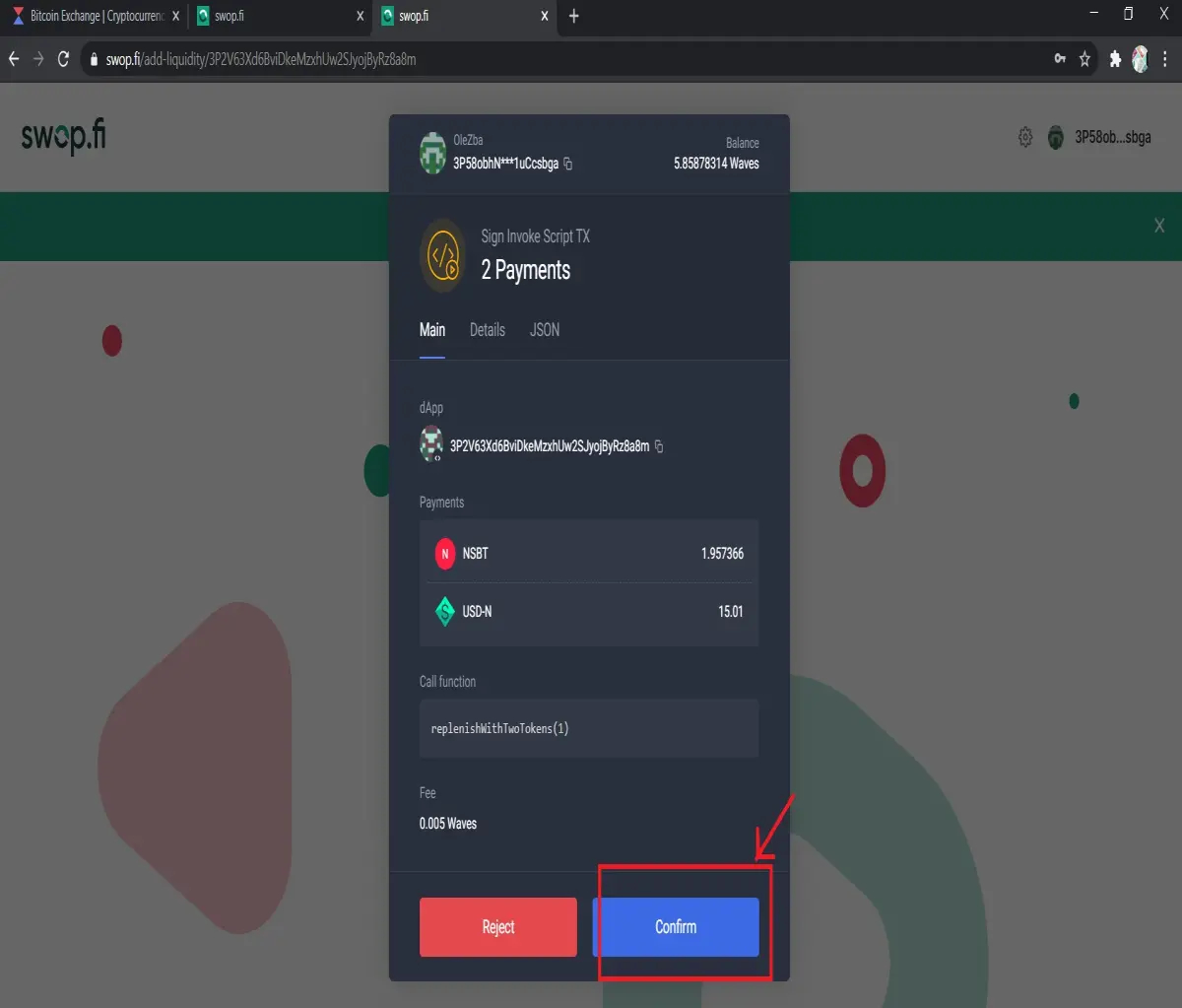
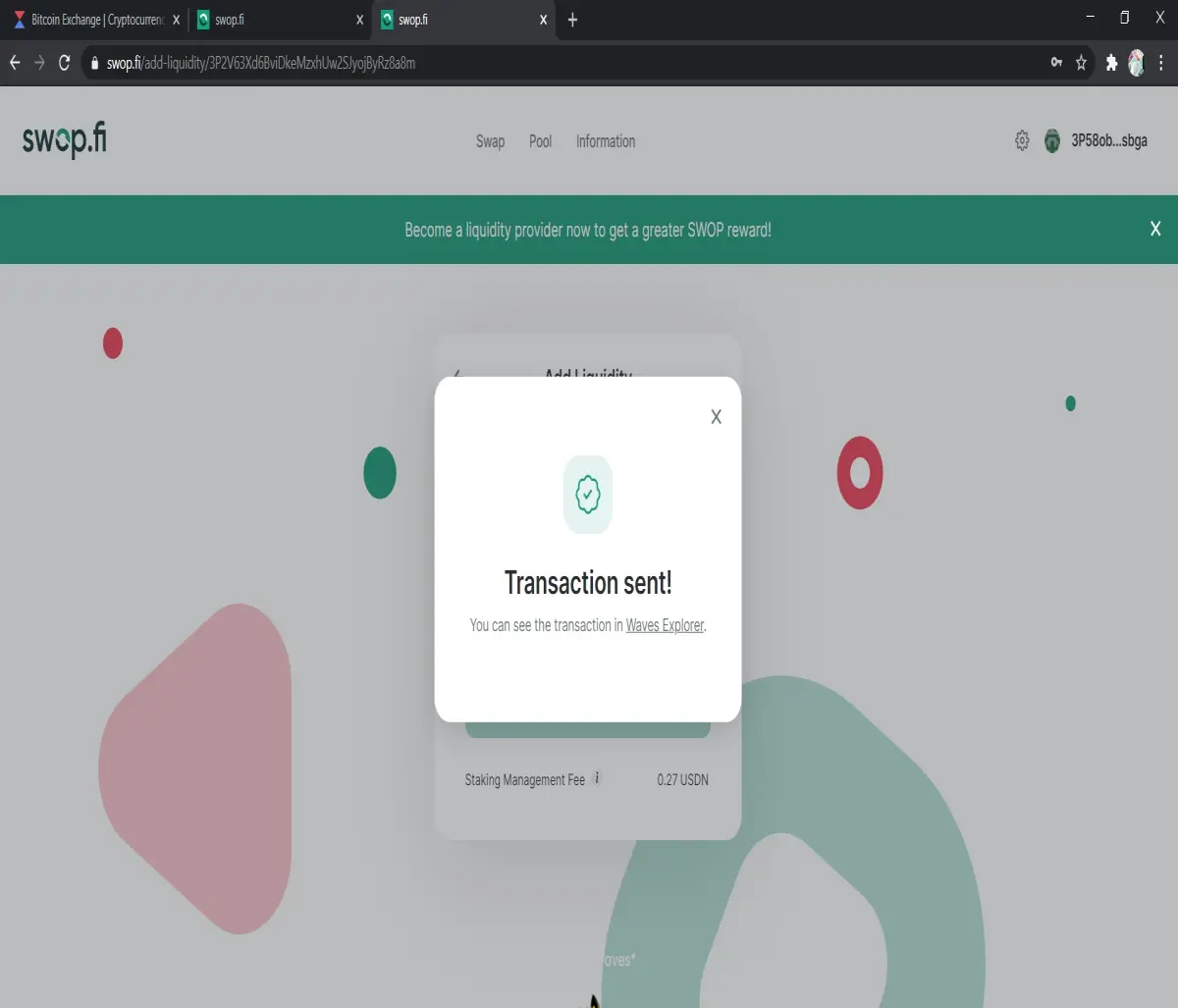
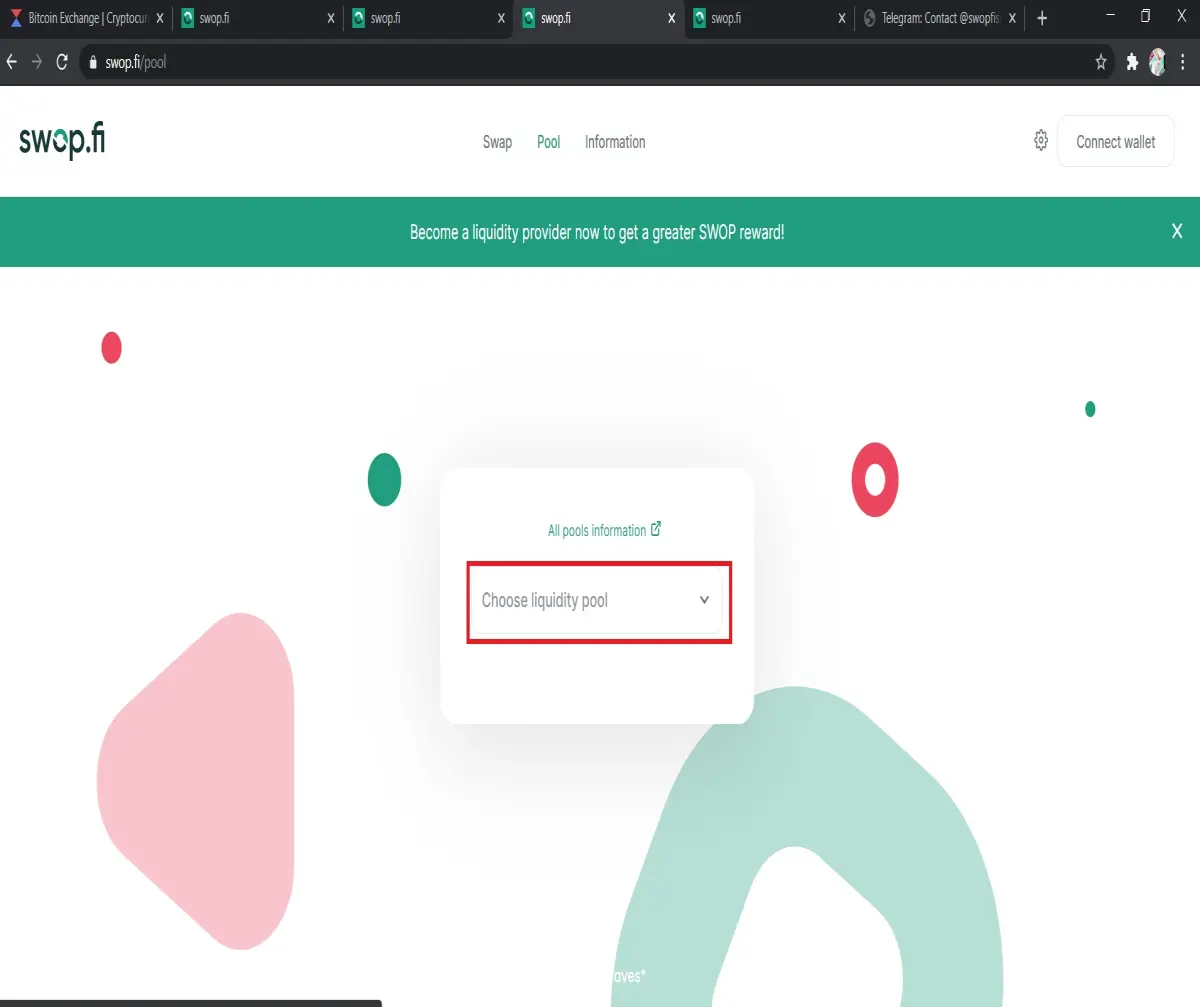
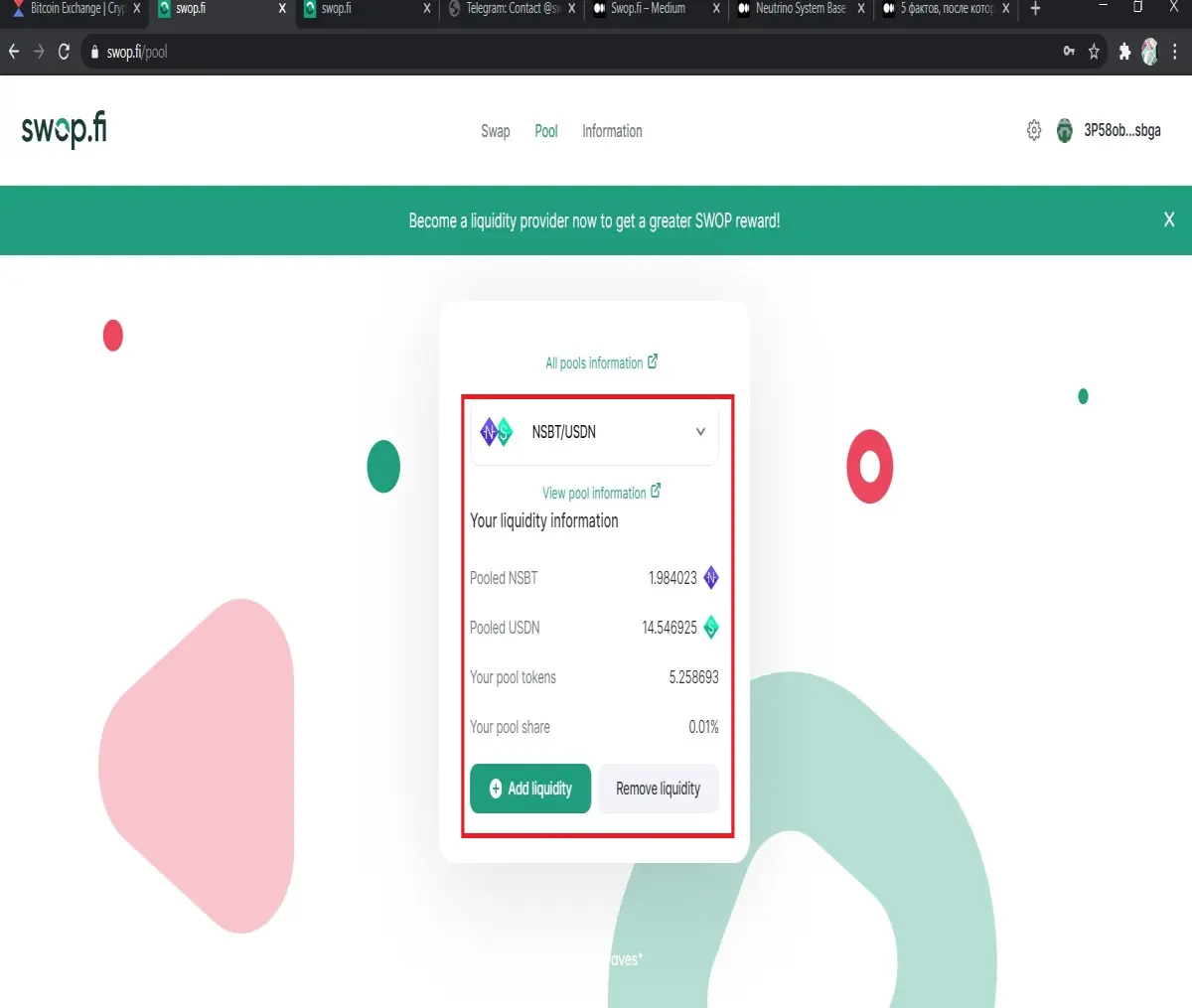
Now you can see your share . Choose liquidity pool on page of Pool.
In process, I twice received such error system.
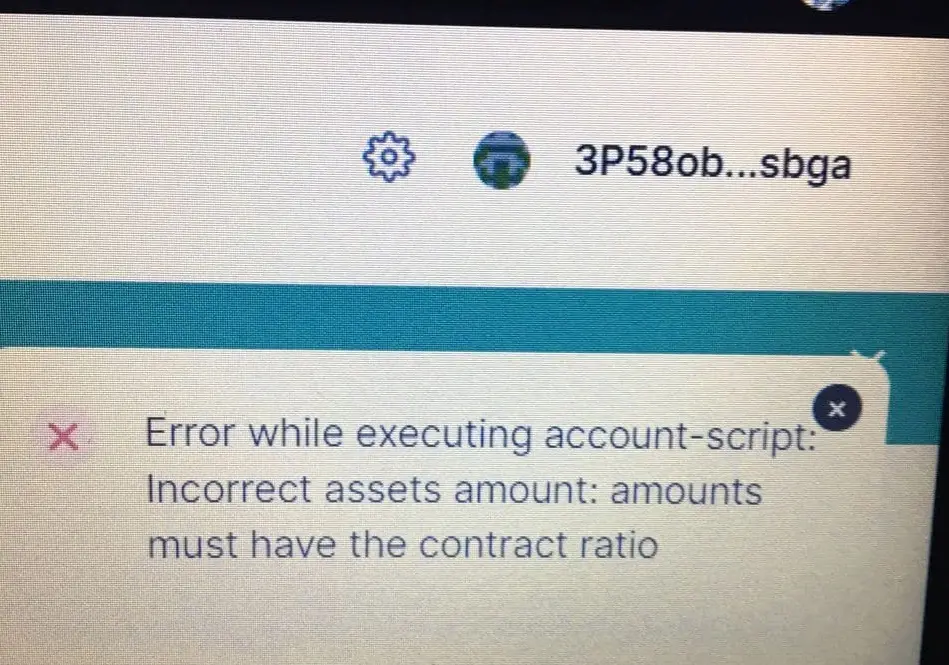
There may be several reasons for this. The token ratio in the pool may suddenly change just before replenishing due to large exchanges. If the token ratio in your replenishment differs from the token ratio in the pool by more than Slippage tolerance, the transaction is canceled. You can replenish the pool with a new ratio. You can also change the default value of slippage tolerance in settings. Or try to wait for a few minute and repeat the transaction.
At any time you can withdraw your funds by sending back all or a part of your share token. In return, you receive the tokens from the pool, including accumulated fees, proportional to your share. You get both tokens in the same ratio as they are in the pool at the moment.
Support chat for Swop.fi in Telegramm https://t.me/swopfisupport.
Good luck for all!






