
Why would you want to connect your Ledger to your Brave Browser Wallet?
If you, like me, rather swap your ERC-20 tokens for ETH (or vice versa) in decentralized exchanges (DEX) you may have heard about Uniswap or Kyber Swap. If you care about security as well, you may prefer to keep your private keys stored in a hardware wallet - I keep mine in a Ledger Nano X, but there are lots of options in the market. However, it may occur that while you can easily log in to Kyber Swap with your Ledger device this option is unavailable in Uniswap, as we see below:
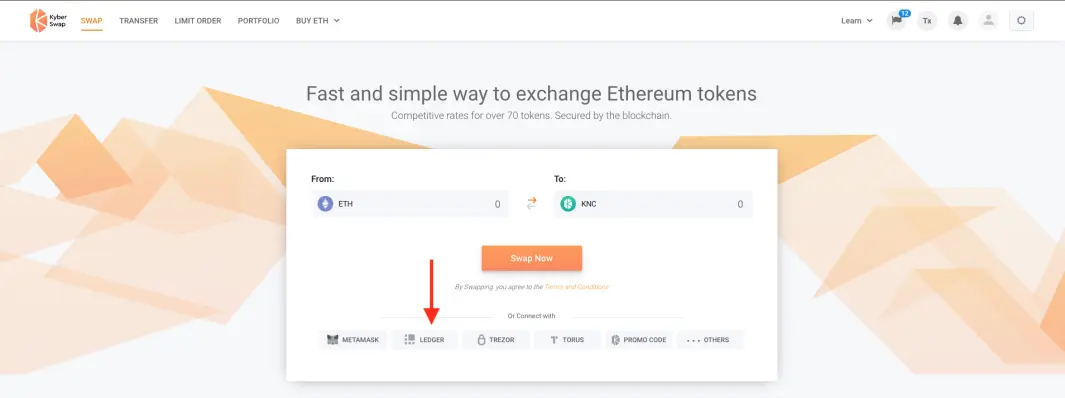
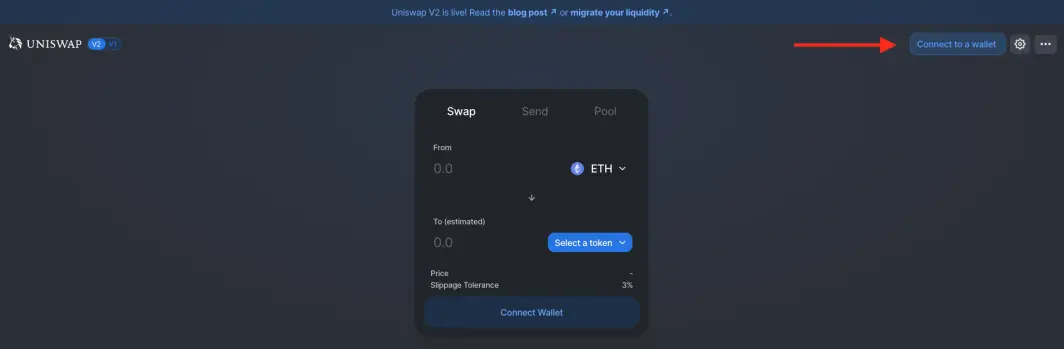
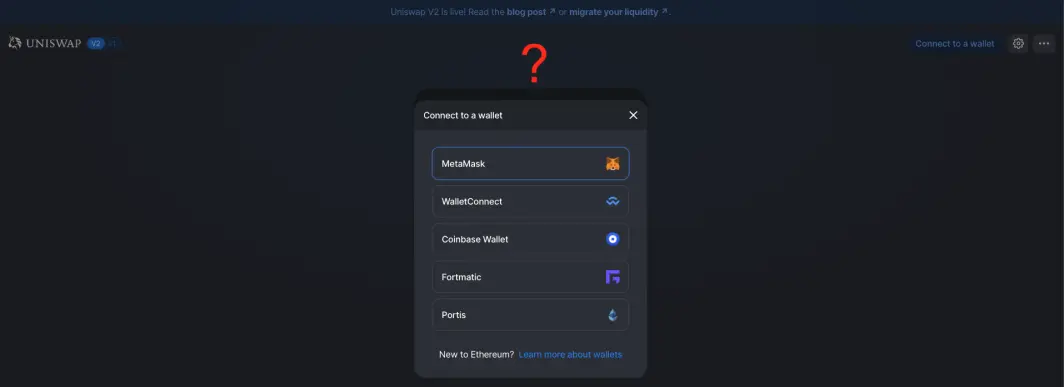
Does it mean that you can't use Uniswap with your Ledger?
Definitely not!
I'm talking about Uniswap but it is just an example. Since you connect your Ledger to your Brave browser wallet it can be used in any Dapp that supports the MetaMask login, without the need to install any extension. It happens because the Brave browser comes with an integrated wallet that can be linked to your Ledger with easy steps.
Linking your Ledger to your Brave Wallet
You can access your Brave wallet going to settings (⌘, if you are a MacOs user) > Crypto Wallets:
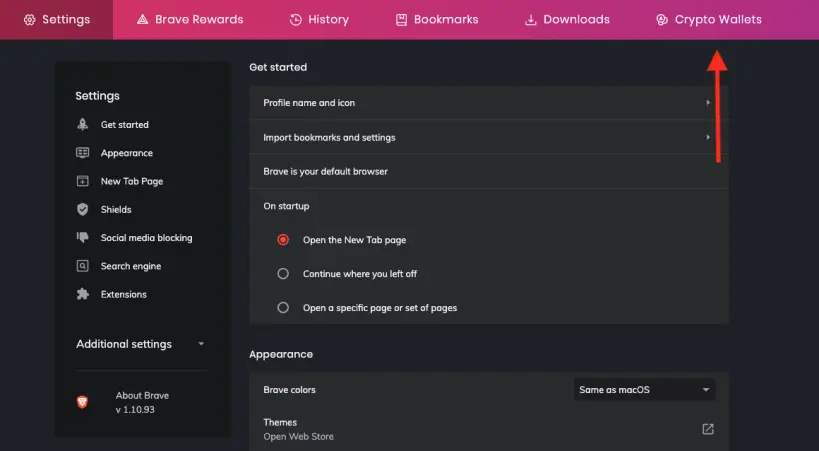
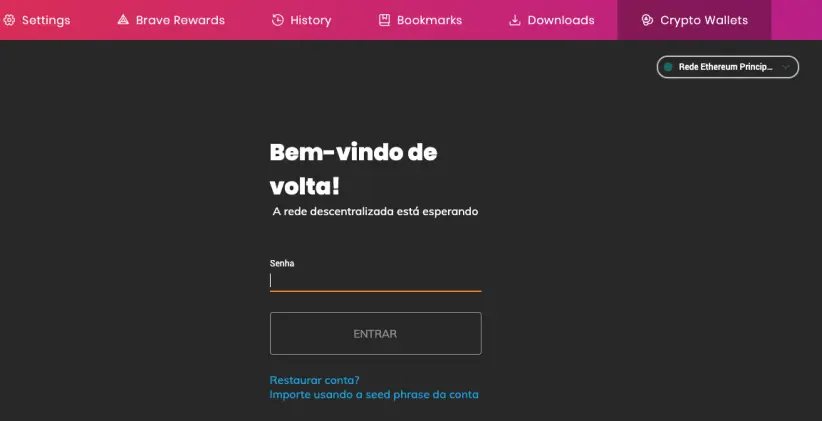
On the next screen type the password you've assigned to you wallet when you set up the browser:
(If you are wondering what language is that, it is Brazilian's Portuguese. I don't know why pretty much everything in the browser is in English but not this...)
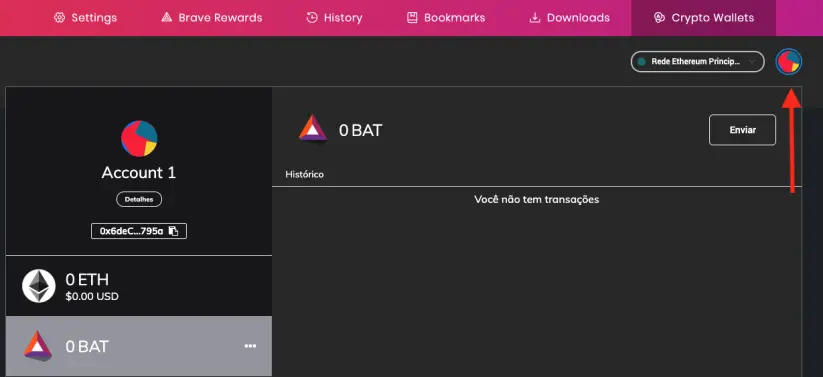
Great! Now you are in, click on the avatar on the top right corner to open a menu:
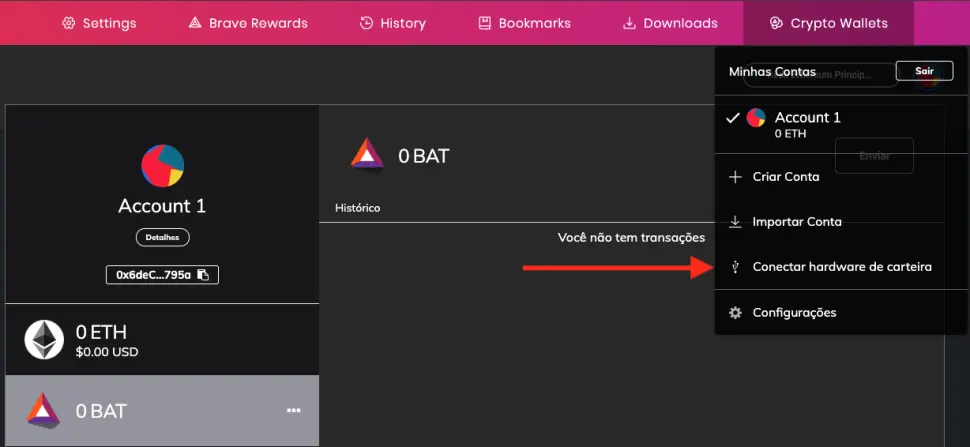
On this menu select the option next to the USB symbol, "connect a hardware wallet" (or some equivalent in your language):
When you get to the next screen:
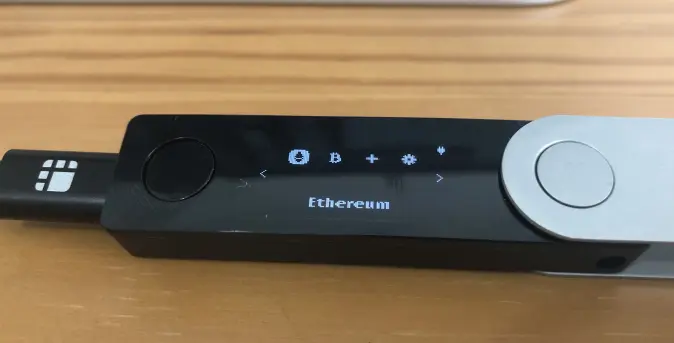
A - Plug the Ledger device to your computer and unlock it;
B - Select the Ethereum app;
Back in the browser:
1 - Select the Ledger option;
2 - Click connect.
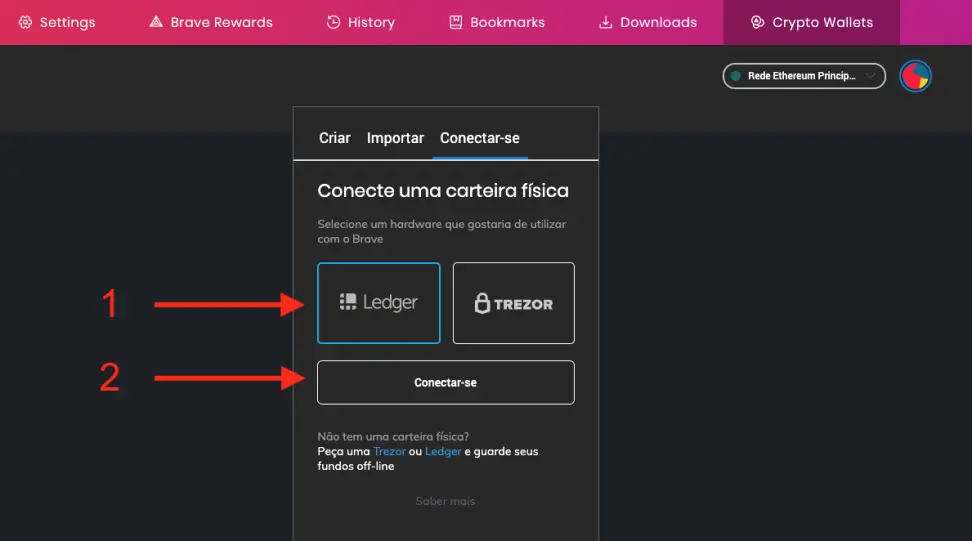
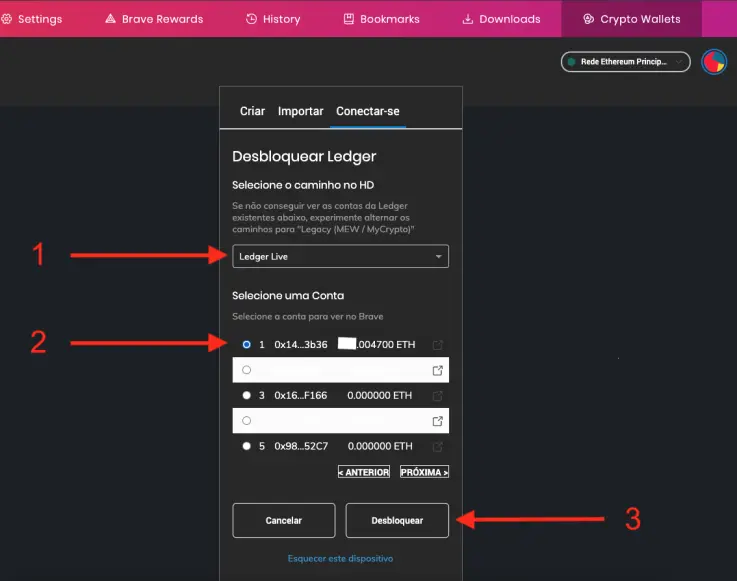
After that:
1 - Look for the address where you keep your funds - you may have to switch from "Ledger Live" to "Legacy (MEW / MyCrypto)";
2 - Select your address;
3 - Click unlock.
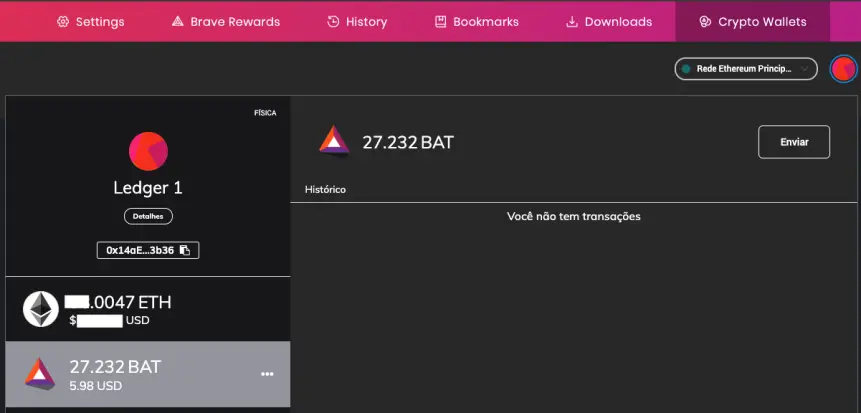
Now when you go to settings > Crypto Wallets this is how it looks:
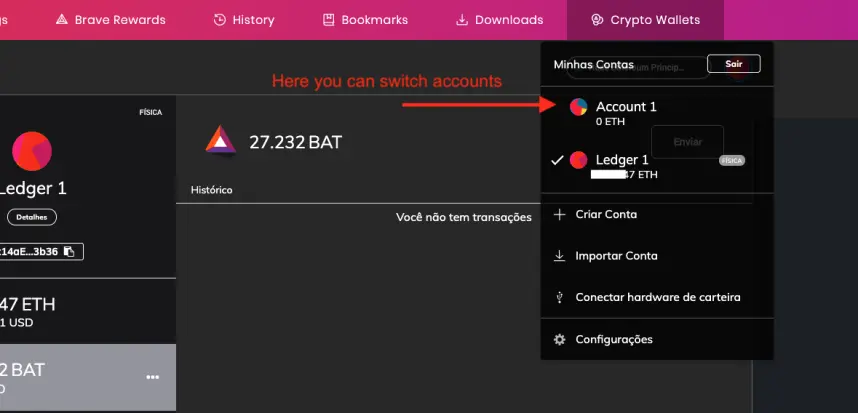
You still are able to switch back to your default Brave account or even disconnect your Ledger. You just need to access the same menu we used before.
That is all! You are ready to access funds you keep in your Ledger using your Brave browser.
Example of how it works
Uniswap
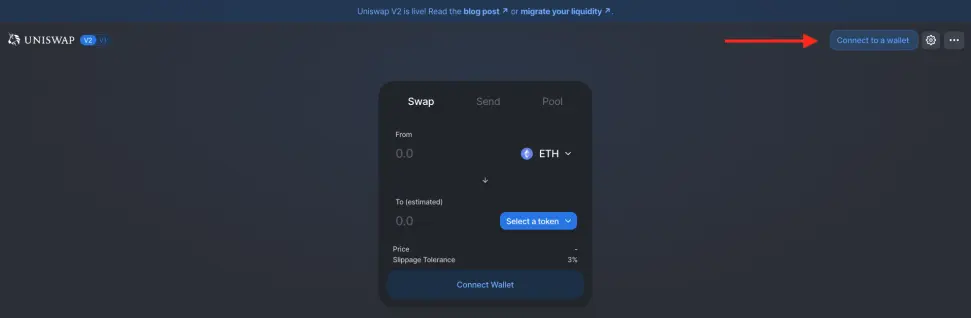
On Unisawp, select the connect wallet option on the top right corner and then choose MetaMask.
Make sure your Ledger device is connected to your computer, unlocked and the Ethereum app is open.

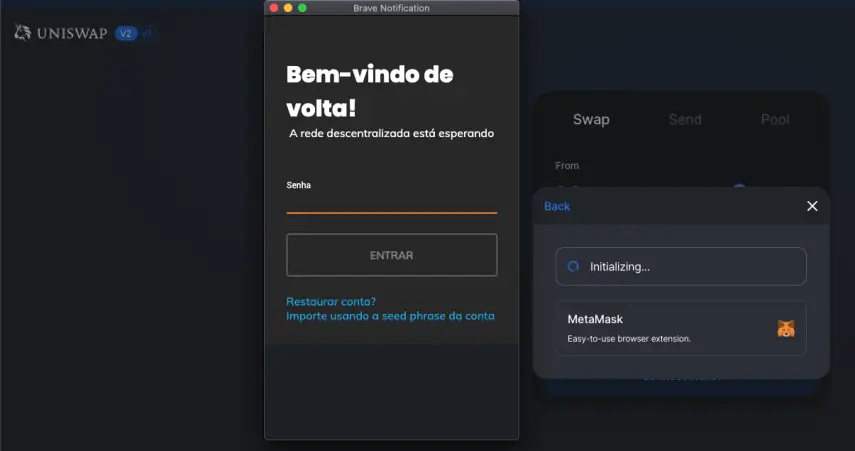
On the pop-up window type the password you've assigned to your Brave wallet (just like the first step we did to link the Ledger to Brave):
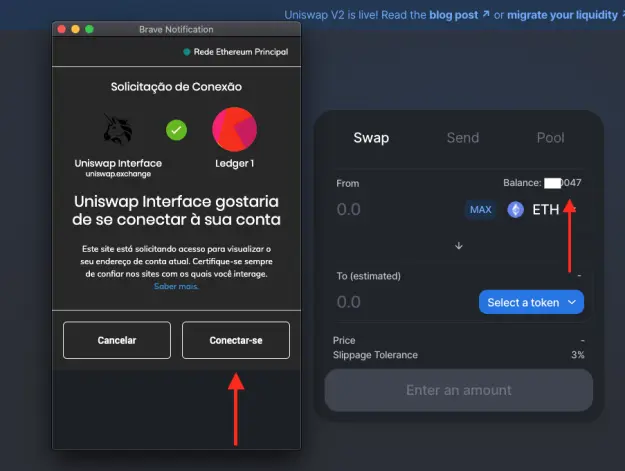
You will be asked to let the Dapp connect to your account. Just click "connect" and you be ready to access the funds from your Ledger.
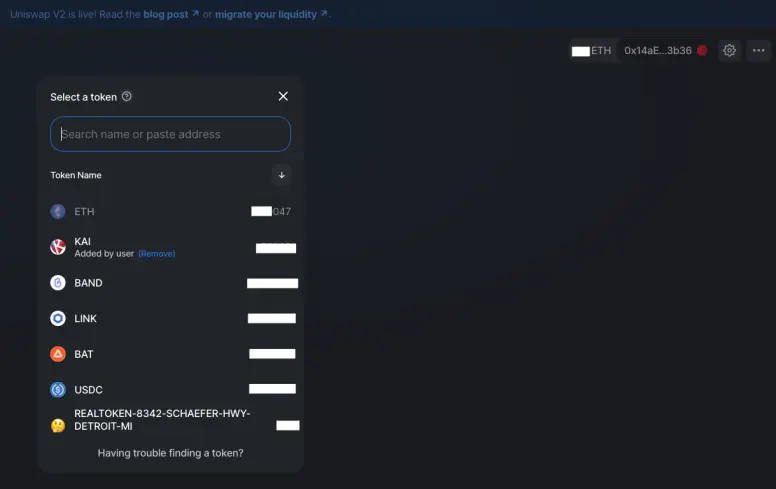
It is just that simple!
Now you are ready to access Unisawp and any other Dapp with your Ledger directly from the Brave browser, without the need to install any extension. Doing so, all the transactions made in these Dapps will have to be approved in your ledger device, as normally happens.
TIP: double-check the address you access when you go to a DEX, this is a way to avoid fake websites. Take care of your funds, that's a lot of scams out there.






