Hello gamers!
Today I'm going to show you how to make your games work smoother.
So, let's get right into it.
Steam
Right click on game you wanna boost and hit Properties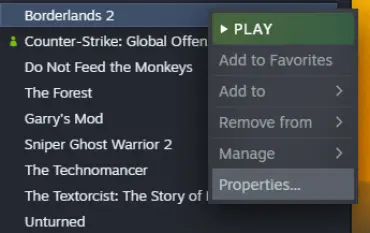
Go to General and hit Set Launch Options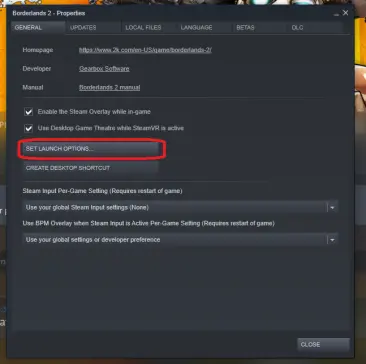
In the command line, type:
-nojoy (this command disables the controller)
-high (this command set game into high priority)
-threads x (this command sets how many threads you want game to use, set how many threads you want to, but no more than your CPU has)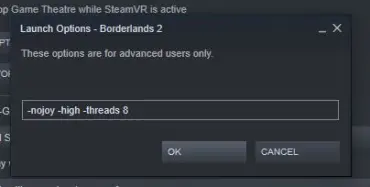
Bonus
If you want your games to run even better then use a Game Booster, a free software that disables unnecessary programs running in the background while you play.