
I have been Atomic Wallet supporter for a long time. I wrote multiple articles about it in the past and all of them can be found here in my blog in Publish0x. I'd like to take part in this competition so let me share my experience and observations.
Atomic Wallet a cold wallet that lets the user to keep all his private keys and has no any backup anywhere but on the owner's PC. It is secure as long as we follow the rules to keep safe your private keys and backup phrase and not to share them with anyone. The wallet itself offers multiple services with different degree of usefulness:
- Supports a wide range of crypto assets- few hundreds of coins a tokens.
- Supports atomic swaps - an option to exchange certain cryptocurrencies for others.
- Supports additional decentralized currency trading.
- Supports staking on 10 different assets. There is also support for monthly 3 airdrops.
- Option to purchase some of the cryptocurrencies directly with your credit/debit card.
- None of your vital data is stored by anyone except yourself.
The best part about the wallet is the fact that it's super user friendly and it's available for every single platform you might possibly want to have it on.
How to withdraw your earnings from Publish0x to Atomic Wallet
Atomic Wallet is ERC20 compatible and this makes it perfect fit for Publish0x - you can withdraw any of the tokens you earn here to it.
Here is what you need to do in order to receive your funds:
1) The first thing to do is to install the wallet itself. You can choose whatever platform you want.
2) The installation itself it is pretty straight forward. Then when you start the application you need to write down your unique "12-word backup phrase", which is used to restore/install the wallet on another device in case you lost it or simply changing it(store it some place safe, either on paper or some digital drive where only you have access). Additionally your wallet is protected with a password which you should not forget and need to provide each time you open the wallet. It is important to keep the wallet updated to the latest version so you can fully benefit from the new features they add with each version. The current Windows Version is 2.17.0 as of writing this article.
3) Anyway, let's go back on the topic of the withdrawal of your earnings from Publish0x. At the time of writing this article, The website offers tips 3 separate cryptocurrencies - BAT, Loopring and DAI. There are 3 ways to earn here - write articles and receive tips, tip other authors, be P0x embasador. Anyway, once you are registered and one or another way started earning, you need to reach the minimum withdrawal for each of the 3 currencies in order to be able to press the withdraw button. The amount you need to collect differs most of the time, but it is usually equal to 50 cents.
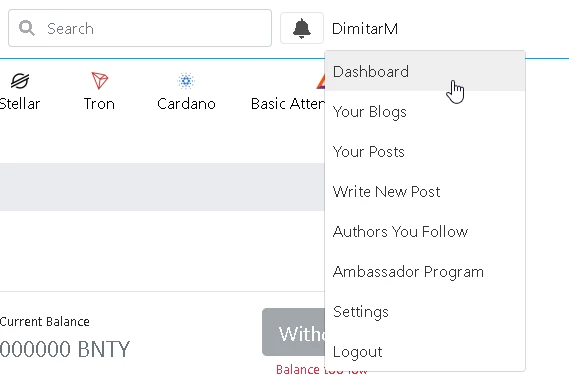
In order to see your earnings you have to log in. Then go to the top right corner where you see your name and from the drop down menu to select "Dashboard":
Once that's done, you will see a page where your stats from your time on the website: when you have joined, token earnings - monthly and lifetime, last 5 post earnings.
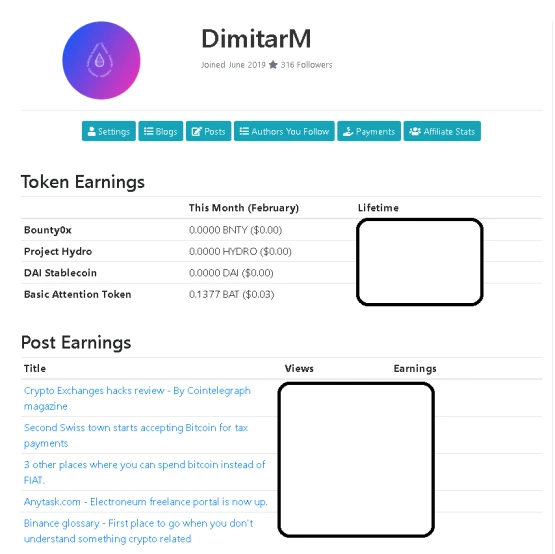
There are also 6 buttons displayed - Settings, Blogs, Posts, Authors you follow, Payments and Affiliate Stats. Where we need to go is the "Payments" section and it will take us here:
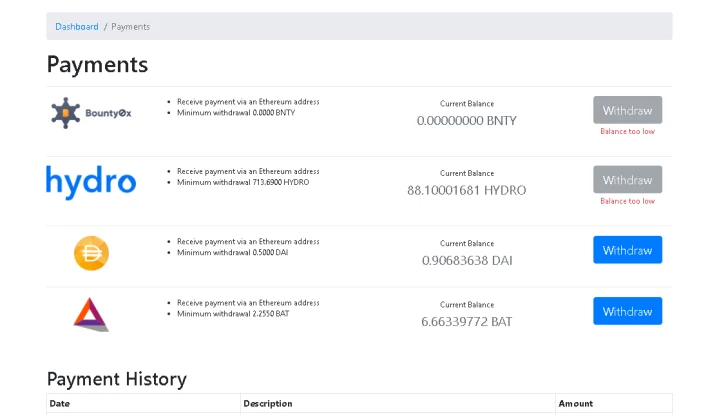
You will be able to see your balances and the minimum withdrawals for each token. However, before you were able to extract your earnings you need to do two things: reach the minimum for each currency and insert and Ethereum address (ERC20 compatible) into your account on Publish0x(Exchanges DO NOT OFFER ERC20 compatible addresses). And this is where Atomic Wallet comes to help. The ETH address which you will have in AW is exactly what you need. To get the address from the walled there are few simple steps.
- Start the application.
- Insert the password.
- Go to the wallet tab:
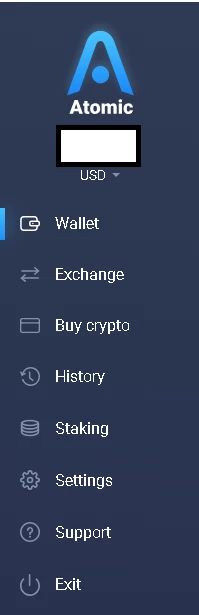
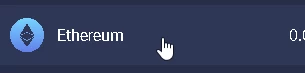
- from the list of currencies find Ethereum, either by scrolling or using the search on top of it:

- Once you find ETH click on it:
- It would look like this.
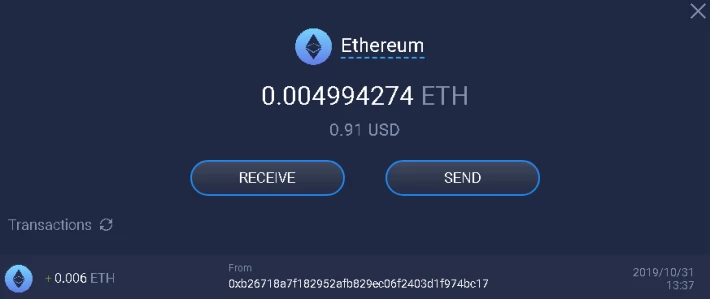
- Press the "receive button" and you will be provided with a barcode and an address for ETH.
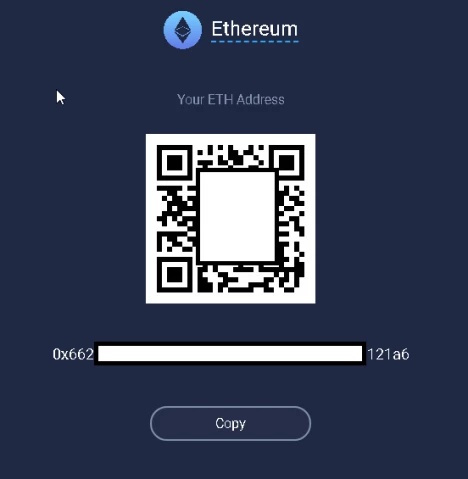
- By pressing the button "Copy" you will have the address in your clipboard.
4) The next step is to go back to Publish0x website and to Dashboard and press "settings":

and then wallets:
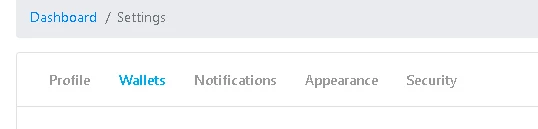
5) Once on the wallets tab, you have only 2 things to do:
- paste the address from the clipboard into the empty line:
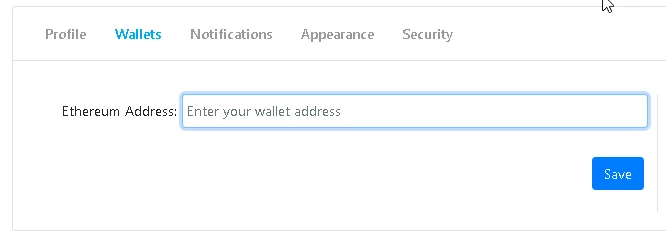
- And click "save" after you are done.
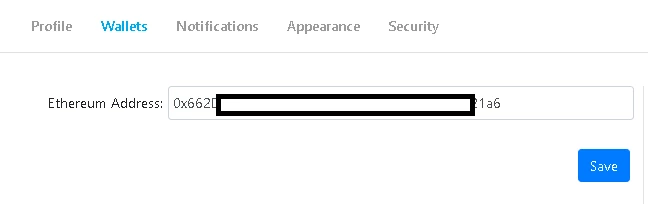
6) the next step is to go back to Dashboard-> Payments and press that withdraw button for the currency you have reached the minimum withdrawal

And then agree with the therms and conditions from the popup window, but confirming the withdrawal in the blue button on the bottom right corner
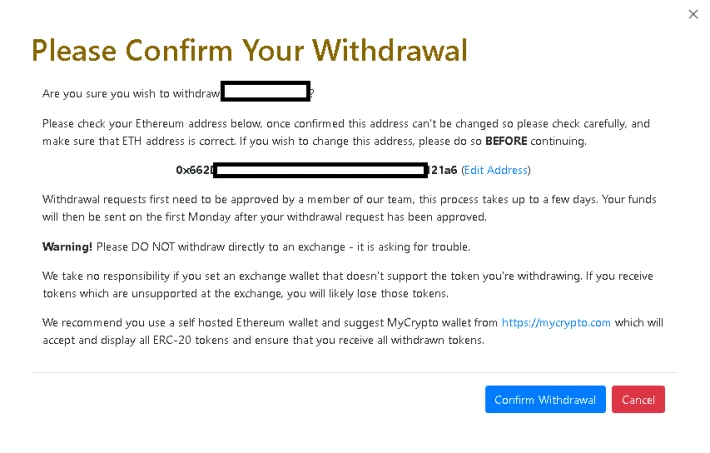
There are few things to remember. The withdrawals are processed manually by the Publish0x team each Monday. So depending on which day of the week you process your request, it might take some time. You will receive 3 emails during that process -> once when you confirm the withdrawal, once when it is approved by the team and one once the Coins are sent to your wallet.
2 more things to remember.
- You can only have 1 withdrawal at the time for each currency. You are not able to withdraw again until your previous withdraw is finished.
- You can request withdrawals for more than one currency at the time.
On the wallet side you don't need to do anything, the coins will arrive by themselves. The best part is, that all of them BAT, DAI and Loopring are all stored in Atomic Wallet. Your BAT page would look like that:
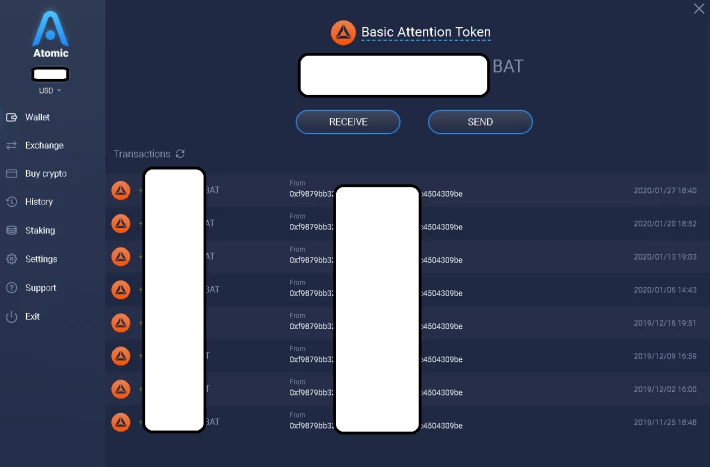
Once you collect some coins you can do whatever you want with them. Either exchange them for another asset, such as Bitcoin(to HODL), Tezos(to stake it with Atomic Wallet), Algorand(to stake it with Atomic Wallet) or simply keep them hoping that the price will rise.
Atomic Swaps
Atomic Wallet has a cool feature where you can trade a number of different cryptos to one another inside the wallet itself. However I must say that I do not recommend this option to anyone. The rates that are being offered are bad. For example:

50 BAT inside the AW converts to 0.0011888 BTC. At the same time inside Coinbase if I try the same deal I get this:
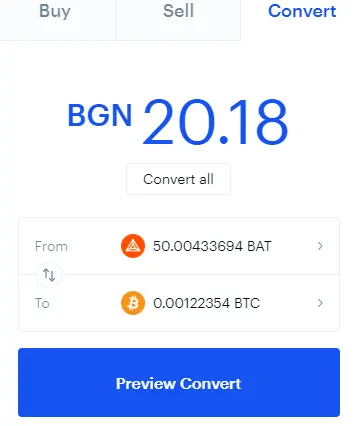
For 50 BAT I will receive 0.00122354 BTC. The fee for trading in AW will be about 1.3 BAT. I can give you more examples, but I'm pretty sure you get it.
Also it is worth mentioning that there are minimum requirements for amounts of the tokens available for exchange that you should keep in mind.
Buying crypto with Credit/Debit card
There is a list of about 20 different assets that you can purchase with credit card directly from the wallet. It is convenient, however the fact is that this is quite an expensive option - the fee is 5% or at minimum 10$. And the minimum amount you can buy is 50$, 50 EUR and so on. This means that if you buy lets say Bitcoin for 50$ you will receive just 40$ worth of BTC.
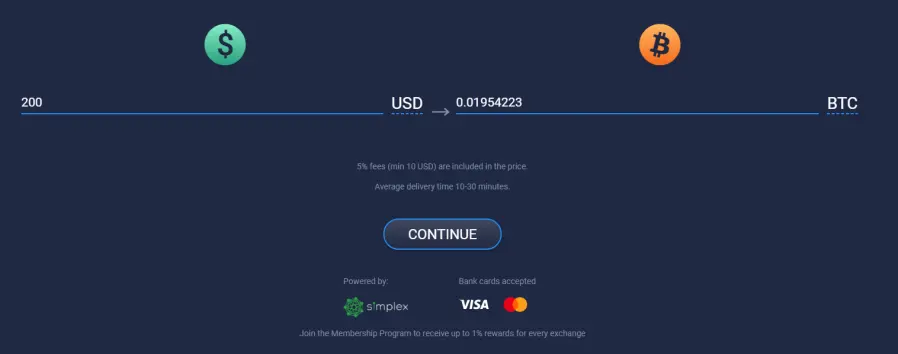
Don't know what do you think guys, but for me this is quite expensive so I avoid using this option either.
Staking/Airdrops within the Atomic Wallet
Another service that is offered in the AW is the staking of 10 different assets:
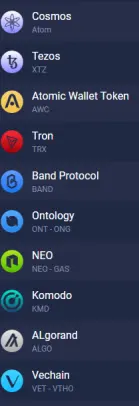
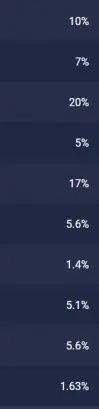
The percent you see in the screenshot above is the average annual earnings on your possessions. Additionally in the TRON blockchain there are also 3 airdrops that are supported in the AW:
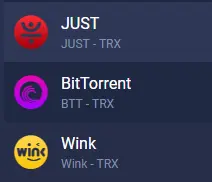
What this means is that based on the amount of the TRON you have in your wallet on a certain day each month you will receive a certain amount of the following tokens, Wink, BTT and JUST.
Few ideas for staking in AW you can find here. An article about Tezos written by me. Cosmos staking is covered in the AW website here.
>>>Conclusion<<<
I think Atomic Wallet is an great software, I use it to store all my ERC20 assets - such as Tezos, BAT, Loopring, Presearch, Dentacoin, Hydro and others. I use the staking option for XTZ and TRON. What I would like to see in near future as a development for the wallet is option to trade more of the ERC20 coins and better trading fees, because as of now, it's not really great option to lose significant amount of your crypto from the instant exchange inside the AW.






