
Hybrid encryptions are encryptions which use a combination of post-quantum and classic cryptographic algorithms for encryptions to address threats/risks posed by large scale fault tolerant quantum computers (LSFTQC) on the first stage of the coming post-quantum era.
In this post, we consider an example which shows how to use ML-KEM-768 post-quantum algorithm (see [1]), based on the FIPS 203 NIST approved standard, together with AES-256 (classic symmetric) algorithm to encrypt messages which are sent via not quantum resistant communication channels.
Helen is a financial director in a private company. The company’s security policy requires that Helen’s computer must not be connected to internet and all files with sensitive information must be encrypted with different encryption keys/passwords for each file.
One day, Helen hurts her leg and cannot come to the company’s office. John, who is the CEO of the company, urgently needs a specific report prepared by Helen. To get the report John needs both: the password to Helen’s computer and a secret cryptographic key to decrypt the report.
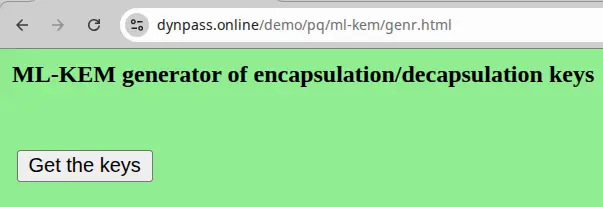
Helen goes to this URL: https://www.dynpass.online/demo/pq/ml-kem/genr.html and generates ML-KEM-768 encapsulation and decapsulation keys. She sends the encapsulation key to John, by email.
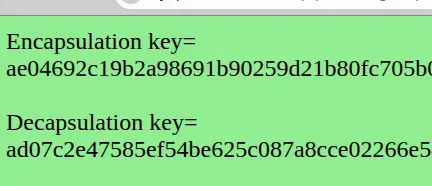
John goes to this URL: https://www.dynpass.online/demo/pq/ml-kem/enc.html and generates a cipertext and a secret key with the encapsulation key, sent by Helen.
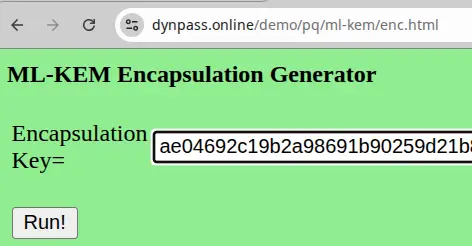

He sends the cipertext to Helen, by email.
Helen goes to this URL: https://www.dynpass.online/demo/pq/ml-kem/dec.html and generates the same secret key with the cipertext and decapsulation key.
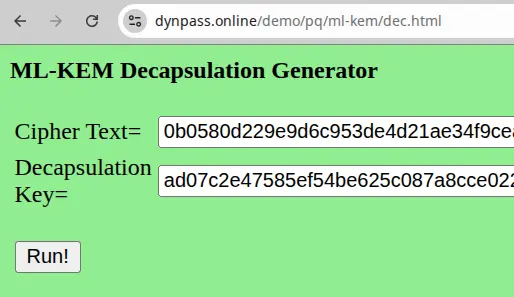

Now, both John and Helen have the same secret key. This key was not exposed to communications channels (between John and Helen) not encrypted and ML-KEM-768 encryption is resistant to large scale quantum computers attacks.
Helen writes instructions to John:
1). The computer’s password is aqjY7B9tP1;
2). To recreate the decryption key for the encrypted report, go to https://www.dynpass.online and enters the password above as the key and 7/3/1998 as the date. Select the first 16 symbols from the 3rd generated password and the last 16 symbols from the 7th generated password. Combine them to get the decryption key for the encrypted report.
Helen goes to an online AES-256 encryption site (see [2-7]), encrypts the text with instructions and sends the encrypted text to John by email.
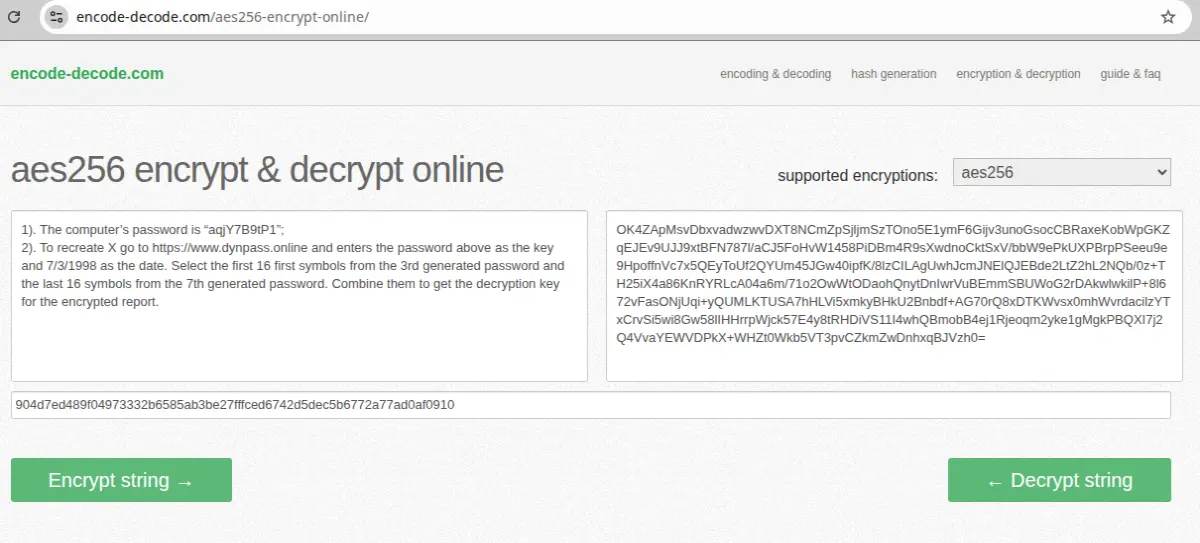
John decrypts the encrypted text with his secret key, follows the instructions and gets the report, he needs.
P.S. 1. Instead of online AES-256 encryption tools, users can use offline tools, which are available (or can be installed) on many devices (see the appendix, for examples).
- The main difference between classical public/private keys and encapsulation/decapsulation keys in ML-KEM-768 is that the first are static, but the second are dynamic. If a private key is hacked by hackers then they can decrypt all messages/data encrypted with the private key. If a decapsulation key and a ciphertext are hacked by hackers then they can decrypt only a single message, which was encrypted by the secret key generated by the decapsulation key and only if they will be lucky to intercept this particular message. This decapsulation key is useless for all other messages encrypted with different secret keys generated by other encapsulation/decapsulation keys, which are generated randomly, each time. To complicate the hacking problem for hackers, the same encapsulation key generates random different ciphertexts and secret keys, each time, when they are generated by ML-KEM-768.
References:
- https://www.publish0x.com/simple-solutions-to-complex-problems/a-simple-way-to-understand-ml-kem-post-quantum-encryptions-xxrwmxg
- https://www.devglan.com/online-tools/aes-encryption-decryption
- https://encode-decode.com/aes256-encrypt-online/
- https://anycript.com/crypto
- https://emn178.github.io/online-tools/aes/encrypt/
- https://encrypt-online.com/
- https://www.javainuse.com/aesgenerator
APPENDIX
AES-256 encryptions with openssl.
To encrypt a file named file.txt using AES-256 in CBC mode and save the encrypted output to file.enc, use the following command:
openssl enc -aes-256-cbc -in file.txt -out file.enc
Upon execution, the terminal will prompt for a password. This password will be used to derive the encryption key and must be remembered for decryption.
To decrypt the previously encrypted file file.enc and restore it to its original form as file.dec, use the following command:
openssl enc -d -aes-256-cbc -in file.enc -out file.dec
The terminal will again prompt for the password. The decryption will only be successful if the correct password is provided.
AES-256 encryptions with GPG.
gpg --cipher-algo AES256 --symmetric filename
This command will encrypt filename and create an output file named filename.gpg. It will prompt for a passphrase.
gpg --output filename --decrypt filename.gpg
This command will decrypt filename.gpg and save the decrypted content to filename prompting for the passphrase.






