
The Koala Coin and Chronicles of the Smelly Koala is an NFT community about kindness, love, and joy! You can earn Koala Coins either by holding Smelly Koala NFTs or by using the free KOALA faucet on CAIT: https://sites.google.com/view/caitwax. But if you're collecting this token, wouldn't it be nice to see your gainz on your WAX Cloud wallet account? Well, if you follow these simple instructions, you can have KOALA Coin show up!
1. Go to https://wallet.wax.io/dashboard and sign into your WAX Cloud Wallet.
2. Scroll down to "Tokens" and click on "Manage".
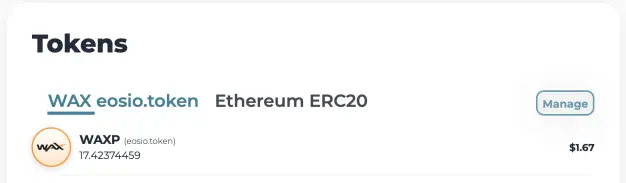
3. Click on "Add Custom Token".
4. On the popup window, you will have to manually enter the Token Symbol, Decimal Places, Token Contract, Token Name, and Token Image.
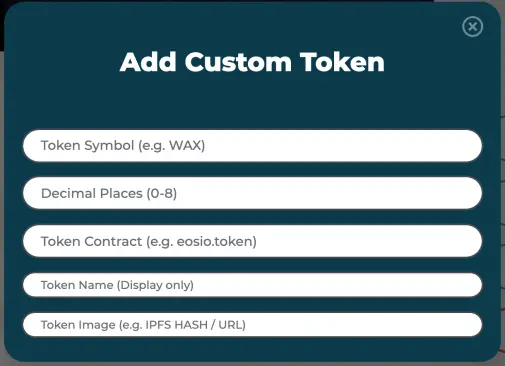
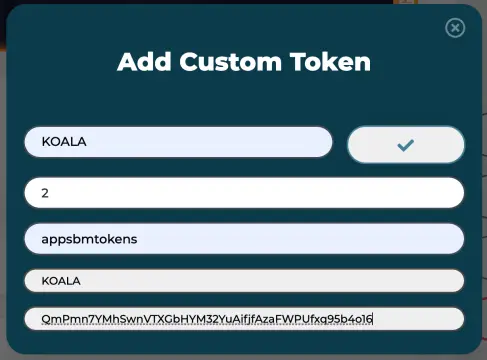
You can copy and paste the information from this post directly into the fields:
- Token Symbol: KOALA
- Decimal Places: 2
- Token Contract: appsbmtokens
- Token Name: KOALA
- Token Image: QmPmn7YMhSwnVTXGbHYM32YuAifjfAzaFWPUfxq95b4o16
If you enter in the information correctly, a green check mark will appear in the upper right hand of the entry window. Click this to save the token.
5. Click on done, and the new  KOALA Coin will now show up on your WAX Cloud Wallet nice and proud!
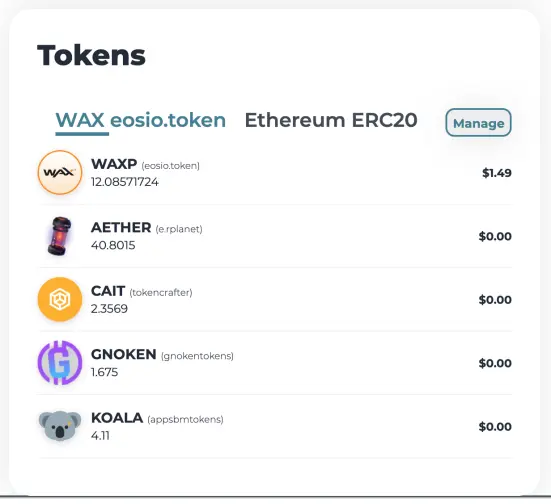
So, there you have it. I hope that this helps your smelly conquest to collect all the KOALA NFTs and contribute to global happiness. I appreciate any constructive critiques and shill good vibes!
Here is a running list of other tokens to add to your WAX Wallet (clickable links):
Follow me on Twitter: https://twitter.com/SirLRonHODLer
Important claims: I am not a financial advisor. Please do your own research before you invest any money. Crypto currency is not FDIC insured. I am a $VYGVF shareholder. I own an air fryer.






