![Used [test] v4.3.0-rc1 and rc2? No problem, here's how to preserve that wallet data and re-introduce stable mainnet software!](https://www.publish0x.com/img/662979.webp?action=resize&ar=1&enc=webp&inv=0&ori=1&st=1&up=1&w=1140&signature=efa8888d71c65d35ad2f03e23907e06d01a866d2526fcfa27440188e86dfbf77)
Simply Follow the Steps
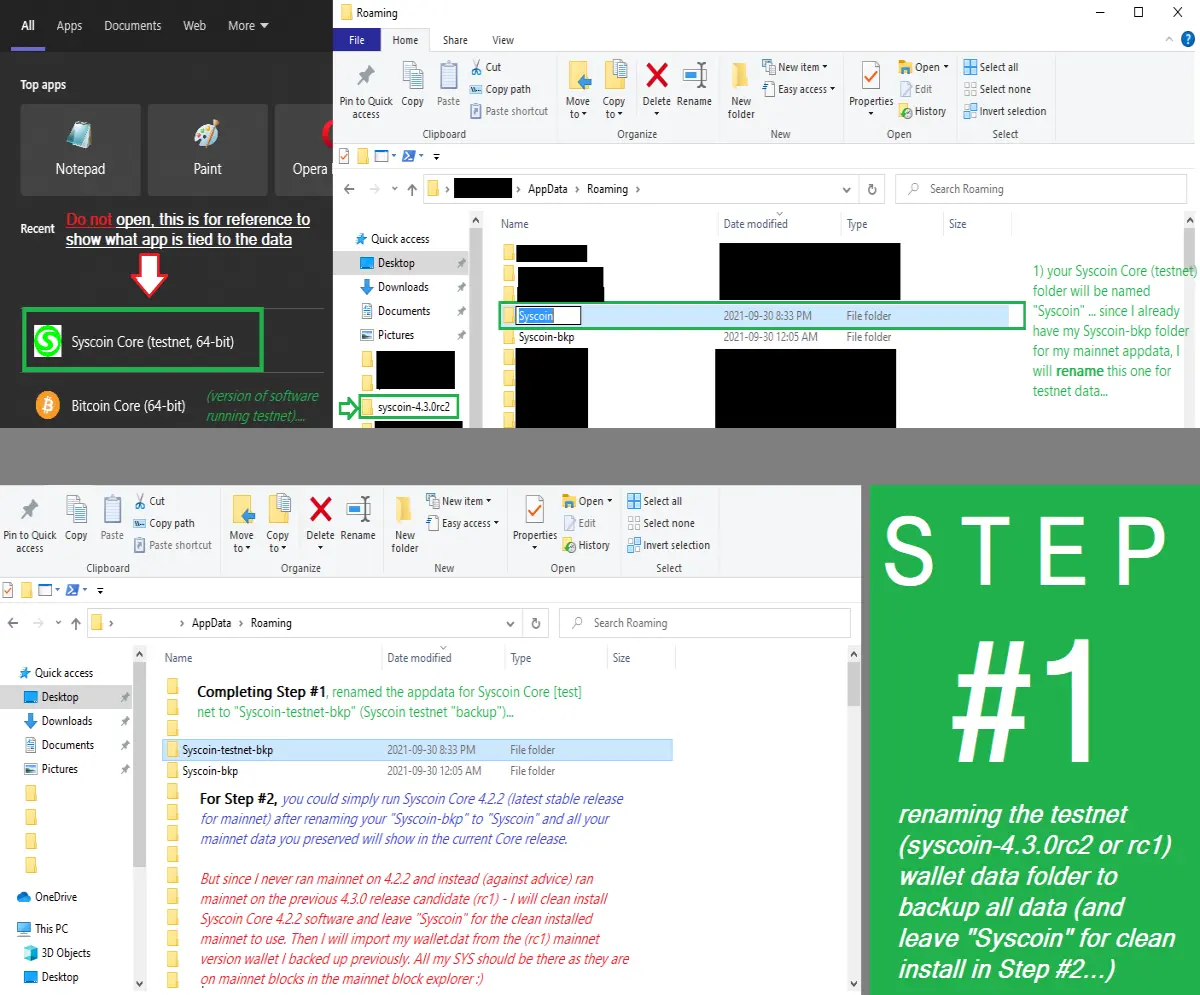
Below is a pictorial with description of how I first backed up my mainnet "Syscoin 1" wallet, used the testnet and release candidate (v.4.3.0-rc...) 1 & 2 software for the testnet, then backed the testnet data up and re-launched the stable software v4.2.2 and re-imported/opened my backed up mainnet wallet ("Syscoin 1") in the latest Syscoin Core v4.2.2 release for mainnet use.
This tutorial is for Windows 10 users who want to use the Syscoin Core stable release (v 4.2.2) with their mainnet wallet after using testnet on rc1 & rc2 for v4.3.0 to test the new "NEVM compatible"-eventual Syscoin Core software... current testing for the backbone "Syscoin Core" is on release v4.3.0-rc2 and with geth turned off... See the "testnet" channel on discord for more information!
Note: All of my testnet data is backed up for continued use in the future (you may use these steps of re-naming the AppData folders to launch testnet with testnet data and backup your mainnet wallet and its data again).
Three Easy Steps!
If you used the testnet and v4.3.0-rc1 or rc2 software, this is how to get back on the mainnet with the stable v4.2.2 Syscoin Core software (link to GitHub release on May 12, 2021):
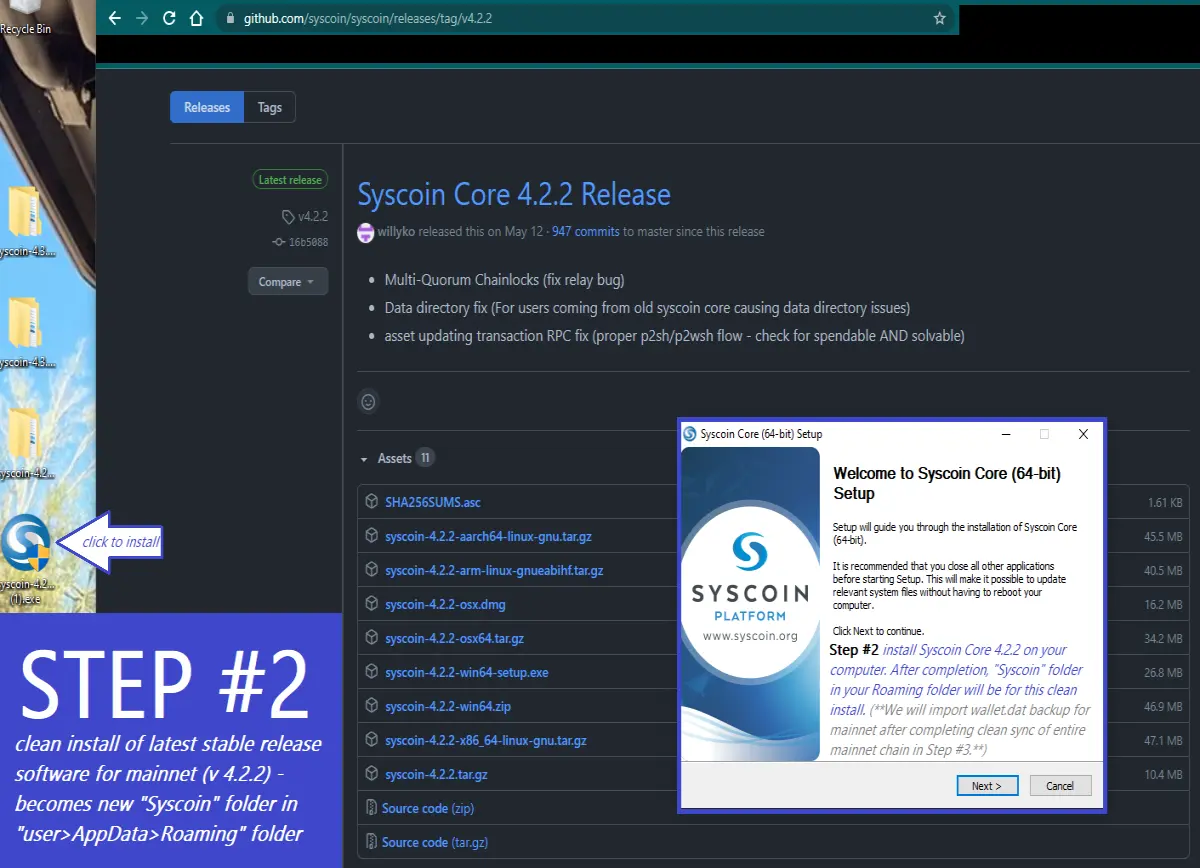
Some notes about Step #2 syncing process...
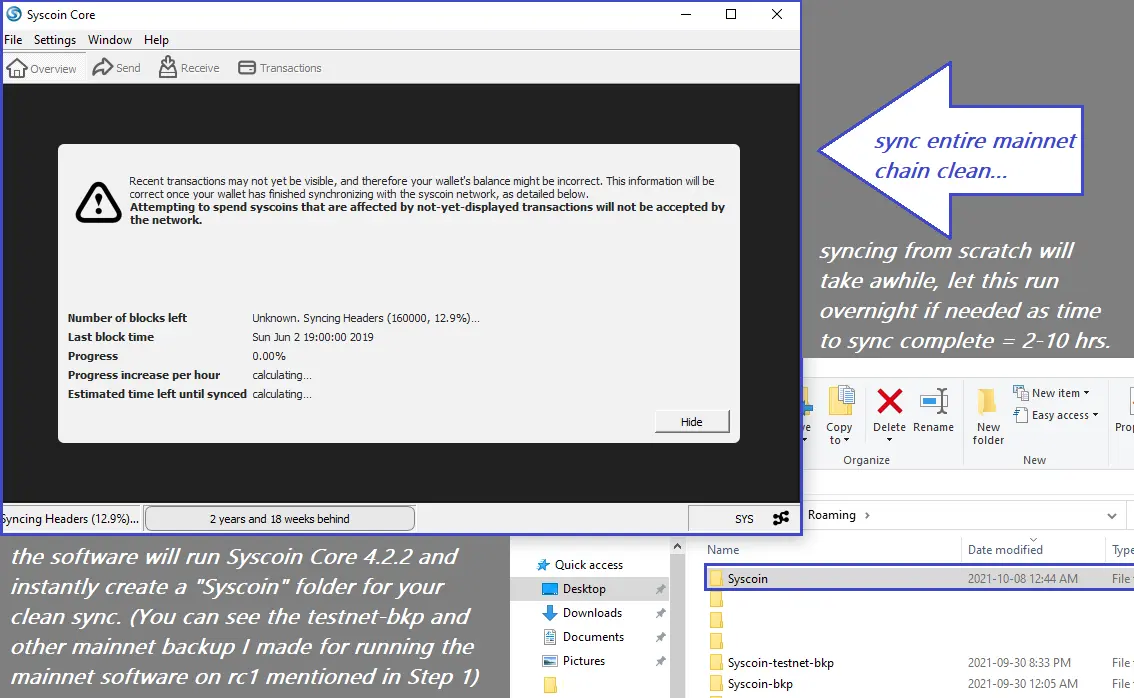
Finishing Step #2:
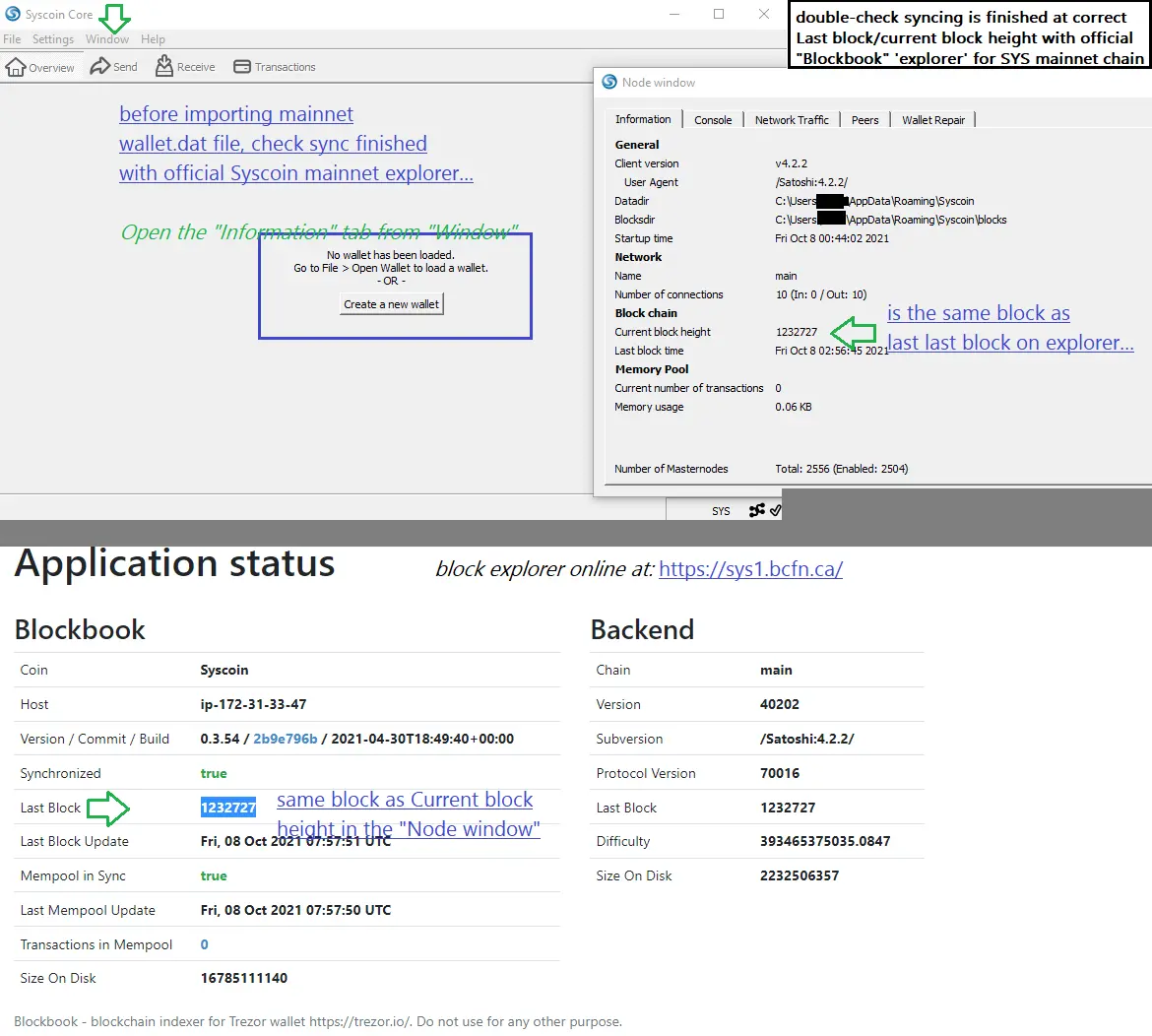
Finally, Step #3 (carefully follow in order):
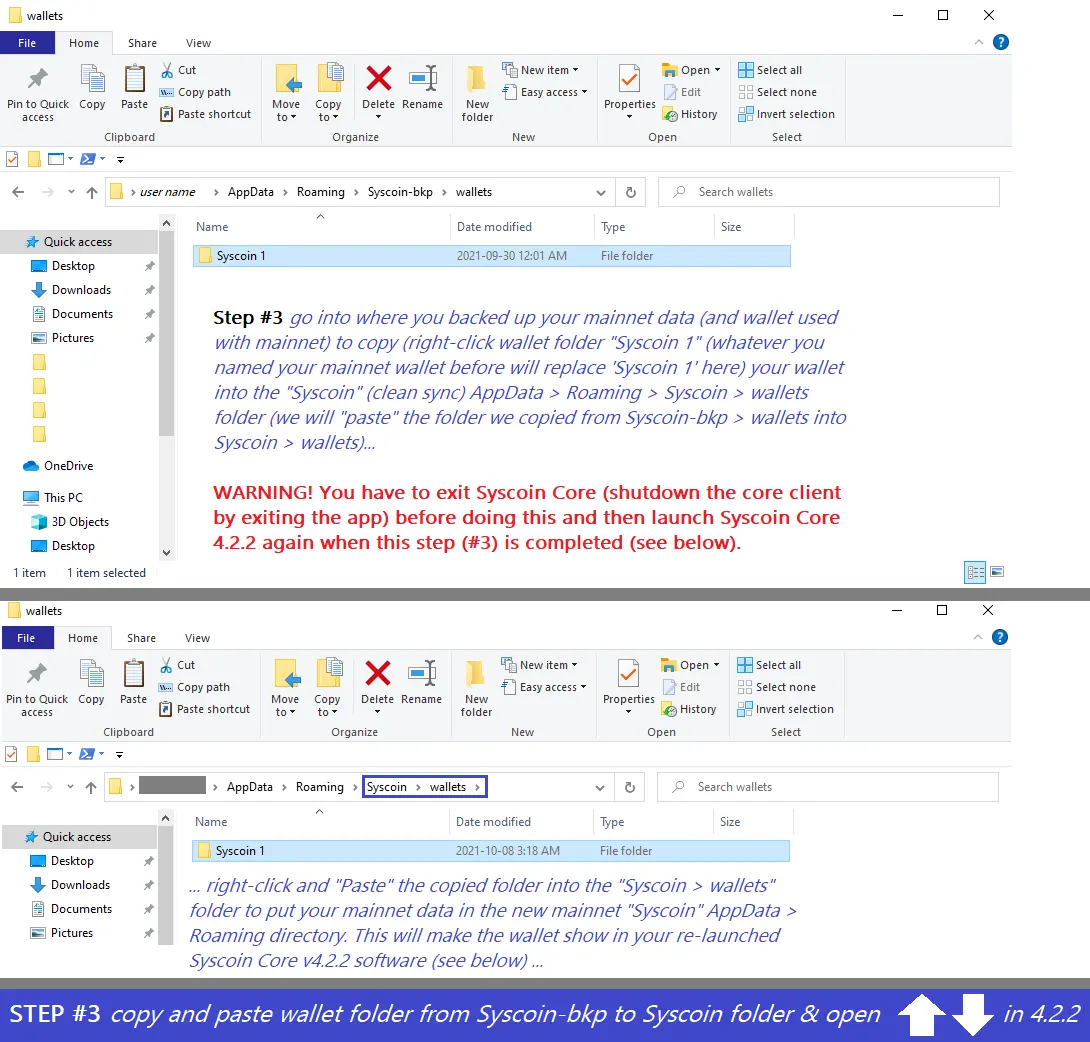
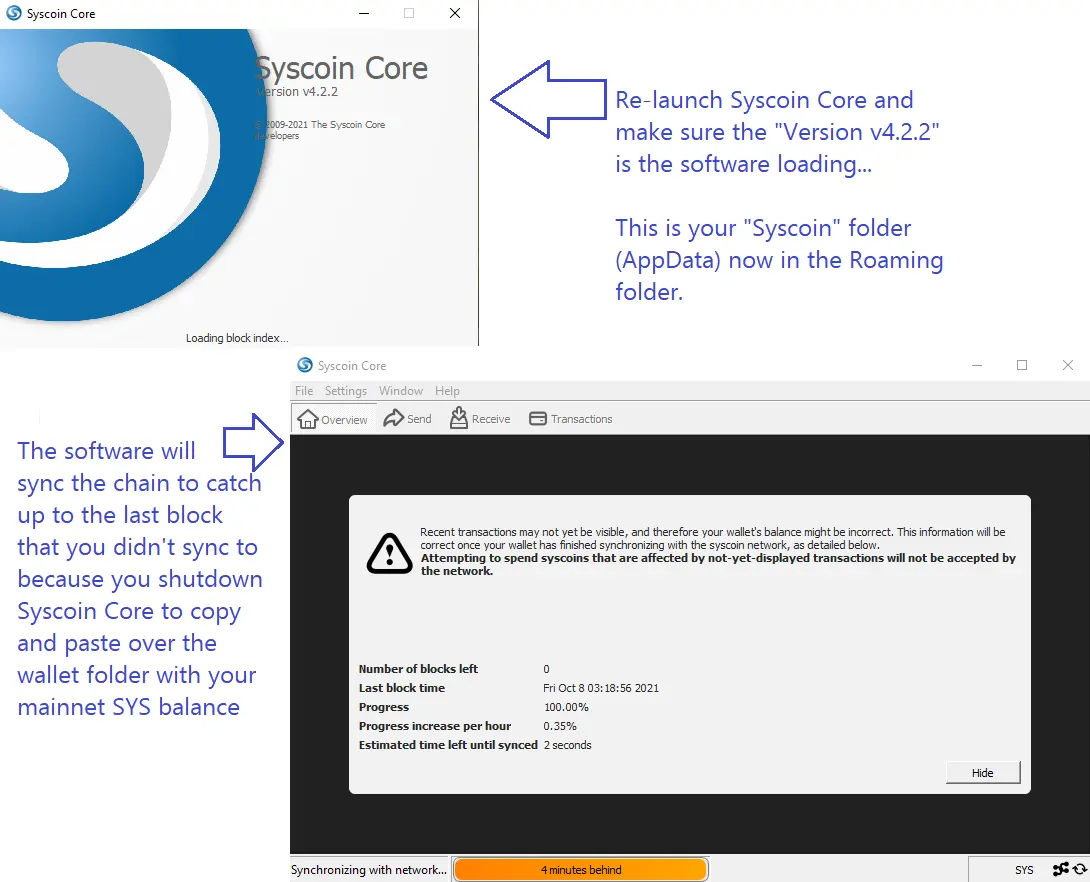
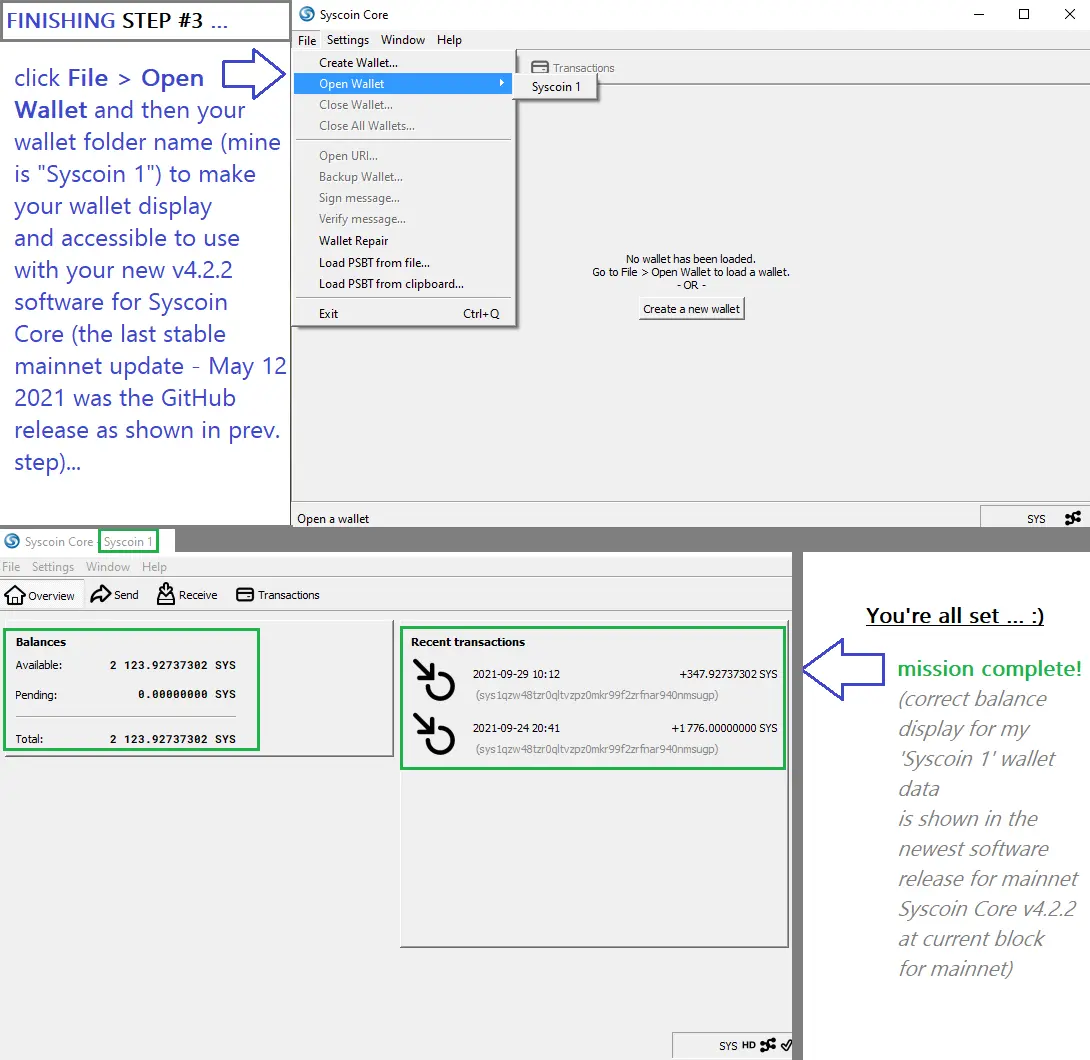
This is all the instruction you need to preserve your testnet data and reintroduce your Syscoin Core mainnet wallet into the stable Syscoin Core v4.2.2 release stable for mainnet use!
If you have questions, post below or hit me up on the discord channels @satoshi0x_#4106
Thanks for reading :)
If you were assisted send me some $SYS, I'm a holder and not selling for a long term foreseeable future :)
1. Copy and Paste my Address:
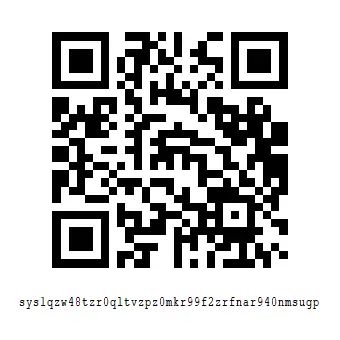
sys1qzw48tzr0qltvzpz0mkr99f2zrfnar940nmsugp
2. Alternatively, you may SCAN the QR to send from mobile to my address: